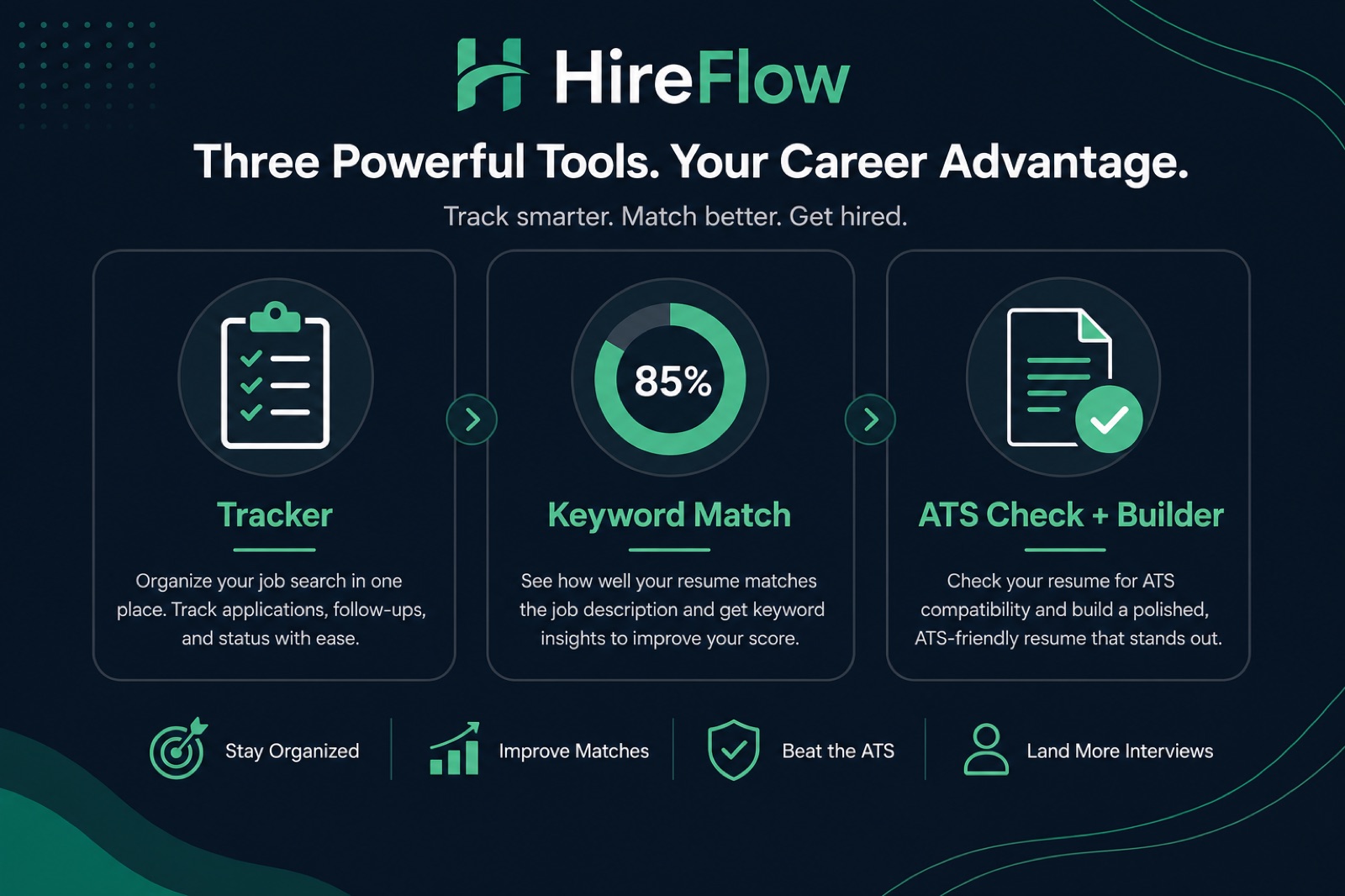
Teal, Jobscan, and HireFlow solve different problems: Teal is a job-search CRM for tracking applications and follow-ups; Jobscan scores keyword overlap between your resume and a pasted job description; HireFlow offers a free ATS parse check, match score, and resume builder focused on getting files through Workday, Greenhouse, and iCIMS without signup friction.
None of the three replaces a targeted application strategy. Pick based on your weakest link—disorganized pipeline, keyword gaps, or a resume that fails to extract—and combine tools when needed. This comparison walks feature-by-feature, honest limits, and a decision framework for US job seekers in 2026.
| Dimension | Teal | Jobscan | HireFlow |
|---|---|---|---|
| Primary job | Application tracking & CRM | Keyword match scoring | ATS parse check + match + builder |
| Free tier | Tracker basics; AI behind paywall | Limited scans/month | Core checker free, no signup |
| Parse/format diagnostic | Limited | Secondary to keywords | Primary focus |
| Resume builder | Yes (Teal+ features) | No dedicated builder | Free ATS-friendly builder |
| Best when | 20+ active applications | Tailoring to one priority JD | File may not parse in ATS |
Key Takeaways
- Teal = pipeline; Jobscan = keywords; HireFlow = parse + match + build
- High Jobscan score does not guarantee Workday extraction
- Most seekers need one tracker plus one checker—not three paid subs
- Start free on HireFlow before buying keyword tools
- Combine tools when each owns a distinct step
What each tool is built to do
Teal: job search operating system
Teal's strength is volume management—kanban boards for application stages, saved job descriptions, contact notes, and Chrome extension imports from LinkedIn and Greenhouse career pages. For candidates running parallel interview loops across fifteen companies, Teal reduces the "which version did I send?" chaos.
Jobscan: keyword match engine
Jobscan compares resume text to a pasted posting and returns match percentage plus skill gaps. Power users run a scan before each high-priority application to spot missing acronyms or title misalignment. It is weaker as a parse diagnostic—a beautifully designed PDF can score 82% on keywords while Taleo extracts gibberish.
HireFlow: ATS-first check and builder
HireFlow on hireflow.net prioritizes whether your file survives real employer parsers, surfaces formatting risks (columns, icons, header footers), and scores match against a job description—without requiring an account. The free resume builder outputs single-column layouts suited to Workday autofill and Lever uploads.
Common Mistake: buying Jobscan or Teal+ before confirming your resume parses. Keyword tools cannot fix a Canva template that drops your skills section in iCIMS.
Feature comparison for US job seekers
| Feature | Teal | Jobscan | HireFlow |
|---|---|---|---|
| Application kanban | Core product | No | No |
| JD keyword match % | Basic in suite | Core product | Yes, with parse context |
| LinkedIn profile scan | Limited | Yes (paid) | Separate optimizer tool |
| Cover letter assist | AI drafts (paid) | Limited | Free generator |
| Workday/Greenhouse parse focus | Low | Low–medium | High |
| Signup required for core value | Yes | Yes | No for ATS check |
For a HireFlow-only vs Jobscan-only angle, see HireFlow vs Jobscan (2026) and Jobscan alternatives . Pricing changes—verify current tiers on each site before committing.
Quick Check: list your top three pain points. If none are "organization," Teal alone will not move your callback rate.
Which tool fits your search stage
Stage 1: Resume may be broken
Symptoms: low or zero callbacks despite relevant experience, Workday autofill mangling your employment dates, or ATS checker cannot read your PDF. Start with HireFlow. Fix single-column layout, plain-text skills, and file type per PDF vs DOCX guidance .
Stage 2: File parses, match feels weak
Symptoms: you qualify on paper but score below 65% on priority postings. Add Jobscan or HireFlow match per application—swap title, add three honest keywords with proof bullets. Read what a good ATS score looks like so you do not chase 95%.
Stage 3: Volume and follow-up chaos
Symptoms: lost track of which resume version went to which company, missed recruiter follow-ups. Add Teal (or any CRM you will actually update). Log file name, date, and contact for every Greenhouse submission.
Mid-article: verify your base resume parses cleanly with HireFlow's ATS checker before layering paid tools on top.
Pro Tip: name files
FirstName-LastName-Role-Company.docx and
mirror that filename in Teal notes—recruiters on Lever often search attachments by name.
Before/after: how tool choice changes outcomes
Realistic workflow shifts—not product magic. Same candidate, different tool order.
| Before (weak workflow) | After (tool-aligned workflow) |
|---|---|
| Paid for Jobscan first; scored 88% on keywords; zero Workday callbacks because two-column Canva resume dropped skills on parse. | Rebuilt in HireFlow builder → parse clean → 76% keyword match → callbacks on third week. Keyword score dropped; interviews rose. |
| Applied to 40 roles from memory; sent wrong resume to hiring manager on Greenhouse; embarrassed follow-up. | Teal board with resume version tag per card; automatic reminder to follow up 7 days after apply. |
| Used Teal tracker only; never tailored keywords; 62% average match on manual spot checks. | Teal for pipeline + HireFlow match on top 10 targets/week; match band 72–82% on priority reqs. |
Common Mistake: assuming the highest match percentage wins. Recruiters on SuccessFactors still read humans—defensible bullets beat stuffed skills.
Pricing and free-tier honesty
All three companies adjust pricing. As of this article's last update: HireFlow's ATS check and builder remain free without account creation. Jobscan's free tier caps monthly scans—enough for a handful of applications, not a full campaign. Teal's tracker is usable free; AI resume rewriting and some analytics require Teal+.
The FTC endorsement guidance applies to any tool review: we build HireFlow and believe in parse-first checking—but we still recommend Teal when your bottleneck is organization, and Jobscan when you want granular keyword categorization beyond HireFlow's match report.
- Budget $0: HireFlow checker + builder; spreadsheet or free Teal tracker.
- Budget ~$30–50/mo: Pick one paid keyword tool OR Teal+, not both, until you max out free tiers.
- Executive search: Tools help; referrals and positioning matter more than scanner subscriptions.
Key Takeaway: free parse check first, paid keyword depth second, tracker when volume demands it.
How these tools relate to real employer ATS
US employers commonly use Workday, Greenhouse, Lever, iCIMS, Taleo, and ADP Recruiting. None expose a public "Jobscan score" to candidates. Third-party tools approximate keyword overlap; employer systems add referral flags, internal mobility, requisition age, and compliance filters.
Jobscan cannot simulate Workday's exact ranking model. Teal does not submit applications into those systems for you. HireFlow does not guarantee interview— it confirms your resume text is extractable and reasonably aligned with a posting before you hit submit on the employer portal.
Understand the full pipeline in how recruiters see your resume in ATS . Tools sit before employer systems—not inside them.
Quick Check: after any tool says you are ready, upload once to a test Workday or Greenhouse posting (your own past application portal if available) and preview the parsed fields.
Decision framework: pick in 60 seconds
- Has a recruiter said your resume looked blank or garbled? → HireFlow parse check + builder.
- Does your resume parse but miss posting keywords? → Jobscan or HireFlow match against each priority JD.
- Are you losing track of applications? → Teal (or any CRM you will update daily).
- Are you applying to 100+ similar reqs? → Teal + templated tailoring; read limits in auto-apply tool reality check .
- Still unsure? → Run free HireFlow check; add others only for gaps it surfaces.
Pro Tip: set a 30-day trial on one paid tool max. If callback rate does not move, the bottleneck is likely targeting or networking—not another subscription.
Which tool fits your persona
One-size comparisons hide how different candidates use the same software. Match the persona below to your situation—then run the workflow in the previous sections.
| Persona | Primary pain | Start here | Add later |
|---|---|---|---|
| New grad (0–2 yrs) | Resume format, thin experience | HireFlow builder + checker | Teal when >10 active apps |
| Mid-career switcher | Keyword translation | HireFlow match + manual bullets | Jobscan for priority reqs |
| Active pipeline (5+ interviews) | Version control chaos | Teal tracker | HireFlow spot-check per version |
| Executive / director | Narrative, not keywords | Human writer or peer review | HireFlow parse check only |
| Contract / gig stacker | Many similar short reqs | Teal + templated tailoring | Batch HireFlow checks weekly |
Career changers should read resume job match score guidance before paying for keyword depth—transferable framing matters as much as tool choice.
Quick Check: if your persona row says "Start with Teal" but you have not applied in two weeks, your bottleneck is resume quality—not organization.
Honest limitations of all three tools
No third-party product sees inside a employer's Workday tenant. Limitations you should expect:
- Teal: Does not fix a resume that fails iCIMS extraction; tracker discipline required—empty boards help no one.
- Jobscan: Keyword lists can encourage stuffing; LinkedIn scan is not a substitute for recruiter outreach.
- HireFlow: Optimized for US ATS parse patterns—not every global portal; match score is an estimate, not employer ranking.
All three sit downstream of job targeting. Applying to misaligned reqs—wrong seniority, missing clearance, remote-only when you need onsite—wastes any toolchain. Pair tool usage with when ATS checkers are worth it so you know what checkers can and cannot prove.
Common Mistake: subscribing to two paid tools with overlapping keyword features. Run both free tiers on the same resume once—if reports are 90% similar, pick one.
A practical combined stack
Serious US job searches in 2026 often look like this:
- Build base resume in HireFlow free builder (single column, plain skills).
- Run HireFlow ATS check against target role family—fix parse issues.
- Save master in Teal; duplicate per application with tailored filename.
- On top 5–10 reqs/week, run keyword pass (HireFlow or Jobscan).
- Log submission date, contact, resume version, and follow-up in Teal.
- Network in parallel—tools do not replace referrals in Greenhouse.
See also best AI job search tools tested for broader landscape context beyond these three names.
Common Mistake: spending more time comparing tools than sending tailored applications. Pick a stack in one afternoon and execute for two weeks before switching.
Sample weekly routine using all three (free-first)
A repeatable cadence prevents tool-hopping. Block four to six hours per week:
- Monday (45 min): Import new saved jobs into Teal; tag A/B/C priority; discard stale Greenhouse postings older than 30 days.
- Tuesday–Wednesday (2 hrs): Tailor A-tier reqs—title, skills, three bullets; run HireFlow match; optional Jobscan pass if free scans remain.
- Thursday (1 hr): Submit applications manually; attach correct file version from Teal notes; send one referral ask per A-tier company.
- Friday (30 min): Follow up on last week's submissions; rescan any resume you reformatted in Word or Google Docs.
This routine produces 8–12 quality applications weekly—enough for most US markets without paid tiers. Scale Teal or Jobscan only when you consistently fill the time block and still have A-tier reqs waiting.
Pro Tip: calendar-block "apply time" separately from "tool setup time" so optimization does not replace execution.
If you are comparing only two vendors, read best free ATS resume checkers in 2026 for a wider field beyond Teal, Jobscan, and HireFlow. The decision framework here still applies: identify whether you need tracking, keyword depth, or parse diagnostics first—then shortlist products that own that layer. Paid plans make sense when free quotas block your weekly cadence, not when you have not exhausted parse fixes on the base resume file you upload to every Workday and Greenhouse application.
Before and after (ATS-safe wording)
Key Takeaway: keep the same fact, add the tool name and a number.
| Before | After |
|---|---|
| Responsible for reports and team support. | Built weekly Workday headcount reports that cut manager follow-ups by 30%. |
| Used office software and helped customers. | Processed 40+ Greenhouse tickets/week in Zendesk with 96% CSAT. |
| Improved processes across the department. | Mapped the Taleo requisition workflow and cut time-to-post from 5 days to 2. |
Teal, Jobscan, and HireFlow are not interchangeable winners— they are different layers of the same job search. Parse first, match second, track third. Pay only for the layer that fixes your actual bottleneck. Revisit tool choice every 30 days against your callback data—not marketing feature lists.
Start with a free parse and match pass on HireFlow's ATS resume checker , build a clean base in the free resume builder , then add Teal or Jobscan only if your workflow still has gaps.
Frequently asked questions
Start with HireFlow if you are unsure whether your resume parses in Workday or Greenhouse—the free ATS check flags format traps before you apply. Once the file is clean, Teal helps organize applications as volume grows. Jobscan is most useful when you are tailoring keywords for specific postings and already have a tracker.
HireFlow's core ATS check and resume builder are free without signup. Jobscan offers a limited free scan quota per month; full keyword reports and unlimited scans require a paid plan. Teal's job tracker is free at basic tier; AI resume features and advanced coaching sit behind Teal+.
Not directly. Jobscan measures keyword and skills overlap against a pasted job description. A high Jobscan match percentage does not confirm that your PDF extracts correctly in an employer's actual ATS. Pair Jobscan with a parse-focused checker like HireFlow before uploading to iCIMS or Lever portals.
No. Teal is primarily a job search CRM—tracking applications, contacts, and follow-ups. Its resume tools assist drafting and formatting but are not built as a dedicated parse-risk diagnostic. Use Teal for pipeline management and a separate ATS checker for format and keyword gaps.
Teal's tracker scales when you apply to dozens of postings per week. Jobscan speeds per-posting keyword tweaks if reqs share a skill core. HireFlow lets you verify each tailored version still parses. None of the three should replace selective targeting—see our guide on auto-apply limits for volume tradeoffs.
Yes, and many serious seekers do: build a clean base in HireFlow, run Jobscan when tailoring to a high-priority posting, and log every submission in Teal with follow-up dates. The overlap is low if each tool owns one job—format check, keyword pass, pipeline tracking.
Career changers need parse-safe formatting and keyword translation from their old domain to the new one. HireFlow's checker surfaces missing transferable terms; Jobscan helps map posting language; Teal keeps networking and informational interview follow-ups organized. Prioritize honest keyword placement over inflating match percentage.
For many users, HireFlow covers format, parse risk, and job-description match score in one free flow—enough to skip a paid Jobscan subscription. Jobscan still offers deeper keyword categorization and LinkedIn optimization features HireFlow does not focus on. Compare your actual workflow before paying for both.