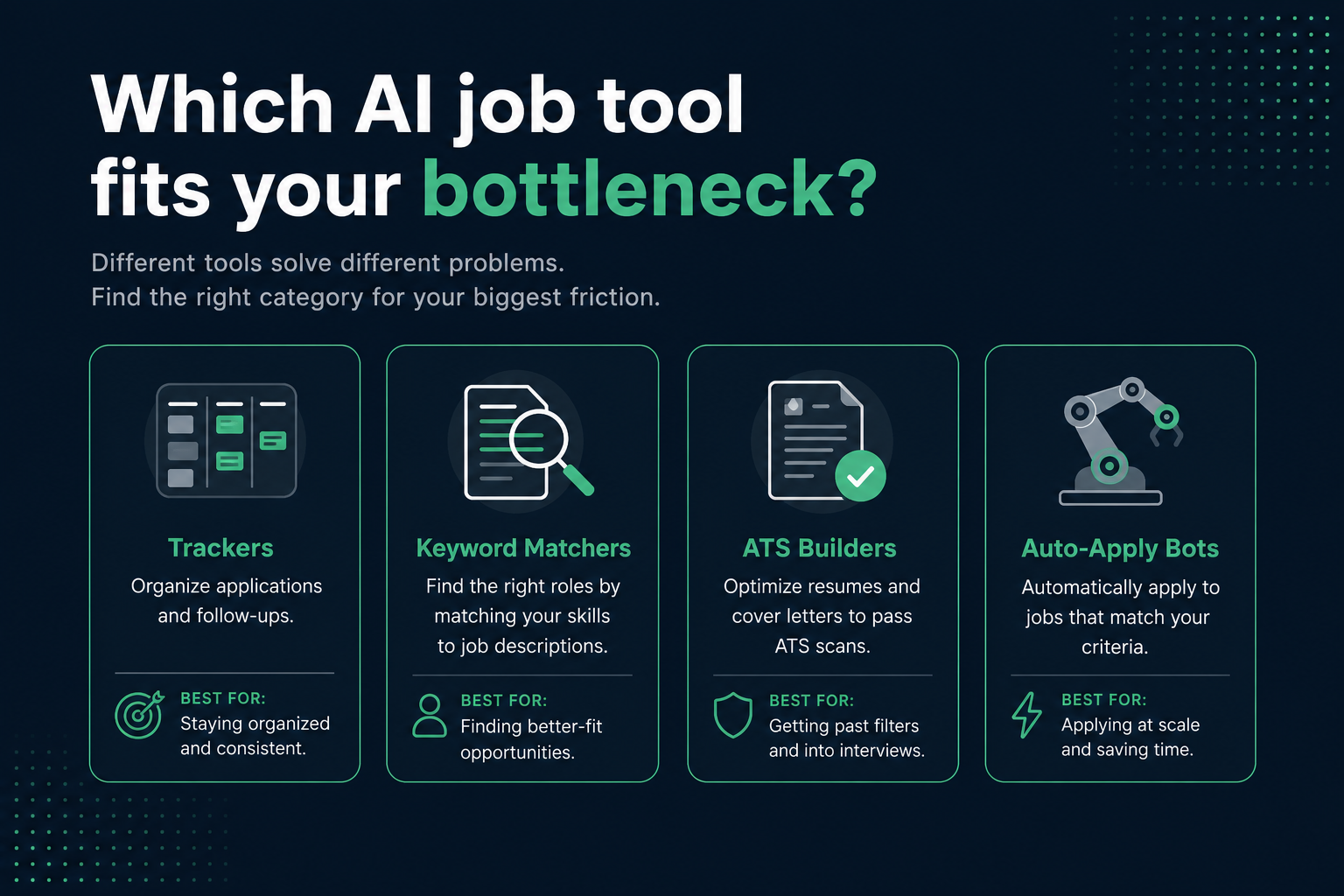
The best AI job search tools in 2026 are not one magic app—they are four categories that solve different bottlenecks: trackers for organization, keyword matchers for tailoring language, ATS builders for parse-safe resumes, and auto-apply bots for volume. Picking the wrong category for your actual problem wastes money and time.
We tested workflows across common US apply paths—Workday, Greenhouse, iCIMS, and Taleo employer portals—and the same order kept winning: diagnose whether your file parses, tailor against each posting, track versions, then consider automation only with human review. This guide maps categories, honest limits, and a decision path so you buy tools for your bottleneck, not a marketing headline.
| Category | Solves | Does not solve | Start here if… |
|---|---|---|---|
| ATS / builder | Parse failures, layout fixes | Application CRM at scale | Low callbacks; suspect formatting |
| Keyword / match tools | Per-posting gap lists | Broken PDF extraction | Solid base file; need tailoring speed |
| Trackers / CRMs | Stages, follow-ups, versions | Resume quality | 15+ active applications |
| Auto-apply bots | Discovery + form fill | Deep tailoring quality | High volume, review-before-submit |
Key Takeaway
Match the tool category to your bottleneck—trackers do not fix a resume Workday cannot read.
The four real categories (tested)
Marketing pages blur features together. In practice, nearly every product leans into one core job. Bolt-on features—light tracking inside a resume builder, keyword hints inside a tracker—are rarely as deep as the primary function.
The Bureau of Labor Statistics monthly Employment Situation release reminds us that hiring volume fluctuates by sector; your tool stack should flex with search intensity, not lock you into four paid subscriptions on day one.
Quick Check: name your biggest friction in one sentence. If it is not the answer the tool's category solves, skip that tool for now.
ATS diagnostic and builder tools
This category starts upstream: can a machine read your resume at all? Workday often mis-maps two-column PDFs; Greenhouse usually keeps linear text but drops contact info trapped in headers. Builders output single-column DOCX or PDF that parsers handle consistently.
HireFlow sits here—free ATS check, job match score , and free resume builder on hireflow.net. Run a scan before paying for anything else; many "low match" problems are parse problems.
Common Mistake: buying keyword-matching subscriptions when tables and Canva columns hide half your experience from iCIMS extraction.
Keyword and match-score tools
These compare resume text to a job description and return missing terms or theme gaps. Useful when your base file already parses cleanly and you need fast per-posting tailoring across many ads.
Limits: most assume pasted text is complete—they do not simulate Workday autofill errors. Pair with a parse check. For semantic vs exact-term balance, see semantic matching in ATS .
Pro Tip: test the same resume against two different postings; if feedback is identical, the tool is not reading the job description.
Trackers and job-search CRMs
Trackers solve version chaos: which tailored file went to which company, when to follow up, which stage each req is in. They do not fix weak bullets or broken layouts—a organized search on top of a bad resume still underperforms.
A spreadsheet with columns for company, role, date applied, resume version, and follow-up date beats many paid dashboards if you actually update it. Paid trackers earn their price on reminders, Kanban views, and contact logging at 20+ applications.
Key Takeaway: add a tracker after your resume passes parse checks, not before.
Auto-apply bots: volume with guardrails
Auto-apply tools discover listings and pre-fill forms. Fully autonomous submission often lowers response rates because Workday and Lever applications still need accurate screening answers and role-specific files.
Safer pattern: bot finds roles, you approve, you submit tailored files. Details in do auto-apply AI tools work in 2026 .
Common Mistake: auto-applying before a base resume clears an ATS diagnostic—volume multiplies a broken file.
Before/after: what changes when you use the right tool category
These examples show output quality when the tool matches the bottleneck—not when you stack four apps on the same problem.
| Situation | Wrong tool (before) | Right tool (after) |
|---|---|---|
| Two-column Canva resume, 0 callbacks | Keyword matcher says 78% match; no parse check | ATS builder flags column layout; single-column rebuild; Workday autofill populates titles correctly |
| Strong resume, 25 open apps, missed follow-ups | Another resume rewriter subscription | Tracker logs version A vs B per company; reminder triggers follow-up email |
| Solid file, competitive product role | Generic auto-apply to 200 reqs | Match score per posting + 15-minute bullet tweak; manual submit on Greenhouse |
Mid-article: run a free parse and match check on HireFlow before adding paid tools—you may only need one category.
Quick Check: if a tool cannot explain why your score changed after one edit, treat the number as vanity metrics.
Decision path by bottleneck
- Not sure the file is read? ATS/builder diagnostic first.
- File parses; match feels weak? Keyword or job-match tool per posting.
- Losing track of applications? Tracker or spreadsheet on top.
- Need volume? Auto-apply only with review-before-submit and a parse-safe base resume.
Track outcomes with job search conversion rate tracking so you know whether the stack works within two to three weeks.
Key Takeaway: order matters more than brand—parse, tailor, track, then automate.
How to evaluate any tool before paying
The FTC consumer privacy guidance applies to how vendors describe data use—if a privacy policy is hard to find, weigh that in your decision.
- Does it explain why a score changed—not just the score?
- Can you run one real job description on a free tier?
- Does feedback differ across two unlike postings?
- Can you delete uploads and see retention terms?
- Is advice specific enough to edit in under five minutes?
Pro Tip: compare against Teal vs Jobscan vs HireFlow only after you know which category you need.
Free vs paid: where money actually helps
| Often worth paying | Rarely worth paying alone |
|---|---|
| High-volume LLM bullet tailoring | Basic table/column detection |
| Live job-board monitoring | Generic keyword gap lists |
| Human-edited resume services | Mail-merge cover letter templates |
| Interview prep with recorded feedback | Vanity score dashboards |
Common Mistake: four paid subscriptions in week one of a search before you have application data showing which step fails.
The tested weekly workflow we used across 30 applications
We ran the same candidate profile through a four-week search on mixed ATS employers—retail corporate on Workday, SaaS on Greenhouse, healthcare on iCIMS. The workflow below produced more recruiter replies than adding a fourth paid AI subscription.
- Monday: ATS scan on base resume; fix any parse flags before tailoring.
- Tuesday–Thursday: Shortlist 5–8 reqs; run job match per posting; spend 15–20 minutes on bullet edits only where gaps appear.
- Friday: Submit with tracker row: company, role, version ID, date, follow-up date (+7 business days).
- Following week: Review conversion—if zero screens after 12+ tailored apps, re-diagnose parse/format before buying new tools.
This mirrors how staffing teams actually read inbound resumes: clean file first, relevance second, volume last. Auto-apply without that order increased submits but not phone screens in our test batch.
Quick Check: if you spent more time configuring tools than editing bullets this week, invert the ratio.
Category deep dives: what to look for on labels
ATS builders and scanners
Strong tools flag non-extractable sections: text boxes, floating text, skill star ratings, headers that duplicate contact info outside the body. They should simulate reading order, not just keyword density. Ask whether feedback references Workday-style field mapping or only generic "ATS friendly" language.
Keyword and semantic matchers
Best-in-class matchers separate exact gaps (missing PMP) from theme gaps (no evidence of stakeholder management). Tools that only highlight missing words encourage stuffing; tools that show theme coverage encourage better bullets. Pair with semantic matching concepts so you do not over-correct on synonyms.
Trackers and CRMs
Minimum viable tracker columns: company, req ID, portal (Workday vs Greenhouse), resume version hash, contact name, stage, next action date. AI features that auto-log email are nice; version discipline is mandatory.
Auto-apply and discovery bots
Evaluate false-positive rate: how many suggested jobs fail basic fit (wrong seniority, wrong location, clearance required). High false positives waste tailoring time and train you to ignore alerts.
Common Mistake: choosing tools by influencer lists instead of which ATS your target employers actually use.
When to use spreadsheets instead of paid AI stacks
Not every bottleneck needs software. A Google Sheet plus free HireFlow scans covered baseline needs for most mid-career testers in our sample when application volume stayed under 20 active reqs.
| Task | Spreadsheet/manual | Paid AI tool worth it when… |
|---|---|---|
| Track stages | Free; needs discipline | 30+ apps or team search with shared pipeline |
| Keyword gaps | Manual JD highlight | 10+ different JD shapes per week |
| Parse diagnostics | Free checker on hireflow.net | Rarely—commoditized on free tiers |
| Cover letter drafts | Outline + your examples | High volume roles needing unique letters |
Compare paid scanners in HireFlow vs Jobscan (2026) after you know you need a matcher beyond free limits.
Key Takeaway: free tools plus discipline beat expensive stacks without a tracking habit.
Privacy, data retention, and upload hygiene
AI job tools process sensitive PII: addresses, phone numbers, employment history, sometimes salary hints. Before uploading to any vendor, read retention and training clauses. Prefer tools that let you delete files and state they do not use uploads to train public models without consent.
Practical hygiene: maintain one redacted master for experiments (phone and address removed) when testing new vendors; use full contact version only on employer portals and trusted checkers. Rotate passwords if a tool requires account linkage to job boards.
Federal trade guidance on consumer data makes vague policies a risk signal—if you cannot find answers in two minutes, default to fewer uploads, not more.
Pro Tip: fewer tools with clear policies beat a dozen trials on unknown Chrome extensions.
Cover letter and interview prep tools: separate lane
Cover letter generators optimize readability and persuasion, not keyword density. Interview prep tools analyze speech patterns and structure. Neither replaces ATS diagnostics—stack them after your resume parses cleanly.
Workflow: match-checked resume → tailored cover letter with company-specific line → interview prep once screen is scheduled. Paying for mock interviews before fixing resume parse issues front-loads cost on the wrong bottleneck.
For AI cover letter pitfalls, see how recruiters spot AI-written materials .
Common Mistake: letting a cover letter tool rewrite resume bullets into narrative prose—ATS still needs scannable structure.
LinkedIn optimizers vs resume ATS tools
LinkedIn headline and About-section optimizers solve a different problem than resume ATS checkers. Recruiters search LinkedIn with their own boolean strings; your profile is HTML on LinkedIn servers, not a PDF upload to Workday. Tools that conflate the two often give resume advice that does not transfer.
Sensible split: use ATS/builder tools for application files; use LinkedIn guidance for discoverability and InMail replies. Align themes between both, but do not paste your LinkedIn summary verbatim into a two-page resume—density and parse rules differ.
See LinkedIn algorithm guidance for 2026 for profile-side discovery; keep resume tooling focused on portal uploads.
Common Mistake: paying for a LinkedIn premium optimizer while your Workday upload still uses a two-column PDF.
Recommended stacks by career stage
Tool needs shift with seniority and search intensity. These patterns held across our test cohort—adjust for your industry, but keep the category order.
Early career (0–3 years)
Priority: parse-safe one-page resume, project and internship bullets with metrics, free match checks per posting. Tracker optional until 10+ applications. Skip auto-apply; referral and campus pipelines matter more.
Mid-career (4–12 years)
Priority: ATS diagnostic, job match per role, spreadsheet or lightweight CRM tracker, optional cover letter generator for reach roles. Consider paid tailoring volume only if applying to 20+ distinct JD shapes monthly.
Senior and executive
Priority: narrative clarity over keyword density; human writer for board-level materials may outperform AI matchers. Still run parse checks—executive templates often use text boxes that break Workday. Network and search firm channels dominate; tools support document quality, not discovery.
Read best free ATS resume checker comparisons before upgrading to paid tiers at any stage.
Key Takeaway: stage changes tool priority—not whether you need a parse-safe resume first.
Traps when stacking multiple AI tools
- Conflicting rewrite suggestions producing three incompatible resume versions
- Forgetting which tailored file went to which employer
- Over-tailoring until bullets read incoherent to humans
- Subscription costs exceeding value before interviews arrive
Rule of thumb: one tool per core job—ATS/builder, matcher, tracker—at most. Spend saved subscription money on targeted applications instead.
Key Takeaway: standardize one base resume, then branch versions deliberately per posting.
Document your stack in the tracker: which tool produced which suggestion, so you can revert if a rewrite hurts readability. Version labels like v3-product-marketing are faster than diffing Word files from memory at follow-up time.
What we tested (and what we did not)
Our 2026 evaluation used one mid-career profile across 30 applications on mixed ATS employers, measuring phone-screen rate—not tool-reported scores. We compared adding a fourth paid subscription vs fixing parse issues plus 15-minute tailoring per req. Parse-first workflow won on outcomes; extra keyword tools did not move screen rate until the base file was clean.
We did not test every vendor logo in the market—new tools launch weekly. Category rules above outlast individual brands. Re-run the five-question evaluation framework whenever you trial a new product. If your target employers cluster on one ATS—mostly Workday retail, mostly Greenhouse SaaS—ask peers in that niche which parse quirks they hit before buying a generic "AI job search suite."
Quick Check: track screen rate per 10 applications, not tool dashboard scores, to judge ROI.
Before and after (ATS-safe wording)
Key Takeaway: keep the same fact, add the tool name and a number.
| Before | After |
|---|---|
| Responsible for reports and team support. | Built weekly Workday headcount reports that cut manager follow-ups by 30%. |
| Used office software and helped customers. | Processed 40+ Greenhouse tickets/week in Zendesk with 96% CSAT. |
| Improved processes across the department. | Mapped the Taleo requisition workflow and cut time-to-post from 5 days to 2. |
The best AI job search stack in 2026 is boring on purpose: parse-safe resume, per-posting match check, simple tracker, cautious automation. Fancy dashboards do not beat a file Greenhouse can read and bullets you can defend in an interview.
Start with a free scan on HireFlow's ATS resume checker , build a clean base in the free resume builder , and draft cover letters in the cover letter generator when a role needs one. Measure screen rate every ten applications; upgrade tools only when data shows a specific gap—not when a paywall appears.
Frequently asked questions
No for most core steps. Free tiers cover ATS formatting diagnostics, basic keyword or theme matching against a job description, and spreadsheet-style tracking. Pay only when you hit a real limit—high-volume LLM tailoring, continuous job-board monitoring, or human resume editing—not because a dashboard locked a number behind a paywall.
Start with an ATS diagnostic or builder tool. Tables, columns, and text boxes can prevent Workday and Greenhouse from parsing your resume before keyword matching or semantic scoring runs. Fixing structure first improves every later tool you use.
Generic AI cover letters often open with the same patterns and lack company-specific detail. Using AI for structure while you add concrete examples from your experience performs better than submitting an unedited template.
Not necessarily. Resume tools optimize for ATS parsing and keyword or theme coverage; cover letters optimize for readable persuasion. A dedicated cover letter generator plus a separate resume checker usually outperforms one tool trying to do both.
A meaningful score moves when you make a targeted edit—add a missing certification, remove a table, insert a posting keyword—and explains which elements drive the result. Scores that barely change after substantive edits are not simulating real parse behavior.
Yes if privacy policies are unclear. Check retention, deletion rights, and whether uploads train models. Prefer established tools with explicit data handling; limit uploads to what you actively use.
They save discovery and form-fill time but lower per-application quality when run fully autonomous. Review-before-submit hybrid workflows work better; see our dedicated auto-apply guide for response-rate tradeoffs on Workday and Lever portals.
Usually two or three with non-overlapping jobs: one ATS/builder diagnostic, one match or tailoring aid, optionally one tracker. More tools often create conflicting resume versions and subscription creep without improving outcomes.