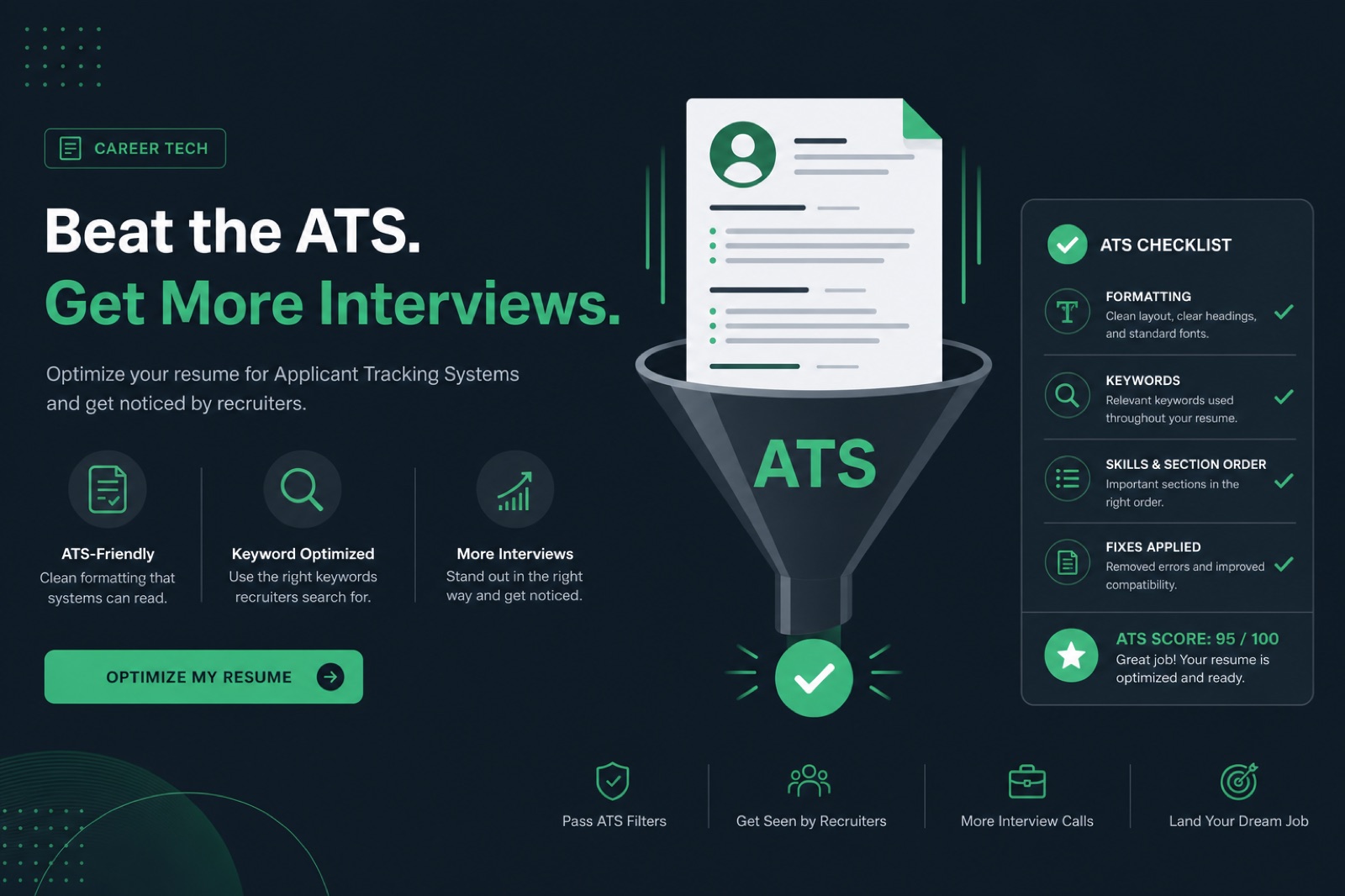
The best free ATS resume checker in 2026 is not a single brand name—it is whichever tool actually tests what you need: file parsing and format extraction for Workday and Greenhouse uploads, or keyword overlap against a specific job description, with a full first result visible before signup and enough repeat scans to fix issues and re-check.
Most disappointment with free checkers traces back to picking a keyword matcher when the real problem is a two-column layout, or paying attention to a percentage while the extracted text preview shows scrambled job titles. This guide skips star-rated listicles and evaluates the category on criteria you can test yourself in five minutes—including privacy, repeat scans, and whether the tool shows you what it actually extracted.
Key Takeaway
- "Free" covers five business models—each shapes what you actually get
- Format/parsing checkers and keyword matchers test different failure modes
- A one-shot free scan that blocks re-checks defeats the fix-and-rescan workflow
- Run the five-minute self-test below before trusting any marketing claim
- The extracted text preview is the real evidence—not the headline score
What "free" actually means for an ATS checker
"Free" on a resume tool homepage is a pricing label, not a quality promise. Behind it are usually one of five arrangements, and each shapes how the tool behaves toward you.
1. Genuinely free, funded by optional upgrades
The scan costs nothing and does not require payment info. The company earns from templates, unlimited re-scans, human review, or a builder. The free product must be good enough to build trust—this is the healthiest version of free.
2. Freemium with a hard credit limit
One or two scans "free forever," then every additional scan requires a plan. Fine for a single check; punishes scan-fix-rescan workflows when the second scan is paywalled.
3. Email-gated results
The scan runs free, but results unlock after email signup—and often a drip campaign. You pay with inbox space, not dollars.
4. Free because you are the product
Some checkers exist to collect resumes for recruiting agencies or data brokers. If the privacy policy is vague about who else sees your upload, assume more eyes than you want.
5. Free as a funnel into paid rewrite
Scores calibrated to feel alarming—very low, "critical issues" language—because the next screen sells a $200+ rewrite package. The diagnostic may be partially accurate; the framing is tuned for conversion.
Common Mistake: assuming free means low quality, or that price signals thoroughness. Some free parsing checkers beat certain paid keyword-only tools.
The four categories of "free ATS checker"
Beyond business model, free tools split by what they test. Confusing these categories is the most common reason people feel let down by a "free ATS score."
| Category | What it tests | What it misses |
|---|---|---|
| Format/parsing checker | Columns, tables, fonts, headers, file type | JD-specific keyword gaps without a posting |
| Keyword/match-score tool | Text overlap vs pasted job description | Whether the file parses at all |
| Builder-with-checker combo | Basic scan bundled into editor | Deep parse audit—scan is secondary |
| Recruiter/marketplace tool | Candidate database intake | Actionable formatting diagnosis |
Workday's parsing engine frequently struggles with multi-column layouts and text in headers, sometimes importing blank employment fields even when the PDF renders fine on screen. Greenhouse generally parses clean single-column PDFs well but can lose contact details stored only in a header block. A keyword-only checker has no way to catch either failure.
Quick Check: read what the tool tests, not what it calls itself. "ATS checker" on the homepage does not guarantee a parsing audit.
Before/after: what a parsing check catches that a keyword tool misses
| Version | Extracted text (simulated) |
|---|---|
| Before — two-column layout | Skills Python SQL Tableau Senior Data Analyst Northwind Retail 2022-Present Built reporting |
| After — single-column layout | Senior Data Analyst — Northwind Retail, 2022–Present. Built reporting dashboards used by 40+ stakeholders in Looker and SQL. |
| Before — Canva icon skills row | Jane Doe [email protected] Project Manager led cross-functional teams |
| After — plain-text skills line | Skills: Jira, Confluence, Agile, Scrum, stakeholder management, SaaS rollouts. Project Manager — Acme Corp, 2021–Present. |
A keyword matcher scores both "before" versions similarly—the same words exist. Only a format/parsing checker flags scrambled reading order. See does Canva resume pass ATS for design-tool-specific failures.
Pro Tip: fix parsing before keyword stuffing. A resume Taleo cannot read will not benefit from more synonyms.
Seven criteria to score any free checker
Instead of ranking brands—which turns stale the moment any ships an update—apply this rubric to whatever free checker you are considering. Most tools fail at least two rows.
- Parsing accuracy: flags columns, text boxes, tables, images-as-text
- Explanation depth: names what is wrong and where—not just a number
- Access before payment: full useful result before signup or card
- Repeatability: fix an issue and re-scan without instant paywall
- File format coverage: handles PDF and DOCX since employers differ
- Data handling: clear retention/delete policy stated upfront
- Path to a fix: action plan or rebuild option—not diagnosis only
| Criteria | Pass | Fail |
|---|---|---|
| Parsing check | Flags columns, tables, images | Only compares text to JD |
| Explanation | Names exact section or issue | Single percentage, no detail |
| Access | Full first result visible free | Score blurred until signup |
| Repeat scans | Re-scan after fixes | Second scan paywalled |
| Data handling | Clear retention policy | No mention of file fate |
Key Takeaway: three or more failed rows means keep looking before you trust the output for an important application.
Seven free-tier traps to watch for
- The vanishing scan: first result full; every scan after gated
- Score without explanation: a number with no breakdown is a mood, not a diagnosis
- Keyword-only tools branded as ATS checkers: name implies parsing; product measures overlap
- Locked export: scan free; usable download requires payment
- Email-gated results with drip campaign: read privacy policy first
- "Unlimited" with hidden daily cap: discovered only when you hit it
- Alarming framing to sell rewrite: every scan "critically low" regardless of quality
The FTC privacy and data security guidance for businesses reminds consumers to read policies before sharing personal documents—your resume contains full employment history and contact details worth treating cautiously.
Common Mistake: uploading your only resume copy to a tool with no delete option. Export a redacted test version first when privacy policy is unclear.
What free checkers cannot simulate: platform-specific parsing
No free checker replicates every employer's exact ATS configuration. Workday instances vary by company—field mappings, required questions, and import behavior differ between a bank and a tech startup on the same underlying software. A checker that flags generic two-column risk is still useful; it is not a guarantee every Workday portal will behave identically.
Taleo and ADP Recruiting, common in staffing and enterprise hiring, often struggle with tables used for date alignment and with PDFs exported from design tools. Lever and Greenhouse generally handle clean single-column PDFs well but still drop contact details stored only in headers. A free checker should at least surface whether your file extracts in linear reading order—that predictor transfers across platforms better than a single branded score.
The NIST AI Risk Management Framework emphasizes transparency in automated systems—applied to hiring, that means you should see what was extracted from your file, not only a black-box percentage. Favor checkers that show extracted text previews.
Key Takeaway: use free checkers to catch structural risk early, then confirm file type choices with Workday resume format guidance when applying to employers on that stack.
When to use a parsing checker vs a keyword matcher
Use a parsing/format checker when: you built the resume in Canva or a visual template; you have never run select-all paste; you get silence across many applications; or the checker's extracted text preview looks scrambled. Use a keyword matcher when: paste test is clean; you get some callbacks but want higher match on specific postings; you are tailoring the same base file to multiple roles in one week.
Many job seekers need both—but in sequence, not simultaneously. Parse first, tailor second. Running keyword optimization on a file iCIMS cannot read is the most common wasted hour in modern job search. If you only have time for one free tool today, default to parsing unless you have proof the structure is already safe.
| Signal | Likely issue | Free tool type |
|---|---|---|
| Paste test jumbled | Layout / parse failure | Format/parsing checker |
| Paste test clean, low callbacks | Relevance / keyword gap | Keyword matcher + JD mining |
| High match %, still rejected fast | Possible hidden parse issue | Parsing checker first |
| New role family, new industry | Both structure and vocabulary | Parsing, then keyword |
Common Mistake: downloading a "free ATS keyword list PDF" instead of mining the live posting. Lists age; postings do not lie about what they filter on today.
How to test any free checker in under five minutes
- Upload a resume you know has an issue—two-column layout or text box
- Note what is visible before any signup—full report, partial, or score only
- Fix one issue and re-scan immediately to surface free-tier limits
- Try both PDF and DOCX of the same resume; compare extracted text previews
- Skim privacy policy for "share" or "third party"
Mid-article check: run your file through HireFlow's ATS checker and compare the extracted text preview to what you see in Notepad after select-all paste. Mismatches between those two views predict Workday and iCIMS import problems.
Quick Check: five minutes of testing beats reading ten listicle reviews that never mention parsing at all.
Red flags on a free checker's homepage (before you upload)
- No mention of parsing, columns, or file structure—only "match score"
- Testimonials with no detail about what was actually fixed
- Immediate push to paid rewrite before showing any diagnostic
- Privacy policy missing retention period or third-party sharing section
- "100% guaranteed interview" language—no tool can promise that
- Requires account creation before upload with no preview of what is tested
Legitimate free tools explain their limits. They tell you they approximate ATS behavior, not replicate every employer configuration. They show extracted text or specific flags. Skepticism toward hype is a feature, not paranoia—your resume is a high-stakes document.
Pro Tip: compare two free checkers on the same file. Agreement on parse issues increases confidence; disagreement means manual paste test is decisive.
Where HireFlow's free scan fits this framework
Running HireFlow through its own rubric: the first scan is a real format and parsing check—columns, missing sections, unreadable contact fields—paired with keyword overlap in the same pass, without signup to see the full first result. That covers parsing, explanation, and access criteria directly.
It is not the free tool for everyone. If your main need is a job tracker across dozens of applications or unlimited daily keyword tailoring, a tool built specifically for volume may serve you better. HireFlow tends to help most at the step before those tools matter: confirming the file is readable.
When structural problems appear, the free resume builder rebuilds around a parser-safe layout. For file-type specifics see PDF vs DOCX for ATS and are ATS checkers worth it . Paid human rewrites can help when diagnosis is clear but time is short—judge any paid upsell against whether the free scan already told you exactly what to fix.
Pro Tip: apply the same rubric to HireFlow you would to any competitor—no tool is a universal winner for every workflow.
Pre-scan and post-scan checklist
Before you scan
- Export PDF and confirm text is selectable, not a flattened image
- Use one column and standard section headers
- Put contact info in the body, not only header/footer
- Remove icons, text boxes, and layout tables
- Save as FirstName-LastName-Resume.pdf or .docx
After you get results
- Separate formatting issues from keyword gaps—fix parsing first
- Re-scan after each meaningful fix
- Cross-check a low score against a second tool before assuming accuracy
- Ignore vague "critical issue" language not tied to a specific line
- Delete uploads from tools that offer manual delete
Key Takeaway: manual prep plus triage after the scan makes any checker's output more useful—regardless of brand.
Who free ATS checkers help most (and who can skip them)
Free checkers help most when you built your resume in design software, have never run a paste test, are entering a new industry, or are getting silence despite heavy apply volume. They help less when you already have recruiter feedback that the resume reads well, you get regular screens, and your only gap is speed tailoring to more postings—in that case a keyword workflow matters more than another parse audit.
Students and early-career candidates still benefit from one parse check before the first campus recruiting cycle—templates from university career centers are not always parser-safe. Executives with long single-column CVs should verify date extraction on multi-page files; page breaks in the wrong place can split employer names from titles in some parsers.
Quick Check: if you have not run any checker this search cycle, one free parse scan is cheaper than fifty applications on a broken file.
After you pick a free checker: what to do with the results
A useful scan ends with a prioritized fix list, not anxiety. Rank flags: parsing failures first (columns, missing sections, unreadable contact), then high-impact keyword gaps tied to must-have true requirements, then nice-to-have wording polish. Fix one category per re-scan so you know which change moved the extracted text preview.
Document what you changed. "Removed right-column date table" is actionable history; "improved resume" is not. If you switch checkers mid-search, bring the fix log so you do not repeat the same experiment. When a checker suggests adding a skill you lack, reject it—false positives are common on generic rubrics.
Finally, set a stopping rule. Two parse-clean scans on two checkers, one keyword pass against the posting, then apply. Endless checker loops often delay sending applications that were already good enough for a human read after structure was confirmed.
Key Takeaway: free checkers are diagnostic tools. The application you send—not the score you screenshot—is the deliverable.
Common mistakes when evaluating free checkers
- Trusting a single percentage as the whole verdict across different tools
- Assuming "ATS checker" in the name means a parsing check
- Judging by first scan only—not second and third after fixes
- Keyword stuffing instead of format fixes on a scrambled file
- Not reading what happens to the uploaded file after the scan
Common Mistake: treating a 100% keyword score as proof Lever or SuccessFactors will import your dates correctly. See what is a good ATS score .
Before and after (ATS-safe wording)
Key Takeaway: keep the same fact, add the tool name and a number.
| Before | After |
|---|---|
| Responsible for reports and team support. | Built weekly Workday headcount reports that cut manager follow-ups by 30%. |
| Used office software and helped customers. | Processed 40+ Greenhouse tickets/week in Zendesk with 96% CSAT. |
| Improved processes across the department. | Mapped the Taleo requisition workflow and cut time-to-post from 5 days to 2. |
The best free ATS resume checker is the one that tests what you actually need—parsing for Workday uploads, keyword overlap for high-volume tailoring, or both—and lets you see a full first result, fix issues, and re-scan without surprise paywalls.
Run the five-minute self-test on whatever tool you are considering, then start with HireFlow's free ATS resume checker if you want a format-first baseline on hireflow.net—no signup required for the first full scan.
Frequently asked questions
There is no single universal winner, because free tools test different things: some check formatting and parsing, others only compare keywords. The best choice for most people is a free checker that runs a real parsing/format check—columns, tables, headers—alongside keyword comparison, and shows the full first result without requiring signup or payment.
Accuracy depends on what the tool actually tests, not the price. A free parsing checker that flags columns, text boxes, and unreadable headers can be more useful than a paid tool that only returns a keyword-match percentage. Judge accuracy by whether the tool explains specific issues with your file, not by whether you paid for it.
It varies by tool and depends entirely on that company's privacy policy. Some free checkers exist primarily to collect resumes for recruiting databases. Before uploading, check whether the tool states a clear retention or delete policy; if it does not mention what happens to your file, treat that as a warning sign.
Many free tiers only allow one full scan before gating results behind a paywall, which defeats the fix-and-rescan workflow that actually helps. Test this before relying on a tool: fix one issue, then immediately try to re-scan and see if the second check is still free.
A format/parsing checker looks at whether the file itself can be read cleanly by an ATS: columns, tables, fonts, and section headers. A keyword matcher compares your resume text to a job description and returns an overlap percentage. Many tools branded as ATS checkers are actually keyword matchers only.
Treat a perfect score with skepticism. Most free tools measure keyword overlap or basic formatting only, not the full range of things an actual ATS platform checks. A 100% score means your resume matches that specific tool's rubric well—not that every Workday or Greenhouse instance will read the file identically.
Yes. HireFlow's first scan runs a full parsing and formatting check plus keyword overlap, and shows the complete result without requiring an account or payment. Optional paid add-ons like professional resume writing exist, but they are not required to see your initial scan results.
Upload a text-based PDF or a DOCX file exported directly from Word or Google Docs, not a scanned image or a design-tool export with flattened text. If the checker's extracted text preview looks garbled or empty, the file itself—not the checker—is usually the problem.