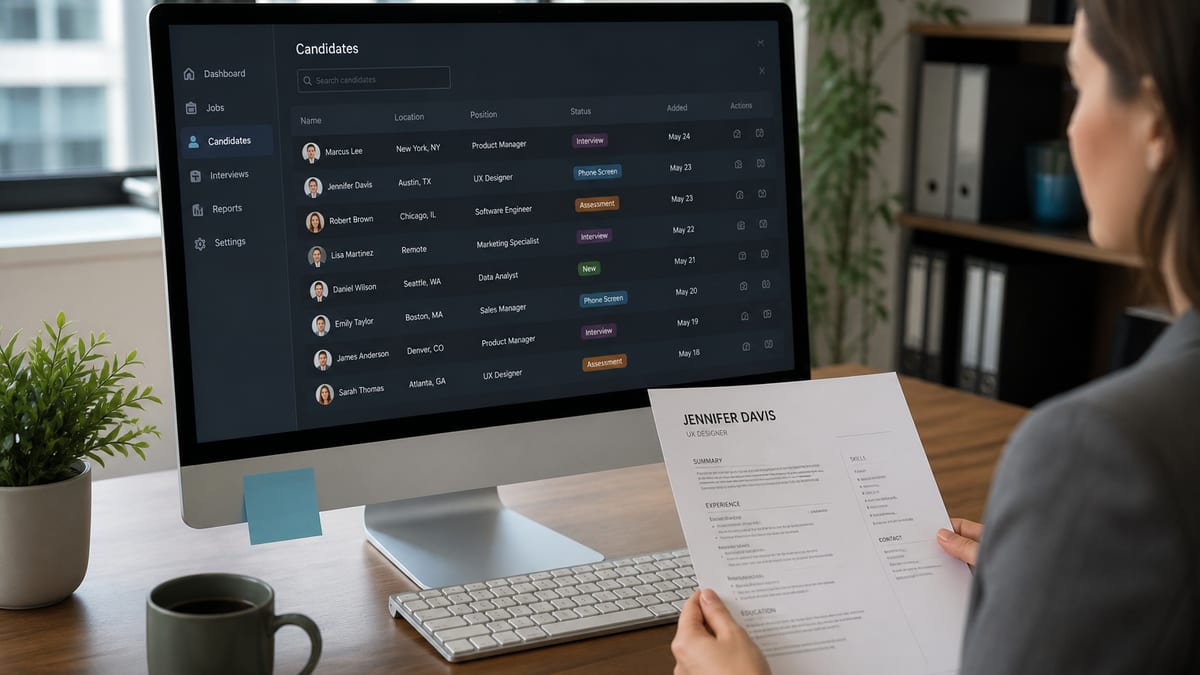
ATS means applicant tracking system: employer software that stores applications, extracts resume text into fields, and helps recruiters search or filter candidates. When people ask what is ATS for resume, they usually picture a robot that grades every PDF and auto-rejects most of them. The real product is closer to a hiring database with search tools—plus knockout questions and human review layered on top.
This guide defines ATS in plain English, separates parse from filter from human review, clears common myths, and shows what you can fix before you apply. Pair it with how ATS systems really work , whether ATS rejects resumes automatically , and what a good ATS score means .
- Key takeaways:
- ATS is a hiring database with search tools — not a robot grading every resume with one score.
- Three separate stages matter: parse (extraction), filter (search/rank), and human review.
- Workday, Greenhouse, Lever, iCIMS, and Taleo all share the same core job: organize applications for search.
- Single-column layout, body contact info, and standard headings beat any keyword trick.
- Consumer ATS checkers are diagnostic proxies for employer systems, not exact clones.
ATS defined: what the letters mean for your resume
Key Takeaway
ATS = applicant tracking system. For resumes, it is the system of record that receives your upload, tries to structure your data, and feeds recruiter workflows—not a consumer score printed on your PDF.
An applicant tracking system is software companies use to manage hiring: job postings, applications, candidate records, interview stages, and compliance history. Your resume is one input into that system. The portal may also ask you to retype experience into forms. Both the file and the form fields can matter.
Common brand names you may see after upload include Workday, Greenhouse, Lever, iCIMS, Taleo, SmartRecruiters, and others. They differ in interface and admin options. They share the same basic job: keep applications organized so recruiters can find people worth calling. None of them reliably publish a public “ATS Score: 94” the way consumer tools on hireflow.net do for job seekers.
Why the acronym shows up in every job-search tip: online apply volume is high. Without a shared database, recruiters cannot search “SQL + healthcare + Austin” across thousands of attachments by hand. ATS exists because hiring is an operations problem, not because a cartoon robot hates creative fonts.
For how recruiters actually open files inside that stack, read will recruiters see my resume . For whether employers use ATS at all for your company size, see do recruiters use ATS .
What ATS does with a resume after you click Apply
Key Takeaway
Typical path: form answers + file upload → parse into fields → store against a requisition → recruiter search/filter → human read of shortlisted people. Silence often means you never entered the filtered set.
Think of the apply flow as a pipeline, not a courtroom. You create an account or sign in with LinkedIn. You answer eligibility questions. You upload a PDF or DOCX. The system tries to pull name, email, phone, employers, titles, dates, education, and skills into structured fields. Recruiters then search those fields, apply saved filters, and open a subset of applications.
That is why a resume that “looks fine” on your screen can still fail quietly. If the parser reads your two-column Canva layout in the wrong order, your phone number may land in Experience, your job titles may vanish, and a search for “project manager” never surfaces you. The system did not hate your career. It stored a messy record.
| Before (what you see) | After (what Workday/Taleo may store) |
|---|---|
| Pretty two-column PDF with phone as a header icon | Empty phone field; skills mixed into dates; recruiter search misses you |
| Single-column DOCX; contact in body; standard headings | Name, email, employers, titles, and dates land in searchable fields |
| Image-only scan that looks sharp on LinkedIn | Little or no selectable text — Greenhouse/Lever attach a near-empty profile |
Knockout questions sit earlier in the path: work authorization, license, clearance, relocation, years of experience thresholds. Fail those and many systems move you out of active review before a recruiter sorts by keyword. That is a true automatic out—and it is usually the form, not a mystery resume score. Details in does ATS reject resumes automatically .
| Stage | What happens | What you control |
|---|---|---|
| Apply / form | Account, knockouts, manual fields | Honest eligibility answers; complete fields |
| Parse | File text → structured profile | Single-column layout, clear headings, dates |
| Filter / rank | Search, skills, location, titles | Role language you can defend in interview |
| Human review | Recruiter opens shortlist / PDF | Proof, clarity, relevant bullets |
Parse vs filter vs human review (stop mixing the three)
Key Takeaway
Parse = extract text into fields. Filter = decide who enters the list a recruiter opens. Human review = judgment on fit. Optimizing one stage while ignoring another is why people feel “ATS rejected me” for three different reasons.
Parse is mechanical. Can the system find your email? Did Experience bullets stay attached to the right employer? Did a text box scramble reading order? Parse failures are fixable with layout and file hygiene. They are also the stage where consumer checkers on HireFlow earn their keep—flagging columns, headers, and missing sections before you apply at volume.
Filter is intentional. A recruiter (or a saved search) may require a title family, a skill, a city, or a minimum years number. You can parse perfectly and still sit outside today’s filter. That is not a broken PDF. That is a findability and targeting problem. Title language and hard skills matter here; so do referrals that cause someone to search your name instead of waiting for the keyword list.
Human review is judgment. Once a person opens your profile or attachment, they skim for relevance, proof, red flags, and story. Fancy keyword density that reads like spam can hurt you here even if a checker score climbed. ATS-friendly and human-friendly should be the same document: clear structure plus credible bullets.
If your score is high but interviews never appear, you may have passed parse while failing filter or human proof. Start with will a high ATS score get me an interview and why is my ATS score low when the opposite problem shows up.
Myths vs reality: what ATS is not
Key Takeaway
ATS is not one universal reject robot, not a clone of Jobscan, and not a reason to paste the entire job description into Skills. Treat viral stats as folklore until you see a mechanism you can act on.
Myth one: “ATS rejects 75% of resumes automatically.” High-volume roles leave most applicants unread, but the mechanism is usually invisibility inside filters—or failed knockouts—not a stamped score on every PDF. See auto-reject myths versus knockouts and ranking .
Myth two: “PDFs never work with ATS.” Modern stacks read text-based PDFs and DOCX. The failure mode is design: multi-column layouts, icons for contact, headers/footers some parsers skip, and image exports. Read can ATS read PDF resumes and DOCX vs PDF for ATS .
Myth three: “A 100 on a free checker means Workday will love me.” Consumer scores are proxies. They are useful for parse and keyword risk; they are not employer clones. Accuracy limits are covered in are ATS checkers accurate .
Myth four: “You must hide keywords in white text.” That is an old scam tip. Recruiters and some systems can surface it, and it destroys trust. Put honest skills in normal black text where they belong.
| Myth | Reality | Better move |
|---|---|---|
| Robot rejects most PDFs by score | Filters + knockouts + volume | Parse clean; answer forms; target roles |
| Only Word files work | Text PDF usually fine | Follow portal; avoid image PDFs |
| Checker = employer ATS | Diagnostic proxy only | Fix shared red flags; keep judgment |
| Stuff JD for a perfect 100 | Hurts human review | Honest keywords + proof bullets |
Still unsure whether your file would parse into clean fields?
Run HireFlow’s free ATS resume checker on hireflow.net—upload, read ranked flags, fix, re-scan. No account wall for the core check.
Why job seekers should care about ATS (without panic)
Key Takeaway
Care about ATS the way you care about a readable email attachment: make the content extractable and searchable. Then spend remaining energy on proof, targeting, and outreach—not on superstition.
You should care because many applications never get a human minute if the record is empty, the title does not match the search, or a knockout fails. You should not panic because ATS is not judging your soul. It is organizing labor for recruiters who have forty minutes and two hundred applicants.
Practical stakes: a designed two-column resume can look premium in a portfolio and still scramble in Workday. A sparse skills list can parse fine and still miss the filter a recruiter uses for “Salesforce” or “PCI.” A stuffed skills block can rank higher in a consumer tool and still lose the human skim. Balance matters more than lore.
If you want a realistic “ATS-friendly” checklist—not a fake perfect score—use how to make a 100% ATS-friendly resume . For tool shopping, compare options in the free ATS resume checkers comparison .
What ATS (and recruiters using it) tend to look for
Key Takeaway
Systems and searches favor extractable contact data, recognizable section labels, consistent dates, title/skill language that matches the role family, and enough substance that a human skim makes sense.
On the machine side: contact info in the document body (not only as icons), standard headings like Experience, Education, and Skills, one main column, and text that is selectable—not a flattened image. Tables used as pretty grids, text boxes, and multi-column designs are common parse villains.
On the search side: job titles close to how the market names the role, hard skills and tools from the posting, location or remote signals when required, and years or seniority cues when the filter asks for them. Soft adjectives (“team player,” “passionate”) rarely drive search. Hard nouns do.
For keyword depth without stuffing, read what keywords ATS looks for and how many keywords should be on a resume . For Canva-specific risk, see does a Canva resume pass ATS .
Employer ATS vs consumer ATS checkers
Key Takeaway
Employer ATS is the system of record. Consumer checkers are rehearsals. Use a checker to reduce avoidable risk; do not print the score on the resume or treat it as a hire prediction.
Employers configure Workday, Greenhouse, Lever, and peers with their own fields, knockouts, and recruiting habits. Your friend’s “Greenhouse loved my resume” story does not transfer to every Greenhouse board. Admin settings and recruiter behavior differ by company.
HireFlow and similar products score formatting, sections, content depth, and keyword gaps so you can iterate the same evening. That is valuable. It is still a proxy. Pick one primary tool for iteration so you are not optimizing two conflicting models overnight. A second opinion before a dream-role apply is fine; worshiping five vanity percentages is not.
Never put “ATS Score: 96” on the page. Recruiters do not grade you on HireFlow’s number. They grade fit. Keep scores private; put proof on the resume. For how to pass a checker without stuffing, see how to pass an ATS checker .
Resume formats and layouts that cooperate with ATS
Key Takeaway
Single-column, standard fonts, body contact info, conventional headings, consistent dates, and a text PDF or DOCX beat creative grids for portal uploads.
Safe starting point: one column from top to bottom. Name and contact at the top in real text. Then summary (optional), experience with employer / title / dates / bullets, education, skills. Use Calibri, Arial, Georgia, or Times New Roman at readable sizes. Keep margins sane so text does not crowd edges.
Risky patterns: two columns with a skills rail, timelines drawn as graphics, logos for every employer, skill bars, photos in markets that do not expect them, and headers that hold your only phone number. Design portfolios can stay designed. Portal resumes should prioritize extractability.
| Before (fragile layout) | After (ATS-cooperative) |
|---|---|
| Two columns, skill bars, logos for every employer | One column; Calibri/Arial; employer name in plain text |
| Headings: “My journey,” “Toolkit,” icon-only markers | Experience, Education, Skills, Projects |
| Dates as “Spring ’19,” “01/22,” missing end dates | Consistent Month Year – Month Year on every role |
Length is secondary to clarity. One page for early career is common; two pages for mid-career with real scope is fine when every line earns its place. Adding a second page of fluff to chase keywords usually hurts humans more than it helps search. Fix structure first, then tailor language.
Keywords in plain English: alignment, not theater
Key Takeaway
Mirror hard skills and title language from the posting where true, then prove them with scope and outcomes. Stuffing is easy to spot and easy to regret on a screen share.
Recruiters type what hiring managers say they need: tool names, certifications, domain nouns, and title families. If the posting says “Looker” and you only wrote “BI tools,” a literal search in Greenhouse or Lever may miss you. If you wrote “Looker” twelve times without a project that used it, a human may bounce.
| Before (hard for ATS search) | After (searchable + defensible) |
|---|---|
| People person who loves tech and growth. | Customer Success Manager — managed 45 SMB accounts in Salesforce; cut churn 3 pts YoY. |
| Used various BI tools for insights. | Built Looker explores for weekly pipeline reviews; trained 8 AEs on self-serve dashboards. |
| Contact only in a header graphic (name + email as image). | Plain-text header: Name | city, ST | email | phone | LinkedIn URL in the body. |
A clean approach: list true hard skills in a Skills section, repeat the important ones naturally in bullets with context, and keep titles honest while matching market language (for example, “Customer Success Manager” instead of an internal-only title nobody searches). Do not invent tools for a score.
Consumer checkers that paste a job description can over-reward overlap. Use that signal to find gaps you forgot to mention—not as a permission slip to paste paragraphs. When a score only hits 100 after you dump the JD, roll back. Aim for a sane band and a document you can defend. Guidance lives in what is a good ATS score .
Practical checklist: make your resume ATS-ready tonight
Key Takeaway
Order of operations: layout → contact → headings → dates → titles/skills → proof bullets → checker re-scan → honest form answers → apply with targeting.
- Switch to a single-column template if you are still on a design grid.
- Put phone, email, and LinkedIn/URL in the body as plain text.
- Rename creative headings to Experience, Education, Skills, and Projects.
- Make employer, title, and date lines consistent (Month Year – Month Year).
- Align hard skills and title language with your next role family where true.
- Rewrite thin bullets into scope + action + outcome with numbers when honest.
- Upload to HireFlow’s free ATS checker and clear severe flags first.
- Answer portal knockouts carefully; never invent eligibility.
- Apply to roles you can defend; add a referral path for competitive targets.
If Canva or a designer export is fighting you, rebuilding in Word or Google Docs often costs less time than chasing parse errors. Design can wait for a portfolio site. Portals want a boring, extractable file.
Common mistakes after people learn what ATS means
Key Takeaway
The usual failure after “learning ATS” is overcorrecting into keyword spam while leaving columns and headers untouched—or freezing and never applying. Fix extract first; keep the writing human.
Mistake: buying a new “ATS template” that is still two columns with skill bars. Template marketing is not a parse test. Mistake: spending three hours on soft-skill synonyms while contact info lives in a header. Mistake: printing a checker score on the resume. Mistake: assuming silence means a robot banned you forever when you also failed a relocation knockout.
Another mistake: optimizing only for one consumer score and ignoring recruiter skim. Your resume has two audiences in sequence—software extract, then a tired human. Writing for both is not contradictory. Clear headings help both. Quantified bullets help both. Keyword stuffing helps neither for long.
Track patterns across applications. Instant rejection after form submit often points to knockouts. Silence after days often points to volume, filters, or a broken parse. Use that distinction so you fix the right layer. Pipeline reality is covered again in how ATS really works for recruiters .
Systems you will meet: Workday, Greenhouse, Lever, and friends
Key Takeaway
Brand names change the UI, not your core job: clean parse, honest titles, accurate forms, and light keyword alignment. Stop collecting brand lore; ship a findable record.
Greenhouse and Lever often feel lighter and search-driven. Workday can feel heavier, with more structured fields and form duplication. Taleo and iCIMS appear in large enterprise stacks. Your upload experience may include “review parsed fields” screens— always fix those fields when the portal lets you edit them. The attachment alone is not always the whole story.
None of these products reliably score every applicant with one public number. Recruiters still search, filter, and open a slice. Referrals still route people to the top of a human’s day. Internal candidates still compete. ATS is infrastructure for that process, not a substitute for hiring judgment.
| System vibe | What applicants notice | Same fix set? |
|---|---|---|
| Greenhouse / Lever | Lighter apply; search-heavy screening | Yes—parse + titles + skills |
| Workday | Heavier forms; field review screens | Yes—plus careful form edits |
| Enterprise suites | Long portals; more knockouts | Yes—eligibility honesty first |
How to check your resume against ATS risk before you apply
Key Takeaway
Self-check with a free structure-aware tool, fix severe flags, re-scan once, then stop chasing points. Employers will not email you a parse report.
Employers almost never send “your Experience section failed to parse.” You infer progress from status changes, views, or silence. That is why a private preflight on hireflow.net matters: you catch columns, missing contact, thin content, and obvious keyword gaps while you still have time to edit.
Use the checker like a preflight list, not a crystal ball. Clear formatting and section issues before keyword chasing. Aim for a healthy band—often about 75–89 on a serious tool—then improve proof for humans. Compare free options only when you need shopping criteria; the comparison guide helps you pick without collecting five unused scores.
After the file is clean, your remaining work is human: target roles, tailor lightly, network, prepare interviews. ATS hygiene gets you into the searchable set. It does not replace fit.
What to do next once you understand ATS
Key Takeaway
Convert the definition into action tonight: clean file, checker pass, honest forms, targeted applies. Knowledge without edits does not change silence.
You now have the plain-English answer: ATS is the employer’s applicant tracking system—software that stores, parses, and helps recruiters search resumes. Parse, filter, and human review are different stages. Myths about universal auto-reject scores sell fear; knockouts and invisibility explain most pain.
Next reading in the HireFlow cluster: will recruiters see my resume , does ATS reject resumes automatically , are ATS checkers accurate , and how to make a 100% ATS-friendly resume . Then open the free checker and fix the file.
Check your resume on HireFlow
Key Takeaway
Definitions help only when the file improves. Upload once, fix ranked flags, and re-scan before your next portal apply.
You know what ATS means for a resume. Next step: see how your current file would parse. Use HireFlow’s free checker on hireflow.net—no account wall for the core scan—then apply with a cleaner record.
Check your resume free on HireFlowFrequently asked questions
ATS means applicant tracking system: employer software that stores applications, extracts resume data into searchable fields, and helps recruiters filter or rank candidates before a human opens the file. It is a hiring database with search tools—not a single public score that rejects everyone under 75%. Your job is to make the file parse cleanly and match how recruiters search for the role.
Most mid-size and large employers do. Small teams may still hire from email, LinkedIn, or a shared drive. Even then, many startups grow into Greenhouse, Lever, or Workday as volume rises. Assume an ATS if you applied through a careers portal with account creation, knockout questions, and status tracking. Treat email applications to tiny firms as a different channel—still keep the resume clean and scannable.
No. Employer ATS products (Workday, Greenhouse, Lever, iCIMS, Taleo, and others) run inside companies. Consumer ATS checkers on hireflow.net and similar sites are preflight tools that approximate parse and keyword risk. They are useful diagnostics, not clones of every employer configuration. Read HireFlow’s guide on whether ATS checkers are accurate for the proxy-versus-employer distinction.
Usually it reads (parses) and stores; true automatic outs are often knockout questions on the form. Ranking and filters can hide you without a rejection email, which feels like auto-reject from your inbox. For the full myth-versus-reality breakdown, see whether ATS rejects resumes automatically. Fix structure and eligibility answers before making keyword stuffing your main strategy.
Often both paths exist: a parsed profile for search and an attachment for interviews. Recruiters may screen from fields and open the PDF later for people they already want to call. If the parse is empty or scrambled, you may never reach that shortlist. Details live in HireFlow’s guide on whether recruiters will see your resume and how ATS really works.
A single-column DOCX or text-based PDF with selectable text and standard headings. Follow the portal when it asks for a specific type. Avoid image-only PDFs, multi-column design templates, contact icons in headers, and tables used as layout grids. Test with a free ATS checker before volume applying so you catch extract problems early.
No. Mirror hard skills, tools, and title language from the posting where truthful, then prove them in bullets. You do not need paid keyword software to survive parse checks. Stuffing the full job description into a skills block can raise a vanity checker score and still hurt when a human opens the attachment. Honest alignment beats keyword theater.
Rebuild to one column if needed, put contact info in the body, use standard section labels, keep dates consistent, export a text PDF or DOCX, and run HireFlow’s free checker on hireflow.net. Fix red flags, lightly tailor titles and hard skills for your next role, then apply. Add a referral path for competitive jobs after the file is clean.