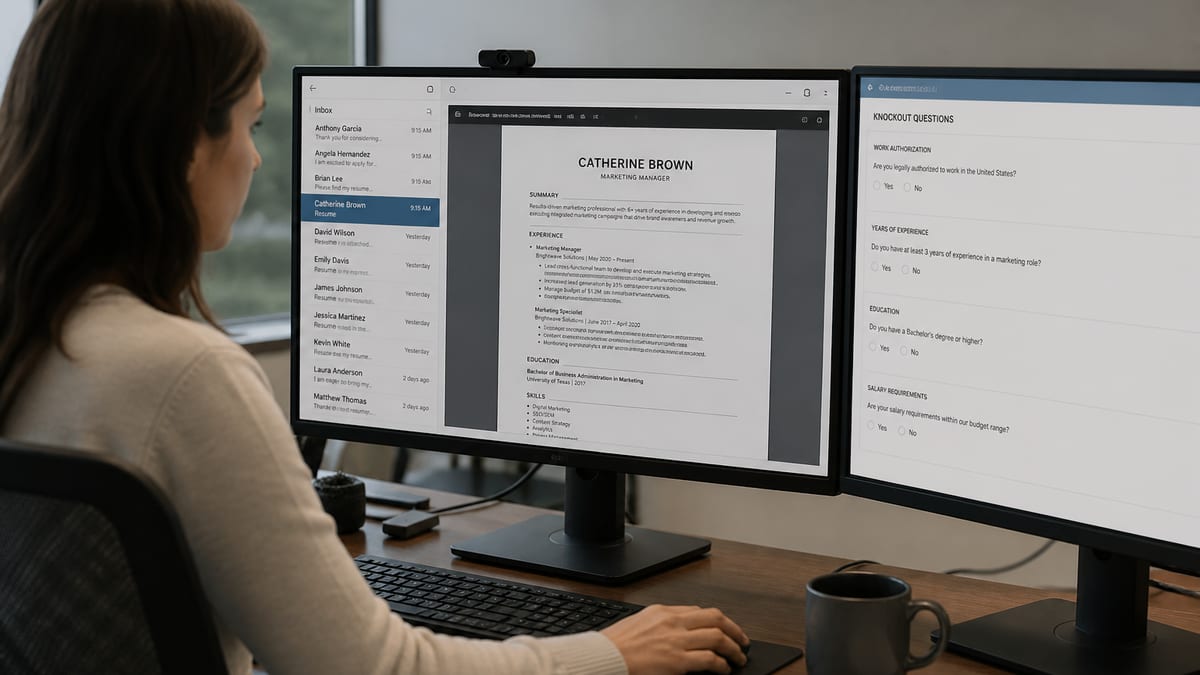
Short answer: not the way viral posts claim. Asking does ATS reject resumes automatically usually mixes three different things: a marketing myth about a robot score, real knockout questions that can end an application, and ranking or search filters that hide you without a polite rejection note. Those feel the same from your inbox. They are not the same inside Workday, Greenhouse, Lever, or iCIMS. An ATS knockout question is a hard yes/no gate on the application form; ranking is a softer scoring pass that only affects search order.
Key Takeaways
- There is no verified industry rule that ATS auto-rejects 75% of resumes.
- Real auto-outs are usually knockout questions, not a hidden reject score.
- Ranking and search filters can hide you without ever sending a rejection.
- Fixing parse and keywords helps ranking but cannot override a failed knockout.
- Self-check your file with a free ATS checker before assuming you were banned.
This guide breaks the myth, shows how knockouts differ from ranking, walks a realistic Apply → parse → filter → human path, and gives a checklist you can run before another silent week. For the broader pipeline, read how ATS systems really work . For the number people obsess over, see what a good ATS score means . For tools, use the free ATS checker comparison .
The auto-reject myth: what people think ATS does
Key Takeaway
Most systems are databases with search and filters—not a single public reject machine. Silence is often invisibility, not a stamped “rejected by ATS” verdict.
LinkedIn carousels love a simple story: you upload a resume, the ATS grades it, and a cold algorithm discards 75% before a human blinks. That story sells resume packages. It is a weak model of hiring ops.
In practice, an applicant tracking system stores your file, tries to parse fields (name, titles, dates, skills), and gives recruiters ways to search, filter, and stage candidates. Some products add AI ranking features. Some employers configure hard knockouts. Many recruiters still live in keyword search and saved views. The “robot rejected me” feeling often means you never appeared in the view they opened at 4:40 p.m. with 200 new applicants waiting.
Real scenario: Jordan applies to 40 “Sales Development Representative” roles with a designed two-column PDF titled “Revenue Ninja.” On screen it looks sharp. In Greenhouse, the phone number sits in a text box the parser skips, and the title lands under Skills. The recruiter searches “SDR” + “Salesforce.” Jordan never shows. Jordan posts that ATS rejected them automatically. The ATS never issued a rejection—it stored a hard-to-find record.
Separating myth from mechanism saves money. You stop buying “beat the ATS” fonts and start fixing parse, titles, knockouts, and light tailoring—the levers that actually change whether a human can find you.
Three mechanisms people confuse: knockouts, ranking, and human skip
Key Takeaway
Knockouts can truly auto-out you. Ranking and filters can hide you. Humans can skip a messy profile in seconds. Fix each layer with the right tool—not keyword stuffing alone.
When someone asks whether ATS rejects resumes automatically, answer with which mechanism you mean.
| Mechanism | What happens | Feels like | What to fix |
|---|---|---|---|
| Knockout questions | Form rules fail (license, auth, location, years) | Instant or early “not selected” | Honest eligibility; don’t apply blind |
| Ranking / filters | You sit outside the saved search or sorted list | Silence for days or forever | Titles, tools, parse, light keyword match |
| Broken parse | Profile looks empty, dates scramble, title wrong | Opened once, then ignored | Single column, standard headings, body contact |
| Human triage | Recruiter skims 15–30 seconds and moves on | Viewed, then no reply | Clear recent title fit + proof metrics |
Only the first row is a clean “automatic reject” in the everyday sense. The others are why people say ATS rejected them when a human never got a fair look—or looked for three seconds at a scrambled card.
Knockout questions: the real automatic outs
Key Takeaway
Hard must-haves on the form can end the process before ranking matters. Read knockouts before you polish adjectives. Lying on forms is a career-limiting shortcut.
Knockouts are binary or threshold gates. Common examples:
- Do you have authorization to work in the United States without sponsorship?
- Do you hold an active RN license in California?
- Are you willing to work onsite in Austin three days per week?
- Do you have an active Secret clearance?
- Do you have 5+ years of hands-on Salesforce administration?
If the employer configured the ATS to disqualify on “no,” you can be moved out of the review pool with no drama and no portfolio of your best bullets. That is automatic in a literal sense. It is also usually fair: the company needed a hard constraint.
Candidates get hurt when they ignore knockouts and blame formatting. You cannot keyword your way past a missing license. You can, however, stop wasting cycles on roles you cannot accept—and spend that time on roles where your parse and titles matter.
Before / after form discipline:
Before: Guess “5–7 years” on the form because it sounds competitive, while the resume shows 3 years in role.
After: Match the form to the resume. If the posting demands 5 years and you have 3 with strong adjacent proof, apply only when the rest of the profile is exceptional—or target roles that match your real tenure. Consistency beats inflation when a recruiter opens both views.
Ranking and filters: invisible without a rejection email
Key Takeaway
Recruiters query titles, skills, locations, and dates. If your language does not match the query, you are not “auto-rejected”—you are not in the list. Mirror real market titles and tools where truthful.
High-volume hiring does not start with reading every PDF top to bottom. It starts with a search: title contains “Account Manager,” skills include “HubSpot,” applied in last 14 days, location remote or metro X. Candidates outside that query wait in “Application Review” until the slate fills from referrals and top matches.
Some ATS products score or rank applicants against the job. That ranking is not the same as a consumer checker score you see on hireflow.net or Jobscan. Employers do not email you their internal number. Even when ranking exists, humans often override it for referrals and known applicants.
Title language that dies in search:
- “Growth Wizard” with no market title nearby
- “People Ops Rockstar” when recruiters search “HR Business Partner”
- “Full-stack magician” when the req says “Backend Engineer (Python)”
Title language that survives search:
- “Customer Success Lead (Account Manager) — mid-market SaaS”
- “HR Business Partner | employee relations & performance”
- “Backend Engineer — Python, Django, PostgreSQL”
Creative internal titles are fine if you pair them with the words a recruiter types. That is ranking hygiene, not keyword theater.
When a bad parse looks like an automatic reject
Key Takeaway
Columns, text boxes, icon contact rows, and tables-as-layout break fields. Recruiters open a broken card and move on. Fix structure before you chase a perfect keyword score.
Parsing is the quiet villain. Your designed PDF can look premium while the ATS profile shows blank phone, merged jobs, or “Experience | 2020–Present” as a title. A recruiter does not need an auto-reject rule to discard that—they need five seconds.
Common parse killers:
- Two-column layouts that read left column then right column in the wrong order
- Contact info only in headers, footers, or text boxes
- Tables used as a design grid instead of simple stacked sections
- Icons instead of the words Email / Phone / LinkedIn
- Creative section names (“My Odyssey,” “Power Moves”) instead of Experience
- Image-only or scanned PDFs with no real text layer
If you want the human path after parse, keep reading will recruiters see my resume . Structure is the prerequisite for every other optimization.
Not sure whether your file would survive parse and search—or just feel “auto-rejected”?
Run HireFlow’s free ATS resume checker — upload PDF or DOCX, no account required, clear fix list before your next Apply.
What recruiters actually do when volume spikes
Key Takeaway
Referral and sourced slates often go first. Cold applies compete inside filters. Your goal is to be findable and credible in that filtered set—not to “defeat” software.
A realistic Tuesday for a recruiter on a popular req: 180 new applicants since Friday, hiring manager wants a slate by Thursday, three referrals already in process, and a sourced list from LinkedIn. They open the ATS, apply a saved search, review 25–40 profiles deeply, and schedule 6–8 screens. Everyone else waits.
That math is why “ATS rejected 75%” feels emotionally true. Most people are not rejected by a dramatic algorithm. They are not in the 25–40. Getting into that set is the ATS problem. Getting chosen among the 6–8 is the human problem. Confuse those and you will stuff keywords forever while ignoring referrals and interview prep.
| Pool slice | Typical path | Your move |
|---|---|---|
| Referrals / internal | Opened by name early | Ask for intros on target roles |
| Filtered cold applies | Search + rank + skim | Parse-safe + title/tool match |
| Everyone else | Stays in Application Review | Don’t take it personally; fix findability |
Pre-apply checklist: stop “auto-reject” silence
Key Takeaway
Eligibility first, structure second, titles and tools third, proof metrics fourth, light tailoring fifth. Re-check after edits. That order beats random redesigns.
- Read knockouts. If you cannot meet a must-have, skip or negotiate only when the posting is soft on that point.
- File and layout. Text-based PDF or DOCX, single column, contact in the body, standard headings.
- Titles. Add market titles next to creative internal ones.
- Tools and skills. Mirror the posting where true—Salesforce, Python, GAAP, ICU, etc.—in bullets you can defend.
- Forms. Match the resume. Do not invent years.
- Verify. Run a free ATS check, fix flags, re-scan.
- Channel. For competitive roles, add a referral ask the same week.
If your score still looks weak after structure fixes, read what a good ATS score is so you do not chase 100 with stuffed keywords. Consumer scores are diagnostics, not employer rejection stamps.
How to verify with HireFlow before you assume auto-reject
Key Takeaway
Employers will not send you a Workday reject log. Self-QA the parse and keyword risk, then apply. Use checkers as rehearsal—not as proof a company banned you.
- Upload PDF or DOCX to HireFlow’s ATS resume checker (no signup).
- Fix formatting and section flags first—columns, contact, headings, dates.
- Re-export and re-scan until structure issues clear.
- Add missing hard skills and title language from the posting where truthful.
- Optional: compare free tools using the checker comparison guide .
- Apply, track responses by role family, and treat ongoing silence after clean parses as fit/volume/networking—not mystical ATS revenge.
Bottom line: does ATS reject resumes automatically? Knockouts can. Ranking usually hides. Broken parses get skipped. Fix those three, and you stop fighting a cartoon robot that was never running the show alone.
Silence vs rejection email: how to read the signal
Key Takeaway
Instant “not selected” after submit often points to knockouts. Days of silence more often means filters, volume, or a slate filled elsewhere. Neither proves a magic reject score ran on your PDF.
Candidates treat every non-reply as proof that ATS rejects resumes automatically. Hiring ops is messier. Some employers send staged rejection emails weeks later. Some never send anything when a role closes. Some move you to a “reject” stage after a human skim. Some leave you in Application Review forever while interviews happen with referrals.
Use this readout before you rewrite your entire personality:
- Immediate fail after forms: re-read knockouts and eligibility. Your resume design may be irrelevant.
- Status flips to reject with no interview: could be human triage, knockout delayed processing, or a hiring manager cull of the filtered list.
- No status change for weeks: high volume, slow process, or you are outside the search set. Fix parse and titles; add a referral ask.
- Recruiter viewed LinkedIn / portal profile then ghosted: human judgment after findability. Improve proof metrics and targeting—not white text.
Track applications in a simple sheet: company, date, ATS brand if known, knockout risks, whether you had a referral, and outcome. Patterns beat anecdotes. If every silent role used a two-column PDF and every reply came after you switched to single-column, you have a parse story—not a destiny story.
Also separate “rejected for fit” from “never seen.” Fit rejection after a screen is normal. Never-seen after 40 identical cold applies with a fragile file is a process problem you can repair this week.
The keyword-stuffing trap that feels like “beating auto-reject”
Key Takeaway
Stuffing can raise a consumer match score while making humans bounce. Honest tools in real bullets beat a skills block that copies the job post.
Fear of automatic rejection pushes people into the worst optimization: paste the job description into Skills, add white text, or list every synonym for “leadership.” Modern recruiters notice. Some ATS configurations and fraud checks notice too. You trade a fake sense of safety for a real loss of trust.
Before (stuffed, brittle):
- Skills: leadership, leadership skills, team leadership, cross-functional leadership, stakeholder leadership, Agile, Scrum, Kanban, SAFe, waterfall, and eighteen more buzzwords copied from three postings.
After (searchable, defensible):
- “Led a 6-person Scrum team delivering biweekly releases; cut cycle time 22% by clarifying backlog SLAs with Sales and Support.”
- Skills line: Scrum, Jira, SQL, Salesforce, B2B SaaS—only what you used hands-on.
Ranking filters look for evidence that matches how humans search. They do not award prizes for density. If a checker only climbs when you paste the JD wholesale, ignore that peak and re-read what a good score band actually means.
Same logic applies to “ATS-friendly” templates that hide keywords in footers. If a human opens the file and smells tricks, you lost the only audience that can schedule you. Rank to be found; write to be trusted.
Role volume math: why “automatic” feels true in 2026
Key Takeaway
Easy Apply and remote postings inflate applicant counts. Filters are triage tools. Your edge is findability plus a warm path—not a secret font setting.
Remote-friendly roles can attract hundreds of applicants in days. Recruiters protect their calendar with filters because they must. That creates the lived experience behind “ATS rejected me automatically” posts—even when no reject score fired.
Rough numbers many talent teams actually run:
- 200+ applicants in the first week for a popular individual-contributor role
- 20–40 profiles reviewed with attention
- 5–10 phone screens
- 2–4 onsites or final loops
- 1 hire
Getting from 200 to 40 is mostly ATS-assisted triage: knockouts, title filters, keyword searches, maybe a ranking feature, plus recruiter habit. Getting from 40 to 1 is human. Optimize the first gate without pretending it is the whole race.
If you only cold-apply, you compete inside the 200. If you combine a clean file with a referral, you often jump toward the reviewed 40 by name search. That is not cheating. That is how the system is designed to work when humans use ATS as a database.
Practical weekly plan: ten tailored applies with parse-safe files beat forty identical blasts. Two referral asks beat another weekend of template shopping. Re-scan after edits so you are not scaling a broken export.
Employer configuration: same ATS brand, different rules
Key Takeaway
Two companies on Greenhouse can treat knockouts and ranking differently. Optimize for universal parse hygiene, not folklore about one logo.
People ask whether Workday automatically rejects resumes as if every tenant shared one brain. Administrators choose knockout questions, required fields, integrations, and whether AI ranking features are on. Recruiter teams choose saved searches. Your PDF meets a configuration, not a myth.
That is another reason consumer checkers cannot promise employer outcomes—and why “does ATS reject resumes automatically” needs the knockout-versus-ranking split. One employer may hard-stop on sponsorship. Another may let everyone in and filter by hand. Your prep stays stable: eligibility honesty, clean parse, market titles, light tailoring, referral where possible.
When a careers page shows many mandatory dropdowns, treat those answers as carefully as the resume. When the page is light and the company is small, humans may dominate— but a scrambled attachment still wastes the one look you get.
30-minute action plan when you fear automatic rejection
Key Takeaway
Spend half an hour on eligibility, parse, and titles before another apply binge. Speed without diagnosis recreates the same silence.
- Open the last three postings you wanted. List hard knockouts you cannot meet.
- Export a single-column text PDF; confirm you can select text.
- Put email and phone in the body; use Experience, Education, Skills headings.
- Add market titles beside creative internal titles.
- Run a free ATS check; fix critical flags only; re-scan once.
- Apply to two roles you actually qualify for; ask one referral the same day.
That plan treats does ATS reject resumes automatically as an engineering question. You remove true auto-outs where you can, remove invisibility where you cannot change knockouts, and stop feeding fear with identical broken uploads.
Frequently asked questions
Usually not with a single public reject score. Most applicant tracking systems store, parse, and help recruiters search. True automatic outs are often knockout questions—work authorization, license, location, clearance, or hard experience thresholds on the form. Ranking and keyword filters can hide you without a formal rejection email, which feels like an auto-reject from your side even though no robot stamped rejected on your PDF. Fix parse and match so you can enter the searchable set, and answer knockouts honestly.
Treat it as marketing folklore, not a measured industry rule. High-volume roles do leave most applicants unread, but the mechanism is usually invisibility inside filters—not a robot rejecting three out of four files with one score. Knockout questions can truly end an application. Broken parses and title mismatches can keep you off the list a recruiter opens at 4:40 p.m. Fix those before you buy another template that promises to beat the ATS.
Hard yes/no or must-have gates on the application form: active license, years of experience thresholds, willingness to relocate, shift availability, security clearance, or work authorization. Fail those and many systems move you out of review before a recruiter sorts the pile. Read knockouts before you polish adjectives. Lying on forms is a career-limiting shortcut that collapses later in background checks or offer stages.
Sometimes—via referral, name search, or opening all applicants. In practice, tired recruiters start from filtered lists. Low rank plus a messy parse often means your PDF never opens. Referrals help because someone looks you up by name instead of waiting for a keyword query to surface you. That is why a clean file plus a warm intro beats cold applies alone on competitive requisitions.
They share the same idea—store, parse, search—but recruiter habits and admin configs differ. All three support knockouts and filters. None reliably publish a consumer-style ATS score on every applicant the way HireFlow or Jobscan do. Your job is clean parse, honest titles, accurate form answers, and light keyword alignment across all three. Stop optimizing for brand lore and optimize for a findable record.
Keywords help ranking and search. They do not override a failed knockout or a broken parse. Fix structure and form answers first, then align titles and tools language with the posting where truthful. Stuffing the job description into a skills block can raise a vanity checker score and still hurt human review when a recruiter opens the attachment.
Employers rarely send a parse report. Instant not selected after form submit often points to knockouts. Silence after days usually means volume, filters, or a role filled from referrals. Self-check your file with a free ATS checker before you assume a robot banned you. Track patterns across applications so you can tell eligibility failures from findability failures.
Start with single-column layout, standard headings, contact info in the body, and consistent dates. Then align job titles and hard-skill language with how recruiters search. Then add proof with metrics. Re-scan with an ATS tool, answer portal forms carefully, and add a referral path for competitive roles. Blasting the same broken file to eighty portals usually produces silence, not data.