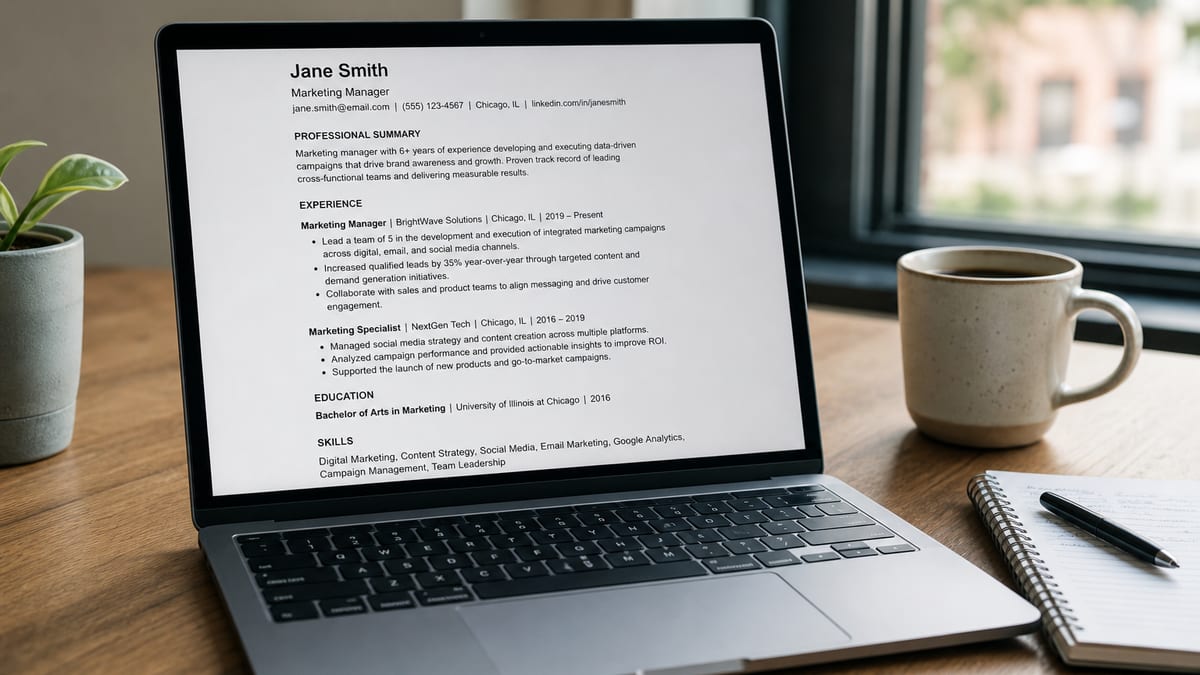
A “100% ATS-friendly” resume is parse-safe, clearly sectioned, and honestly tailored to the role—not a consumer score of 100. Perfect percentages on checkers are often myths or stuffing artifacts. What you can control is extractability: one readable column, contact in the body, standard headings, consistent dates, and keywords you can defend in an interview.
This guide gives a realistic checklist, before/after examples, edge cases, and an order of fixes that matches how applicant tracking systems and recruiters actually work. Start with what ATS means for a resume if the acronym is still fuzzy, then use how to pass an ATS checker to verify the file. Pair it with how ATS really works , what a good ATS score means , and whether ATS rejects resumes automatically .
Key Takeaways
- No consumer tool can guarantee your resume will pass every employer's exact ATS configuration
- "100% ATS-friendly" here means parse-safe layout plus honest, tailored language — not a vanity score of 100
- Fix extractability first (columns, contact, headings, dates) before touching keywords
- Workday, Greenhouse, Lever, and Taleo can parse the same file differently, so a checker is a rehearsal, not a guarantee
- A healthy checker band (often about 75-89) with honest content beats a stuffed 100 that hurts the human read
Why “100% ATS-friendly” is a useful goal—and a score myth
Key Takeaway
Use “100% ATS-friendly” as shorthand for zero common parse disasters plus relevant language. Do not chase a checker score of 100; that often makes the resume worse for humans.
Search results and tool marketing love absolute language: 100% ATS optimized, guaranteed to pass, beat the ATS every time. Employer systems are not one machine with one score. Workday is not Greenhouse. A boutique firm’s Greenhouse board is not a Fortune 500 Workday tenant with knockout questions and agency integrations.
Consumer checkers (including HireFlow on hireflow.net ) are diagnostics. They flag columns, missing sections, thin bullets, and keyword gaps. They do not clone every employer model. Read are ATS checkers accurate if you want the proxy-versus-employer distinction in detail.
So when this article says “100% ATS-friendly,” it means:
- Text is selectable and in a sane reading order
- Contact, titles, dates, and employers land in the right fields
- Sections use labels humans and parsers recognize
- Hard skills and title language match the role family where true
- Bullets prove claims with scope and outcomes
It does not mean: paste the job description into Skills until a tool hits 100, or that interviews are guaranteed. For why high scores alone do not book interviews, see will a high ATS score get me an interview .
Foundation: parse-safe layout before any keyword work
Key Takeaway
Single column, body contact, standard headings, consistent dates, and a text-based file beat fancy design for portal applications. Fix extractability first.
Most “ATS failures” candidates describe are not mysterious AI rejections. They are scrambled fields: phone in a header the parser skips, job titles in a sidebar, dates merged with company names, or an image PDF with no text layer. Design that looks great on LinkedIn can fail in a career portal.
Layout rules that survive most portals
- One main column; no multi-column skill sidebars
- No tables used as a visual grid for the whole page
- No text boxes, floating frames, or icons as the only contact line
- Margins around 0.5–1 inch; avoid edge-to-edge graphics
- Simple bullets (• or -), not custom dingbats
- Bold and italics sparingly; avoid text-as-image logos in the header
| Before (pretty, fragile) | After (plain, durable) |
|---|---|
| Two-column Canva template; email as an icon in the header bar | Name, phone, email, city/region, LinkedIn URL as the first body lines |
| Skills in a colored left rail; experience on the right | Experience → Education → Skills in one column |
| Flattened PDF that looks sharp but copies poorly | Text PDF or DOCX; you can select and copy every word |
If you started in Canva, read does a Canva resume pass ATS . For file-type choices, see DOCX vs PDF for ATS and can ATS read PDF resumes .
| Element | ATS-friendly choice | Common failure |
|---|---|---|
| Columns | Single vertical flow | Sidebar skills scrambled into dates |
| Contact | First lines of the body | Header/footer only; fields empty |
| Headings | Experience, Education, Skills | “My journey,” “Toolkit,” icons as labels |
| Dates | MMM YYYY – MMM YYYY (consistent) | Mixed 01/22, “Spring ’19,” missing end dates |
| File | DOCX or text-based PDF | Image scan, password, weird export |
Section labels parsers and recruiters both understand
Key Takeaway
Boring headings win. Creative labels look clever and often mis-map experience into the wrong ATS buckets.
Prefer: Professional Summary (optional), Experience or Work Experience, Education, Skills, Certifications, Projects (when relevant). Avoid: “Where I’ve made impact,” “Growth story,” “Superpowers,” or icon-only section markers.
Inside Experience, use a repeatable pattern per role:
- Job title (market language first if internal titles are obscure)
- Employer name
- City / Remote + region if helpful
- Start – end dates on one line
- 3–6 bullets: action + scope + metric when you have one
Metric example: “Reduced average ticket handle time from 9.2 to 6.4 minutes across a 12-agent team while keeping CSAT ≥ 4.6/5.” That sentence carries searchable work (support ops) and human proof. “Handled tickets efficiently” carries neither.
Keywords: mirror the posting without stuffing
Key Takeaway
Put hard skills and title-family language where you used them. Stuffing the whole JD into Skills can raise a vanity score and tank recruiter trust.
ATS and recruiter search care about findability: Salesforce, ICU, GAAP, Kubernetes, “Account Executive,” “Staff Nurse.” Soft-skill walls (“synergy,” “passionate”) rarely save a weak file. For depth, see what keywords ATS looks for and how many keywords belong on a resume .
| Before (creative, invisible) | After (findable, defensible) |
|---|---|
| “Owned the customer journey with modern CRM tools and storytelling.” | “Account Manager for 40 B2B accounts in HubSpot; lifted net retention from 98% to 112% in 14 months.” |
| “People person who loves growth and collaboration across teams.” | “Customer Success Manager — Zendesk + Gainsight; cut churn 2.1 pts YoY on a 55-account book.” |
| Skills wall: passionate, synergy, hard worker, Excel | Skills: HubSpot, Salesforce, SQL, Excel, pipeline forecasting |
Practical keyword workflow for one role family (not every random posting):
- Collect 3–5 target postings in the same title family.
- List recurring hard skills, tools, certifications, and title variants.
- Mark which ones you truly have; drop the rest or change targets.
- Place tools in Skills and inside bullets where you used them.
- Re-scan once; stop when the file is clean and relevant—not stuffed.
Want a ranked list of what still breaks your parse?
Run your draft through HireFlow’s free ATS resume checker on hireflow.net—no signup, PDF & DOCX, fix, then re-scan.
The realistic “100% ATS-friendly” checklist
Key Takeaway
Work top to bottom: file → layout → contact → headings → dates → titles/tools → bullets → light tailor → re-check. Skipping ahead to keywords is the classic mistake.
| # | Check | Pass criteria |
|---|---|---|
| 1 | File type | DOCX or text PDF; portal rules followed |
| 2 | Selectable text | Select-all copies real words, not blank |
| 3 | Single column | No sidebar layout for core content |
| 4 | Contact in body | Phone + email visible above Experience |
| 5 | Standard headings | Experience / Education / Skills (or close) |
| 6 | Date consistency | Same format on every role; gaps explained if needed |
| 7 | Title clarity | Market title readable; internal codes translated |
| 8 | Hard skills present | Tools/certs appear in Skills and evidence |
| 9 | Bullets with proof | Scope + outcome on strongest lines |
| 10 | No score on page | No “ATS Score” badge or keyword dump block |
| 11 | Light tailor | Summary + 2–4 bullets nudged per posting |
| 12 | Re-check | Checker flags cleared; healthy band, not stuffed 100 |
If your score is still low after layout fixes, follow why is my ATS score low before you mass-apply.
Edge cases that break “ATS-friendly” advice
Key Takeaway
Referrals, creative portfolios, and federal applications change priorities. Keep a clean ATS master file even when you also keep a designed leave-behind.
Strong referral into a portal
A warm intro can get a human to open your file sooner. It does not excuse a broken parse. Recruiters still search, stage, and compare candidates inside the ATS. Ship the clean version.
Design / marketing leave-behinds
A designed PDF for networking can coexist with a plain portal resume. Do not assume the designed file is safe for Workday. Two-file strategy: ATS master + optional visual leave-behind.
Career changers
Keyword gaps may be real experience gaps. No checklist invents Salesforce years you do not have. Translate transferable work honestly, add projects/certs if relevant, or retarget roles where the gap is smaller.
Executive and academic CVs
Longer documents and publication lists are fine when the role expects them. Still use clear headings and selectable text. Do not hide the last 15 years of titles inside a graphic timeline.
Mistakes that fake “ATS optimization”
Key Takeaway
White text, keyword walls, and score badges are outdated tricks. They hurt trust and sometimes still fail modern parsers.
- Hidden white text stuffed with the job description
- Skills section that is a paste of the entire posting
- Putting “ATS Score: 96” under your name
- Replacing every bullet with soft skills to chase a match %
- Using a new fancy template the night before a Workday apply
- Optimizing for five checkers at once and never shipping applications
Honest limit: even a flawless file loses to a stronger referral, a hiring freeze, or a knockout question you answered “no.” ATS-friendliness is necessary hygiene for volume portals—not a complete job-search strategy. Recruiters still use ATS heavily; see do recruiters use ATS .
One-evening workflow to get to “ATS-friendly enough”
Key Takeaway
Ninety focused minutes beat a week of template shopping. Rebuild once, tailor lightly, apply with intent.
- 0–20 min: Move content into a single-column Google Doc or Word file. Contact in the body. Standard headings.
- 20–40 min: Normalize dates and titles. Delete graphics, tables-as- layout, and icon contact rows.
- 40–55 min: Export text PDF or DOCX. Upload to HireFlow’s free checker . Fix top formatting flags.
- 55–75 min: Align hard skills and 4–8 bullets to your target role family with real metrics.
- 75–90 min: Re-scan. Stop in a healthy score band. Save as your ATS master. Tailor only for priority postings.
Prefer building clean from scratch? Use HireFlow’s free resume builder , then check again. Compare tools in the free ATS checker comparison .
Role-by-role notes: same rules, different proof
Key Takeaway
Layout rules stay constant. What changes is which hard skills, licenses, and metrics prove you belong in that title family.
Software engineers should surface languages, cloud platforms, and systems owned—not a wall of soft skills. Nurses should surface unit type, EHR systems, and patient ratios when honest. Sales resumes should surface CRM, quota attainment, and segment (SMB, mid-market, enterprise). Analysts should surface SQL, the warehouse or BI stack, and decision impact. The parse rules do not change because your industry changes.
Ops coordinator targeting “Operations Analyst” — same role, clearer proof:
| Before | After |
|---|---|
| “Kept things running smoothly and helped the team stay organized every day.” | “Built weekly Excel dashboards for on-time delivery; cut stockout escalations from 14/month to 5/month across three warehouses.” |
| Title: “Coordinator II (Ops)” | Title: “Operations Coordinator (Operations Analyst track)” — market language first |
| Contact only in a Canva header icon row (Workday/Taleo often skip it) | Plain-text phone + email in the body above Experience |
That rewrite helps both ATS search and the human skim. It does not invent SQL if you never used SQL. If the posting requires SQL and you lack it, either learn enough for entry tasks, show adjacent tools truthfully, or apply elsewhere. An “ATS-friendly” lie fails in the first screen.
| Role family | Priority signals | Weak substitute |
|---|---|---|
| Engineering | Languages, cloud, scale, ownership | “Passionate coder” with no stack |
| Healthcare | License, unit, EHR, acuity | Vague “patient-centered care” only |
| Sales | CRM, quota %, ACV, segment | “Exceeded goals” with no numbers |
| Operations | Systems, volume, SLA, cost/time | “Team player in fast environments” |
How much tailoring is enough (and when to stop)
Key Takeaway
Keep one ATS master. Nudge summary and a few bullets per priority posting. Full rewrites for every application burn you out and rarely beat a clean, relevant base.
Candidates who rewrite the entire resume for every URL often introduce typos, date errors, and inconsistent titles—ironically creating new parse issues. A better pattern:
- Master file for a role family (e.g., “B2B Customer Success Manager”)
- For dream roles: swap 2–4 bullets, tweak the summary’s first line, reorder Skills
- For spray-and-pray volume: apply the master after it clears a checker
- Never paste the full JD into the resume to force a match tool to 100
Time budget that stays sane: 10–20 minutes of tailoring for a high-priority posting; zero extra for low-fit postings you should skip. If a role needs a completely different story, it is a different master—not a late-night franken-edit.
Example tailor (same job, two postings): Posting A stresses Zendesk and SLA recovery; Posting B stresses onboarding NPS and QBR cadence. Keep the same employer block. Swap two bullets so Zendesk/SLA lead for A and NPS/QBR lead for B. Skills order follows. That is enough for most match tools and most humans.
Test like an ATS (and like a rushed recruiter)
Key Takeaway
Run three tests: selectable text, checker flags, and a six-second human skim. Passing only one of the three is not “ATS-friendly.”
1) Select-all smoke test
Open the PDF, select all, copy into a plain text editor. If contact info, titles, or whole sections vanish or shuffle into nonsense order, fix the export before you apply. This catches image-only PDFs and many Canva disasters in under a minute.
2) Checker diagnostic
Upload to a structure-aware free checker. Fix formatting severity first. Then address missing sections and thin content. Treat keyword suggestions as a shopping list against your real experience—not a mandate to invent tools. Compare options in the free ATS checker comparison .
3) Six-second skim
Shrink the page or glance at it on your phone. Can you find title, employer, dates, and one proof metric immediately? If the eye lands on decorative lines and empty space instead of outcomes, rewrite for humans even if the checker is green.
Optional fourth test for dream roles: paste the posting into a match-style tool and look for hard-skill gaps only. Ignore soft-skill nagging. If Jobscan-style match is part of your stack, keep HireFlow (or similar) as the structure baseline so you do not optimize only for keyword mirrors.
Metrics without fabrication: ranges, baselines, and team credit
Key Takeaway
Approximate ranges beat empty adjectives. Team results need “contributed to” or scoped language. Invented precision is a interview risk, not an ATS win.
You do not need perfect telemetry. You need credible scale. “Managed ~25 enterprise accounts” is better than “managed many accounts.” “Cut cycle time roughly 20%” is better than “improved processes” if you can defend the estimate. If you co-owned a win, say so: “Partnered with finance to cut month-end close from 10 to 6 days” is honest; “Single-handedly transformed finance” is not.
When numbers are confidential, use indexes or percentages approved by your norms: “Grew pipeline 35% YoY” or “Maintained 99.9% uptime for a customer-facing API serving 2M monthly requests” (if those figures are already public or cleared). Never put secret revenue figures on a public resume if your employer forbids it.
ATS systems do not grade your ethics. Interviewers do. A resume that “passes ATS” with fake metrics fails the only audience that can hire you.
What to do next after the checklist passes
Key Takeaway
A clean file is the start of the pipeline, not the finish. Target roles, track applications, and invest in humans who can open your profile.
- Apply to roles where your proof actually matches the must-haves
- Answer knockout questions carefully; they can end apps without a “score”
- Ask for referrals where you have a real connection
- Prepare interview stories that match the bullets you claimed
- Keep the ATS master updated; do not reintroduce columns for “one more polish”
Recruiters see staged candidates and searchable fields—not your HireFlow percentage. Track applications, replies, and screens for two weeks. If the file is clean and replies stay near zero, the bottleneck is targeting, volume, or proof—not another template.
Keep a short changelog on your ATS master. When a portal preview looks wrong, you will know what changed. Before a busy apply week: confirm contact info, LinkedIn URL, file name (`FirstLast_Role_Resume.pdf` or DOCX), and that you are not uploading an old email attachment. Re-download the master, run one free scan on hireflow.net, then open the career portal.
Frequently asked questions
No. “100% ATS-friendly” here means parse-safe formatting plus role-relevant language. A consumer score of 100 is often a vanity peak from stuffing. Aim for a healthy band (often about 75–89 on a serious checker) and a clean extract.
No. Products and configurations differ. You can remove common failure modes—columns, headers, image-only PDFs, weird headings—but you cannot guarantee identical behavior at every company.
A single-column DOCX or a text-based PDF with selectable text. Follow the portal when it specifies a format. Test in a free ATS checker before volume applying.
No. Standard fonts at readable sizes work. Mirror hard skills and title language where truthful; prove them in bullets. Paid “keyword software” is optional, not required for parse hygiene.
Never. Employers do not see consumer scores. Printing a percentage wastes space and signals the wrong audience.
Structural fixes often take 30–90 minutes. Keyword and bullet rewrites for a role family may take another focused hour. Heavy Canva rebuilds can take longer than starting simple.
It removes avoidable parse disasters so you can compete. Interviews still depend on fit, proof, referrals, volume, and human judgment. Hygiene first; then a real search strategy.
Layout and extractability, then titles and hard skills, then quantified bullets, then light per-job tailoring. Use HireFlow’s free checker on hireflow.net to rank flags by severity.