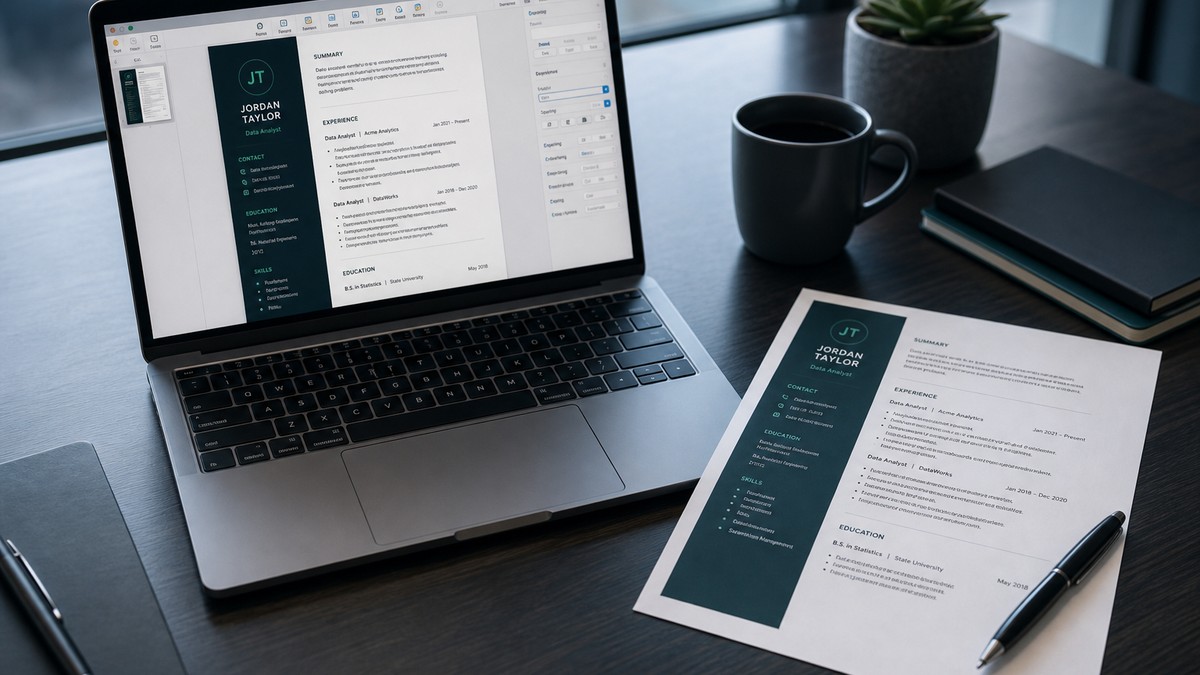
Apple Pages can make a resume that looks polished on a Mac and still fails US ATS parsing on Workday or Greenhouse. The usual cause is not “Mac vs PC prejudice”—it is export structure: text boxes, columns, and PDF settings that scramble reading order even when Preview looks perfect.
This guide is for US applicants who draft in Pages and need a file that survives enterprise upload forms. You will get failure modes, export choices, before/after text fixes, and a numbered playbook you can run before every application.
Key Takeaways
- Never submit a .pages file to US job portals
- Prefer DOCX for older Workday portals; use PDF only if text is selectable
- Kill text boxes, sidebars, and multi-column skill grids before export
- Put dates inline with job titles in body text
- Paste-test every export, then run an ATS check on hireflow.net
Why Apple Pages resumes break US ATS parsers
Pages is a layout tool first. Applicant tracking systems are field-mapping tools first. When you place a phone number in a floating text box beside a photo, humans see a clean header. Workday may skip the box entirely or attach the phone to the wrong profile field. Greenhouse keyword search cannot find skills trapped in an unreflowed column.
Common Pages-specific failure modes show up after Export To → PDF or Word:
- Contact lines reorder (email before name, LinkedIn missing)
- Job dates disappear or attach to the company below
- Bullet text merges into one run-on paragraph
- Skills from a sidebar appear after Education or vanish
- PDF looks sharp but text is not selectable (image-like flatten)
This is different from writing a resume for Apple the employer. That is a company-specific hiring topic. This article is about the Pages application as a file factory. If you also need Google Docs export settings, see Google Docs resume export settings for US ATS —similar goals, different software quirks.
Layout complexity compounds the problem. For broader rules on columns and tables, read why tables break US ATS parsing . Pages templates that “look like magazines” inherit the same risks.
Another Mac-specific trap: exporting from Pages, then “improving” the PDF in Preview by annotating or combining pages. Annotations can flatten or layer content so extractors see stamps and notes instead of your Experience section. Keep the ATS master as a fresh export from a simplified Pages (or Word) document—do not decorate the submission PDF.
Collaborator round-trips also create silent damage. A hiring coach edits your .pages file, you export PDF, then someone else opens the PDF in a browser and “Save as PDF” again. Each hop can change fonts, soft returns, and text objects. Prefer one export path: simplify Pages → Export To Word → verify → upload that DOCX (or one clean PDF from that DOCX).
Key Takeaway: Pages ATS failures are usually reading-order and container problems—not Mac bias—so fix structure before you blame the portal.
PDF vs Word from Pages: what US portals actually accept
US employers almost never accept a native .pages attachment. Export is mandatory. Your choice between PDF and Word should follow portal age and the posting’s instructions—not aesthetic preference.
| Situation | Prefer | Avoid |
|---|---|---|
| Older Workday / enterprise bank or insurer portal | Word (.docx) from Pages → Export To → Word | Image-heavy PDF; .pages file |
| Modern Greenhouse / Lever career site | Text-selectable PDF or clean DOCX | Password-protected PDF; scanned export |
| Posting says “PDF only” | PDF Best quality + selectable text test | Print-to-PDF from a weird driver that flattens text |
| You only have Pages on iCloud web | Download → open in Pages → export; or rebuild in Word/Docs | Screenshot “resume” images |
After any PDF export, open the file in Preview and try selecting your name and phone. If you cannot highlight the characters, parsers will struggle. For Workday-specific layout rules after you have a clean file, use Workday resume format guidance for 2026 .
Soft mid-check: if your current export fails the selectable-text test, stop applying with that file. Rebuild the layout, re-export, and verify with HireFlow's free ATS resume checker before the next Workday upload.
Key Takeaway: match file type to the portal, but only after the export still contains real, selectable text in reading order.
Before / after: Pages text that parsers can keep
These transformations fix the content shape Pages templates often produce. Apply them in the Pages document before export so Word/PDF inherit cleaner structure.
| Before (Pages habit) | After (ATS-safe) |
|---|---|
| Name in a large text box; phone/email in a second floating box on the right | Name as normal paragraph text; phone | email | LinkedIn on the next body line |
| Job title left, dates in a right column or table cell | “Marketing Manager | Acme Corp | Mar 2021 – Present” on one line |
| Skills as icon circles or a two-column text box grid | “Skills: Salesforce Admin, Flow Builder, Data Loader, Reports & Dashboards” as plain text |
Edge cases Mac users hit often:
- Smart quotes and special hyphens: Pages may insert typographic characters that some older parsers mangle. Prefer straight quotes and a simple hyphen or en-dash used consistently.
- Linked text boxes: flowing story boxes across pages can reorder sections on export. Unlink and use a single text flow.
- Shapes behind text: decorative rectangles sometimes capture text layers. Delete decorations that sit under body content.
Key Takeaway: rewrite Pages layout into stacked body text first; export cannot reliably repair floating boxes and side columns after the fact.
Safe Pages layout rules before you hit Export
Treat Pages like a constrained word processor when the goal is ATS survival:
- One column only—no sidebar skills, no left timeline rail
- Standard headings: Experience, Education, Skills, Certifications
- Body-text contact block at the top (not header/footer alone)
- Bullets as real list items, not hand-typed symbols in separate boxes
- No photos, charts, or skill bars
- Margins at least ~0.5"; avoid text near the page edge
If your current file started from a Pages “Modern Resume” template, it is often faster to start a blank document and paste section by section than to unwind every text box. For a known-safe single-column pattern that works across systems, see ATS-friendly resume format that works everywhere .
Keep fonts boring on purpose: Arial, Calibri, Helvetica, or Times-family fonts export more predictably than decorative display faces. Fancy fonts can subset oddly in PDF and confuse some extractors.
Section heading spelling matters more than design. Use “Experience,” “Education,” and “Skills”—not “Where I’ve Been” or icon-only labels. Workday and similar importers rely on recognizable headers to map blocks into profile fields. Creative headings look fine to humans and invisible to field mappers.
If you need a second page, add it as continued body text—not as a duplicated fancy header with a new text-box collage. Two clean pages beat one overcrowded magazine layout that parsers cannot linearize.
Key Takeaway: a boring single-column Pages document exports more cleanly than a beautiful multi-object template.
Numbered playbook: export and verify in under 15 minutes
Pages → ATS-safe file checklist
- Delete text boxes; move critical text into the main body.
- Put each job’s dates on the same line as the title/company.
- Convert sidebar skills into one plain Skills paragraph or list.
- File → Export To → Word (default for unsure enterprise portals).
- Open the .docx; fix any broken bullets or missing lines.
- Optional second export: PDF Best quality—confirm text is selectable in Preview.
- Paste full text into Notes/TextEdit; confirm order and contact info.
- Run an ATS check on hireflow.net against the job description; fix gaps; upload.
If Word export looks mangled (overlapping lines, empty gaps), the source Pages file still has layout objects. Go back and remove them rather than endlessly reformatting the DOCX. Fighting symptoms in Word while Pages still owns the master file wastes time every application cycle.
iCloud-only workflow tip: download the document, export locally when possible, and keep a dated “ATS master” DOCX. Do not treat the fancy Pages version as the submission master unless every export passes the paste test.
Key Takeaway: simplify → export → repair → paste-test → ATS check—skipping the paste test is how blank Workday profiles happen.
Portal symptoms: Workday vs Greenhouse after a Pages upload
Different systems surface Pages export bugs differently. Use the symptom to choose the fix:
- Workday blank phone or dates: contact/dates were in boxes or columns—inline them in body text, re-export DOCX, re-upload, and edit the profile fields before submit.
- Workday jumbled Experience: reading order wrong—flatten to one column and re-paste-test.
- Greenhouse “skills missing” in recruiter view: skills were graphical or side-column—move to plain Skills text.
- Upload rejected / wrong file type: you sent .pages or a passworded PDF—send DOCX or open PDF.
- iCIMS / Taleo odd line breaks: soft returns and text boxes in Pages—rebuild bullets as real lists in Word after export.
Always review the autofilled application fields. Even a “successful” parse can put your current title under Education. Fix fields manually when the portal allows it, and correct the source file so the next application does not repeat the error.
Concrete Workday recovery steps after a bad Pages PDF: cancel or edit the draft application if the portal allows, replace the attachment with a repaired DOCX, and re-check every required field (name, email, phone, employer names, start/end dates). Do not assume the second upload merges cleanly—compare field-by-field. Greenhouse often shows a parsed preview; if skills are empty, your sidebar never made it into extractable text.
Taleo and iCIMS deployments vary widely by employer. If you see duplicated lines or missing bullets after a Pages Word export, open the DOCX, select all, clear direct formatting where possible, and reapply a simple Normal + Heading style stack. That cleanup removes leftover Pages character styles that travel into Word and confuse older parsers.
Key Takeaway: treat blank or scrambled portal fields as a Pages export bug until your paste test and field review both look clean.
When to stop using Pages for applications
Pages is fine as a drafting surface. It is a weak long-term ATS master if you need multi-version tailoring every week. Switch tools when:
- Every export needs more than 10 minutes of repair
- You maintain three or more tailored resumes and keep breaking layout
- Collaborators only use Word/Google Docs and round-trips destroy formatting
- You cannot pass selectable-text and paste tests after two rebuild attempts
Moving to Microsoft Word, Google Docs, or an ATS-oriented builder is not a failure—it is choosing a format employers' systems already expect. If you want a clean single-column base without fighting text boxes, start in HireFlow's free resume builder , then keep Pages only for a visual portfolio version you never upload to ATS.
Honest limit: no checker can guarantee a specific employer's Workday configuration. What you can control is extractable text, honest keywords, and a file type the portal accepts. That is enough to stop most Pages-related silent failures.
Key Takeaway: leave Pages as the submission master when exports keep failing—keep a parse-safe DOCX/PDF as the file you actually apply with.
Frequently asked questions
Pages can produce an ATS-safe file, but only if you keep a simple single-column layout and export to a format the employer's system can read—usually Word (.docx) or a text-selectable PDF. Fancy Pages templates with text boxes, columns, and linked graphics are the main failure mode on Workday and Greenhouse.
When the posting does not specify, prefer Word (.docx) for older enterprise portals (common on Workday in banking, insurance, and manufacturing). Modern career sites often accept a clean, text-based PDF. Always verify you can select and copy the text in Preview before you upload.
Visual layout and machine-readable order are different. Pages can place contact info in floating text boxes, split dates into side columns, or flatten styled text in ways that look perfect on screen while parsers scramble fields. Copy-paste the PDF into a plain text editor—if the order is wrong, ATS will see the same mess.
Use File → Export To → Word, then open the .docx in Microsoft Word or Google Docs and fix any split lines, missing bullets, or shifted dates. Do not email the .pages file itself—US employers almost never accept it. Rebuild any section that still uses tables or text boxes as plain stacked paragraphs.
Stock “creative” Pages resume templates are usually unsafe. Multi-column designs, sidebar skills, and icon rows hide keywords from extractors. Use a plain single-column Pages document—or rebuild in a known ATS-safe builder—then retest extraction before applying.
Yes if you design for parseability first: one column, standard headings, body-text contact info, no text boxes for critical content. Treat Pages as a drafting tool, then export and validate. If the template fights you, switch tools rather than fighting broken layout every export.
Dates placed in a right-hand column, table cell, or text box often arrive empty or attached to the wrong job. Put dates on the same line as the job title in body text (for example, “Software Engineer | Jan 2022 – Present”), re-export, and confirm the application profile shows the dates after upload.
Select all text in the PDF/DOCX and paste into Notes or TextEdit; search for your phone and each job title; confirm no missing sections. Then run a full ATS check against the job description on hireflow.net to catch formatting and keyword gaps before you hit submit on Workday or Greenhouse.