7 min read
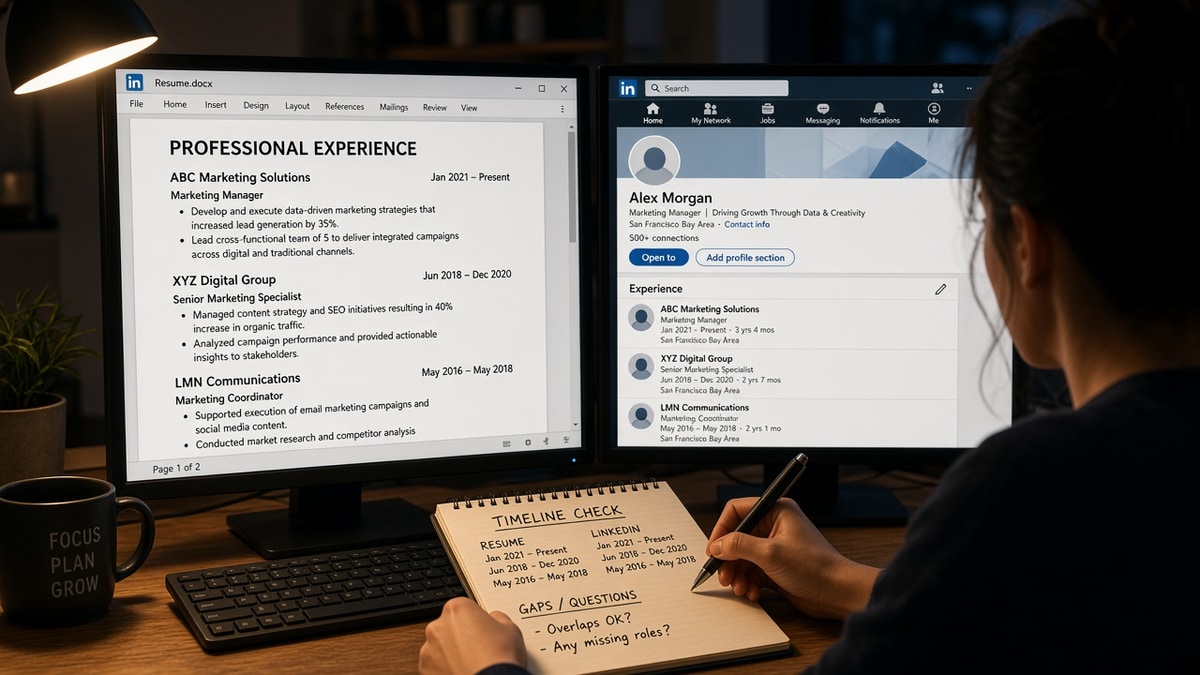
The symptom is quiet. You are qualified, but screening stalls after someone opens two tabs and compares calendars.
You're not being accused of fraud in that moment. Reviewers are asking whether they can trust the timeline they will type into a background form later.
That's fixable tonight if you stop editing dates from memory and start from one source of truth.
If you've changed jobs twice in the last year, you're especially vulnerable to drift because each edit touches only one file.
Check your resume for free after you align dates so employer rows still parse in order when you export plain text.
Don't assume reviewers won't open your public profile because the req only asked for a PDF. They often will.
Searching while bills stack up is brutal. A clean timeline won't guarantee an offer, but it removes an easy reason to pause your file.
When a gap needs context, generate a cover letter only after the months match on both screens so you're not explaining a hole that no longer exists on the PDF.
Quick Wins
- List every role with Month Year start and end on one spreadsheet.
- Match Present on the profile only when the resume shows the same current employer.
- Update the profile the same day you change an end date on the PDF.
What mismatched dates look like in a live screen
Reviewers scan timelines before bullets. A gap that exists on one screen but not the other reads as sloppiness or hiding, even when the work history is real.
The pause is about verification risk, not drama. Background vendors ask for exact months. If your public profile already disagrees with the file in the ATS, the screen slows.
Before: Resume ends Harbor Apps in June 2024. LinkedIn still shows Present at Harbor Apps with no end month filled in after a layoff.
After: Both list Harbor Apps March 2021 to June 2024, with the next employer starting July 2024 on each screen.
Title mismatches hurt too, but this page stays on calendars. For headline and bullet conflicts, read how to avoid contradictions between resume and LinkedIn .
Why the side-by-side habit exists is covered in why recruiters compare your resume to LinkedIn . Here you are fixing the date fields they flip open first.
How to fix mismatched dates on resume and LinkedIn by cause
Cause: end month never updated after exit
Symptom: resume shows a closed end month while the profile still says Present for the same logo.
Fix: set the profile end month to match HR last day, then add the next role with the same start month as the resume.
Before: PDF lists Northwind Health ending April 2023; profile still shows Northwind Present into 2024.
After: Both show Northwind January 2020 to April 2023 and the following employer May 2023 to Present.
Cause: rounded years on one file only
Symptom: resume uses 2019 to 2022 while the profile lists January 2019 to August 2022 for the same job.
Fix: expand the resume to Month Year everywhere within the last ten years so both screens show the same span.
Cause: education graduation month differs
Symptom: diploma says May 2020 but the resume lists 2020 while the profile shows June 2020.
Fix: match the registrar date on both documents. Verification teams compare school records, not your memory of ceremony month.
Copy-paste audit row (one employer):
Employer: [Legal name on W-2]
Resume: [Start Month Year] to [End Month Year or Present]
Profile: [Same start] to [Same end]
Source doc: [Offer letter / separation email date]
I've passed on otherwise strong files in iCIMS when the profile added six silent months to a role the resume already closed. The candidate thought rounding was harmless. The calendar math was not.
Cause: overlapping full-time blocks
Symptom: two employers show full-time Present ranges that cannot both be true.
Fix: mark part-time or contract on the secondary role with exact months on both files, or close the earlier role the month the primary job started.
Before: Full-time Present at two different companies from 2022 forward on the profile while the resume closes one in 2023.
After: Primary role full-time with Present; secondary contract labeled with Month Year bounds matching tax forms on both screens.
Cause: acquisition renamed the employer
Symptom: resume lists the old legal name while the profile shows the acquirer with different start months for the same stretch of work.
Fix: pick the name on your W-2 for each year, add a short parenthetical if space allows, and mirror the same string and months on both files.
Before: Resume shows Beacon Tools 2018 to 2021; profile shows Horizon Hardware 2019 to Present with no bridge note.
After: Both show Beacon Tools (now Horizon Hardware) January 2018 to March 2021 with identical months and a single next employer block.
Cause: gap labeled on one file only
Symptom: resume includes a labeled career break line with months while the profile jumps employers with no entry for those months.
Fix: add a neutral labeled entry on the profile with the same Month Year bounds, or remove the floating label on the resume and show the gap implicitly with matching end and start months on both sides.
Honest gaps are fine when the months align. Mystery gaps are what slow screens. See resume gap examples recruiters accept for label wording that stays calm in verification calls.
Date drift that comes back if you skip the master list
- Editing the resume for each apply but never reopening the profile.
- Using numeric-only 01/2020 on the PDF and spelled months on the profile.
- Stretching end dates to hide a short gap instead of showing the gap months honestly.
- Leaving internships on the profile with Present when the resume moved them to a dated block below.
- Trusting memory after a merger renamed the employer without updating both strings.
Promotion formatting inside one company has its own date rules in how to format promotions in one company . Split titles there before you sync public profiles.
Parse check after timeline sync
Export plain text from the PDF. Employer names should stay attached to their Month Year pairs in reading order.
Scroll the profile experience section on a phone screen too. Mobile layouts truncate long employer names and can hide end months you thought were visible on desktop.
Run the ATS check on the aligned file before you submit the next req.
Build your resume in a single-column layout if dates keep detaching from employers after export.
One timeline, two screens, same months
When you fix mismatched dates on resume and LinkedIn, you are not polishing branding. You are making verification boring, which is what good files do.
Build the spreadsheet once, update both surfaces the same night, and keep offer letters where you can find them before the next edit.
Read more
Frequently asked questions
Build a master timeline from offer letters, pay stubs, or separation paperwork, update the resume PDF you upload to reqs, then sync the public profile to match. Recruiters treat the uploaded file as the application record even when they open your profile in another tab.
For jobs in the last decade, use Month Year on both documents. Year-only ranges hide gaps that recruiters measure in months during side-by-side checks. Older roles from fifteen plus years ago can sometimes stay year-only if every version uses the same shorthand.
Pick the official last day of employment from HR and use that month everywhere. Rounding up to the next month on one screen makes a short job look longer and raises questions during employment verification calls.
Overlap happens with part-time work, consulting, or overlapping board roles. Label the overlap in both places with the same start and end months so reviewers see intent. Unlabeled overlap between two full-time employer blocks is what triggers pauses.