8 min read
Your resume looks fine in Preview mode. The database version can still be scrambled. That's not drama; it's how parsers treat tables, sidebars, and icons.
Check your resume for free on the same file you'll upload. If Skills land but Experience is hollow, how ATS handles resume formatting internally already explained the loss before match logic runs.
You'll walk through what the importer sees, which design choices break order, and a six-step repair path you can run tonight without buying a new template subscription.
Different vendors label steps differently, but the internal sequence repeats: extract text, guess sections, fill rows, then run match rules on whatever survived. Formatting is the gate before those rules see your stack names.
This won't make a stretch role a fit. It stops a qualified file from ranking on empty rows because the parser read your dates as the job title. If the employer also asks for a letter, draft it after the paste test with the cover letter generator and fix the company name manually.
Quick wins
- Save as .docx, single column, standard headings: Experience, Education, Skills.
- Paste into Notepad before you apply anywhere new.
- Put phone and email in the body, not the Word header.
What parsers do before scoring
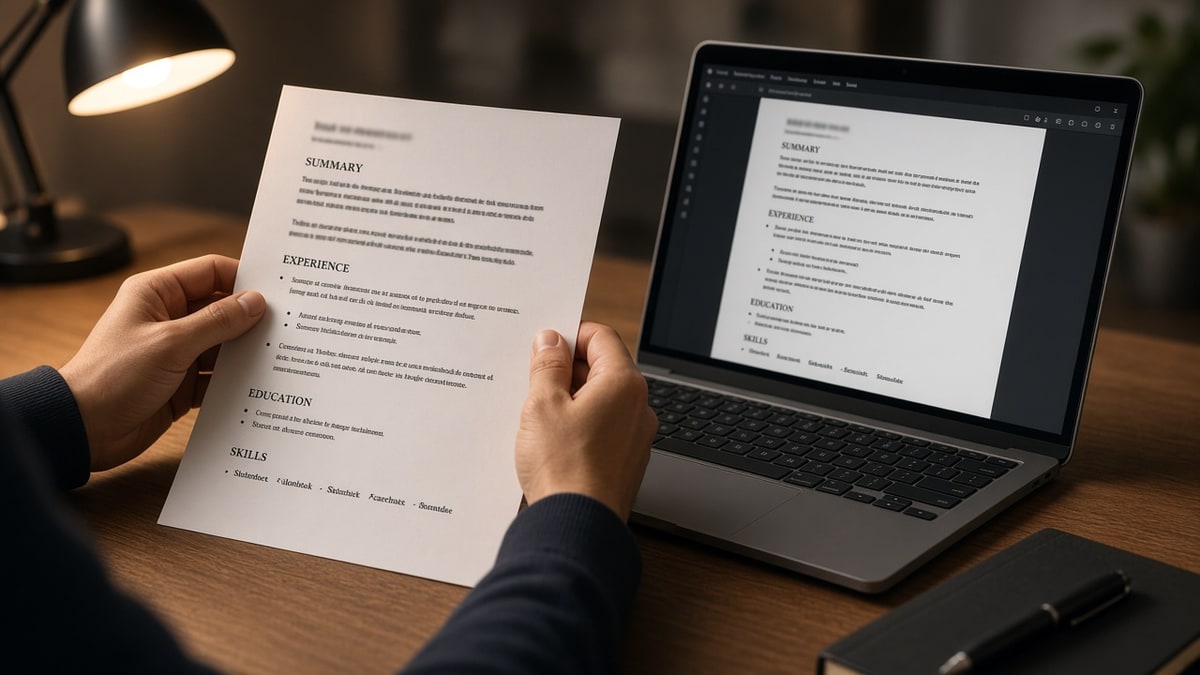
Applicant tracking systems start with ingestion, not judgment. The file uploads, text extracts, headings are guessed, and fields populate Experience, Education, and Skills tables inside the req.
Extraction order beats visual design. A colored sidebar can dump every skill above your current employer in the stored string. Recruiters sorting by latest title never see the role you think is obvious on page one.
Section labels are pattern matching. Experience, Work History, and Employment usually map. Creative labels like Journey or Impact Story sometimes map late or never, leaving bullets orphaned from dates.
Images and icons are blank to the parser. Certification badges, logos, and chart graphics do not become keywords. Text trapped inside a shape disappears.
OCR on scanned PDFs is a separate path. Photo resumes can upload with a green check while storing almost no searchable text. Recruiters filtering on title then see an empty profile even when the thumbnail looks crisp.
Font choice matters less than order, but exotic script faces sometimes fail extraction on older importers. Arial, Calibri, or Times New Roman at 10 to 12 point body size stays predictable across US corporate stacks.
Before: You trust Canva spacing because the PDF thumbnail is pretty.
After: You read a plain paste and fix order before you upload.
Before: You put email in the header because Word templates suggest it.
After: You move contact to line two of the body so imports capture it.
Normalization detail lives in how ATS normalizes resume text . Column failures are in why fancy resume layouts fail .
| Format choice | Parser risk | Safer swap |
|---|---|---|
| Two-column template | Skills above title in stored text | Single column with Skills section below Experience |
| Table-aligned dates | Dates become titles | Dates on line under employer |
| Unicode bullets | Garbled characters | Hyphen or asterisk bullets |
| Text boxes for summary | Summary skipped or out of order | Plain paragraph under Summary heading |
Parsers do not reward creativity in section names. Keep labels boring so mapping tables inside the ATS can attach bullets to the right employer row. Creativity belongs in bullet verbs, not in headings called Toolkit or Impact.
How ATS handles resume formatting internally, step by step
Work on the file you already have. You're teaching the parser a linear story, not redesigning your career.
Step 1: Export the right container
Save as .docx from Word or Google Docs, or export a text-based PDF you can highlight. Skip scans, phone photos, and oversized graphics. Name the file with your name and target role.
Strip embedded photos and chart objects before export. A headshot can push file size past portal caps and still add zero searchable text. If the posting lists a megabyte limit, aim smaller than the cap so mobile uploads do not stall mid-transfer.
Step 2: Flatten columns and tables
Remove layout tables, text boxes, and sidebars. Stack employer, title, city, and Month YYYY to Present as separate lines with bullets underneath.
If you are coming from a designer template, rebuild one job block at a time instead of fighting global styles. Copy bullets into a blank Word doc with Normal style only. You will lose the accent color and keep the career facts parsers can store.
Business Analyst
Northwind Health, Chicago IL
June 2020 – Present
• Mapped Epic workflows for prior-auth queues
• Built weekly volume dashboards in Looker for clinic ops

Skills
SQL; Epic; Looker; Stakeholder workshops
Step 3: Move contact into the body
First lines of the document body hold name, phone, email, and LinkedIn URL. Headers and footers look polished; many imports never read them.
Spell city and state in full words rather than tiny gray footer text. Parsers that miss footers also miss location filters recruiters use when the req is hybrid or on-site.
Step 4: Run a plain-text paste test
Copy-paste audit (edit brackets only):
{`File is .docx or selectable PDF under 5 MB? [Y/N]
Single column with no layout tables? [Y/N]
Contact appears in first lines of plain paste? [Y/N]
Each job shows title, employer, then dates? [Y/N]
Skills heading is literally "Skills" in body? [Y/N]
Ready to upload same file to portal preview? [Y/N]`}
Step 5: Choose PDF or DOCX on stubborn portals
When preview still scrambles fields, favor .docx for that employer. See PDF vs DOCX for ATS for the decision tree, then retest paste order.
Export from the same editor you used to flatten layout. Re-saving a broken PDF without fixing the source often locks the scramble in place. If highlight-and-copy fails in the PDF viewer, treat the file as image-heavy and rebuild in Word or Docs.
Before: You email a print-to-PDF from a design tool because it looks sharp.
After: You keep a plain .docx master and export PDF only after paste order passes.
Step 6: Audit parsed fields before Submit
Open the application review screen when offered. Compare title, employer, and dates field by field. Fix the source document and re-upload instead of typing only into web forms.
Typing into web fields without fixing the attachment leaves two versions on record. Recruiters who re-open the file later still see the broken parse. One corrected upload keeps human edits and machine storage aligned.
Greenhouse and Lever often show a parsed preview early. Workday sometimes hides it until late in the flow. If you cannot preview, lean harder on the paste test and a free parser check before you burn an apply on a layout you have not verified.
I've opened Lever imports where the candidate's graphic skill bar looked sharp in PDF but stored zero skills because the bars were shapes, not text. Rebuilding the Skills section as a plain list fixed search filters the same afternoon.
Date lines deserve the same care as titles. Use one format end to end, such as Month YYYY to Present, and keep months spelled out or numeric consistently. Mixed formats in the same file sometimes split one job into two partial rows inside Workday, which makes tenure look shorter than it is.
Education blocks should mirror Experience structure: degree, school, graduation date on separate lines. Nested indents and mini tables for GPA often detach the degree name from the year, so automated screens treat the section as incomplete even when humans can read it fine.
Layout choices that scramble stored text
- Using multi-column Canva exports as your only ATS copy.
- Relying on Word header contact blocks on Workday career sites.
- Decorative Unicode bullets that paste as question marks.
- Putting dates alone in a right-hand table column.
- Embedding certifications as icons instead of spelled-out lines.
- Assuming bold skills in a sidebar count as a Skills field.
Formatting is infrastructure. Fix infrastructure before you tune keywords, or you're polishing a file the database cannot sort.
Hybrid resumes with a human-designed PDF for networking and a plain .docx for apply are fine when you maintain both. Problems start when the decorative file is the only copy you upload to iCIMS or Taleo portals that re-parse on every req.
For header-specific failures, read contact info in header breaks ATS . For table traps, see why ATS rejects resumes with tables .
Format check before upload
Run the export you'll attach. Empty Experience rows are a formatting problem until proven otherwise.
Run the free ATS check on that file, then rebuild from a plain grid if columns keep winning. Build your resume in a single-column template so you aren't fighting the parser on every apply.
Ship text the database can sort
How ATS handles resume formatting internally is unglamorous: characters in order, headings guessed, rows filled. Your design job is to make that boring path accurate so match logic has real titles and dates to work with.
Job searching is hard enough without fighting invisible layout. Keep one plain master file, paste-test before each batch, and upload the version preview screens can verify.
When a friend swears their template works everywhere, ask if they ever opened the employer preview or only watched a success toast. Formatting wins are proven in stored fields, not in compliments about your color palette.
And if you are rebuilding from scratch, start from a boring grid, not a marketplace design with icons baked in. You can still write strong bullets; the parser just needs characters in the order a tired recruiter would skim on a Monday morning.
Check your resume for free on the attachment you're about to send, then apply once with stored fields you would trust in a recruiter search.
Read more
Frequently asked questions
Most parsers strip styling and read plain characters. Bold does not boost match weight. Color rarely helps and can confuse export paths. Put keywords in normal body text under clear headings instead of relying on design.
Many importers read left to right across the page, not down each column. Sidebar skills can land above your current title in the stored text. Single-column body text keeps employer, title, and dates together.
Simple one-row tables sometimes survive, but layout tables for alignment often scramble order. Use line breaks and plain headings. If you must use a table, keep one job per block outside the grid.
No for most US corporate imports. Email and phone in headers or footers frequently never map to the profile. Put name, phone, and email in the first lines of the document body.