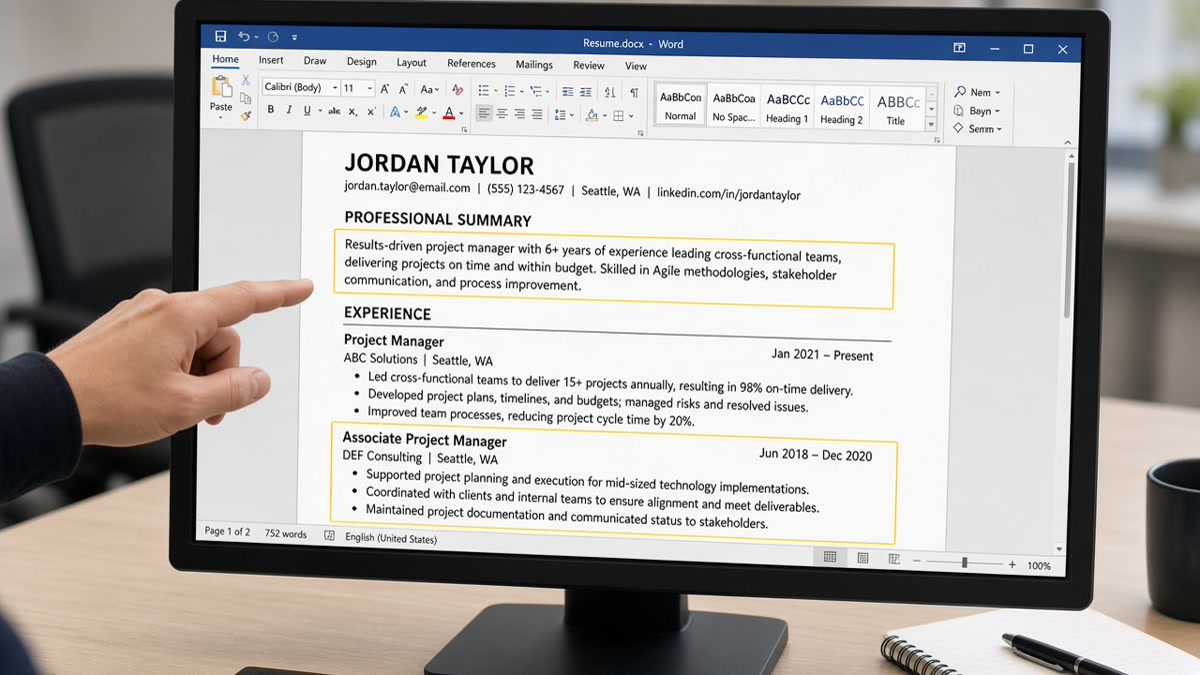
10 min read
Text boxes break US ATS parsing because parsers read one text stream and skip floating boxes. Your Skills block imports blank in Workday even though you can see it on the PDF. That's the answer. You're not failing on keywords. You're failing on layout objects parsers never read.
The fix is boring and fast: cut boxed content into the main column, use bold headings and standard bullets, then check your resume for free after you paste the export into Notepad. If Python or Salesforce vanishes in Notepad, Workday will not see it either.
Job searching with a designed template feels unfair when the file looks perfect on your screen. You're not doing anything wrong by wanting a clean layout. Corporate parsers were built for plain Word docs, not portfolio-grade design. Below you'll see why boxes fail, the rare exceptions, what to use instead, and a ten-minute rebuild path.
I've screened stacks where the PDF showed twelve skills in a sidebar and Workday showed zero. The candidate wasn't underqualified. The parser never received the sidebar. When you need a letter that repeats tools from bullet one, generate a cover letter after you confirm those tools survived the Notepad paste.
At a glance
- Delete text boxes; paste content inline in the main single column.
- Replace boxed Skills with a plain Skills heading and comma or bullet list.
- Put contact info as text lines under your name, not in a floating header box.
- Copy the export into Notepad. Missing text there will not parse.
Why parsers skip text boxes on US resumes
Workday, Greenhouse, Lever, Taleo, and iCIMS do not render your PDF the way Adobe does. They extract text in reading order from the file structure. Text boxes, sidebars, and floating shapes sit outside that stream. Parsers treat them as layout decoration, not body copy.
The symptom recruiters see: your application profile shows empty Skills, missing contact fields, or employer bullets merged into one paragraph while your attachment looks polished. The mismatch is almost always a boxed or column layout, not a keyword gap.
Word and Google Docs let you drag a shaded rectangle, type inside it, and align it beside Experience. On screen it reads fine. On import the rectangle's text often never enters the candidate record. Canva and resume-template sites bake the same problem into exported PDFs with layered objects.
Parsers also struggle when the same content appears twice: once in a box and once inline. Some systems dedupe or drop the boxed copy. Others read the box first and scramble order. Single-column inline text avoids both failures.
The failure is not limited to Skills. Contact blocks in header text boxes import without phone numbers. Summary lines in shaded rectangles never reach the recruiter preview. Certification badges in side panels drop while plain Education lines survive. Any section you care about should live in the main body as typed text, not inside a shape you dragged from the Insert menu.
Greenhouse and Lever show similar gaps on US reqs. The vendor differs. The parser behavior does not: linear text in, floating objects out. That is why a file that looks complete on your laptop can show half-empty in the applicant profile five minutes after upload.
For file-type choices after you flatten layout, read how resume file type impacts screening . This page isolates text boxes from tables, columns, and scanned PDFs.
Exceptions: when boxed content might still parse
A few newer parsers handle simple Word text boxes if the text is also duplicated inline in the main body. That is not a strategy. It is a backup when you cannot rebuild tonight and the inline copy is already correct.
Some employers accept LinkedIn Easy Apply or portal forms where you retype Experience by hand. In that case the attachment matters less. When the req asks for a resume upload into Workday or Greenhouse, assume boxes will break until you prove otherwise with a Notepad paste.
Plain contact lines in a Word header footer sometimes parse. Sometimes they do not. Do not stake your callback on header/footer behavior. Repeat phone and email as text in the body under your name.
What to use instead of text boxes
You do not need design software to look professional. You need inline structure parsers read top to bottom. These swaps fix the blank Skills import without turning your resume into a wall of text.
Swap 1: Boxed Skills to plain Skills heading plus bullets
Before: Twelve tools in a right-column shaded text box labeled Core Skills.
After: Skills heading in the main column, then Python, SQL, Tableau, Salesforce on one line or as a short bullet list. Repeat must-have tools inside dated Experience bullets where you used them.
Swap 2: Boxed summary to bold line under your name
Before: Professional summary inside a gray text box across the top margin.
After: Two lines of plain text under your name and contact lines. Bold the first phrase if you want emphasis. No border, no fill, no floating object.
Swap 3: Boxed contact strip to inline header lines
Before: Phone, email, and city inside a narrow text box with icon fonts.
After: Denver CO · 303-555-0142 · [email protected] · linkedin.com/in/handle as plain text lines. Icons do not parse. Text does.
Swap 4: Side-panel certifications to dated Education or Certifications list
Before: PMP and AWS badges in a left-column text box beside Experience.
After: Certifications section in the main column: PMP, Project Management Institute, 2024 on its own line. Same font as Education entries.
Copy-paste block: inline contact and Skills header
JANE DOE
Denver, CO · 303-555-0142 · [email protected] · linkedin.com/in/janedoe

Operations analyst with 4 years in Salesforce reporting and inventory workflows.

SKILLS
Salesforce, SQL, Excel, Tableau, NetSuite, WMS

EXPERIENCE
Operations Analyst, Apex Logistics, Denver CO · Jan 2022 to Present
• Built weekly inventory dashboards in Tableau, cutting stockout tickets 11% in Q3
Ten-minute flatten workflow
Open the file in Word. Press Ctrl+A or Cmd+A, copy, paste into Notepad. Note every section that disappeared or landed out of order. Back in Word, click each remaining shaded block, cut text, paste inline where it belongs, delete the empty box. Re-export DOCX. Paste into Notepad again until contact, Skills, every employer, and Education read top to bottom.
For template starting points without boxes, see what a universal US resume template includes . Build from plain headings instead of dragging shapes.
Boxed layouts that fail most often
Skills-only proof in a sidebar. Recruiters ctrl-f tools inside Experience. A boxed Skills cloud with no dated bullets gives parsers nothing to attach to an employer. Move top tools into bullet one under the job where you used them.
Job titles or dates inside separate boxes per role. Some designed templates put each employer in its own rectangle. Parsers merge or drop rectangles unpredictably. One employer per plain text block: title, company, dates on one line, then bullets.
Text boxes plus two columns. Double failure. Columns scramble read order. Boxes inside columns drop entirely. Flatten to one column first. Worry about spacing second.
Assuming PDF export fixes Word boxes. PDF does not magically inline floating objects. If Notepad loses the content from DOCX, PDF will often lose it too unless you print to PDF from a fully flattened Word file.
Using tables as a text-box replacement. Tables are not a safe default. Cells read out of order on several stacks. Prefer one column with dates on the employer line, not in a right table column.
Relying on ATS simulators without a Notepad paste. Simulators help. Notepad is the ground truth for what a linear reader receives. Run both before you upload again.
This won't fix applying without required credentials. It stops qualified files from dying when Workday shows blank Skills while your PDF sidebar looked perfect.
Verify before you reapply
After you flatten boxed sections, upload the export and the posting together. You're confirming whether tools from the req appear in parsed body text, not whether the PDF still looks sharp.
When a must-have still misses, add it to the Experience bullet for the role where you used it, then list it once in plain Skills. Do not put it back in a box because it looked cleaner.
Run HireFlow's free ATS resume checker with the posting pasted in. Compare parsed output to your Notepad paste. They should tell the same story.
When you're rebuilding from a designed template, build your resume in a single-column layout so you don't reintroduce text boxes on the next edit.
Do this now: Paste your export into Notepad. If Skills is missing, delete the box and retype inline. Upload once with a real change, not five times with the same boxed file.
Flatten one section tonight
Text boxes break US ATS parsing because parsers skip floating content. Your Skills block imports blank in Workday when those terms never left the sidebar. Inline headings, plain contact lines, and a Notepad paste test fix most files in one sitting.
Open your resume. Copy into Notepad. Whatever is missing there, delete the box and retype in the main column. Repeat for contact info, summary, Skills, and every employer block until the plain-text version reads cleanly start to finish. Then run a free ATS check before you upload to Greenhouse or Lever again.
- Cut boxed Skills into a plain Skills heading and bullet list.
- Move contact info to text lines under your name.
- Put dates on the same line as job title, not in a side box.
- Export DOCX when the portal allows it.
- Confirm Notepad and parsed checker output match.
And if you're deciding whether to keep a pretty template, paste into Notepad first. Readable beats designed when the parser is the first reader.
Read more
Frequently asked questions
Your Skills list likely sits inside a text box, sidebar, or shaded shape. Parsers read the main document body as one stream and often skip floating objects. Workday shows blank Skills while your PDF looks fine because the recruiter view never received that text. Move skills into inline bullets under Experience or a plain Skills heading in the main column, then paste the export into Notepad to confirm the terms appear.
Both break the same way on most US corporate stacks. Canva and design-tool exports often embed boxes as layered objects parsers ignore entirely. Word text boxes are invisible to the same linear readers even when the text looks selectable on screen. The fix is identical: cut boxed content into the main body with standard headings and bullets, export DOCX when allowed, and run a plain-text paste test.
No when that box is the only place your phone or email appears. Parsers skip it and recruiters get an applicant with no contact fields. Type contact info as plain lines under your name in the main column: city, phone, email, LinkedIn URL as text. Bold your name if you want emphasis. Never rely on a header text box or icon row as the sole source.
Tables are not a safe default either. Many parsers read table cells out of order or merge columns into one string. Prefer a single column with bold section headings and standard bullet lists. If you must align dates, put the date range on the same line as the job title separated by a pipe or middle dot, not in a right-column table cell.
In Word, turn on paragraph marks and click each shaded block. If a border appears or text moves as one object, it is boxed. Select all, copy, paste into Notepad. Missing sections in Notepad are sections parsers will miss too. Delete the box, paste content inline, and repeat until Notepad shows contact info, every employer, Skills, and Education in top-to-bottom order.