8 min read

Why Fancy Resume Layouts Fail: The ATS Reality Check

HireFlow Editorial Team
August 19, 2026

Discover why fancy resume layouts fail with ATS systems. Learn what actually works for job applications and how to optimize your resume for success.

You spent hours perfecting your resume design. The fonts are elegant, the colors pop, and the layout looks professional. But here's the uncomfortable truth: why fancy resume layouts fail often comes down to one critical factor—Applicant Tracking Systems (ATS) don't care about aesthetics.

When you submit that beautifully designed resume, it doesn't go straight to a hiring manager's desk. It first gets parsed by software that strips away formatting, ignores colors, and struggles with creative structures. If your fancy layout breaks during parsing, your qualifications never reach human eyes.

This guide reveals why fancy resume layouts fail, what ATS systems actually read, and how to design a resume that impresses both machines and people.

What you'll learn:

  • How ATS systems parse and rank resumes
  • Specific design elements that cause parsing failures
  • The trade-off between aesthetics and functionality
  • Best practices for a resume that works across all platforms
  • Real examples of layouts that backfire

Understanding Why Fancy Resume Layouts Fail

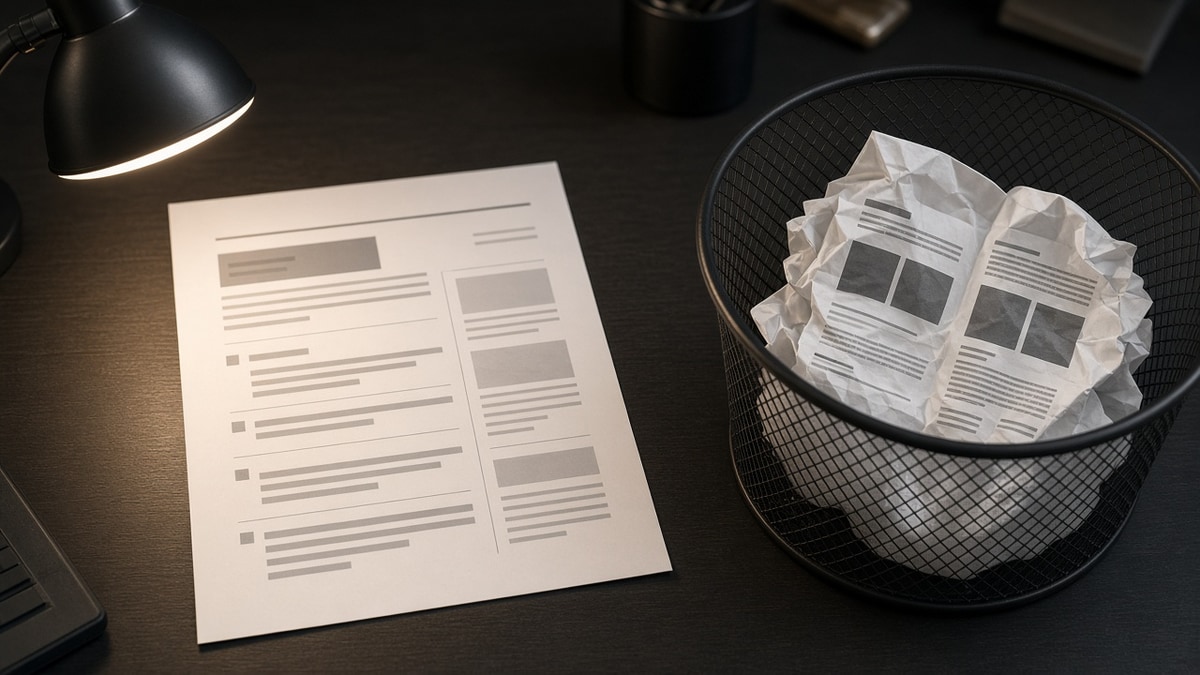
The disconnect between what looks good and what works is fundamental. Fancy resume layouts often prioritize visual appeal over machine readability. When an ATS encounters a resume with multi-column designs, text boxes, tables, or unconventional formatting, it struggles to extract information in the correct order.

ATS software reads resumes linearly, top to bottom, left to right. A two-column layout confuses the parser because it can't determine which column should be read first. Colored text, decorative lines, and graphics are either ignored or cause parsing errors. The result: your experience gets jumbled, keywords get missed, and your resume scores lower than it should.

The irony is that hiring managers never see the fancy version anyway. They see what the ATS extracted and ranked. A beautifully designed resume that fails parsing becomes invisible in the screening process.

Key Design Elements That Cause ATS Failures

Multi-Column Layouts

Two or three-column designs are popular in modern resume templates. They look sophisticated and save space. But ATS systems don't understand columns. When parsing a multi-column resume, the software reads left column top-to-bottom, then right column top-to-bottom. This scrambles your information order and makes your experience appear disorganized to the algorithm.

Example: If your skills are in the left column and your experience in the right, the ATS might read all skills first, then all experience—losing the context that ties skills to specific jobs.

Tables and Text Boxes

Tables seem like a logical way to organize information. They're clean and structured. But many ATS systems either ignore table formatting entirely or misread the cell contents. Text boxes fare even worse—some ATS parsers skip them completely, causing entire sections to disappear from the parsed version.

When your contact information, skills, or achievements are in a text box, there's a real risk that the ATS won't extract them at all. This means recruiters won't see critical details about your qualifications.

Graphics, Icons, and Decorative Elements

Visual elements like skill bars, icons, dividers, and graphics make resumes visually appealing. But ATS systems can't interpret images. Skill bars showing proficiency levels become invisible. Icons representing skills or certifications get stripped away. Decorative lines and shapes add nothing to the parsed content and sometimes corrupt the file format.

A resume with 15 icons representing different skills loses all 15 visual cues during ATS parsing. The recruiter sees plain text instead of the polished design you created.

Non-Standard Fonts and Colors

Fancy fonts and color schemes are ignored by ATS systems. More problematically, unusual fonts sometimes fail to convert properly when the resume is parsed, resulting in garbled text or missing characters. Colored text is typically converted to black during parsing, so your strategic color choices disappear entirely.

Common Mistakes to Avoid

  • Using PDF with embedded fonts: While PDFs can preserve formatting, some ATS systems struggle to parse PDFs properly, especially those with custom fonts or complex layouts. Always test your PDF with an ATS parser before submitting.
  • Saving as an image or screenshot: Never submit your resume as an image. ATS systems cannot read images at all. Your resume will be completely invisible to the screening software.
  • Relying on headers and footers: Many ATS systems ignore headers and footers. Critical information like your name or contact details placed there might not be parsed.
  • Using headers and subheaders inconsistently: Inconsistent formatting confuses ATS parsing. If you use bold for job titles in one position and italics in another, the system may not recognize them as equivalent.
  • Hiding text with white font on white background: Some people try to stuff keywords into resumes using invisible text. ATS systems detect this and may penalize your resume or flag it as suspicious.
  • Over-optimizing with keyword density: Repeating keywords excessively looks unnatural and can trigger ATS filters designed to catch keyword stuffing. Your content should read naturally.

Best Practices for ATS-Friendly Resume Design

  • Use a single-column layout: Keep everything in one column, reading top to bottom. This is the most reliable format for ATS parsing and ensures information is read in the order you intend.
  • Stick to standard fonts: Use Arial, Calibri, Times New Roman, or Helvetica. These fonts are universally supported and parse reliably across all ATS systems.
  • Keep it plain text compatible: Design your resume so it would still be readable if converted to plain text. This ensures it survives any parsing method.
  • Use standard section headers: Stick to recognizable headers like "Professional Experience," "Education," "Skills," and "Certifications." ATS systems are programmed to recognize these standard sections.
  • Avoid tables; use bullet points instead: Bullet points are universally parsed correctly. They're also easier to scan for both ATS systems and human recruiters.
  • Save as .docx or .pdf (test first): Word documents (.docx) are safest for most ATS systems. If submitting PDF, use a simple, standard PDF without embedded fonts or complex formatting.
  • Use standard spacing and margins: Stick to 0.5 to 1-inch margins and single or 1.15 line spacing. Unusual spacing can cause parsing errors.
  • Include relevant keywords naturally: Match keywords from the job description, but only where they genuinely apply to your experience. Natural keyword integration is more effective than forced repetition.

How to Convert a Fancy Resume to ATS-Friendly Format

  1. Start fresh or simplify existing design: Open a blank document. Copy your content from the fancy resume, but leave the formatting behind. This forces you to rebuild with ATS compatibility in mind.
  2. Organize in a single column: Structure everything vertically. Header, contact info, professional summary, experience, education, skills—all in one column flowing downward.
  3. Use consistent formatting: Apply the same formatting rules throughout. If job titles are bold, make all job titles bold. If dates are italicized, italicize all dates consistently.
  4. Replace graphics with text: Convert skill bars to text descriptions. Replace icons with written labels. For example, instead of a Java icon, write "Java" in your skills list.
  5. Remove all decorative elements: Delete divider lines, colored boxes, text boxes, and any graphics. Keep only text and standard formatting.
  6. Test with an ATS parser: Use free ATS parser tools (many are available online) to see how your resume is parsed. Review the parsed output to ensure all information is captured correctly and in the right order.
  7. Save in the right format: Save as .docx first. If the job posting specifies PDF, convert to PDF and test that version with an ATS parser before submitting.
  8. Proofread the parsed version: Don't just proofread your original resume. Proofread what the ATS actually extracts. This is what recruiters will see.

The ATS Parsing Reality: What Actually Happens

When you submit a resume through an online application portal, here's what typically happens: The ATS software extracts text from your file, attempting to identify sections like contact information, experience, education, and skills. It then matches your qualifications against the job description, scoring your resume based on keyword matches, experience level, and other criteria.

If your fancy layout causes parsing errors, several problems emerge. Contact information might be missed or jumbled. Experience dates could be separated from job descriptions. Skills might be extracted in the wrong order or context. The ATS score drops because the system can't properly evaluate your qualifications. Even if you're perfectly qualified, a parsing failure can eliminate you from consideration.

The hiring manager never knows your resume was beautiful. They only see what the ATS extracted and ranked. If the parsing failed, they see a mess—or nothing at all.

The Bottom Line: Function Over Form

Why fancy resume layouts fail is no longer a mystery. They fail because ATS systems prioritize parseable text over visual design. Your resume must survive machine screening before it reaches human eyes. A beautifully designed resume that fails parsing is worthless—it never reaches the hiring manager.

The solution isn't to abandon professionalism; it's to redefine it. A professional resume is one that works. It's clear, organized, and optimized for both ATS parsing and human readability. It uses standard formatting, logical structure, and relevant keywords naturally integrated into your experience descriptions.

Start with a simple, ATS-friendly design. Test it with an ATS parser. Then, if you're meeting a hiring manager in person, you can always create a fancier version for that context. But for online applications, simplicity wins. Your qualifications are compelling enough without decorative flourishes—let them speak for themselves.

Frequently asked questions

If you're handing a resume directly to a hiring manager in person or via email (not through an online portal), a fancy design is less risky. However, even then, simplicity often works better. Hiring managers receive dozens of resumes and prefer ones that are easy to scan quickly. A clean, simple design is more likely to make a positive impression than a complex one. When in doubt, prioritize readability over aesthetics.

File format matters significantly for ATS compatibility. Word documents (.docx) are generally more ATS-friendly than PDFs because they're easier for parsing software to read. However, some ATS systems handle PDFs well, while others struggle. The safest approach: save your resume as .docx by default. If a job posting specifically requests PDF, convert to PDF but test it with an ATS parser first to ensure it parses correctly. Never submit as .doc (older Word format) or any other uncommon format.

Even if your fancy resume parses without errors, it might still hurt your chances. Complex layouts can cause subtle parsing issues that go unnoticed until a recruiter reviews the extracted data. Additionally, fancy designs sometimes sacrifice clarity and conciseness for aesthetics. Recruiters spend seconds scanning each resume. A simple, well-organized design is scanned faster and leaves a better impression than a complex one, even if both parse successfully.

Professional appearance doesn't require fancy design. Use clean typography, consistent formatting, ample white space, and a logical structure. A single-column layout with clear section headers, bold job titles, and well-written bullet points looks polished and professional. The key is organization and clarity, not decoration. Resume formatting rules that actually work emphasize simplicity over complexity.

Color is risky with ATS systems. While a single accent color might survive parsing, it's not guaranteed. More importantly, color is stripped away during ATS extraction, so it provides no benefit for screening. Save color for printed versions or portfolios if you meet the hiring manager in person. For online applications, stick to black text on white background. This ensures your resume is readable and parses reliably across all systems.

Use free ATS parser tools available online to test your resume. Upload your file and review the parsed output. Does all your information appear? Is it in the correct order? Are there any garbled characters or missing sections? If the parsed version looks clean and complete, your resume should survive ATS screening. If you notice errors, revise your formatting and test again. This step takes minutes but can prevent your resume from being eliminated by parsing failures.

Done for you

Turn this advice into an interview-ready resume

Professional writers rebuild your resume for ATS + recruiters — unlimited revisions, interview guarantee.

Job match tool·Free builder

Tags

fancy resume layoutsresume layout mistakesATS resume formattingresume design failsATS-friendly resumeresume optimizationjob application tips