10 min read
You pasted the job description into a checker and your file still flags missing skills you know are on page one. You're not imagining it. Workday, Greenhouse, Lever, and Taleo don't match your PDF as you designed it. They match a cleaned text version after lowercasing, punctuation stripping, and whitespace collapse. If that normalized string doesn't contain the posting token, you look underqualified on paper.
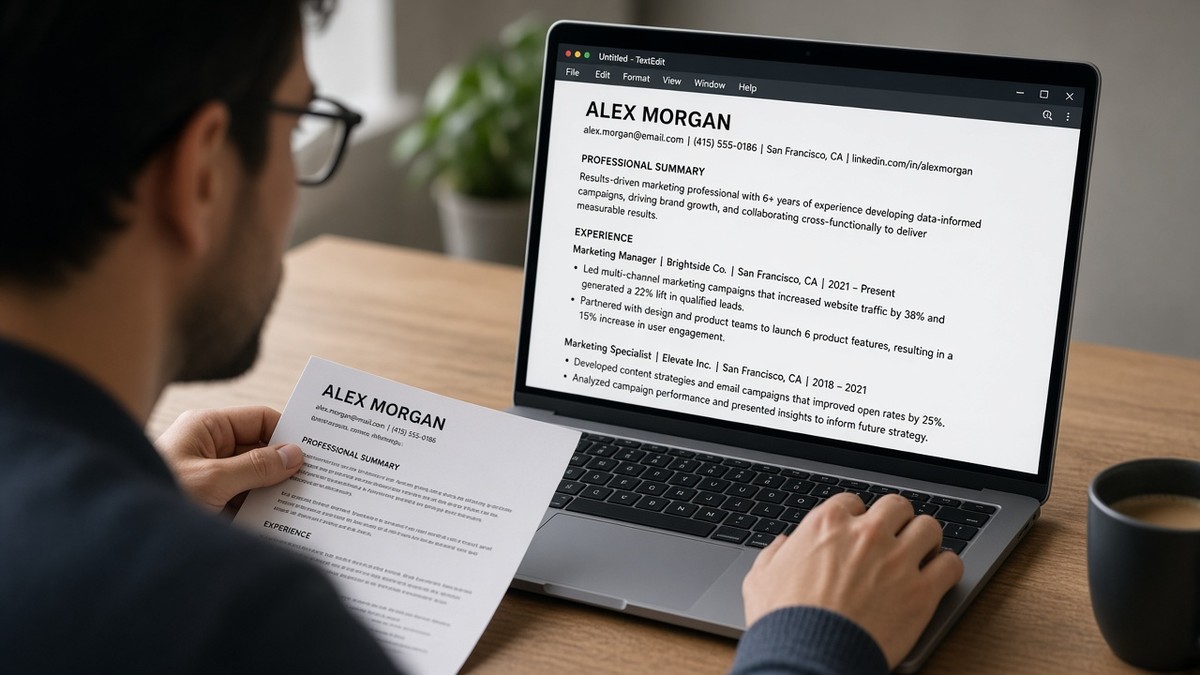
Check your resume for free on the same export you'll upload. You're testing what the matcher reads, not what looks sharp in Preview. Most misses I see aren't missing experience. They're symbol and spacing mismatches between your bullet and the job description vocabulary.
Parsing has to finish before keyword scoring runs. A two-column layout can scramble order, but even a clean single-column file fails when C++ becomes c or GA4 never maps to Google Analytics. This page walks through the symptom, three normalization passes that cause it, how to tell which one hit your file, and the fix for each.
Job searching is draining. This won't fix applying to roles you're not qualified for. It stops a qualified file from losing matches because the system's cleaned text never contained the token the recruiter typed into the filter. If you've been adding keywords without checking the plain-text export, pause here. Normalize your spelling first.
When the portal asks for a cover letter, don't repeat symbols the parser already mangled. Generate a cover letter from your corrected bullets so the note uses the same plain words that survived normalization.
Quick Wins
- Paste your PDF into Notepad once and confirm symbols like plus signs and hashes survive.
- Mirror hyphen style from the posting for multi-word skills (machine learning vs machine-learning).
- Spell acronyms once in full beside the short form the job description uses.
The symptom: required skills on your resume, missing in the match report
The symptom isn't silence alone. It's a low match score or a recruiter filter that says you lack SQL, Kubernetes, or Google Analytics even though those words sit in your Skills section. The upload preview may look fine. The normalized text the scorer reads often isn't the same string.
What you feel: "I copied language from the posting and still got screened out." What the system compared: a lowercased, punctuation-stripped version of your file against a similarly cleaned job description. A token mismatch on either side counts as absent.
Normalization happens after text extraction and before ranking. If extraction already dropped a sidebar skill, normalization can't recover it. If extraction worked but C# became c sharp with a space removed wrong, the keyword still misses.
Recruiters in Workday and Greenhouse often see a flat skill list parsed from your bullets, not your designed layout. When that list omits a symbol-heavy tool, filters hide you even when the PDF attachment looks perfect.
Read how ATS matches resumes to job descriptions for the scoring layer after normalization. This page is the cleaning step that happens first.
Three normalization passes that break keyword matching
How ATS normalizes resume text usually follows three passes: lowercasing, punctuation removal, and whitespace collapse. Each pass helps generic matching. Each pass also creates edge cases where your bullet and the posting no longer share a token.
Cause 1: Lowercasing and acronym drift
Lowercasing makes SQL and sql equivalent, which helps. It also treats proper nouns and acronyms as generic words. If the posting filter expects GA4 and your bullet only says Google Analytics, some vendors won't bridge the gap unless both strings appear somewhere in normalized text.
How to tell this is you: Plain-text paste shows the skill spelled out, but the checker still flags the acronym from the posting. Search the posting for short forms you never wrote.
Fix: Pair the long and short form once in a bullet: Google Analytics 4 (GA4). Don't dump acronyms in a Skills list without context.
Before: Skills line: GA4, GTM, Looker. No spelled-out product names in Experience.
After: Marketing Analyst, RetailCo, Jan 2021 to Present · Built GA4 and Google Tag Manager funnels in Looker; cut cost-per-acquisition 14% in Q3.
Cause 2: Punctuation stripping on symbols and dots
Parsers often remove characters that aren't letters or digits. C++ may become c, cpp, or c plus plus depending on vendor rules. Node.js can turn into nodejs. .NET might survive or fracture into net. When the posting uses the symbol form and your normalized text lost it, the match fails even though humans see it clearly on the PDF.
How to tell this is you: Plain-text paste drops plus signs, hashes, or dots beside tool names. Ctrl+F in Notepad for C++ returns nothing.
Fix: Write the symbol once, then add a plain-word alias in the same bullet: C++ (C plus plus) for latency-critical services.
Before: Backend Engineer bullet: Built APIs in C#/.NET Core with Redis.
After: Backend Engineer bullet: Built C sharp and dot NET Core APIs in C# with Redis caching; p95 latency under 120ms at 4k rps.
Cause 3: Whitespace collapse and hyphen boundaries
Collapsing double spaces helps parsers. It also merges or splits tokens around hyphens and slashes. machine learning, machine-learning, and machinelearning can become three different normalized tokens. Postings aren't consistent. Your resume has to mirror the version in the job description, not the version in your head.
How to tell this is you: The posting hyphenates a skill you wrote as two words or one word. Checker flags it missing despite a visible line in Word.
Fix: Copy the exact multi-word token from the posting into one bullet under a dated employer. Repeat once, not six times.
Before: Summary: NLP and ML engineer. Posting requires natural-language processing.
After: Data Scientist, HealthCo, Mar 2020 to Aug 2023 · Built natural-language processing pipelines for clinical notes; deployed ML models with 92% extraction accuracy on 1.2M records.
Copy-paste keyword-safe skill line
Drop under your current role and swap bracketed pieces from the posting:
[Month Year] to Present · [Job Title] · [Company]
• [Verb] [posting skill exact token] using [tool symbol + plain alias]; [metric] in [scope].
• [Second bullet with acronym spelled out once: Google Analytics 4 (GA4)].
Edge case: the posting lists Kubernetes but you only wrote K8s in a Skills grid. Spell Kubernetes once in a bullet and keep K8s in parentheses if you need brevity. Edge case two: bilingual files with accented names. Normalization usually strips accents; match the posting spelling for company names and city labels when you tailor.
Pair 4: Nurse resume with cert punctuation
Before: Certs line: ACLS/PALS/BLS with slashes only. No employer tie-in.
After: Staff RN, Telemetry, County General, Jun 2019 to Present · ACLS and PALS current; managed 6:1 med-surg assignments on a 32-bed unit with BLS renewal through 2027.
Slashes often vanish or merge tokens. Spelled-out cert names survive lowercasing and match posting filters more reliably.
Pair 5: Sales resume with CRM shorthand
Before: Skills: SFDC, SaaS, QBR. Experience bullets mention revenue with no CRM token.
After: Account Executive, CloudCo, Feb 2021 to Present · Managed Salesforce pipeline for 48 enterprise accounts; delivered QBR decks that saved $380k ARR in renewals.
SFDC rarely matches Salesforce after normalization unless both forms appear. Tie the long form to a metric in the same bullet.
Pair 6: Finance resume with software symbols
Before: Tools: Excel/VBA, SQL, Power BI. Bullets say modeled scenarios without tool tokens.
After: Financial Analyst, FinServ Inc, Aug 2018 to May 2022 · Built Excel VBA and SQL models in Power BI; cut close cycle from nine days to six for a $240M book.
Slashes between Excel and VBA can collapse into a single unread token. Write Excel VBA as two words in the bullet body.
How to tell which pass broke your match
Run one plain-text paste test. If acronyms are missing but spelled-out tools appear, you're in Cause 1. If symbols vanish, Cause 2. If hyphenated posting terms don't appear anywhere in paste, Cause 3. Mixed signals mean fix symbols first, then hyphen style, then acronym pairs.
Don't add a tenth keyword repetition until paste text contains the posting token exactly once in a dated bullet. Normalization rewards one clean hit in context, not a Skills cloud the scorer already lowercased into noise.
For layout issues that happen before normalization, see resume formatting errors that break ATS parsing . Tables and columns can drop text entirely. This page assumes extraction already worked.
What weak keyword files share after normalization
They treat the Skills section as a match engine and the Experience section as storytelling. Parsers weight dated bullets higher. A symbol in a sidebar grid that normalizes to gibberish never beats a plain sentence under this year's employer.
The pattern: beautiful PDF, low match score, frustrated applicant. The fix isn't density. It's one posting token per required skill in a Month Year bullet with a metric.
Another miss: using special bullets or icons before tool names. Decorative markers can become punctuation that gets stripped, taking the first letter of the skill with them. Use standard round bullets or hyphens only.
Candidates also trust auto-spellcheck in Word without testing the export. Curly apostrophes and non-breaking spaces often survive into paste as odd characters. Some parsers drop the word next to them. Save as DOCX, paste to Notepad, fix straight quotes, re-export.
I've screened profiles where the PDF showed Tableau dashboards but the parsed skill line said tableau dashboards with the job title merged into the token. The attachment was strong. The normalized field drove the filter.
Keyword stuffing in white font or microscopic type still shows in source view. Recruiters who open Word see it instantly. Normalization won't save a file that fails the human check right after.
Relying on logo images for employer names causes a different normalization gap. The parser reads alt text inconsistently. Spell the company name in text beside any logo if you keep one for human readers.
Duplicating the same skill six times in a Skills list creates repeated lowercased tokens without context. Many rankers cap credit after the first hit. One strong bullet beats six orphaned keywords after whitespace collapse.
Preview normalized text before the next application
Paste the posting and your export into a checker side by side. You're looking for missing tokens after layout is clean, not another font change. Fix symbol aliases first, then rerun the match.
Compare DOCX and PDF exports from the same single-column source if scores differ. Some older Workday configs normalize PDF punctuation differently from Word. Upload the file type that produces the longer clean plain-text paste.
Run a free ATS check on the file you'll submit. If required terms still show thin coverage, score your job match against the posting to see which normalized tokens remain absent.
Edge case: referral upload where a friend forwards your designed PDF. Send the parser-safe version anyway. Internal forwards still land in the ATS record. Symbol mismatches hurt warm intros the same way they hurt cold applies.
What to do in the next ten minutes
Open your latest export. Paste into Notepad. Search for three required terms from a target posting. If any search fails, fix symbols or hyphen style in the dated bullet under your current job, not in Skills alone.
Add one plain-word alias beside each symbol skill you rely on: C++, GA4, SFDC, Excel VBA. Save a new file name with the company slug so you don't re-upload an old version missing the alias pass.
Upload the cleaned file to a checker with the posting pasted in. When match warnings clear, submit through the portal and open the preview if the site shows parsed fields. If a skill still maps wrong, switch export format and retest once before you rewrite more bullets.
How ATS normalizes resume text and why it matters comes down to one idea: matchers compare cleaned strings, not your layout. Give them the same tokens the posting uses, in dated bullets, with symbols spelled out once. That's how qualified files stop losing on punctuation they never knew was invisible.
Keep a master Word file with aliases baked in. Tailor titles and top bullets per posting from that master. You won't need to rediscover that Node.js became nodejs on every application.
When a friend reads your plain-text paste aloud and stumbles on a tool name, fix that line before you add another keyword. Normalization won't repair a token that extraction never captured cleanly.
Read more
Frequently asked questions
Most parsers lowercase extracted text before keyword comparison. That helps match SQL to sql, but it can also turn C++ into c or strip symbols that carry meaning. Spell out tools in plain words and repeat posting language once in a bullet so the normalized token still hits.
Punctuation stripping often removes plus signs, hashes, and dots before matching runs. C++ may become c or cpp depending on the vendor. Write the symbol in a bullet, then spell the name: C++ and C plus plus for backend services. Same for C sharp or C# when the posting uses either form.
Collapsing whitespace usually helps, but inconsistent spacing around hyphens and slashes can merge or split tokens wrong. Machine Learning and machine-learning may not match machinelearning after normalization. Mirror the hyphen style in the job description for multi-word skills.
No. Hidden text violates most employer policies and can get you rejected outright if a recruiter opens the source file. Instead, put each required skill once in a dated bullet under the employer where you used it. Normalization rewards readable repetition in context, not invisible stuffing.
Paste your export into a plain text editor and read it aloud. If symbols vanish or words run together, fix spelling before you tailor keywords. Upload the same file to a free checker with the posting pasted beside it. You're testing normalized text, not the PDF layout.