6 min read
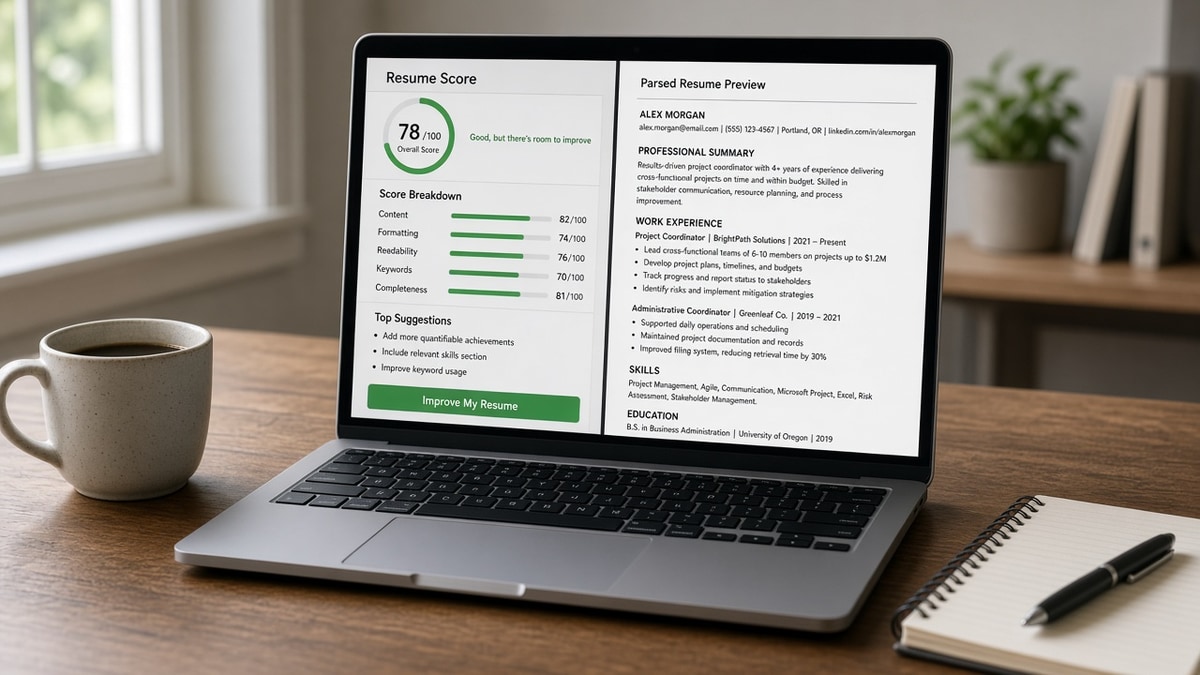
Two tabs open, two scores, and neither tells the whole story. That's normal. The labels sound alike, but the questions behind them aren't the same check.
Resume checker vs ATS checker is really readability vs import fidelity. You can pass one and fail the other on the same PDF without noticing until silence hits your inbox. Don't let a green writing badge talk you out of a plain-text export.
Start with the file you'll actually submit, then check your resume for free against the posting you saved. That single pass covers parse order and term fit better than a grammar-only sweep.
Quick wins
- Keep one master for writing edits; duplicate before tailoring.
- Run parse checks after any column, table, or font change.
- Paste the job description into the match tool, not a generic scan.
- Fix scrambled sections before rewriting bullet verbs.
What does a resume checker measure?
Think of a resume checker as an editor with a rubric. It looks for complete sentences, consistent tense, repeated words, and bullets that start with weak openings like "Responsible for."
It may flag length, section labels, or missing contact fields on the surface. It assumes the text you see is the text a recruiter will see.
It does not know your posting. Without a job description, it cannot tell you whether "stakeholder management" belongs in bullet two for this req. That gap is why a polished master can still miss a targeted screen.
Before: You chase a perfect writing score on a generic file.
After: You accept an 85 on writing, then tailor terms for the role and re-check parse fit.
What does an ATS checker measure?
An ATS-oriented checker simulates import: contact block present, experience blocks separated, text selectable, headers recognized. It compares your language to the posting you paste in.
It cares whether "Project Management Professional" sits in a dated bullet, not only in a skills list the matcher weights lightly.
It will not fix your comma splices. It will tell you your skills landed under the wrong employer because of a sidebar column.
Read ATS resume score explained in plain English when you want to know which fields recruiters sort on after import, not just the number on screen.
Which check comes first for tonight's application?
Use this sequence so you do not polish prose on a file the parser cannot read.
Step 1: Duplicate your master into a role-specific file name.
Step 2: Tailor headline, top three bullets, and skills order to the posting.
Step 3: Run the ATS-oriented check with the description pasted.
Step 4: Fix layout and import issues until employment blocks read in order.
Step 5: Run a writing pass for verbs and clarity on the now-importable file.
Copy-paste filename pattern:
LastName_RoleToken_Company_2026.docx
Example: Chen_SeniorAnalyst_Acme_2026.docx
I've watched candidates perfect summary adjectives while Greenhouse still showed their phone number in the skills field. The writing checker smiled; the import profile did not.
Before: "My resume checker score is 92, so I'm done."
After: "My parse view shows dates paired with titles, then I'll tighten verbs."
For deeper matching logic, see how ATS matches resumes to job descriptions . Match tools only help when the underlying text imported correctly.
Wrong-tool mistakes that waste an evening
- Trusting a writing score after you add a two-column skills sidebar.
- Running a generic scan with no job description, then wondering why match feels low.
- Stuffing posting keywords into a skills cloud without moving one into a dated bullet.
- Assuming a PDF fix solved parsing when the file is still image-based.
Before: You optimize for the tool that feels more flattering.
After: You optimize for the gate that fails silently: import order, then human skim.
Tools mapped to the right question
Ask "Can a machine read this?" before you ask "Does this sound elegant?"
Run the ATS checker on the tailored file with the posting attached. That is your pre-upload gate.
Score your job match when bullets are fixed but you still need to see which required terms sit only in the skills list.
Generate a cover letter after parse and match look stable. The letter supports the file; it doesn't replace a broken import.
When do you need both checks on the same night?
You need both when you're returning from a career break, switching industries, or rebuilding from a designer template. Those moves touch layout and wording at once.
Run parse first until employment blocks survive. Then run writing cleanup on verbs and tense. Finally run match with the posting so you know terms landed in experience, not only in a list at the bottom.
Before: You rewrite the summary for hours, then discover the skills column never imported.
After: You flatten the template, confirm import, then rewrite the summary on the file recruiters will actually open.
Referral and employee uploads follow the same order. A warm intro doesn't bypass a parser that dropped your phone number. Fix import, then polish the story a human will read on a phone screen.
Use the checker that matches the failure mode
Resume checker vs ATS checker is not a brand debate. It is two questions: Can software read my career in order, and will a recruiter understand my impact in six seconds?
Answer the first with parse and match tools on every tailored upload. Answer the second with writing edits on a file that already imports cleanly.
When both checks pass on the same DOCX, you stop guessing which score to trust.
Read more
Frequently asked questions
No. A resume checker flags weak verbs, tense drift, and vague bullets. An ATS checker shows whether sections imported in order and whether posting terms appear in experience, not only in a skills cloud. You need both checks on the file you will upload for that specific role.
Run writing cleanup on your master resume once. Before each application, run the ATS-oriented check on the tailored version with the job description attached. Parsing failures should be fixed before you polish adjectives on bullets nobody will read.
They measure different inputs. A writing score rewards readability rules. A parse and match score rewards section order, selectable text, and terms tied to dated jobs. A high writing score with a scrambled import still fails the screen you never see.
Run a full parse check when you change layout, file type, or headline for a new posting. If you only swap three bullets in the same template, a lighter pass is enough. Never skip a parse check after removing columns or tables.