8 min read

What Recruiters See After You Click Apply: Inside the ATS Screening Process

HireFlow Editorial Team
August 19, 2026

Learn what recruiters see after you click apply. Discover how ATS systems screen resumes, what data gets captured, and how to optimize your job application.

You click "Apply" on a job posting. Your resume uploads. Then what? Understanding what recruiters see after you click apply is critical to your job search success. Most candidates have no idea what happens behind the scenes—and that knowledge gap costs them interviews.

When you submit an application, your resume doesn't go directly to a hiring manager's inbox. Instead, it enters an Applicant Tracking System (ATS)—software that captures, parses, scores, and ranks your application against hundreds or thousands of others. What recruiters see depends entirely on how well your resume performs in this automated screening layer.

In this guide, you'll learn:

  • Exactly what data gets captured when you apply
  • How ATS systems parse and score your resume
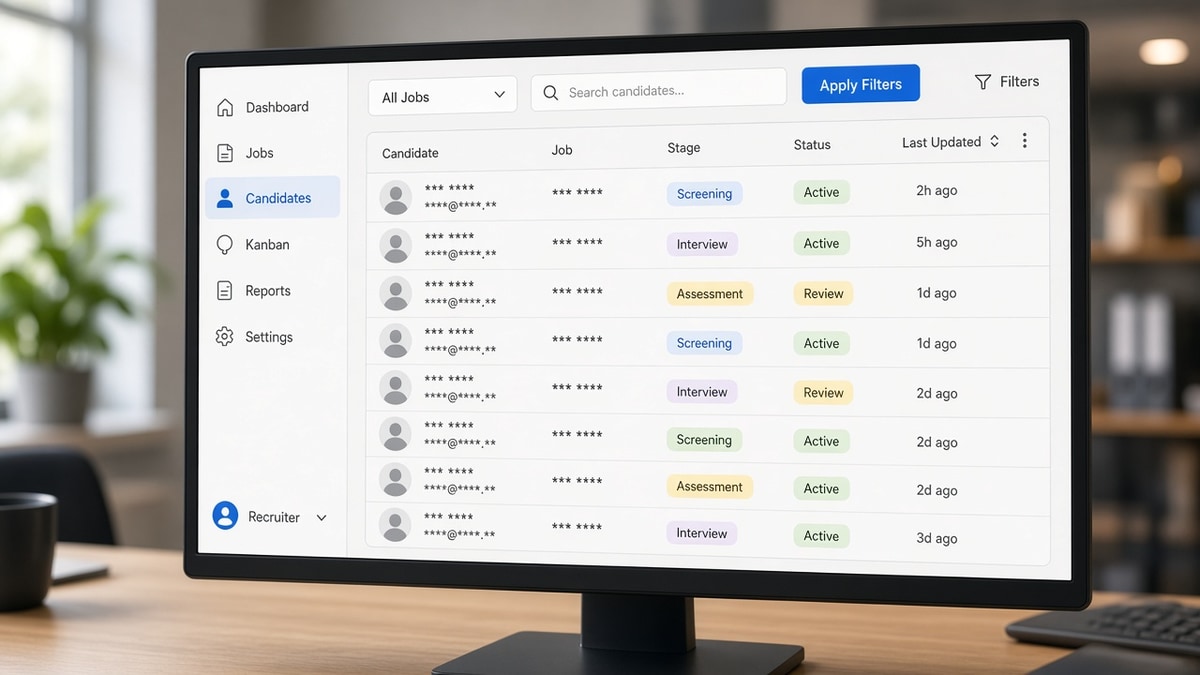
  • What recruiters actually see in their dashboard
  • Why some resumes get rejected before humans ever read them
  • How to optimize your application for both systems and people

Understanding What Happens After You Click Apply

The moment you submit your application, several things happen simultaneously. First, the job platform or company's ATS captures your data: resume file, contact information, any form fields you completed, and metadata like submission time and IP address. The system then extracts text from your resume—a process called parsing—and attempts to identify key information like job titles, companies, dates, skills, and education.

This parsing is imperfect. Formatting errors, unusual fonts, graphics, or complex layouts can cause the ATS to misread or skip important information. Once parsed, your resume is scored against the job description using keyword matching, experience level detection, and other algorithms. This score determines whether your application appears in the recruiter's queue or gets filtered out automatically.

The entire process—from submission to scoring—typically takes seconds to minutes. Recruiters don't see your original resume file in most cases. They see a parsed, extracted version of your data displayed in a structured format within the ATS dashboard. This is why creating an ATS-compliant resume is just as important as having strong content.

Key Elements Recruiters See in the ATS Dashboard

Parsed Contact Information

The ATS extracts your name, phone number, email, and location from your resume. If your contact info is formatted unusually or buried in a graphic, the system may fail to capture it correctly. Recruiters see this information in a structured field at the top of your application record. If the email or phone is wrong due to parsing errors, they can't reach you—and your application effectively dies.

Resume Score and Match Percentage

Most modern ATS platforms display a match score or percentage—typically ranging from 0-100%—that indicates how well your resume aligns with the job description. This score is calculated by comparing keywords, skills, experience level, and other factors from your resume against the job requirements. Recruiters use this score as a quick filter. Applications scoring below a certain threshold (often 60-70%) may be automatically hidden or ranked lower in the queue. Your resume score is visible before a recruiter reads a single word of your actual content.

Extracted Work Experience and Education

The ATS parses your work history and education, attempting to extract job titles, company names, dates, and descriptions. This extracted data is displayed in structured fields—not as flowing prose from your resume. Recruiters can quickly scan your career timeline in a standardized format. If the ATS misparses your experience (e.g., reads "Senior Software Engineer" as a company name), recruiters see incorrect information. This is why resume formatting errors that break ATS parsing can be devastating.

Skills and Keywords Detected

The ATS scans your resume for skills and keywords, often highlighting matches to the job description. Recruiters see a list of detected skills—sometimes with a visual indicator showing which skills match the job posting. If your resume contains relevant skills but they're buried in job descriptions rather than listed in a dedicated skills section, the ATS may miss them. This directly impacts how recruiters perceive your qualifications.

What Recruiters See After You Click Apply: The Complete Picture

A recruiter's view of your application typically includes:

  • Application status and timestamp—when you applied, any automated actions taken
  • Your match score—prominently displayed to help prioritize candidates
  • Parsed resume data—contact info, work history, education, skills in structured fields
  • Form responses—answers to any custom questions in the application
  • Source of application—which job board or referral source
  • Any notes or flags—automatic red flags for missing requirements or high match scores
  • Your original resume file—available for download, but usually viewed only after initial screening

Recruiters rarely see your resume as you designed it during initial screening. They see a data extraction—a skeleton of your resume optimized for quick scanning. Only if your application passes the automated filters do recruiters typically download and review your original resume file. This is why so many qualified candidates are rejected before a human ever reads their resume.

Common Mistakes That Hurt Your Application

  • Using graphics, logos, or images in your resume. ATS systems struggle to parse visual elements. A resume with your company logo or a graphic header may have critical information skipped entirely. Stick to text-based formatting.
  • Formatting dates inconsistently. If you write dates as "Jan 2020 - Present" in one role and "January 2020 to Current" in another, the ATS may misinterpret or fail to parse them. Use a consistent format throughout.
  • Placing key information in headers, footers, or sidebars. Many ATS systems don't extract text from these areas. Your most important qualifications should be in the main body of your resume.
  • Using unusual fonts or colors. While your resume may look professional in Word, decorative fonts and colored text often fail to parse correctly. Stick to standard fonts like Arial, Calibri, or Times New Roman in black text.
  • Burying skills in job descriptions instead of listing them separately. A dedicated skills section is easier for ATS to identify and extract. If your skills are only mentioned within bullet points, they may be missed.
  • Ignoring the job description when writing your resume. The ATS matches your resume against specific keywords and requirements from the job posting. If you don't address the job description, your match score suffers.

Best Practices to Improve What Recruiters See

  1. Use a clean, simple resume format. Single column layout, standard fonts, black text on white background. Avoid tables, text boxes, and graphics that confuse ATS parsing.
  2. Include a dedicated skills section. List 10-15 relevant skills prominently. This section is easy for ATS to parse and helps with keyword matching.
  3. Match keywords from the job description naturally. If the job posting emphasizes "project management" and "stakeholder communication," use those exact phrases in your resume if they apply to your experience. How ATS matches resumes to job descriptions depends heavily on keyword alignment.
  4. Use consistent formatting for dates and job titles. Standard formats reduce parsing errors. Use "January 2020 - December 2022" or "01/2020 - 12/2022" consistently.
  5. Place contact information at the top in a clear format. Name, phone, email, location (optional). Make it easy for the ATS to extract and recruiters to find.
  6. Quantify your achievements. Instead of "Led team projects," write "Led 5+ cross-functional projects resulting in 20% efficiency gain." Numbers are easier for ATS to recognize and more compelling to recruiters.
  7. Use standard section headings. "Experience," "Education," "Skills," "Certifications." Avoid creative headings like "Professional Journey" or "Core Competencies"—ATS systems recognize standard headings better.
  8. Save and submit in the right format. Most modern ATS systems accept both PDF and Word. If the job posting specifies a format, follow it. If not, PDF is usually safer for preserving formatting, though some older ATS systems prefer Word.

Step-by-Step: Optimizing Your Application for ATS Screening

  1. Read the job description carefully. Identify 10-15 key skills, qualifications, and responsibilities mentioned. These are the keywords the ATS will match against.
  2. Customize your resume for the role. Reorder your experience to highlight the most relevant roles first. Add keywords from the job description to your skills section and bullet points where they genuinely apply.
  3. Use standard formatting. Single column, no graphics, standard fonts, consistent date format. Save as PDF unless instructed otherwise.
  4. Include a skills section with relevant keywords. Place it near the top, after your contact info and a brief professional summary. List skills that match the job posting.
  5. Structure your experience clearly. For each role, include: Job Title, Company Name, Dates (consistent format), and 4-6 bullet points describing your achievements and responsibilities.
  6. Test your resume with an ATS parser. Several free tools simulate ATS parsing to show you how your resume will be extracted. This reveals formatting issues before you apply.
  7. Submit through the official application portal. Avoid sending resumes via email unless explicitly requested. Use the company's ATS system to ensure proper data capture.

Conclusion: Optimize for Both Systems and People

What recruiters see after you click apply is not your beautifully designed resume—it's a parsed data extraction scored by an algorithm. Understanding this reality is the key to job search success. Your resume must pass two gatekeepers: the ATS system and the recruiter's judgment. Optimizing for only one guarantees failure.

Start by using clean, simple formatting that ATS systems can parse accurately. Include a dedicated skills section with relevant keywords. Customize your resume for each application by matching the job description. Then ensure your experience and achievements are genuinely compelling to human recruiters. The best resume is one that scores well with machines and impresses people.

Your next step: audit your current resume against these standards. Test it with an ATS parser. Identify formatting issues and keyword gaps. Then customize it for your next application. Small optimizations compound across dozens of applications—turning invisible rejections into visible interviews.

Frequently asked questions

No. During initial screening, recruiters see a parsed version of your resume—data extracted and displayed in structured fields within the ATS dashboard. Your original resume file is available for download but is typically reviewed only after your application passes the automated filters. This is why ATS-friendly formatting is critical. If your resume doesn't parse correctly, recruiters may never see your original design.

The ATS processes your application within seconds to minutes of submission, calculating your match score immediately. However, a recruiter may not review your application for hours, days, or weeks depending on application volume and hiring timeline. High-volume positions may have hundreds of applications. Your match score determines your position in the queue. If you score low, you may never be reviewed by a human.

No. Once submitted, your application is scored and ranked. You cannot edit it. However, some companies allow you to reapply to the same position with an updated resume. If the job posting is still active, you could submit a revised version. Each submission is treated as a new application. This is why optimizing your resume before hitting "Apply" is essential.

Parsing errors can severely damage your chances. If the ATS fails to extract your contact information, key skills, or work experience correctly, recruiters see incomplete or incorrect data. The best defense is preventive: use simple formatting, standard fonts, consistent date formats, and avoid graphics. Test your resume with an ATS parser before applying. If you suspect parsing errors after applying, you can try reapplying with a reformatted version if the posting is still active.

No. Keyword matching improves your ATS score and visibility, but it's not sufficient alone. Recruiters also evaluate the quality and relevance of your experience, career progression, and how well your background aligns with the role's actual needs. Why resume keywords alone don't get interviews is a common misconception. Keywords get your resume past the ATS filter; your actual experience and achievements convince recruiters to interview you.

Most modern ATS systems handle both formats equally well. PDF is generally safer for preserving your formatting across different systems. However, some older ATS platforms parse Word documents more reliably. If the job posting specifies a format, follow it. If not, PDF is the safer choice. Always test your resume with an ATS parser to ensure it extracts correctly in your chosen format.

Done for you

Turn this advice into an interview-ready resume

Professional writers rebuild your resume for ATS + recruiters — unlimited revisions, interview guarantee.

Job match tool·Free builder

Tags

what recruiters see after you click applyATS screening processresume screeningjob application processhow recruiters review applicationsATS resumejob application tracking system