11 min read

How ATS Matches Resumes to Job Descriptions: A Comprehensive Guide

HireFlow Editorial Team
July 19, 2026

Learn how ATS matches resumes to job descriptions and optimize your application for success. Detailed insights and actionable tips.

How ATS Matches Resumes to Job Descriptions

Navigating the job market is a complex task, made even more challenging by the presence of automated systems like Applicant Tracking Systems (ATS). These systems scan and filter resumes to match job descriptions, creating a significant barrier for many applicants. Imagine spending hours crafting the perfect resume, only to have it filtered out before reaching human eyes. This is a common frustration for job seekers, and understanding how ATS works can make a crucial difference in your job search success.

ATS software is designed to streamline the hiring process for employers, but it poses specific challenges for applicants. For instance, if your resume lacks certain keywords or isn't formatted correctly, it might never make it to a hiring manager. This article will delve into the intricacies of how ATS matches resumes to job descriptions, offering insights into optimizing your resume for these systems.

In this comprehensive guide, you'll learn about:

  • Understanding the significance of ATS in the modern hiring process
  • Key components of ATS and how they affect resume parsing
  • Common mistakes to avoid to ensure your resume isn't discarded
  • Best practices for formatting and content to improve ATS compatibility
  • Real-world examples of successful resume strategies
  • Advanced tips for tweaking your resume for specific industries
  • Step-by-step guidance on optimizing your resume for ATS
  • Tools and resources to aid in your job search

Why Understanding ATS Matters

Applicant Tracking Systems have become a cornerstone of the recruitment process for many organizations. As companies receive hundreds, if not thousands, of applications for a single position, ATS helps streamline the screening process by automating the initial review of applications. This technological intervention is pivotal in reducing the workload of human resource professionals, allowing them to focus on candidates that best meet the job requirements on paper.

However, the efficiency of ATS comes with its own set of challenges for applicants. A significant proportion of resumes are rejected by these systems before they even reach a hiring manager's desk. This rejection isn't necessarily due to a lack of qualifications or experience, but often due to the resume not being optimized for ATS scanning. A well-qualified candidate might be overlooked simply because their resume isn't formatted in a way that ATS can easily read.

Moreover, understanding how ATS systems work is crucial because it directly impacts your chances of securing an interview. The system's reliance on keyword matching means that candidates must tailor their resumes to include specific phrases from the job description. This requires a strategic approach to resume writing, ensuring that your skills and experiences are highlighted effectively while also aligning with the automated criteria used by these systems.

For instance, if a job description emphasizes 'project management' and 'leadership skills', candidates should ensure these terms are prominently featured in their resumes. This strategic alignment can significantly increase the chances of your application moving past the initial screening phase.

Key Elements of ATS

To effectively navigate the challenges posed by ATS, it's crucial to understand its core components. These systems are designed to automate the recruitment process by organizing, filtering, and ranking job applications based on certain criteria.

Resume Parsing

Resume parsing is the process by which ATS extracts data from your resume to populate its database fields. This is a critical function, as it determines how your information is categorized and assessed. Parsing issues often arise from complex formatting, unusual fonts, or graphics that ATS software cannot easily interpret. To avoid these pitfalls, it's advisable to use standard formatting and clear, machine-readable text.

Keyword Matching

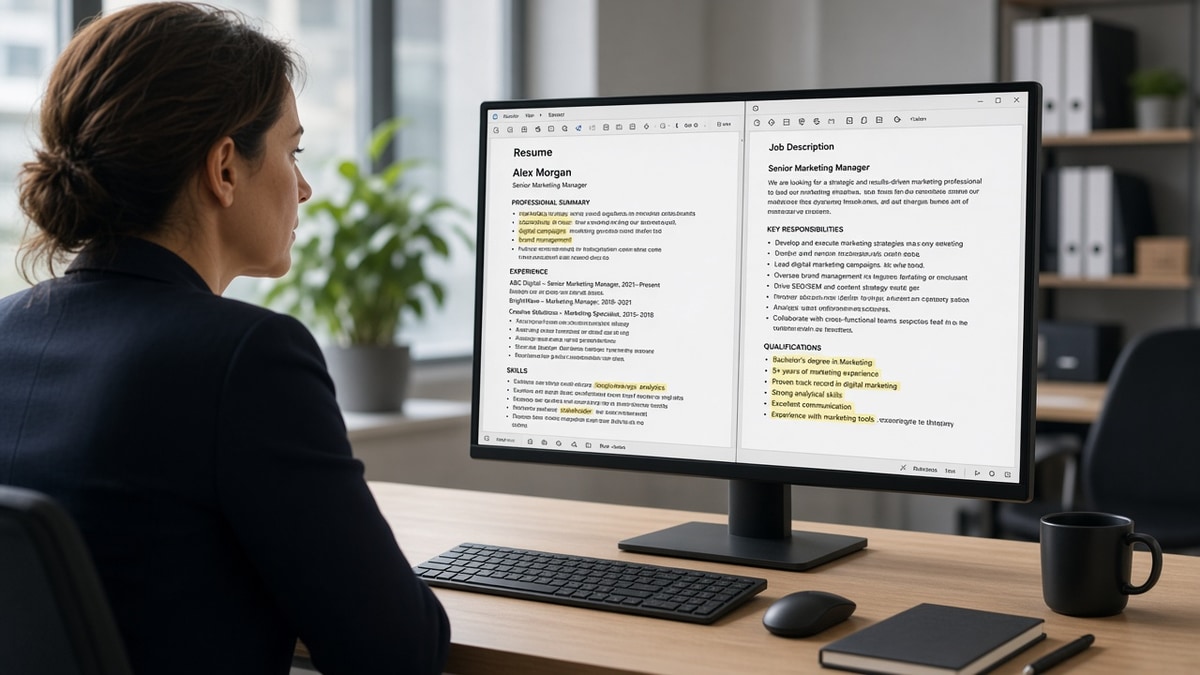
Keyword matching is a fundamental feature of ATS. The system scans resumes for specific keywords that are often derived from the job description. These keywords can include skills, qualifications, job titles, and even software tools relevant to the position. Applicants should carefully analyze the job posting and ensure that their resume reflects the language and key terms used in the description.

Ranking Algorithms

Once a resume is parsed and keywords are identified, ATS uses ranking algorithms to score and rank candidates. The ranking is based on how well the resume matches the job description in terms of skills and experiences. Higher-ranked resumes are more likely to be reviewed by recruiters. Understanding this process can help applicants prioritize crucial information and tailor their resumes to achieve higher rankings.

Integration with Job Boards

Many ATS platforms are integrated with job boards and career sites, allowing for seamless application submissions. This integration means that resumes submitted through these platforms are automatically processed by the ATS. Understanding this connection can guide candidates in choosing the best platforms to submit their applications, ensuring they are ATS-compatible from the start.

Common Mistakes to Avoid

Avoiding common mistakes can significantly improve your resume's success rate with ATS. Here are some pitfalls to avoid:

  • Overly Complex Formatting: While visually appealing, complex layouts can confuse ATS parsing. Stick to simple, clean formats.
  • Lack of Keywords: Failing to include relevant keywords can result in your resume being filtered out. Align your resume with the job description.
  • Graphics and Images: ATS cannot read images or graphics, which can lead to missing information. Avoid using them in your resume.
  • Using Headers and Footers: Important information placed in headers or footers may not be seen by ATS, so keep vital details in the main body.
  • Incorrect File Format: Always submit your resume in the format specified by the job application. PDF and DOCX are generally safe choices.
  • Unnecessary Information: Including irrelevant details can clutter your resume and reduce its effectiveness. Focus on what matters for the job.
  • Inconsistent Job Titles: Use consistent job titles that match the industry standard and the job description to avoid confusion for ATS.

Best Practices for ATS Optimization

To maximize your chances of passing ATS screening, consider these best practices:

  • Use Standard Fonts: Stick to fonts like Arial, Times New Roman, or Calibri which are easily readable by ATS.
  • Include Relevant Keywords: Analyze the job description for keywords and integrate them naturally into your resume.
  • Consistent Formatting: Use a consistent format for dates, job titles, and sections to enhance readability.
  • Tailor Each Resume: Customize your resume for each application to ensure the best match with the job description.
  • Use Simple Bullet Points: Clearly outline your achievements and responsibilities using bullet points for easy parsing.
  • Highlight Achievements: Focus on quantifiable achievements rather than just responsibilities to stand out.
  • Keep it Concise: Ensure your resume is concise and relevant to the job, typically no longer than two pages.
  • Test with ATS Tools: Use online ATS testing tools to evaluate how well your resume performs before submission.

Real-World Examples of Successful ATS Resumes

Understanding how to craft an ATS-friendly resume is best illustrated through real-world examples. Consider the case of Jane, a project manager with extensive experience in the tech industry.

Jane tailored her resume for a specific role by analyzing the job description and identifying key phrases such as 'agile methodologies', 'stakeholder management', and 'budget oversight'. She ensured these terms appeared in her resume in the context of her past achievements, such as leading a cross-functional team to deliver a project under budget.

Another example is Tom, an entry-level software engineer. Tom focused on including technical skills like 'Java', 'Python', and 'React' as mentioned in the job posting. He also highlighted his university projects and internships that aligned with the job requirements, ensuring that his resume was both detailed and relevant.

Advanced Tips for Optimizing Resumes for ATS

For those looking to further enhance their resume's compatibility with ATS, consider these advanced strategies:

  • Leverage Synonyms: Include synonyms for key skills and terms to cover variations that might be used in the ATS settings.
  • Use Action Verbs: Start bullet points with strong action verbs to convey a sense of achievement and dynamism.
  • Focus on Soft Skills: Don't ignore soft skills like 'communication' and 'leadership' if they are valued in the job description.
  • Update Regularly: Regularly update your resume to reflect new skills and experiences, keeping it fresh and relevant.
  • Customize Objective Statements: If using an objective statement, tailor it to each position to reflect the specific role and industry.
  • Use ATS-Friendly Templates: Utilize resume templates specifically designed to be ATS-compatible, avoiding complex designs.

Step-by-Step Guide to Crafting an ATS-Optimized Resume

Creating an ATS-optimized resume requires a strategic approach. Follow these steps to ensure your resume is both effective and compatible:

  1. Research the Company: Start by thoroughly researching the company and job description to understand what skills and experiences are prioritized.
  2. Identify Keywords: Highlight keywords in the job description that are critical to the role and integrate them naturally into your resume.
  3. Craft a Strong Summary: Write a compelling summary that encapsulates your skills and experiences, incorporating key terms.
  4. Detail Work Experience: Use bullet points to outline your responsibilities and achievements, focusing on quantifiable results and relevant skills.
  5. Highlight Education and Certifications: Clearly list your educational background and any certifications that align with the job requirements.
  6. Review Formatting: Ensure your resume is easy to read and free from complex layouts. Use consistent headers and a standard font.
  7. Use ATS Tools: Test your resume with ATS evaluation tools to identify areas for improvement and ensure compatibility.
  8. Proofread: Carefully proofread your resume for any errors, as mistakes can impact your professionalism and attention to detail.

Tools and Resources for ATS Optimization

Several tools and resources can aid in optimizing your resume for ATS compatibility. These include:

  • Resume Worded: Analyzes your resume for ATS compatibility and provides actionable feedback.
  • Jobscan: A popular tool that compares your resume against job descriptions to identify keyword matches.
  • Resumake: Offers ATS-friendly templates and guides for crafting effective resumes.
  • Grammarly: Ensures your resume is free from grammatical errors, which can detract from its professionalism.
  • Canva: Provides simple, clean resume templates that are ATS-compatible.

Frequently Asked Questions

What is an Applicant Tracking System?

An Applicant Tracking System (ATS) is a software application used by employers to manage the recruitment process. It helps in sorting, scanning, and ranking job applications based on specific criteria set by the employer, such as keywords, skills, and experience levels. Understanding how ATS works can significantly enhance your job application strategy.

How can I find the right keywords for my resume?

The best way to identify the right keywords for your resume is to carefully review the job description of the position you are applying for. Look for repeated terms and phrases that describe the skills, experiences, and qualifications required for the job. Incorporating these keywords naturally into your resume can improve your chances of getting past the ATS.

Can graphics and images hinder my resume's ATS performance?

Yes, including graphics and images in your resume can hinder its performance with ATS. These systems are primarily designed to read text, and elements like charts, tables, and images can cause parsing errors. It's advisable to keep your resume simple and text-based to ensure that all your information is accurately captured.

Is it important to tailor my resume for each job application?

Yes, tailoring your resume for each job application is crucial, especially when dealing with ATS. Each job description may have different keywords and criteria that the ATS uses to filter candidates. By customizing your resume to align with each job's specific requirements, you increase your chances of passing the ATS screening.

What file format is best for ATS submission?

The most commonly accepted file formats for ATS submissions are PDF and DOCX. These formats are widely recognized by ATS systems and maintain the formatting of your resume. However, always check the job application instructions to ensure you are submitting your resume in the preferred format.

How can I test my resume for ATS compatibility?

You can test your resume for ATS compatibility using online tools like Jobscan or Resume Worded. These tools allow you to upload your resume and compare it against job descriptions to identify keyword matches and potential areas for improvement. This pre-submission testing can help you refine your resume for better ATS performance.

What are the key elements of an ATS-friendly resume?

Key elements of an ATS-friendly resume include the use of relevant keywords, a clear and consistent format, simple bullet points, and a focus on quantifiable achievements. Ensuring your resume is free from images, graphics, and complex formatting will also improve its ATS compatibility.

Free Tools Available

Ready to Improve Your Resume?

Use HireFlow's free tools to check your resume, build an ATS-optimized CV, and create a compelling cover letter. Get past the filters and land more interviews.

ATS Optimized
100% Free
Instant Results

Done for you

Turn this advice into an interview-ready resume

Professional writers rebuild your resume for ATS + recruiters — unlimited revisions, interview guarantee.

Job match tool·Free builder

Tags

ATSresume optimizationjob applicationjob descriptionsapplicant tracking systems