7 min read
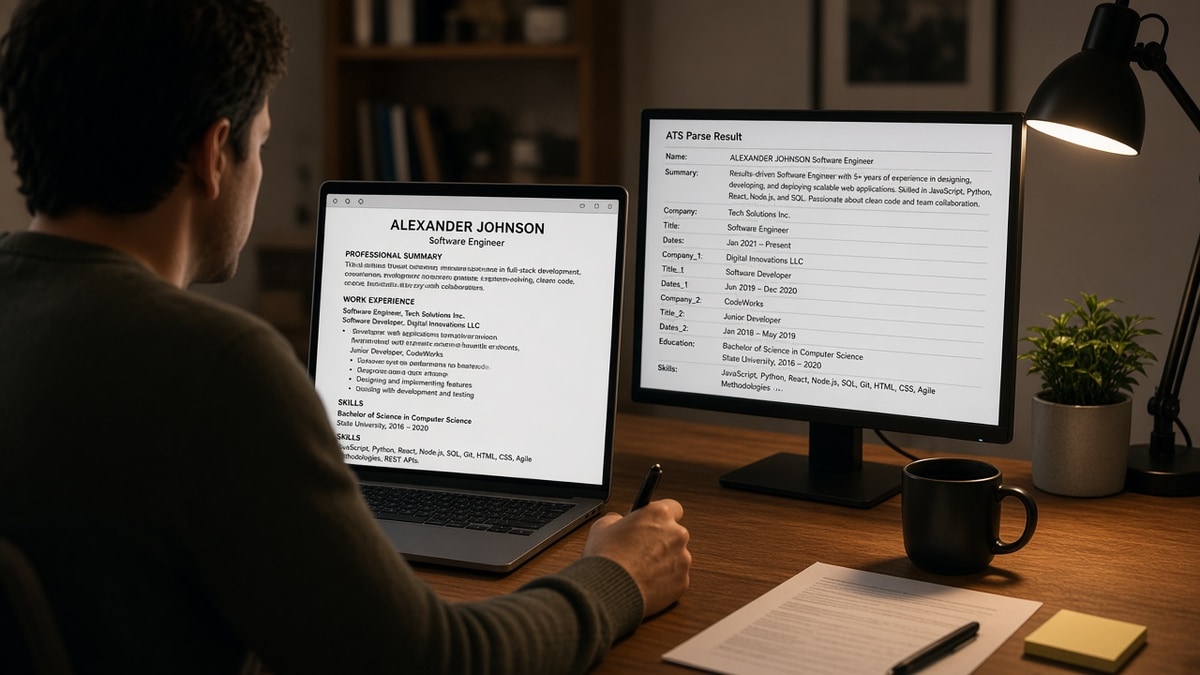
Your resume looked clean on screen. The upload didn't error. Then you opened the portal preview and your current title sat under an old internship while a skill list floated above your name.
That's not a keyword problem. The file's stored order and the portal's field map never matched. Check your resume for free on the exact export you'll submit before you apply again. If the checker flags layout risk, fix structure first. Tweaking bullets on a scrambled file won't help.
Tonight's job: see what the parser actually pulled from your file, spot which layout trap scrambled it, and rebuild just enough container to get your experience back in reading order. You don't need a new career story. You need a file that reads like one column aloud.
We'll walk parser view, symptoms, traps, fixes, and a paste test you can run in ten minutes. No design contest. Just the order your text is stored in.
Quick Wins
- Copy your upload file into Notepad and read lines one through ten aloud.
- Move contact info into the body top. Delete sidebars and text boxes.
- Save a plain DOCX named for portals separate from any designed PDF.
What a parser actually reads from your file
An ATS upload is not a photo of your resume. It's a text extraction job. The importer opens your DOCX or PDF, pulls every character it can find, and tries to slot those strings into fields: name, employer, title, dates, description.
Simple structure means one reading path. Name first, contact next, experience blocks in reverse chronological order, each job with title and dates on lines the parser can pair. No parallel columns. No content stored in a different layer than the main body.
Fancy layout adds branches. A sidebar might store before the main column in the file even when it prints on the left. A table might read row by row across cells you meant as columns. A text box might export last or drop entirely in Greenhouse.
The portal doesn't know you meant the blue column for contact. It only sees the sequence the file encoder saved. When that sequence disagrees with how humans skim, you get a profile that looks nothing like your draft.
For a deeper look at column order alone, read why fancy layouts break parsing . Same mechanics, different decorations on top.
Symptoms when structure fights the upload
The apply button worked. That's what makes this maddening. You won't always get an error. You'll get a quiet mismatch between what you sent and what the recruiter sees.
Watch for these after upload or in a portal preview: skills listed above your name, your most recent employer imported as an older role, date ranges attached to the wrong company, email blank while a banner graphic imported fine, or entire jobs missing while a decorative header survived.
I've opened Lever profiles where a left-rail skills block landed in the name field because the template stored that column first, and the hiring manager never scrolled past the keyword cloud to see the current title.
Another pattern: contact tucked in a footer exports after your education block. The parser thinks your degree line is your phone number's neighbor. None of this reflects your qualifications. It reflects file order.
If the preview looks scrambled, stop tailoring keywords. Fix the container before you send another application.
Five layout traps that reorder your text
Each trap leaves a fingerprint in plain text. Match the symptom above to the cause below before you rebuild anything.
Trap 1: Hidden tables and multi-column grids
Marketplace Word and Google templates hide layout in tables. Parsers read row by row, not column by column. Your title from the left cell lands beside a date from the right cell three rows down.
Before: Two-column résumé with Experience in the left rail and dates in a narrow right column. Paste test shows "Mar 2022" on the line above "Northline Logistics."
After: Single column: Northline Logistics | Operations Analyst | Mar 2022 to Present on one row, bullets underneath.
Trap 2: Text boxes and floating shapes
Canva and Word text boxes store content outside the main body stream. Contact in a floating box often imports last or drops in Taleo.
Before: Name and title inside a centered text box with a colored banner. Notepad paste starts with a blank line, then Skills.
After: Name, title, email, and phone as plain lines in the body. No shapes, no grouped objects.
Trap 3: Sidebars and split headers
Modern templates park skills or contact in a colored sidebar. Stored text often reads sidebar first, main column second. The ATS thinks your keyword list is your headline.
Before: Contact and skills in a left sidebar, summary in the wide column. Plain text opens with "Python, SQL, Tableau" before your name.
After: Contact block lines one through four, summary paragraph, then Experience. Skills move below jobs or into a simple comma list.
Trap 4: Headers, footers, and margin blocks
Templates love tucking email and LinkedIn into the footer. Many parsers skip footer layers on first pass. You look headless in the database even when the PDF footer looks crisp.
Trap 5: Icons, skill bars, and image text
Star ratings, progress bars, and icon fonts carry little or no extractable text. Some exporters replace skill names with empty glyphs. The ATS sees holes where keywords should be.
Design-heavy files fail the same checks. Read why design first resumes fail if you keep a polished PDF for email and a plain file for portals.
Run the plain-text paste test tonight
This is the ten-minute check that tells you whether how ATS prefers simple structure applies to your current file. Use the exact export you'll upload, not an older version on your desktop.
Step 1: Copy into plain text
Open the file. Select all. Copy. Paste into Notepad or TextEdit with formatting stripped. Read lines one through fifteen aloud like you're on a phone screen.
Step 2: Score what you hear
- Line one should be your name. If Skills or Summary appears first, you've got sidebar or text-box disorder.
- Each job block should read title, company, dates, then bullets. Mixed order means tables.
- Email and phone should sit in the first ten lines. Missing contact means header, footer, or image trap.
- No blank glyph lines or question marks. That flags icon fonts or special characters.
Step 3: Compare portal preview if offered
Some Workday and Greenhouse flows show parsed fields after upload. Match employer names and date ranges to your source. One wrong row usually means layout, not a typo in your bullet.
Copy-paste block: plain upload skeleton
Rebuild into this shape in Word
Jordan Ellis
Product Operations Manager
[email protected] | 555-014-8821 | Austin, TX

EXPERIENCE
Summit Retail Group, Product Operations Manager, Jun 2021 to Present
• Built weekly inventory dashboards in Looker, cutting stockouts 9% in peak season
• Led cross-functional launch playbook used across 4 product lines

NORTHLINE LOGISTICS, Operations Analyst, Mar 2018 to May 2021
• Owned carrier scorecards and SLA reporting for 12 distribution nodes

EDUCATION
State University, B.S. Supply Chain Management, 2018

SKILLS
SQL, Excel, Looker, NetSuite, process mapping
Paste your real bullets under each employer row. Keep section labels consistent. Do not reintroduce columns to make it fit on one page.
Format choice comes after layout is clean. See PDF vs Word resume for ATS once your paste test passes on at least one export.
Match your trap to the right fix
One structural pass beats ten keyword edits on a file the parser still cannot read. Find your paste-test result in the table, fix that layer, then re-run the test.
| If the paste test shows… | Do this tonight |
|---|---|
| Skills or summary before your name | Delete sidebar columns and text boxes. Move all content into one body column top to bottom. |
| Dates separated from job titles | Remove tables. Write Employer | Title | Month Year to Month Year on one line per role. |
| Missing email or phone | Pull contact lines out of headers, footers, and images into lines two through four of the body. |
| Blank glyphs where skills should be | Replace icon rows with typed skill names. Use commas or simple hyphens, not stars. |
| Garbled characters in headings | Switch to Calibri or Arial 11 pt. Retype section labels instead of pasting from the template. |
Save two files if you want: Lastname_Resume_Upload.docx for portals and Lastname_Resume_Print.pdf for human-only sends. Never upload the print version to an ATS field.
After you rebuild, run the free ATS checker on the upload file. Fix field order before you tune bullets for the posting.
If you need a clean starting point, build your resume in a single-column layout, then paste your existing bullets in. Faster than fighting a locked template layer.
Structure rule before reapply
If the Notepad paste does not read like a normal resume aloud, the portal will not import it like one either. How ATS prefers simple structure is not about looking plain for sport. It's about giving the importer one path through your career story.
- One column, body text only, standard font.
- Contact block in the first five lines, not the footer.
- Separate upload file from any designed PDF you email humans.
Your experience is already there. Fix the reading order tonight, and the same content stops scrambling on the next upload.
Applying to multiple roles this week? Generate a cover letter in the same plain formatting so both documents parse cleanly in one session.
Read more
Frequently asked questions
Keep a designed PDF for email if you want. For portal uploads, yes: one body column, standard font, contact lines in the first five rows of stored text. The parser does not see your colors or icons. It sees reading order. A plain DOCX upload version and a pretty PDF for humans is a normal split.
Your screen shows the visual layer. Workday and similar systems extract stored text in file order. Sidebars, tables, and text boxes often store skills or summary blocks before your name. The upload succeeds. The field map does not match what you designed.
For parsing, a boring two-page file beats a one-page template with hidden tables. Length is not the enemy. Reading order is. If plain text shows your name on line one and each job block reads title, company, dates, then bullets, length is fine.
Either works when the stored text is one column top to bottom. Word marketplace templates often hide tables; start from a blank doc when paste test fails. Google Docs is fine if you avoid multi-column resume add-ons. Export DOCX or PDF per portal instructions, then run the paste test on that exact file.