11 min read
UK mid-level finance CVs break in Workday when dates sit inside table cells and section headers use labels like Employment History or Qualifications that the importer doesn't map. The fix is plain: put Month Year dates on their own line under each role, and rename sections to Experience and Education before you upload. You don't need a new career story. You need a parser-readable wrapper around the one you've already got.
You're not failing screening because you lack ACA progress or SAP exposure. You're losing timeline fields when a two-column Canva template shuffles employers. Check your resume for free after you flatten the layout. Parser errors still kill files before a recruiter opens the preview pane, and that's fixable tonight.
Below: why UK CV habits trip Workday, the exceptions that still work, before-and-after fixes for management accountant and FP&A roles, and a copy-paste block you can run tonight. Job searching's draining. This page is about changing lines on the file, not pep talks.
Quick Wins
- Delete tables; stack employer, title, dates, and bullets vertically.
- Rename Employment History to Experience and Qualifications to Education.
- Write dates as March 2021 to Present, never 03/03/21 or Mar '21.
- Move contact details out of the Word header into the body under your name.
Why UK finance CV layouts confuse Workday imports
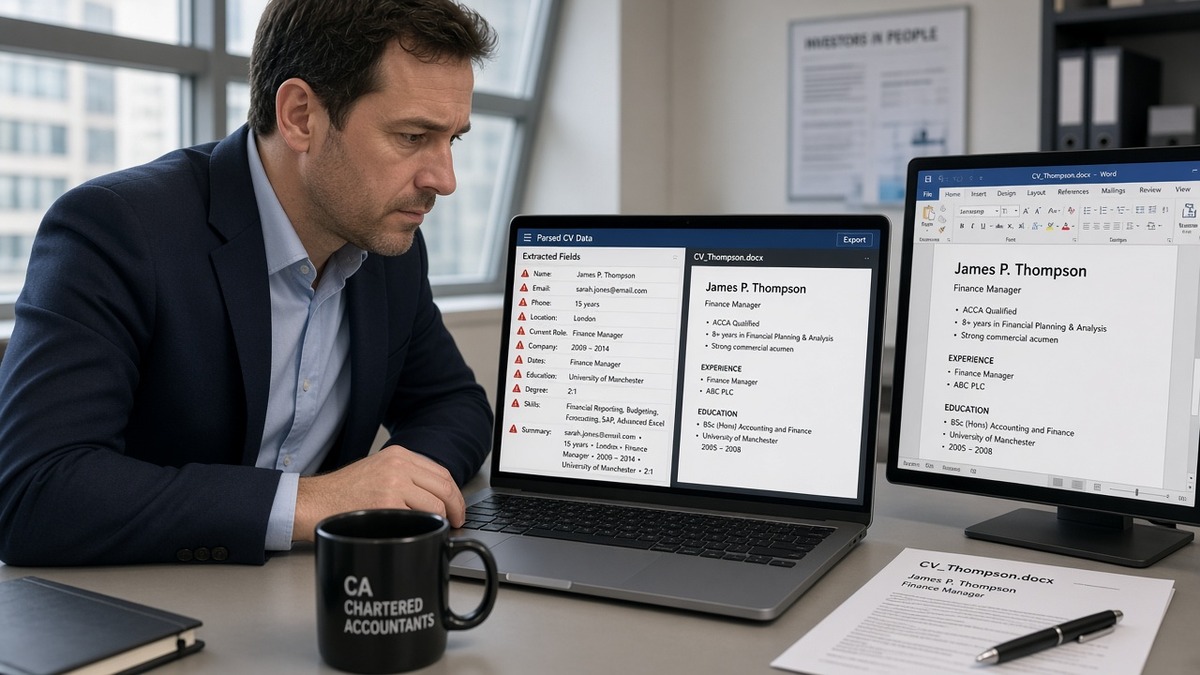
British CV templates love structure humans scan fast: role on the left, dates on the right, skills in a shaded table, memberships in a sidebar. Workday's importer reads top to bottom like a text file. When dates live in table cells, they often detach from the employer line or disappear entirely. Your three-year FP&A stint can show as six months or vanish.
The pattern recruiters see in the preview: blank Experience, random text under Other, and Skills duplicated from a column the parser read twice. The candidate looks underqualified. The file was fine on PDF. The import was not.
UK section labels add a second failure mode. Employment History, Career Profile, and Key Achievements are normal on a human CV. Workday maps Experience, Education, and Skills to form fields. Unmapped headings dump content into uncategorized blobs. Keyword search for IFRS or management accounts then misses bullets that are still on the page but not in the field HR filters on.
Exception: internal referrals where a recruiter uploads your file manually sometimes bypasses the worst parser pass. Do not bet your pipeline on that. Default to the format that survives self-serve upload on a Friday night.
Exception: boutique firms using email applications with a human reading the PDF first. You can keep slightly richer design if they never touch Workday. For UK banks, insurers, and listed corporates on Workday, assume parser-first every time.
Mid-level finance is a awkward band. You're past graduate bullet lists but not yet a two-line executive profile. That means two pages of real project work, often with systems names (Oracle, Anaplan, SAP) and audit cycles. Those details belong in Experience bullets, not in a competency matrix the parser will not sort.
Edge case: contract and interim roles through umbrella firms. Stack each engagement with Month Year dates and the end client in the employer line. Workday handles contract work if dates parse. It fails when three interim roles share one table row.
Edge case: part-qualified ACA or ACCA with exam passes listed under Qualifications. Rename the section Education or Certifications, and put passes on separate lines with Month Year. A single cell that says ACA 8/15 passes does not map to a credential field.
Read US vs UK CV format differences when you're applying across borders from the same master file. UK polish and US parse rules diverge on photos, length, and headings.
Workday ATS resume optimization UK mid-level finance: fixes you can paste tonight
Work through the file once. Same bullets, flatter structure. These pairs show what changes on the page, not your career.
Pair 1: Management accountant at a UK insurer
Before: Two-column table with role left, 09/2019 to 12/2023 right, bullets inside a nested cell. Section titled Employment History.
After: Experience heading. Lines stacked: Senior Management Accountant, Aviva, London. September 2019 to December 2023. Bullets below as plain hyphens, including IFRS 17 reporting and £4.2M variance explained in month-end pack.
Pair 2: FP&A analyst at a Big Four alumni shop
Before: Career Profile paragraph, then Key Skills grid with Excel, Hyperion, and stakeholder management in three columns. Dates written 2021 to 2023 beside company name on one line.
After: Three-line summary optional, then Experience. FP&A Analyst, Deloitte alumni client services firm. March 2021 to June 2023. First bullet names rolling forecast model and 11% reduction in budget rework cycles in Q3.
Pair 3: Financial controller track, mid-level
Before: Qualifications section mixing degree, A levels, and ACCA papers in one table. Skills footer with logos.
After: Education for BSc Economics, University of Bristol, 2018. Certifications for ACCA (9 papers passed, target completion 2027). Skills as a simple list echoing tools proved in bullets: SAP, Advanced Excel, month-end close.
Copy-paste Experience block layout
Experience
[Job Title]
[Employer Name], [City], UK
[Month Year] to [Month Year or Present]
- [Bullet with system, scope, outcome]
- [Bullet with compliance or audit keyword from posting]
- [Bullet with stakeholder or team scope]
Example fill: "Built management accounts pack for 12 cost centres in Oracle; cut late adjustments from 18 to 4 per close after standardising accrual template."
Date line before/after
Before: PwC | Audit Associate | 01/09/2020 to 31/08/2023
After: Audit Associate, PwC, Manchester. September 2020 to August 2023.
Header contact before/after
Before: Phone and email in Word header, repeated in footer with LinkedIn icon.
After: Name and contact lines in body only: phone, email, city, LinkedIn URL as plain text. No icons.
Edge case: Big Four secondment abroad
List the home firm as employer with a bullet noting six-month client secondment in Singapore. Do not create a fake employer line the parser cannot verify. Month Year dates for the secondment inside the bullet if needed.
Edge case: redundant role after restructuring
Two titles at one bank after a merge still need two date ranges or one range with both titles on separate lines under the same employer. Never compress into a table cell to save space.
Read why your resume looks different after Workday upload when the preview pane does not match your PDF. Same importer rules apply to UK finance reqs.
After flattening, open the exported PDF, select all text, and paste into Notepad. If employers appear out of order or dates cluster at the bottom, the parser will struggle too. Rebuild as stacked lines until the plain-text read matches your timeline.
Where UK mid-level finance CVs still fail Workday
Competency tables instead of proof bullets. Strategic thinking and commercial awareness in a matrix tell parsers nothing. One bullet on a £2M cost review beats twelve soft skills in a grid.
DD/MM/YYYY everywhere. Fine for humans, risky for importers trained on US-heavy templates. Month Year removes ambiguity between day and month.
Logos for employers and software. Big Four and SAP icons look sharp on PDF. They often become empty boxes or break the line order on import.
Personal statements that eat half page one. Three paragraphs on passionate finance professional before Experience push your strongest audit bullet below the mobile fold. Trim to three lines or cut.
References available on request in a footer. Wasted lines. Recruiters know. Footers also drop on import.
Keyword stuffing in Skills without SAP or Oracle in Experience. Postings search both fields. Tools listed only in a sidebar rarely score the same as a dated bullet.
Uploading the designed PDF when DOCX parses cleaner. If the portal allows either, test both in preview. Keep one master DOCX and export from there.
I've screened mid-level finance files where the Workday preview showed a blank degree and three employers merged into one. The PDF looked impeccable. The candidate wasn't underqualified. The table layout was.
See DOCX export settings that improve ATS parsing when Word saves hidden formatting that survives into PDF.
Test the flat file before the corporate portal closes
Paste the UK finance posting into the free ATS checker with your rebuilt CV. Confirm Experience employers appear in order and Month Year dates survived. Fix layout before you tweak keywords.
Then run job match score on the same req. Parsing and keyword placement are separate passes. A readable file with weak bullet match still stalls. Align bullet one to the posting's must-have: consolidation, regulatory reporting, or commercial finance as written in the ad.
Optional cover letter field on Workday? Draft structure in the cover letter generator, then keep it short. The CV carries dates and systems proof. The letter carries role fit in two paragraphs, not a repeat of your Skills table.
Save exports with employer and date in the filename: Smith_CV_Barclays_FPA_Mar2026.pdf. You will apply to multiple Workday tenants in one week. Labels prevent uploading yesterday's table version by mistake.
Your Workday-ready UK finance CV tonight
Workday ATS resume optimization UK mid-level finance is not about hiding your UK format. It's about translating it: Experience instead of Employment History, Month Year dates on their own lines, no tables. Your ACA progress and consolidation work stay. The wrapper changes.
Open your CV now. Delete the skills grid. Rename sections. Move contact info into the body. Export once and paste into Notepad to sanity-check order. Then run the checker on the req you're sending before midnight.
This won't fix applying to roles you're not qualified for. It stops a qualified mid-level file from dying because a date sat in a cell the importer never read.
When a preview still looks wrong after a flat rebuild, screenshot the Workday import and keep a plain DOCX ready to email if the posting allows recruiter contact. Parser failures are common enough that polite follow-up with a clean attachment sometimes rescues an application that looked empty on screen.
Batch applying to six banks this week? Fix the master once, duplicate for tailoring, and re-export from the same flat template every time. Table creep returns the moment you edit inside an old designed PDF instead of the DOCX source.
Read more
Frequently asked questions
No. Tables are the top parser killer on UK finance uploads. Dates trapped in the right column vanish or attach to the wrong employer. Move every start and end date to its own line under the job title in plain text. List skills as a simple bullet block, not a grid.
Use Experience, Education, and Skills. Labels like Employment History, Career Summary, Qualifications, and Professional Memberships often import as unlabeled text blocks. Rename them before upload. Certifications such as ACA or ACCA can stay under a Certifications heading if you earned them; degree lines belong under Education.
Month Year written out: March 2021 to Present. Avoid DD/MM/YYYY numeric strings, slashes, and date ranges on the same line as the company name separated by a pipe character. UK readers understand Month Year. Parsers map it to timeline fields more reliably than 03/09/21.
Yes, if both pages are single column with standard headings. Two pages of table layout is not safe. Mid-level finance CVs at UK banks and Big Four firms often run two pages; parsers care about structure, not length. Trim older retail or internship roles from the bottom instead of shrinking font.
Upload what the portal requests. Keep a DOCX master for edits, then export PDF when required. If the preview shows scrambled employers, re-upload DOCX from the same master. Never maintain two versions with different bullet text. One source file, two export formats.