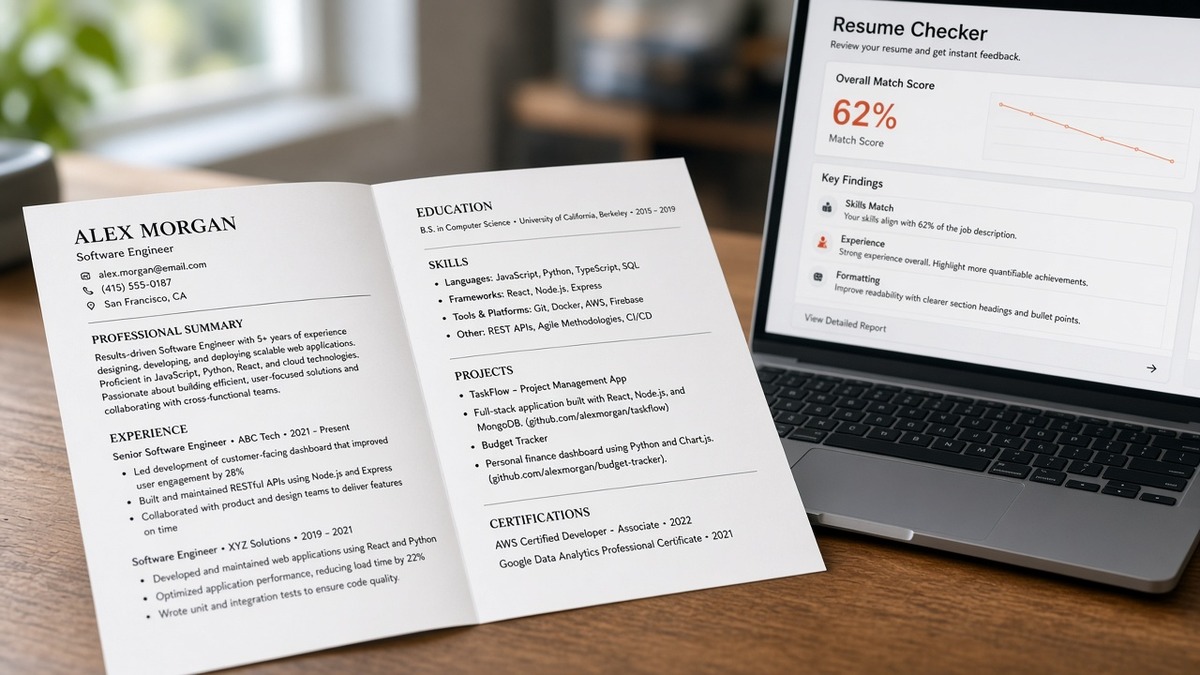
12 min read
You didn't change employers. You didn't invent skills. You added page two so your earlier roles could breathe, and your checker score slid anyway. That's frustrating, especially when someone's told you two pages are forbidden in ATS.
Most of the time the drop isn't a length ban. It's how the checker weights page-one density and how the export breaks when Word or Google Docs inserts a hard page break. Before you delete half your career, check your resume for free against the posting, using the two-page PDF you'll actually upload to Workday or Greenhouse.
Job searching is already heavy. You don't need a myth about one-page-only files. You need to know whether your score fell because keywords moved below the fold, because a break orphaned dates, or because page two is filler. Below you'll see the symptom, three causes, how to tell which is yours, fixes for each, and a short FAQ. When page one carries the posting again, score your job match on that same export so you're not guessing.
Quick Wins
- Paste the two-page PDF into plain text and hunt for split employer rows.
- Move three posting terms into page-one Experience bullets.
- Remove repeated headers footers on the upload version.
- Rescan the posting against the file you will submit.
Why your resume ATS score drops after you add a second page
The symptom is a lower match read right after page two appears. Monday's one-page export scored fine in your checker. Wednesday's two-page export, same jobs and dates, shows fewer keyword hits or a lower overall read. You assume ATS hates length. The upload portal still accepts the file.
That gap is the clue. Employer systems in Workday, Greenhouse, Lever, Taleo, and iCIMS store multi-page PDFs and DOCX files every day. Recruiters open two-page profiles for mid-career and executive roles without a second thought. The checker on your laptop is not the employer's secret rulebook. It's a mirror with a bias toward the first screen of extracted text.
When the score moves, something changed in what the tool could read on page one, or in how the break cut a section in half. Maybe you pushed a dense Skills block to page two. Maybe you inserted a page break mid-job so dates detached from the company name. Maybe page two is three paragraphs of old internships that diluted the match math without helping humans either.
None of that means you're unqualified. It means the scoring layer saw a thinner or messier first page. Fix that layer before you fight about page count on Reddit.
Senior candidates often need page two for scope. The fix is the same: page one must still answer the req in the first scroll. If your executive summary and last two roles consume page one, tighten older lines on page two instead of stealing space from the current role's bullets.
Students and early-career applicants sometimes add page two for every campus role. Recruiters for entry reqs still read page one first. Keep internships to one line each until your current project section proves the posting's stack.
If the file never parses cleanly at any length, start with how resume file type impacts screening . This page assumes your one-page version already imported employers in order.
Three causes and how to tell which is yours
Cause 1: Checkers weight page-one density
Before: Posting terms for Snowflake, Looker, and stakeholder metrics sit in Skills and summary on page one. You add page two for older roles and move Skills to the bottom of page one to make room.
After: Snowflake and Looker now parse after the break on page two while page one opens with duty bullets that don't mirror the req.
How to tell: open the posting beside your checker output. If must-have nouns moved below the first third of parsed text when you added page two, Cause 1 is yours. The tool is behaving like a recruiter who never scrolls, not like a ban on page two.
Fix: keep page two for older employers if you need them. Rebuild page one so three posting lines show up inside Experience bullets under your current job. Trim nice-to-have lines from page one only after those three land. Skills can shrink to a short support list once the tools appear in bullets.
Edge case: you're a career changer with a long unrelated page-one history. Use a tight summary clause on page one that names the target stack, then put the pivot role's bullets immediately under the header recruiters see first, even if the older industry stays on page two.
Cause 2: Page breaks split what parsers expect together
Before: One employer block shows company, title, City ST, Month Year to Month Year, then bullets in one continuous column.
After: A manual page break sits between the title line and the bullets, or between dates and the company name, so plain-text paste shows orphaned lines.
How to tell: export the two-page PDF, paste into Notepad or TextEdit, and read top to bottom. If you see a company name on page one's tail and its dates on page two's head, Cause 2 is yours. Some importers treat that as two partial jobs and drop keyword credit.
Fix: move the break above the employer header or below the last bullet of that role. Never break inside the header stack. Turn off repeated table rows if you're using a template with invisible tables. Save a upload-specific copy without decorative lines at the footer.
In Word, use paragraph spacing instead of hard page breaks when you can. In Google Docs, avoid breaking inside a table cell that holds your job header. Export to PDF and paste again until each role reads as one uninterrupted block in plain text.
Edge case: academic CV habits like section headers that repeat on each page can duplicate Education rows in a corporate parser. For US corporate uploads, use one continuous Experience column without per-page section repeats.
Cause 3: Page two added filler, not proof
Before: One page with ten tight bullets under two roles.
After: Two pages where page two lists every college club, partial tools, and three lines per internship while page one still lacks the posting's first must-have.
How to tell: compare word count and checker hits. If page two added hundreds of words but zero new matches for the posting's required lines, Cause 3 is yours. Length increased. Signal did not.
Fix: cut page two back to employers and credentials that support the role you're targeting. Keep early jobs to one line each unless they prove a must-have. Spend the reclaimed space on page-one bullets, not smaller font tricks.
I've opened two-page uploads in Greenhouse where page one buried the req terms and page two was old college work, and the match read looked empty even though the candidate was fine on the phone.
How to tell which cause is yours in one sitting
Run three checks in order. Plain-text paste for split employers. Highlight posting line one and search page one of that paste only. Read page two and ask whether it adds a must-have or only history. Cause 1 if keywords slid off page one. Cause 2 if dates and names separated. Cause 3 if page two is long but irrelevant to the req.
Copy-paste block: two-page score audit
Posting must-have (line 1): _______________________

Page-one Experience check:
[ ] Line 1 term appears in bullet under current job
[ ] Employer block is not split across the page break
[ ] Plain-text paste shows dates attached to company

Page-two purpose check:
[ ] Each role on page 2 supports the target req
[ ] No duplicate name/footer lines in paste

Action:
[ ] Rescan same PDF against posting before submit
When breaks keep breaking after you move them, read formatting mistakes that kill your resume with AI for table and text-box traps that show up more on page two.
Edge case: federal or clearance resumes with long employer narratives. You may need two pages for honesty. Still anchor the posting's first three lines on page one even if the narrative continues on page two.
Length myths that waste a night
Deleting page two without moving proof to page one. You lose dates the parser liked and keep vague bullets. The score stays flat or falls again.
Shrinking font to force one page. Parsers still read the words, but recruiters bail. Checkers may treat cramped layouts as lower quality when line spacing collapses.
Trusting a score from a PNG or screenshot resume. Always test the PDF or DOCX you upload. Image resumes can score oddly and fail in employer portals.
Before: Two pages with Skills on page two and a break inside your current role.
After: Two pages with three req terms in page-one bullets, break moved below the role, Skills trimmed to support lines.
Another trap: copying a template that inserts a second page for a references section. Remove references from the upload file entirely. Recruiters ask later.
And don't assume every role wants one page. Many US mid-career reqs expect two pages when each line earns its space. The question is signal on page one, not superstition about page count.
This won't fix applying to jobs where you lack the must-haves. It stops qualified files from losing match reads because the checker never saw the right words on the first screen.
Scan both exports before you pick one
Upload the posting and your two-page PDF to HireFlow's free ATS resume checker . Compare the parsed preview to your plain-text paste. You're confirming page-one Experience still carries the must-haves after the break fix.
If you're choosing between a trimmed one-pager and a rebuilt two-pager, run score your job match on both files against the same req so you pick based on parsed overlap, not fear of page two.
Need a short note that explains a title mismatch while page one carries the proof? Generate a cover letter that repeats the same employer strings and dates as the resume you scanned.
Do this now: Paste test the two-page PDF, move any split employer block, rewrite one page-one bullet for req line one, rescan once, submit that file.
What to do now
Page two didn't fail you. A thinner page one or a bad break did. Checkers score what they extract first. Parsers punish split employer rows. Fill page one with posting proof, clean the break, then keep page two only where it adds dated scope. That's the whole story behind why your resume ATS score drops after you add a second page, and it's fixable without deleting your history.
Run the audit block once per posting. When the plain-text paste and the checker agree that line one lives in bullet one, stop toggling length and batch apply with the file you tested.
- Paste test the upload PDF.
- Fix any split employer block.
- Rewrite page-one bullet one for req line one.
- Rescan against the posting.
- Submit the scanned file.
Open the req you care about and run a free ATS check on the two-page export before you rip page two out.
Read more
Frequently asked questions
No. Most corporate ATS routes accept two pages when the file is a clean single-column DOCX or text-based PDF. The score drop you see in a checker usually reflects how that tool weights the first screen of parsed text, or how a page break split your employer block. Fix the break and the top-third keywords before you delete page two out of panic.
Only if every line on page one still reads clearly after export. Shrinking margins to keep old jobs often hides the posting terms that belong in bullet one under your current role. A tight two-page file with strong page-one density beats a one-page wall of eight-point type that parsers and recruiters both skip.
Many checkers score keyword overlap on the first chunk of extracted text, similar to how a recruiter skims before scrolling. Tools and titles that lived in the top third before the move may now parse after the break. Re-home posting must-haves into page-one Experience bullets even when the proof role sits on page two.
Repeated name lines, page numbers, and rule lines inserted at section breaks sometimes duplicate or truncate employer rows when the PDF reflows. Export to plain text and confirm each job still shows company, title, and Month Year dates once. Drop decorative footers on upload versions.
Scan the same posting against the one-page export and the two-page export separately, using the PDF you will upload. Paste each file into plain text and compare whether line-one posting terms still appear inside Experience on page one. Submit the version whose parsed preview matches the posting without orphan dates.