9 min read
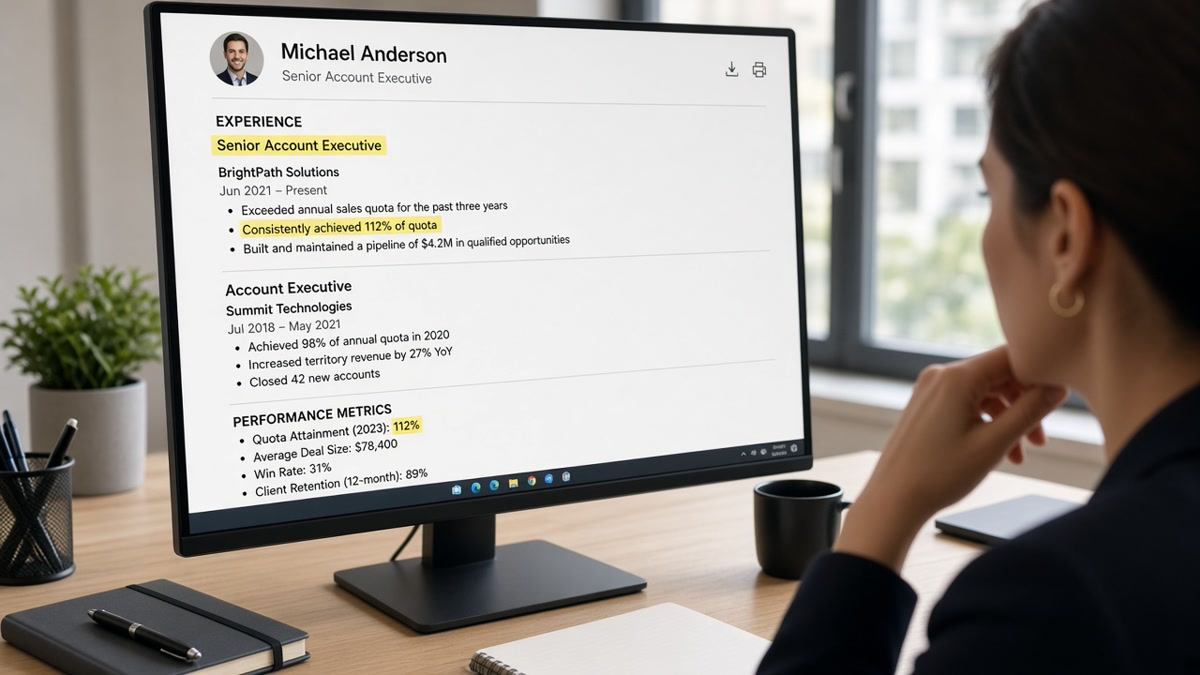
You quantified every bullet, but the upload preview still shows blank date fields. That's usually not a missing achievement. It's a formatting choice the parser couldn't turn into text. Once you know how ATS interprets numbers on resumes, the fix is mostly consistency, not more metrics.
You don't need a statistics degree to fix this. You need one date style, digits instead of spelled-out counts, and metrics sitting in plain bullets where the parser already reads job titles. If the portal can't see 2022, it can't credit 2022.
Start with a parse check. Check your resume for free and look at whether employment dates and bullet metrics appear in the extracted view. If 2022 vanishes, the font or layout is the problem, not your experience.
Below: themed answers on dates, dollar amounts, tenure math, and education numbers, plus before-and-after fixes and a copy-paste audit list. Pair the scan with the cover letter generator when a posting asks you to explain a gap the dates already show. Don't assume the recruiter will open your PDF attachment to hunt for digits the bot dropped.
Quick Wins
- Pick Month Year or MM/YYYY and apply it to every role.
- Write 25% inside the bullet, not in a chart or icon.
- Use Present for current jobs instead of a future end date.
What parsers do with digits
ATS reads numbers as text tokens, not as a spreadsheet. When your bullet says "raised retention 18% in Q3," the parser stores digit strings it can split on spaces. It does not run a formula on your results.
Employment dates feed tenure filters. Recruiters set minimum years in Greenhouse or Workday. If start dates parse as blank, you may fall below a threshold you actually meet.
Metrics help keyword match when the posting lists numbers. A req that says "5+ years" or "SQL" still needs readable dates and tool names beside digits. Numbers alone without context can land in a generic skills bucket.
I've opened candidate rows where the PDF showed clear dates but the parser stored nothing because the dates sat inside a text box. The fix was moving Month Year next to the job title in the main body. Same numbers, different container.
Number fixes that survive upload
Employment dates
Before: Jan '20 to 3/23, 2021-2022, and Present mixed on one file.
After: January 2020 to March 2023 on every role; current job ends with Present. City and title stay on the line above the dates.
Impact metrics in bullets
Before: Increased sales significantly; managed large budget.
After: Grew regional sales 24% in FY2024; managed 2M annual budget in NetSuite with monthly variance reports.
Team size and scope numbers
Before: Led team; handled many tickets weekly.
After: Led 9 analysts across two time zones; closed 120 Zendesk tickets per week at 96% CSAT.
Education and credentials
Before: B.S. (2019) GPA 3.8/4.0 with parentheses and slashes.
After: B.S. Computer Science, State University, May 2019, GPA 3.8. Certifications: AWS Solutions Architect, 2023.
Copy-paste block: number audit checklist
□ One date format applied to every role and cert
□ Present used for current job (no future end month)
□ Percentages written as 25% not twenty-five percent
□ Dollar amounts as 500K or 2M without extra symbols in tables
□ No metrics trapped in headers, footers, or image PDFs
□ Copy-paste test: all digits appear in plain Notepad
For broader parser behavior, read how ATS systems rank candidates internally after you fix date extraction.
Edge case: contract roles with overlapping dates. List each client separately with Month Year ranges. Add "(contract)" after the employer name so humans understand the overlap without breaking parser math.
Edge case: military or union job codes instead of civilian titles. Put the civilian title first, then the code in parentheses. Parsers match on words from the posting, not internal payroll codes.
Before: Phone numbers formatted as (555) 123-4567 inside a header table.
After: Phone on its own text line: 555-123-4567. Contact fields extract more reliably when they're not nested in layout cells.
Formats that drop your metrics
Dates inside tables or side columns. Many parsers read left to right on one column. Move dates directly under the job title.
Mixing word numbers and digits. "Twenty-five percent" and "25%" on the same file splits matching logic. Pick digits for metrics.
Scanned PDF exports. If copy-paste turns your resume into garbage, the ATS sees garbage too. Export a text-based PDF or DOCX from Word or Google Docs.
Before: Chart graphic showing quarterly growth with no text duplicate.
After: Same story as one bullet: "Grew subscription revenue 12% QoQ across four quarters in 2025."
Tildes and approximate symbols. ~25% or approx. 500K adds noise. Use "over 25%" or the exact figure you can defend in an interview.
Roman numerals or written ordinals for quarters. "QIII 2024" parses worse than "Q3 2024." Keep quarter labels short and digit-based.
Footnote-style superscripts on metrics. If the number isn't in the main bullet line, many parsers skip it. Repeat the figure inline even if it feels redundant to human eyes.
Verify extraction before apply
Upload your file to HireFlow's free ATS resume checker and confirm dates, employers, and bullet metrics appear in the parsed preview.
Run job match score on the same posting to see whether digit-heavy bullets align with req language after formatting fixes.
What to do now
How ATS interprets numbers on resumes comes down to readable text: one date style, metrics inside bullets, and no digits locked in graphics. Fix extraction first, then add more quantified lines.
- Standardize every employment date to Month Year tonight.
- Rewrite two vague bullets with one digit string each.
- Paste your export into Notepad and confirm digits survive.
Read more
Frequently asked questions
Yes, as plain text. Parsers pull digit strings like 25%, 500K, and 2022 into the candidate profile when the surrounding words stay simple. Fancy symbols, tables, or image-based PDFs can block that extraction.
Pick one format and use it everywhere: Month Year (January 2022) or MM/YYYY (01/2022). Write Present for current roles. Do not mix Jan 2022, 1/22, and 2022 alone on the same file.
Use 25% with the symbol. Spell-out numbers are harder to match when a posting lists digit strings. Keep the metric inside a full sentence so context survives parsing.
Most systems sum employment ranges they can read. Overlapping dates, missing months, or gaps written as words instead of ranges can skew the total. List roles in reverse order with clear start and end tokens.
Include GPA only when the posting asks or when yours is strong and recent. Format as GPA 3.7 on one line with degree and graduation year. Omit rather than bury a low number in parentheses.