11 min read
Put one primary portfolio URL on your Contact line as plain text: Portfolio: https://yourname.com. Don't hide the link behind a clickable word, an icon row, or a sidebar cell. That's the US ATS-safe default for UX roles. The rest of this page walks through five formatting steps, edge cases, and what breaks when the preview looks fine but the URL field is empty.
You're not losing screens because recruiters hate your case studies. You're losing them because Workday imported your Behance URL as an employer name or Greenhouse dropped the link entirely. Before you redesign the portfolio site, check your resume for free with the posting pasted in. You're confirming the URL field populated, not debating whether your hero animation is on brand.
UX hiring runs on proof. Product design reqs on Greenhouse almost always ask for a portfolio, and the resume is still the file the parser reads first. Job searching while you're finishing case studies is draining enough. Link formatting shouldn't be the silent fail.
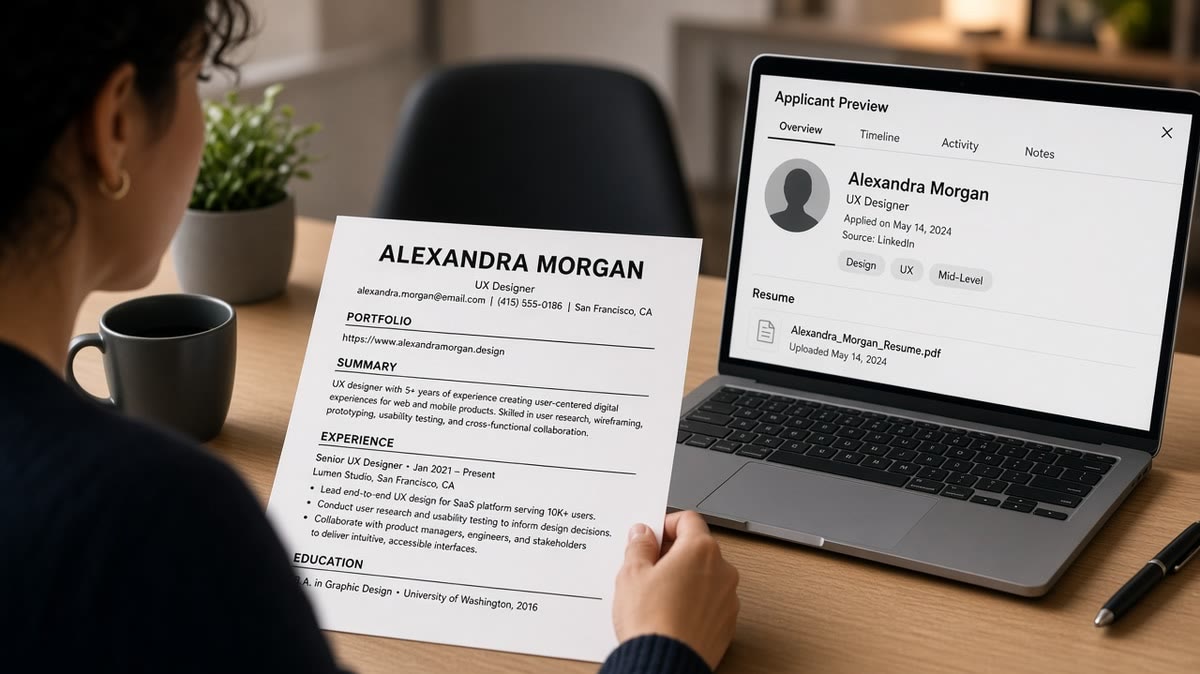
I've screened UX uploads where the only portfolio link sat inside a two-column Canva export. The human PDF looked polished. The preview showed email, phone, and twelve Figma icons where the URL should have been.
Below you'll see what parsers extract, five steps with before-and-after contact blocks, mistakes that survive a visual PDF check, and what to run before you hit Submit. When the portal asks for a cover letter, generate a cover letter that names the same portfolio URL string so nothing contradicts on upload.
Quick Wins
- One primary URL on Contact: Portfolio: https://yourname.com
- Full https string in plain text, not hyperlink-only anchor words
- Single column export before every Workday or Greenhouse upload
- Plain-text paste test: URL must appear beside your email line
What US ATS parsers extract from UX portfolio links
Workday, Greenhouse, Lever, and iCIMS do not open your portfolio during the first pass. They chunk the resume into Contact, Experience, Education, and Skills. Visible text URLs usually land in Contact or a custom URL field. Hidden hyperlinks, icon buttons, and text boxes often do not.
Recruiters react to an empty URL field before they react to your wireframes. On a product design req, the screener expects a portfolio line within ten seconds. If the preview shows LinkedIn but no case-study path, they'll open the PDF attachment if one exists. Many won't hunt through bullet text for a buried link.
UX portfolio resume links US ATS safe formatting is not about stripping personality from your site. It's about making sure the same string a recruiter would copy manually is the string the parser already captured. Anchor text that says Portfolio without the https path beside it fails that test on most US corporate uploads.
Two-column layouts reorder Contact. A sidebar with email stacked above icons can import as Skills first and shove the URL into a orphaned row. For file-type failures that drop headers entirely, read how resume file type impacts screening . Fix the column layout first, then re-export.
Password walls and login-gated Notion pages are a human problem too. Recruiters screening forty UX files on a phone won't request access credentials mid-queue. If your best case study needs a password, add one public flagship project on the Contact URL and save gated work for the interview loop.
UX portfolio resume links US ATS safe formatting: five steps
Run these in order on the file you'll upload, not on the designed PDF you show later. Each step includes a before-and-after you can paste tonight.
Step 1: Put one primary URL on the Contact block
Greenhouse reads top to bottom. Your name, email, phone, city, and portfolio should sit in one plain header block before Experience. One URL. Not three competing links fighting for parser attention.
Before: Name centered with icons for email, phone, LinkedIn, and a globe icon linking to the portfolio with no visible URL text.
After: Jordan Lee | [email protected] | (555) 123-4567 | Chicago IL | Portfolio: https://jordanleeux.com
The fix: delete icon-only links. Type Portfolio: plus the full https string on the same line as phone and email. LinkedIn can stay as a second URL only if the posting asks for it and you still have room without wrapping.
Step 2: Replace anchor-only hyperlinks with typed URLs
Word and Google Docs love turning URLs into blue underlined words. ATS previews often store the display text and drop the destination. Recruiters see Portfolio with no path to copy.
Before: Contact line ends with Portfolio as a hyperlink to https://casefiles.example.com/work with no visible string.
After: Portfolio: https://casefiles.example.com/work typed in black text with underline removed.
The fix: right-click, remove hyperlink, leave the full string. Run spell-check after so autocorrect did not swap characters in the domain.
Step 3: Keep each URL on one physical line
Narrow margins and sidebar widths break URLs across lines. Parsers treat the second line as garbage or a separate token. The preview shows half a path.
Before: https://portfolio.example.com/case-studies/mobile-banking-redesign split after .com with the path on the next line.
After: Portfolio: https://portfolio.example.com/mobile-banking on one line, or shorten the public path on your site so the string fits.
The fix: widen the content area to single column, shrink side padding, or use a shorter canonical case-study URL. Never rely on soft line breaks inside https strings.
Step 4: Move extra samples to a plain Projects section
Bullets are for outcomes and methods, not navigation. When you write See portfolio for wireframes inside a bullet, the URL attaches to the wrong employer row in Workday.
Before: Under Acme Corp: Led checkout redesign (full case study at https://longurl.example.com/acme-checkout-v2).
After: Acme Corp bullet stands alone with metrics. Projects section below Experience: Acme checkout redesign: https://longurl.example.com/acme-checkout
The fix: one flagship URL on Contact, optional labeled project URLs below jobs in a header that says Projects or Selected Case Studies. Match labels to posting language when the req names case studies explicitly.
Step 5: Run a plain-text paste and read the upload preview
Copy the exported resume into Notepad or TextEdit. If Portfolio: https:// does not appear next to your email, the parser won't see it either. Upload once to a test req or internal preview and confirm the URL field populated.
Edge case: PDF exported from Figma or Canva often flattens text out of order. Switch to DOCX for upload even if you attach a visual PDF separately when allowed.
Edge case: QR codes and graphics that encode a URL look clever on paper. ATS ignores them. Type the string anyway.
Copy-paste block: ATS-safe Contact header
Jordan Lee
[email protected] | (555) 123-4567 | Chicago IL
Portfolio: https://jordanleeux.com
LinkedIn: https://linkedin.com/in/jordanleeux

Experience
Acme Product Studio, Chicago IL
Product Designer | January 2022 to Present
• Led mobile checkout redesign; usability testing with 12 participants informed ship decision

Projects (optional second link)
Mobile banking case study: https://jordanleeux.com/mobile-banking
For frontend and design roles that share the same link rules, see resume writing guide for frontend developers . The Contact block format is identical even when the portfolio content differs.
Formatting mistakes that still drop portfolio URLs
You can follow the five steps and still lose the link on upload. These are the failures that show up most on UX files.
Footer URLs on every page. Headers repeat in the parser once. Footers sometimes import as page noise or drop entirely on multi-page resumes. Keep the portfolio string on page one Contact only.
URL shorteners and tracking parameters. bit.ly paths and long UTM strings break when line-wrapped or stripped by security filters. Use your canonical domain on the resume even if marketing uses tracked links elsewhere.
Replacing employer names with portfolio domains. Writing behance.net/username as the company line on a freelance row makes Workday think Behance employed you. Keep client names as employers and portfolio on Contact.
Designed resume only, no plain export. Gradient headers and icon contact rows photograph well and parse poorly. Keep a boring single-column DOCX as your application master. Show the designed deck when a human asks on the screen call.
Before: Contact row uses Dribbble, Behance, and Notion icons with no typed URLs. Experience lists Client work with a table of logos in column two.
After: Single header line with Portfolio: https://yourdomain.com. Each client on its own Experience row with Month Year dates and no logo table.
This won't fix a portfolio with weak case studies. It stops qualified UX candidates from getting skipped because the screener never saw a clickable or copyable path. For AI-polished layouts that hide text layers, read formatting mistakes that kill your resume with AI .
Exception: when a posting supplies a separate portfolio upload field, still keep Contact URL populated. Recruiters cross-check both. An empty resume header plus an attachment-only upload slows screening when they're moving fast.
And if you're tempted to list twelve tool icons where the URL should sit, move tools into Skills as plain words after they appear in bullets. Icons are not URLs. Figma in Skills does not replace https:// on Contact.
Verify portfolio links before the next application
Upload your plain export and the posting to HireFlow's free ATS resume checker . Confirm Contact still shows Portfolio: https:// as plain text and that no URL imported as an employer name.
When the req lists must-have product domains or research methods, score your job match against the same file so you're tailoring bullets and link labels together, not pasting a URL onto an otherwise generic resume.
Do this now: Remove icon-only portfolio links, type one https string on Contact, paste into Notepad, upload once, read the preview URL field before Submit.
What to do now
UX portfolio resume links US ATS safe formatting boils down to one visible https string on Contact, plain text not anchor-only words, and a single-column export you paste-test before upload. Read the Greenhouse or Workday preview every time you change layout tools.
- Delete icon-only portfolio buttons tonight.
- Type Portfolio: https:// on the Contact line.
- Move extra case-study URLs to a Projects section.
- Paste into Notepad and confirm the URL survived export.
- Submit only after the preview URL field is populated.
Open the product design req you're targeting. Run a free ATS check , fix any empty URL rows, and upload one clean file.
Read more
Frequently asked questions
Put your primary portfolio URL on the Contact line with email and phone. Greenhouse and Workday read the top block first. A secondary case-study URL can sit in a plain Projects section below Experience if the posting asks for multiple samples. Do not bury the only portfolio link inside a bullet about wireframes.
Anchor text alone often imports as empty. Type the full https string in plain text on the same line as the label: Portfolio: https://yourname.com. Recruiters copy from the preview when links are not clickable. If the portal shows a blank URL field after upload, remove the hyperlink and leave the typed string.
Yes, if the URL is one unbroken https string on its own line and the page loads without a login wall. Password-protected Notion pages fail on the phone screen when nobody has credentials. Custom domains parse the same as Behance when formatted as plain text. Shortened bit.ly links are harder to trust and sometimes truncate on import.
One primary portfolio on Contact, plus one optional deep link if the req names case studies or a specific product vertical. More than two URLs clutter the header and split parser attention. Move extra samples to the interview stage unless the posting demands a PDF portfolio attachment separately from the resume file.
Often yes. Sidebars and icon rows reorder Contact fields in Workday previews. Your portfolio URL can land under Skills while Figma icons become a fake employer row. Export a single-column plain version for upload even if you keep a designed PDF for human reviewers who ask later.