6 min read
Your colleague's resume has a colored sidebar and a skills chart. Yours is a plain stack of black text on white. Hers looks better on Instagram. Yours imports cleanly into Workday while hers dumps three employers into one mangled line.
That's the trade. Parsers don't reward design. They reward reading order. Check your resume for free before you upload and confirm name, email, and last employer appear in sequence. If they don't, no template tweak will fix a scrambled column layout.
Tonight you're not hunting for a prettier font. You're ticking through a short checklist so the file you already wrote survives the upload screen.
Optional cover letter? Generate a cover letter after the resume parses. Match the contact block so every document lines up with what the portal extracted.
Quick wins
- Single column, body contact, standard section labels.
- Month Year dates on every role. No tables for alignment.
- Copy all text to Notepad and read it top to bottom before submit.
What plain format buys you
Corporate ATS read your file as a stream of text, not as a designed page. When that stream stays in order, recruiters see your current title, employer, and dates in the search fields they filter on. When order breaks, you're invisible in those filters even with strong bullets.
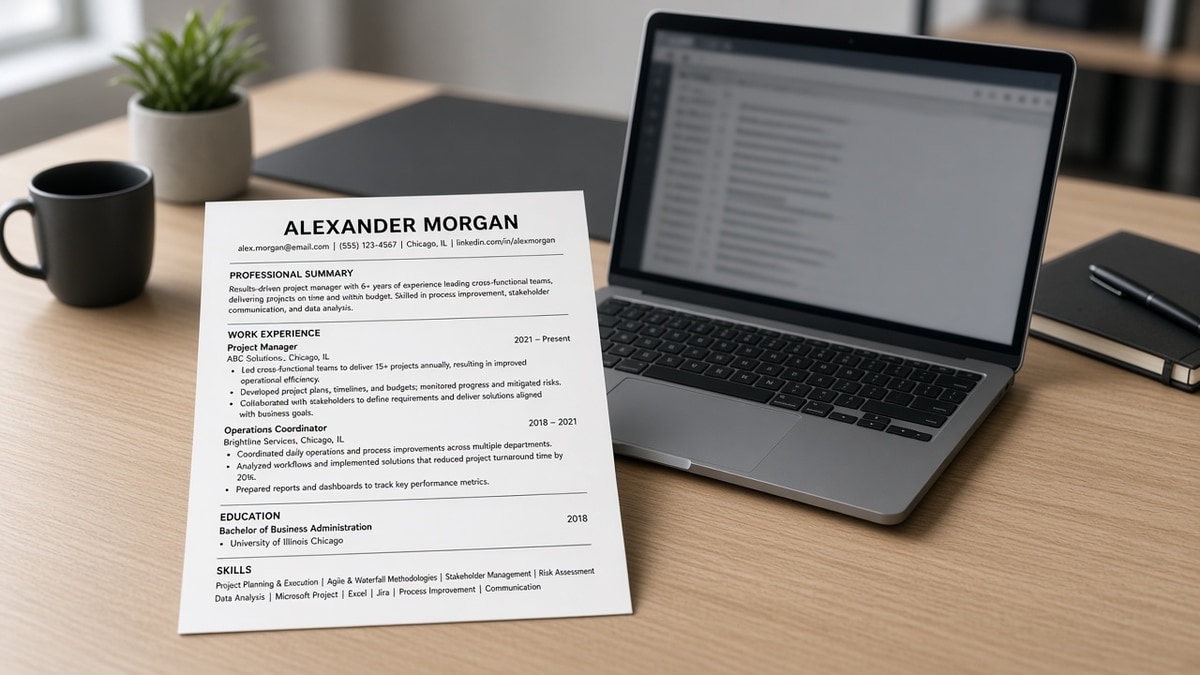
The simplest ATS resume format keeps every element in a predictable stack: contact, summary or headline if you use one, Experience, Education, Skills, then optional sections like Certifications. Nothing sits in a sidebar. Nothing hides in a header band.
Contact block: name on line one, city and phone and email on line two or three as plain text. No icons.
Experience: employer, title, date range, bullets. Repeat for each role. No nested tables.
Skills: comma list or short bullet block below Experience. Don't park skills in a left column beside jobs.
Before: Two-column Word template with skills in a shaded left rail and jobs on the right. Greenhouse preview lists SQL and Python before the first employer name.
After: Skills as one line under Experience. Preview shows employers in chronological order with dates attached to the right role.
Before: Contact row built from phone and email icons in a Canva export. Workday contact fields stay blank after upload.
After: Denver, CO | (303) 555-0142 | [email protected] typed in the document body on page one.
This isn't about looking boring. It's about making sure the story you wrote is the story the recruiter searches on Monday morning.
Font choice matters less than layer choice. Arial and Calibri both parse fine when the text lives in the body. A custom font in a text box still vanishes on import the same way an icon row does.
The simplest ATS resume format checklist
Work through these groups in order. Check each box before you save the final file for upload.
File and structure
- Blank DOCX or rebuilt from plain Word. No design-tool export.
- One column only. Margins normal. Font 10 to 12 pt, standard typeface.
- Section headings spelled Experience, Education, Skills unless the posting asks for more.
Contact and dates
- Name, phone, email in the body, not header or footer.
- Month Year on every job: March 2021 to June 2024. Present for current role.
- City and state on the contact line if you list location.
Content and export
- Bullets start with a verb and include one proof point where you can.
- Skills mirror terms from the posting in bullets, not only in a keyword dump.
- Save DOCX first. PDF only if the portal requires it and text stays selectable.
- Paste full document into Notepad. Read aloud in parser order.
Copy-paste starter block:
Jordan Lee
Operations Coordinator

Austin, TX | (512) 555-0198 | [email protected]

EXPERIENCE
Northwind Logistics
Operations Coordinator
January 2022 to Present
• Scheduled dock appointments for 40+ daily inbound loads across two warehouses
• Trained three new coordinators on the WMS receiving workflow

EDUCATION
University of Texas at Austin
Bachelor of Business Administration, 2021

SKILLS
Excel, WMS, vendor coordination, inventory audits
I've screened profiles where the candidate used a gorgeous two-tone template and the parsed record showed their college graduation year as their current job title. Same person, same PDF attachment, wrong layer for the machine reading it first.
File type still matters after layout is fixed. What file format should my resume be in walks through DOCX vs PDF for the major corporate portals.
Layout traps that fail upload
- Sidebar skills: parsers read left column first and attach skills to the wrong employer.
- Tables for dates: end dates land in company name fields on import.
- Text boxes and graphics: visible on PDF, empty in extracted text.
- Creative section titles: "Professional Journey" may not map to an Experience bucket.
- Keyword stuffing in white font: some parsers flag hidden text; recruiters reject it when they find it.
Before: Skills listed in a three-column table with color fills for each category.
After: One Skills paragraph or six to ten comma-separated tools you actually used in bullets above.
Minimal doesn't mean empty. Why minimal resumes perform better explains what to cut and what to keep when you flatten the design.
Keep one master plain file and duplicate it per application. That way a formatting experiment on one version never corrupts the baseline that already passed extraction.
Run checks before apply
Upload once to a checker and read the extracted contact line and last employer aloud. They should match your DOCX without gaps or reordering.
Run the free ATS check on the rebuilt file, then tailor the top three bullets for the posting. If extraction fails, fix layout before you rewrite content.
Generate a cover letter with the same name, phone, and email so portal forms and attachments stay consistent.
Plain beats pretty on upload day
The simplest ATS resume format is a checklist, not a marketplace template. One column, body contact, standard headings, Month Year dates, and a Notepad read before submit. Get parsing right and the bullets you already wrote can do their job in search and screen.
Read more
Frequently asked questions
A single-column DOCX or text-selectable PDF with your name and contact in the body, standard section headings (Experience, Education, Skills), and each job formatted as employer, title, Month Year dates, then bullets. No tables, columns, icons, or header bands.
Skip design templates with sidebars and color blocks. Start from a blank Word document or a plain single-column template with no graphics. Fancy layouts look sharp on screen but parsers read left to right across columns and scramble your job history.
DOCX is safer when the portal offers both. Export a text-selectable PDF only from a simple Word file you built yourself. Image-only PDFs from design tools return blank contact fields and jumbled experience blocks on import.
One to two pages for most corporate roles. Keep the format plain so you can tailor bullets per posting without fighting layout. A third page is fine for senior technical profiles with publications, but the structure stays the same single column.