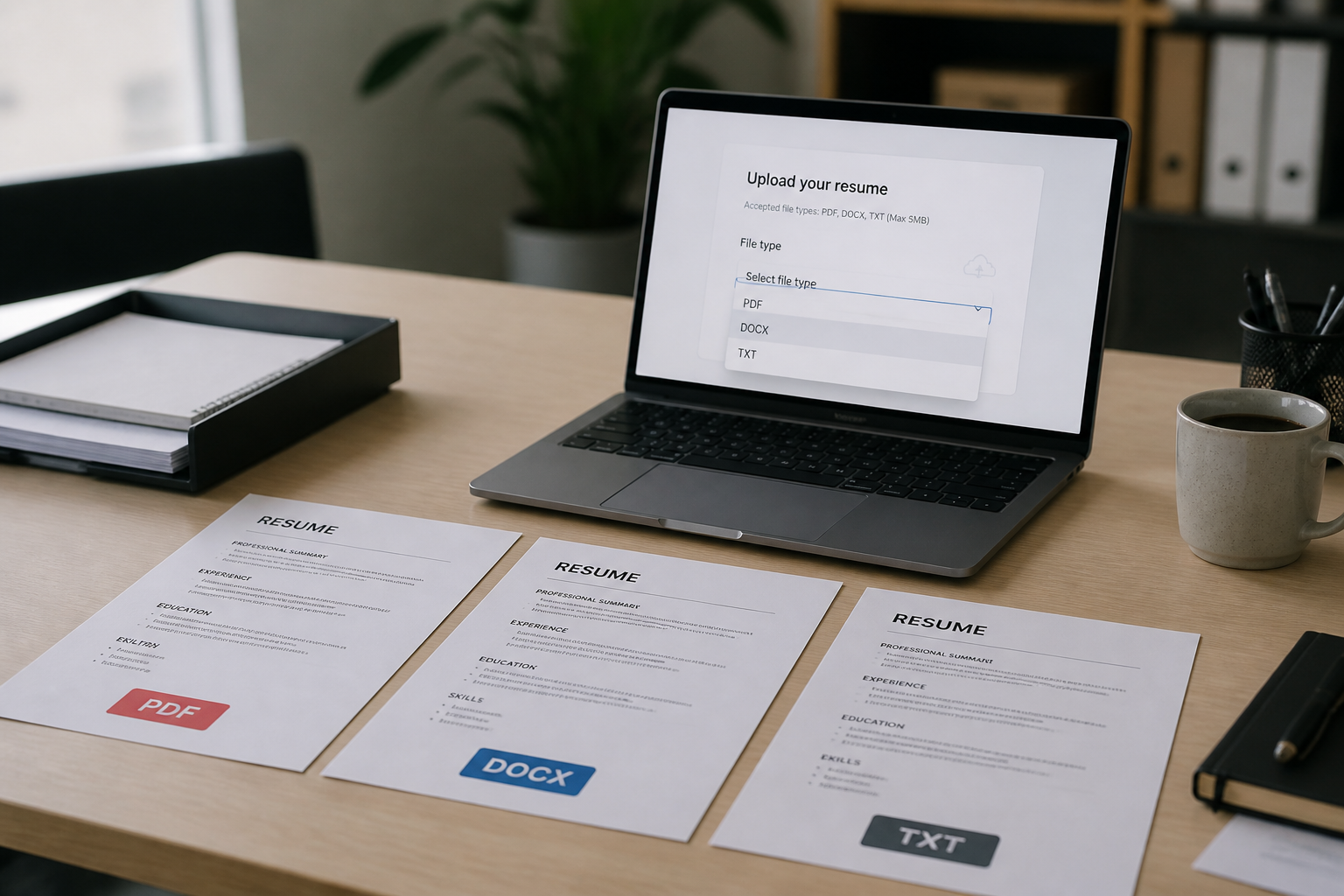
If you are asking what file format should my resume be in, the short answer is: follow the job posting first, then default to a simple single-column DOCX from Word or Google Docs when the portal accepts it—especially on Workday and Taleo. Keep a text-based PDF as backup for postings that request PDF or for email submissions. Use TXT only when the form requires plain text or when formatted files fail parsing tests on legacy systems.
File format is not a branding choice on most US applications—it is an input contract between your document and an applicant tracking system parser. Greenhouse, Lever, iCIMS, and Oracle Taleo each accept multiple extensions, but parsing success depends on how the file was created, how large it is, and whether contact information lives in headers recruiters never see. This guide compares PDF, DOCX, and TXT against real vendor documentation, then maps each format to the five ATS platforms that power most Fortune 500 and growth-company career sites in 2026.
| Format | Best for | Parsing reliability | Watch out for |
|---|---|---|---|
| Postings that request PDF; USAJOBS; email to recruiters; layout preservation | High when exported from Word/Docs; low for Canva/InDesign exports | Scanned image PDFs, multi-column layouts, text stored as vectors | |
| DOCX | Workday, Taleo, silent postings; parsers that map Word styles to fields | Highest on enterprise ATS when file is simple Word XML | Hidden tables, text boxes, macros, nonstandard section names |
| TXT | Paste-only fields; explicit plain-text requests; parsing fallback | Content extracts; structure signals (bold, tables) are lost | No columns or bullets unless typed manually; UTF-8 encoding issues |
Key Takeaways
- Job posting instructions override every default in this guide
- DOCX from Word or Google Docs is the safest silent default for Workday and Taleo
- PDF works when text-selectable and exported from a word processor—not a design tool
- TXT is a fallback, not a first choice, unless the form demands it
- Test with copy-paste and search-before-upload on every new career site
Why resume file format still matters in 2026
Applicant tracking systems do not read your resume the way you do. They extract text, attempt to classify sections, and map content into database fields—employer, title, dates, skills—that recruiters search later. When extraction fails, your experience may still exist as an attachment, but keyword search, ranking, and profile auto-fill degrade. You look underqualified or incomplete even when the PDF looks perfect on screen.
The Greenhouse documentation on unsuccessful resume parse lists concrete failure modes: image uploads instead of documents, graphics and word art, columned layouts, contact data in headers or footers, and files over 2.5 MB. Those rules apply beyond Greenhouse—similar parsers power Lever, iCIMS, and many Workday imports. Format choice determines whether those failure modes activate.
Federal applicants face explicit government guidance. USAJOBS recommends saving and uploading your resume as a PDF to maintain formatting and page count, while also accepting DOC, DOCX, TXT, RTF, and ODT under a 5 MB cap. That is the opposite default from many enterprise ATS portals— proof that “best format” is context-dependent, not universal.
For layout rules that apply across formats, see the resume formatting checklist that prevents parsing errors . Format and layout work together: a DOCX with hidden tables fails even though DOCX is the “right” extension.
Key Takeaway: file format controls whether parsers can extract searchable text—wrong format or wrong export path hides strong experience from recruiters.
PDF vs DOCX vs TXT: how each format behaves in ATS pipelines
Treat PDF, DOCX, and TXT as three different data contracts—not three wrappers around the same content. Each trades parsing signals against visual stability and human readability.
PDF resumes
PDF preserves margins, fonts, and page breaks across devices. Recruiters opening attachments in email clients see consistent layout. USAJOBS and many hiring managers prefer PDF for that reason. The risk is on the machine side: PDFs generated from Canva, Figma, or scanned paper often store text as images or vector paths. Lever’s parsing guide states that if you cannot highlight text with your cursor, the document is likely not parseable—image files like JPG and PNG are uploaded but not parsed for candidate data.
Safe PDF workflow: build in Word or Google Docs, export PDF from the same source file, open the PDF and search for your phone number. If search fails, parsers will fail too. Compare approaches in PDF vs DOCX for ATS: which to submit in 2026 .
DOCX resumes
DOCX is Office Open XML—paragraph styles, heading levels, and table boundaries are exposed to parsers. Workday’s attachment API accepts binary resume uploads with MIME types for Word documents, and community implementation guides consistently report cleaner candidate-profile imports from DOCX than from designer PDFs. Oracle’s Taleo attachment documentation lists DOC and DOCX among supported formats and allows recruiters to view .docx attachments in-browser after HTML conversion—signals that Word-native files are first-class citizens in that stack.
DOCX fails when candidates use invisible tables for layout, put names in text boxes, or rely on templates with merged cells for dates. Toggle gridlines in Word before you trust any template.
TXT resumes
Plain text removes formatting entirely. Parsers see characters in file order—no bold section headers, no bullet glyphs, no table grid. TXT works when content is linear: NAME on line one, contact on line two, EXPERIENCE in caps, employer and title on separate lines, dates inline. Greenhouse’s job-board API documentation explicitly supports resume_text plaintext submission alongside multipart PDF and DOCX uploads— TXT is a legitimate transport, not a hack.
iCIMS developer examples show PATCH resume uploads with filename testdocument.txt and plain text MIME type—enterprise integrations accept TXT at the API layer. For career sites, iCIMS still recommends DOCX and PDF for candidates because TXT loses structure signals that help classify education versus experience.
Common Mistake: submitting TXT because it feels “simple” when DOCX or PDF would parse better—use TXT only when required or after formatted files fail tests.
Key Takeaway: PDF protects human layout, DOCX protects parser structure, TXT protects raw text extraction—pick the tradeoff the portal rewards.
Workday: which resume file format to upload
Workday Recruiting powers career sites for a large share of US employers in banking, retail, healthcare, and technology. The Workday Put_Candidate_Attachment API accepts resume attachments as binary content with filename and MIME type metadata— implementations routinely handle PDF, DOC, DOCX, RTF, and TXT.
Candidate experience varies by tenant configuration. Some Workday portals show a parsed preview mapping jobs and education into profile fields; others import silently and leave correction to the applicant. In both cases, practitioners report higher import accuracy from DOCX generated in Word or Google Docs than from PDFs exported from design tools. If your Workday import scrambles dates or drops your skills section, see why Workday messes up your resume and how to fix it —often the fix is file source plus single-column layout, not a new font.
Workday-specific rules for 2026:
- Default to DOCX when the upload widget accepts Word without requiring PDF
- Place name, email, and phone in the document body—not the Word header region
- Write dates inline with job titles; avoid table cells for date columns
- Keep one column; sidebars read out of order in many imports
- Update your saved Workday candidate profile after a successful parse test
Deep layout guidance lives in Workday resume format 2026 . After you settle on DOCX or PDF, run a keyword match on HireFlow's free ATS resume checker so formatting fixes do not erase skills the posting expects.
Key Takeaway: on Workday, DOCX from a word processor beats designer PDF when both are accepted—then verify the imported profile line by line.
Greenhouse and Lever: accepted formats and parse limits
Greenhouse and Lever dominate US startup and mid-market hiring stacks. Both accept multiple extensions but enforce different size and parsing rules.
Greenhouse
Greenhouse supported upload formats include .doc, .docx, .pdf, .rtf, and .txt with uploads up to 100 MB. Parsing, however, stops at 2.5 MB—large image-heavy PDFs may upload but will not auto-fill application fields. Greenhouse does not rank PDF above DOCX in official docs; choose the posting’s requested type and keep the file small and text-based.
Lever
Lever resume parsing documentation lists Microsoft Word (including .docx), Adobe PDF, RTF, WordPerfect, HTML, and Open Office as parseable types. Lever cannot parse JPG or PNG resume uploads for candidate data—those files attach but do not populate name or employer fields. Maximum upload size is 10 MB per Lever resume upload help .
| Platform | Accepted types | Parse size limit | Practical default |
|---|---|---|---|
| Greenhouse | doc, docx, pdf, rtf, txt | 2.5 MB for parsing (100 MB upload cap) | Small text-based PDF or DOCX under 2.5 MB |
| Lever | docx, pdf, rtf, html, odf (+ images attach only) | 10 MB upload; parse requires selectable text | DOCX or PDF with highlight test passed |
Greenhouse and Lever are recruiter-forward systems—parsed fields speed sourcing, but humans still open attachments. A clean PDF is fine when under size limits and text-selectable; DOCX is fine when layout is single-column. Neither platform’s vendor docs declare a single winner—posting instructions and parse tests decide.
Key Takeaway: Greenhouse punishes oversized files; Lever punishes image PDFs—size and selectability matter more than PDF-versus-Word ideology.
Taleo and iCIMS: enterprise defaults for PDF, DOCX, and TXT
Oracle Taleo and iCIMS power large enterprise and staffing workflows. Both accept broad format lists; both punish bad layout harder than wrong extension.
Oracle Taleo
Oracle documents PDF, DOC, DOCX, RTF, TXT, HTML, ODT, and more in Taleo attachment permissions and settings —with administrators filtering which formats appear on a given career site. Taleo implementations often include a parsed profile step; errors there propagate to recruiter search. Practitioner consensus and HireFlow’s Taleo parsing problems guide align: DOCX from Word or Google Docs outperforms PDF on many tenants, especially older parser configurations. Use PDF only when required, and export from Word—not Canva.
iCIMS
iCIMS recommended resume file types include DOC, DOCX, PDF, RTF, TXT, and ODT. iCIMS explicitly warns that names in document headers break parsing—without a parsed name, the system may reject the resume and refuse to create a candidate profile. That failure mode is format-agnostic: a perfect PDF with the name in the header fails the same way a DOCX does.
iCIMS developer documentation lists PDF, DOC, DOCX, RTF, TXT, and many others for text extraction, with optional on-demand PDF conversion for recruiter viewing. For applicants, the career-site upload path should still use clean DOCX or text-based PDF with body contact info. Special characters in filenames (for example accented letters) can break bulk imports—use ASCII filenames like Jane_Doe_Resume.docx.
Taleo and iCIMS share an enterprise pattern: two-step applications where you upload a file and then confirm or edit parsed fields. Always complete step two. Submitting the “right” DOCX but leaving garbled employer names in the profile wastes the format advantage entirely.
Pro Tip: on Taleo and iCIMS, open the attachment preview immediately after upload—if titles and dates are wrong in the preview, fix the source file before you click final submit.
Key Takeaway: Taleo favors DOCX when both are accepted; iCIMS accepts all three major types but rejects files that hide the name in headers—body placement beats extension choice.
Before/after resume file format mistakes
Weak format choices are usually export paths and filenames, not career stories. Fix the container before you rewrite bullets.
| Before (weak) | After (fixed) |
|---|---|
| Canva PDF uploaded to Workday; phone number not searchable in file | Rebuilt in Google Docs, downloaded as DOCX, single column; phone searchable; profile import shows correct job order |
| 4.2 MB Greenhouse PDF with logo banner; parse skipped, blank application fields | Text-only DOCX under 500 KB; Greenhouse auto-fill populates name, employer, and email on upload |
| iCIMS rejection: name in Word header; TXT fallback with no section labels | DOCX with name on line one in body; sections labeled EXPERIENCE and EDUCATION; iCIMS creates candidate profile successfully |
| Taleo PDF from InDesign; parsed preview shows merged words and missing dates | DOCX from Word with Arial 11 pt, dates inline; Taleo preview matches source document |
Filename hygiene matters on enterprise systems. iCIMS bulk-import documentation warns that special characters in filenames cause processing failures—rename José_Resume.docx to Jose_Resume.docx before upload. Lever and Workday APIs reference filename metadata in attachment payloads; keep names simple: FirstName_LastName_Resume.docx.
Key Takeaway: before/after format fixes are reproducible—change source app, shrink file size, move contact info to body, retest parse preview.
Common file format mistakes that break parsing
- Ignoring posting format: uploading PDF when the req says Word only triggers automatic rejection on strict portals.
- Using scanned PDFs: image pages parse as empty—Lever and Greenhouse both document image uploads as non-parseable.
- Designer exports: Canva, InDesign, and Figma PDFs often fail Workday and Taleo imports even when they look polished.
- Oversized files: Greenhouse parsing halts above 2.5 MB; embedded photos inflate size without adding hire signal.
- Headers and footers for contact info: iCIMS and Greenhouse parsers skip or misread header regions—email and phone disappear from search.
- Wrong encoding on TXT: non-UTF-8 plain text can corrupt accented characters in names and city fields.
- Skipping parsed preview: submitting Taleo or iCIMS applications without correcting auto-filled employer and date fields.
- One global file: using the same Canva PDF for USAJOBS, Workday, and email—each channel rewards different defaults.
OPM guidance on federal resume length reinforces that legible formatting matters for eligibility review—the OPM two-page resume guidance references USAJOBS file-type recommendations and font sizing. Federal and corporate pipelines differ; maintain separate exports rather than forcing one format everywhere.
Key Takeaway: most format failures are preventable export and placement errors—test before submit, not after rejection.
Pre-upload checklist: PDF, DOCX, or TXT
- Read the posting for required file type, size cap, and paste-only instructions
- Identify the ATS behind the career site (Workday, Greenhouse, Lever, Taleo, iCIMS)
- Pick DOCX when posting is silent on Workday or Taleo-dominated sites
- Pick PDF when posting or USAJOBS help text recommends PDF for layout stability
- Export from Word or Google Docs—not design tools—for both PDF and DOCX
- Run highlight and Ctrl/Cmd+F search tests on the exported file
- Copy-paste full resume into Notepad to verify reading order
- Confirm file size under 2.5 MB for Greenhouse parsing and under portal cap overall
- Place name, email, and phone in the document body, not headers or text boxes
- Use ASCII filename: FirstName_LastName_Resume.docx or .pdf
- Upload and review parsed preview; fix profile fields before final submit
- Keep a TXT backup only if paste fields or parse failures require it
Key Takeaway: twelve checks take five minutes—skipping them costs weeks when parsers hide your qualifications from recruiter search.
What file format should my resume be in depends on the posting, the ATS behind the career site, and how you built the file—not on forum myths about PDF always winning or Word always losing. Workday and Taleo usually reward DOCX from a word processor; Greenhouse and Lever reward small, text-selectable files under parse limits; iCIMS rewards body-placed contact info regardless of extension; USAJOBS explicitly recommends PDF for federal layout stability. Maintain two clean exports—DOCX and PDF—from the same source document, plus a TXT backup for paste fields, and run the checklist before every new portal.
After format is settled, verify keywords and parsing on HireFlow —the free ATS checker and resume builder help you ship a single-column base before your next Workday, Greenhouse, or iCIMS application.
Frequently asked questions
When the posting does not specify a format, upload a simple single-column DOCX exported from Microsoft Word or Google Docs, and keep a matching text-based PDF as backup. DOCX gives parsers structural signals from Word XML; PDF preserves layout for human reviewers; TXT is a last resort when parsing fails or a portal asks for plain text. Always follow explicit posting instructions first—they override general rules.
Workday accepts PDF, DOC, DOCX, RTF, and TXT attachments through its recruiting module. Practitioners and Workday community documentation report more consistent profile imports from DOCX because paragraph styles and heading levels map to structured fields. If only PDF is accepted, export from Word or Google Docs—not Canva or InDesign—and verify text is selectable before upload.
Greenhouse support documentation lists .doc, .docx, .pdf, .rtf, and .txt as accepted candidate uploads up to 100 MB, but resumes larger than 2.5 MB cannot be parsed for auto-fill. Greenhouse does not declare one format superior; use the posting's requested type. Keep files under 2.5 MB, avoid image-based PDFs, and test copy-paste into Notepad to confirm reading order.
Oracle Taleo documentation supports PDF, DOC, DOCX, RTF, TXT, HTML, and ODT, but enterprise configurations vary. Taleo's parser layer is older than many competitors and frequently misreads PDFs—especially those exported from design tools or containing embedded fonts. Oracle's attachment guide notes administrators choose allowed formats; when both DOCX and PDF are accepted, DOCX typically produces cleaner profile pre-fill on Taleo career sites.
Use TXT when an application explicitly requests plain text, when a paste-only field is the only resume input, or when DOCX and PDF both fail parsing tests on a legacy portal. TXT strips tables, columns, and bold headers—so content must be linear with clear section labels like EXPERIENCE and EDUCATION in caps. Save TXT as UTF-8, avoid special characters in filenames, and pair with a formatted DOCX if the portal allows a second attachment.
iCIMS community documentation lists DOC, DOCX, PDF, RTF, TXT, and ODT as recommended formats and warns that headers, footers, and text boxes break name extraction—without a parsed name, the profile may be rejected. iCIMS developer docs show the API accepts binary uploads and can convert many formats to PDF on demand. For career-site applications, a clean DOCX or text-based PDF with contact info in the body outperforms scanned PDFs or image exports.
Limits differ by platform: Greenhouse parses resumes only under 2.5 MB though uploads may reach 100 MB; Lever allows up to 10 MB; USAJOBS caps files at 5 MB; Taleo deployments often use 1–5 MB per company configuration. Oversized files with embedded photos are a common cause of failed parsing. Compress images out of the resume, target under 500 KB for text-only DOCX, and check the portal error message if upload fails.
The job posting wins every time. If it says PDF only, submit PDF. If it says Word or DOCX, do not upload PDF out of habit. When the posting is silent, match the dominant ATS on that career site—DOCX for many Workday and Taleo portals, PDF when USAJOBS or the employer's help text recommends it for layout stability. Mismatched format is an easy automatic rejection on strict portals.