10 min read
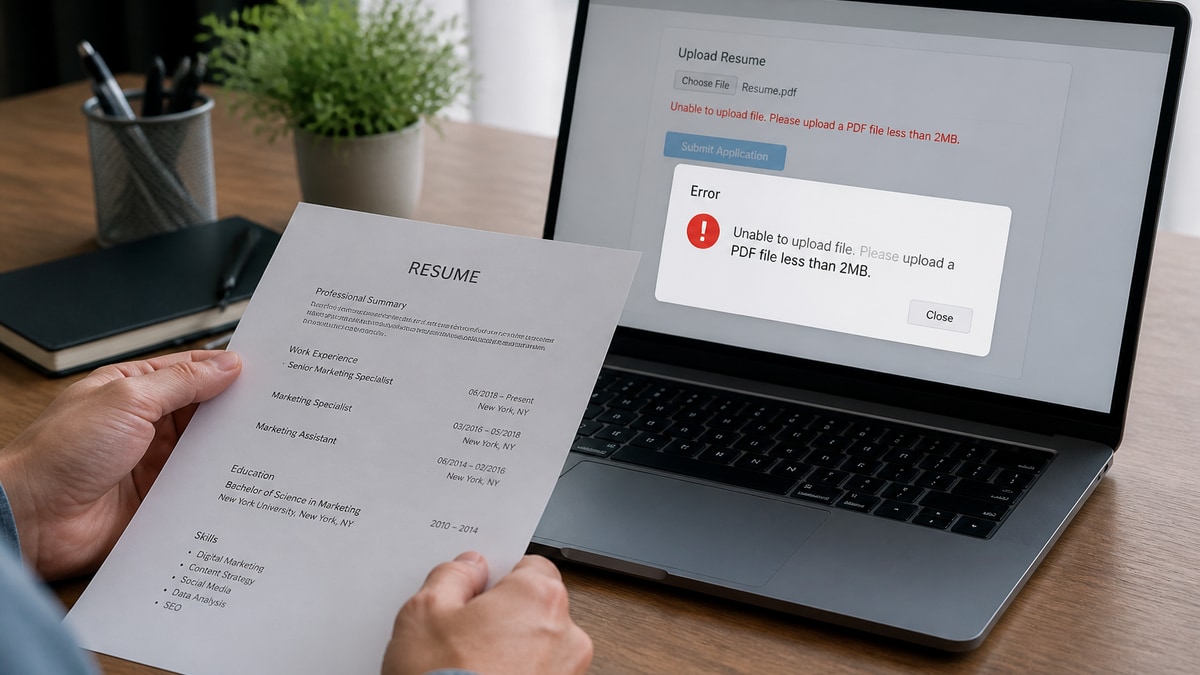
You locked your resume PDF because you're worried someone will scrape your phone number. I get it. You're also about to upload that file into Workday, and the parser can't open a password.
Should you password protect a resume PDF for job applications? No. Not for ATS portals, not for recruiter inboxes at scale, and not when you're hoping for a same-week callback. Before you re-export tonight, check your resume for free to confirm the unlocked version still parses cleanly.
This guide explains what happens when parsers hit encryption, how to protect privacy without killing readability, and the export settings that keep Greenhouse and Lever happy. You don't need to choose between safety and getting hired. You need the right file type.
Quick Wins
- Open your resume PDF properties and remove owner or user passwords.
- Copy all text into Notepad. If order is scrambled, fix layout before you apply.
- Rename the file FirstName-LastName-Role-Resume.pdf with no "FINAL" tags.
What happens when you password protect a resume PDF
A password-protected PDF encrypts the document so only someone with the key can view or extract text. Applicant tracking systems upload your file into a parsing pipeline. That pipeline is automated. It does not call you for the password.
Workday's importer may accept the upload then populate blank fields. Greenhouse might store the file without searchable text. Lever and Taleo behave similarly. Recruiters see an empty profile or a generic error flag. Your candidacy stalls before human review.
This is not the same as a digitally signed PDF or a normal export from Word. Those are usually fine when text is selectable. Problems start when security settings block content extraction or printing.
Recruiter reality: I've opened thousands of applications in Greenhouse. Locked PDFs get skipped or forwarded to IT. Most teams won't chase a password for a first-round screen.
Privacy matters. But a locked resume does not stop determined scraping. It stops the employer you want from reading your qualifications. That trade is backwards for job search.
Think of your resume PDF like a house key at an open house. You want the agent inside to walk every room. A lock on the front door keeps out buyers too. ATS is the agent. It needs access on the first visit.
Some PDF tools market "secure sharing" for business contracts. Job applications are not contracts. They are structured data feeds. Treat the file like a form, not a confidential legal packet, unless the employer explicitly runs a classified hiring process.
Step-by-step: export an ATS-safe unlocked PDF
Step 1: Turn off security in your source file
In Microsoft Word, use Save As PDF without permissions. In Google Docs, File then Download then PDF. In Adobe Acrobat, check File Properties then Security and set Security Method to No Security.
Before: PDF shows a lock icon and prompts for password on open.
After: PDF opens directly and lets you select text with the cursor.
Step 2: Confirm text is selectable, not a flat image
Highlight a paragraph. Copy it. Paste into Notepad. If you get gibberish or nothing, the file is image-based or restricted. ATS will fail the same way.
Marketing coordinator example:
Before: Canva export with "flatten PDF" enabled. Parser sees a picture.
After: Rebuilt in Google Docs single column, exported as standard PDF. Job titles paste cleanly.
Step 3: Trim sensitive lines instead of locking the file
Remove full street address if you prefer. Keep city, state, email, phone, and LinkedIn URL. Recruiters need contact paths. They do not need your apartment number for a first screen.
Software engineer example:
Before: Locked PDF "for privacy" with phone in footer only.
After: Unlocked PDF with phone and email in body text line one. Parser captures both fields.
Copy-paste file naming template
Good: Jordan-Lee-Backend-Engineer-Resume.pdf
Bad: Resume_SECURE_pw_in_email.pdf
Email to recruiter (only when they ask): "Attached is my unlocked resume PDF for the [Role] opening. Happy to apply through your portal if you prefer."
Step 4: Upload through the official portal
Workday, iCIMS, and greenhouse-hosted career pages expect direct uploads. Send the same unlocked file you tested. Do not zip with encryption. Do not split into passworded volumes.
Edge case: employer requests a "secure" submission
Some government or defense contractors use encrypted portals with their own login, not PDF passwords. Upload inside their system. If HR explicitly asks for a passworded file, follow their process and mention you normally send unlocked files for ATS compatibility.
Edge case: portfolio links with access control
GitHub repos can be private. Resume PDF should still be open. Put portfolio URLs on the resume and ensure sample code is public or request access separately. Do not lock the resume because your repo is private.
Edge case: career break or legal name mismatch
Candidates sometimes lock files while editing multiple identity versions. Export one canonical version for applications. Name consistency across PDF, portal profile, and background check forms matters more than document locks.
Edge case: DOCX versus PDF on older Workday
If PDF parsing fails even unlocked, try DOCX on legacy enterprise portals. Read PDF vs DOCX for ATS for platform-specific guidance. Never password either format.
Step 5: Re-test after every template change
New Canva theme? Re-run copy-paste. Added icons? Search for your phone number in the PDF. Template edits silently add restrictions. Five minutes of testing beats three weeks of silence.
How major ATS platforms handle locked files
Workday: The candidate-profile importer expects extractable text. Encrypted uploads often complete without error while leaving experience fields empty. Recruiters may not notice until they open the attachment manually, if they do at all on high-volume reqs.
Greenhouse: Stores the file and runs keyword search on parsed text. No text means no match on required skills. Your resume can look unqualified even when the PDF looks perfect to you.
Lever: Similar pipeline. Referral notes and source tags still attach, but the profile body stays thin. Hiring managers sorting by keyword miss you.
Taleo and iCIMS: Common in healthcare and manufacturing. Older parsers are less forgiving. DOCX without passwords often outperforms locked PDF on these stacks.
Second composite: registered nurse applying through hospital portal
Before: Password-protected PDF because "HIPAA mindset" extended to personal resume. iCIMS import shows no license number field populated.
After: Unlocked PDF with RN license and BLS cert in a plain Certifications section. Same privacy on SSN, which should never be on a resume anyway.
Copy-paste troubleshooting checklist
Run this before every application batch:
1. Select all text in the PDF. Paste into Notepad.
2. Confirm job titles appear in correct order.
3. Search the PDF for your email and phone with Ctrl+F.
4. Open File Properties. Security Method must say No Security.
5. Upload to HireFlow checker with the posting pasted in.
Edge case: sending resume to a human referral
Your former manager asked for your resume over email. Still send unlocked PDF. They will forward it to HR, who uploads into ATS. If you must redact client names under NDA, redact text in the document, do not lock the file.
Referral email script: "Hi [Name], thanks for offering to refer me to [Team]. Attached is my resume for the [Role] posting. I applied through the career site as well so ATS has my profile."
Edge case: international candidates with accented names
Some candidates lock files while juggling multiple spelling versions for visa paperwork. Pick one spelling for the resume PDF and portal profile. Consistency helps parsers and background checks more than encryption.
What you can safely remove instead of locking
Full street address, date of birth, marital status, photo in US applications, and salary history on the resume itself. Keep professional email, mobile number, city and state, and LinkedIn URL. That is enough for recruiters to reach you without oversharing.
Read what not to put on a resume for a fuller privacy list that does not require PDF locks.
Common mistakes with resume PDF security
Password in a separate email. Parsers do not read your inbox. They read the upload. The file must be open on arrival.
Owner password that blocks copying. Some "no security" looking exports still restrict extraction. Check properties, not just the lock icon on open.
Scanning a paper resume to PDF. Image PDFs are unreadable without OCR. Export from the source document instead.
Zipped and encrypted archives. Portals want the resume file, not a 7z with a passphrase in the cover letter.
Assuming recruiters will ask. High-volume reqs auto-reject unreadable files. You will not get a friendly prompt. You will get silence.
Locking because the resume has typos you are fixing. Fix the content, then export. A password does not hide weak bullets from a hiring manager who eventually opens it.
Using print-to-PDF from a locked viewer. Some candidates unlock visually but print to a new PDF that flattens text. Always export from the editable source file.
Assuming mobile uploads forgive encryption. Phone browsers uploading to Workday behave the same as desktop. The parser does not care what device you used.
Test your unlocked resume before every batch
Upload the open PDF to HireFlow's free ATS resume checker. You will see whether text extracts in order and whether formatting flags would hurt ranking in Greenhouse or Workday.
If the checker shows gaps, rebuild with the free resume builder for a clean single-column export. Pair with a tailored note from the cover letter generator when the portal accepts one.
Run the same file you plan to upload. Swapping a "pretty" locked version for testing and an open version for apply still fails when you grab the wrong attachment from your downloads folder at midnight. One canonical resume PDF per role version reduces that mistake.
For batch applying, keep unlocked files in a folder named by role family: Backend-Engineer-Resume.pdf, not twelve variants with different security flags. Your future self will thank you when Greenhouse autofill actually works.
Save a screenshot of the checker results when you tune a new template. If a later export breaks parsing, you can compare what changed instead of guessing which setting re-enabled encryption.
Password protect a resume PDF? Not for job search
Should you password protect a resume PDF when applying through ATS? No. Open, text-selectable files win screens. Locks protect nothing recruiters actually need hidden and block everything parsers need to read.
- Remove all PDF security settings before export.
- Replace locks with trimmed contact info and clean file names.
- Run copy-paste and ATS checks on every template change.
Open your resume PDF right now, clear any password, and run the free checker before your next Workday upload. That is the security step that actually gets you hired.
Read more
Frequently asked questions
No. Parsers cannot open encrypted PDFs. Workday, Greenhouse, Lever, and Taleo treat locked uploads as unreadable. Your profile may import blank before a recruiter sees your name.
Fear of scraping or identity theft. Understandable, but locking the file hurts candidacy more than it protects a phone line. Trim sensitive details and share unlocked files through employer portals only.
Not always. Standard Word or Docs exports are usually readable if text is selectable. Owner restrictions that block copying can still break parsers. Test with copy-paste before upload.
Export a text-selectable PDF without security settings, use a professional file name, and remove details you do not want indexed. Apply through official links, not random attachments.
Some will, many will not. Auto-parse pipelines run before humans open mail. Password emails arrive too late. Do not make recruiters hunt for keys.