11 min read
You've got a sharp headshot and a CV that looked normal back home. You upload to a US tech req and hear nothing. Or you strip the photo for London and a hiring manager asks why your file looks unfinished. Should you add a photo to your resume? Country rules aren't etiquette trivia. They're parser and screening risks that change by market.
Check your resume for free on the same PDF you'd upload. If a headshot sits in a header, sidebar, or image frame, you'll often see employer lines parse out of order before a human ever opens the file. The photo didn't fail you on bias alone. It failed because Workday read the image block first and scrambled the text strip.
Below is a diagnostic pass: the symptom when country rules collide with your file, three causes, how to tell which one is yours, and fixes you can run tonight. US, UK, and Canada: skip the photo on corporate uploads. Parts of the EU: add one only when employer culture signals it, not because a template from 2014 said so. Job searching across borders is already draining. This page is about which file to attach, not a lecture on confidence.
Pull up the posting and the career site sample CV if they publish one. That's your country rule for this employer, not a generic map you saw on social media.
Quick Wins
- US, UK, and Canada corporate apply: export a no-photo, single-column PDF.
- EU-local apply: add a headshot only when the employer or sector sample shows one.
- Paste the PDF into Notepad and confirm employer lines still read top to bottom.
- Keep a professional photo on LinkedIn, not embedded in Anglo-market uploads.
The symptom: right experience, wrong country file
A composite backend engineer relocating from Madrid applies with the same two-page CV they used at home: photo top right, skills sidebar, dense Europass styling. Greenhouse imports the name and email. Three employer blocks land under Skills. Bullet text from the second job attaches to the first title. Recruiter never sees the Kubernetes line that matched the posting.
Flip the story. A UK candidate adds a headshot because a blog said European CVs need one, then uploads to a US SaaS req. The file parses fine. The screen still stops early because US corporate teams treat unsolicited photos as a compliance signal they'd rather not touch. Same person, two country rules, two different failure modes.
The pattern: should you add a photo to your resume country rules is not one global yes or no. It's which market you're entering, whether the parser can read past the image layer, and whether the employer culture expects a face on page one or actively discourages it.
Read how ATS handles resume formatting internally when you're deciding if the photo is a human preference problem or a parse-order problem. Sometimes both.
Should you add a photo to your resume? Country rules by market
Cause 1: Anglo markets expect no photo on corporate uploads
United States, United Kingdom, and Canada corporate hiring overwhelmingly runs through plain text-first files. Photos aren't banned by every law in every context, but unsolicited images on a resume create screening friction US and UK teams are trained to avoid. Canada follows a similar practical norm on federal and large employer portals.
Entertainment, modeling, and some client-facing sales roles are exceptions when the posting asks for a headshot. Everyone else applying to Workday, Greenhouse, Lever, or Taleo should assume no photo unless the req literally requests one.
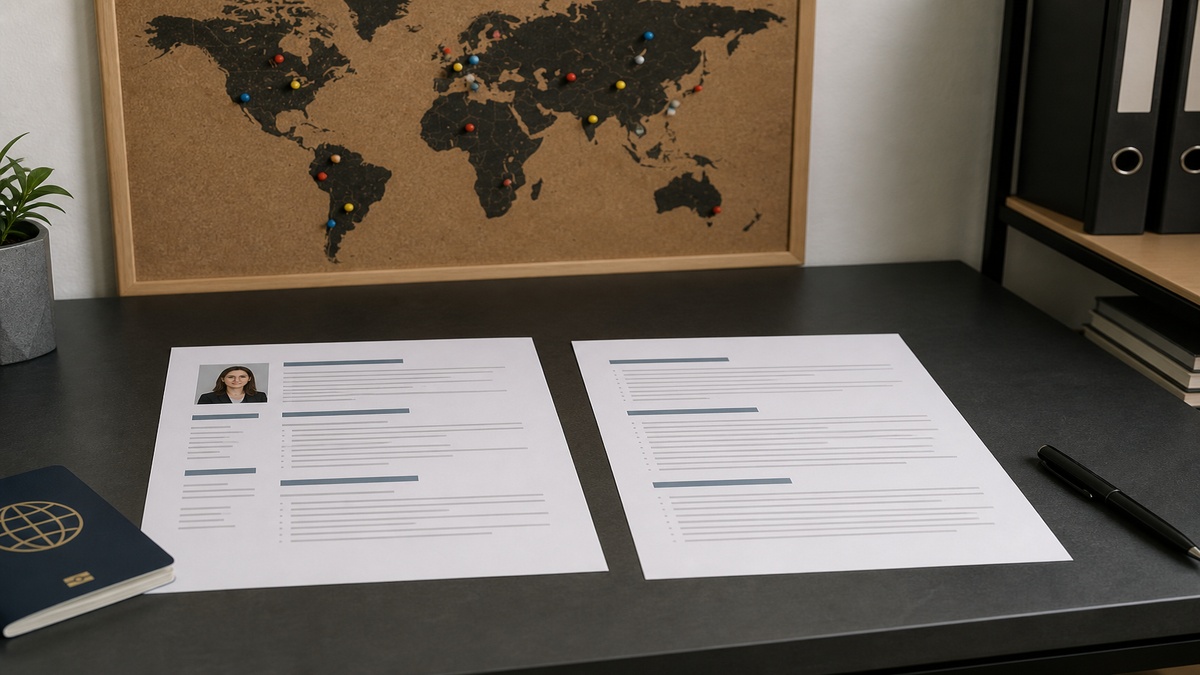
Before: Two-page CV with circular headshot in a left column, contact block under the image, skills rail beside experience.
After: Single-column US resume PDF, 11-point Calibri, name and city on line one, no image layers, Month Year dates inline with each employer title.
Fix: Fork a no-photo version for US, UK, and Canada corporate reqs. Move the headshot to LinkedIn. Keep one master experience block; delete only the image and any sidebar layout that existed to fit it.
Cause 2: EU expectations vary by employer culture, not one rule
Continental Europe is not a monolith. Some traditional employers and public-sector templates still show a formal photo on sample CVs. Multinational tech, finance, and remote-first teams often publish Anglo-style applications with no image. GDPR governs how data is handled; it does not mean every EU employer requires a photo on page one.
Before: Same photo CV uploaded to a Berlin startup using Greenhouse and a local Mittelstand firm expecting a traditional Lebenslauf layout.
After: Greenhouse upload uses the no-photo fork. Local employer portal uses a one-page CV with small passport-style headshot top right, text column uninterrupted, no floating text wrap around the face.
Fix: Read the career site and any PDF sample CV. If no employee photos appear anywhere, skip it. If every sample shows a headshot and the portal is local-language only, use the photo version with plain layout. When you're unsure, plain text plus LinkedIn beats the wrong photo on the wrong portal.
Cause 3: ATS parsers drop or scramble image layers
Photos are not neutral decoration. They're binary objects in a PDF or DOCX. Many parsers read text streams in upload order and skip images entirely. Worse, a headshot inside a Word header, a Canva frame, or a two-column template can pull employer lines into the wrong section. The human PDF looks polished. The parsed profile is missing dates or duplicating skills between jobs.
I've screened batches where the candidate's photo sat in a header repeated on page two. Workday attached the image metadata to Education and dropped the last employer block. Recruiter saw a gap that wasn't on the PDF the candidate emailed me.
Before: Canva resume with headshot circle, icon row, and colored sidebar for skills.
After: Word or Google Docs single column, photo removed for ATS portals; optional small JPG top right only on local PDFs where you confirmed photos are welcome and you paste-test parse order.
Fix: Export. Paste into Notepad on Windows or TextEdit plain mode on Mac. Employer names and Month Year dates should appear in order. If they don't, rebuild layout before debating country etiquette.
How to tell which cause is yours
Check the req country and employer HQ first. US, UK, or Canada corporate with no headshot ask: Cause 1 until proven otherwise. EU-local employer with traditional sample CVs: Cause 2. Upload looks fine to you but checker or portal preview jumbles jobs: Cause 3. You can hit two at once, like a photo sidebar on a US req.
Edge case: remote job, global applicants. Follow the employer's HQ and portal style, not your passport country. A US company hiring in Poland still wants the no-photo fork on Greenhouse. Edge case: creative portfolio roles. When the posting asks for visual work, send the portfolio link in the header. Keep the resume file parser-clean unless they explicitly want a headshot on the CV itself.
Edge case: returning to your home market after years abroad. Your US-no-photo file is correct for US applies tonight. Your local market may want the photo fork again. Maintain two exports in a folder named by market, not by date alone.
Copy-paste header fork by market
Copy-paste these header blocks and fill with your details. Swap only the layout line, not your experience bullets.
Anglo market (US, UK, Canada corporate): "Name | City, ST/Province | [email protected] | +1 phone | linkedin.com/in/handle" then a blank line, then "PROFESSIONAL EXPERIENCE" with no image tag, icon row, or table wrapper.
EU-local when sample CVs show photos: "Name" and contact lines left-aligned on page one; small formal headshot top right at passport dimensions; main text column single width below the header band. No text wrapped around the image oval.
Pair for a marketing manager: Before: Canva template with large hero photo, three-column skills icons, and experience buried on page two.
After: Page one opens with name, email, and LinkedIn; bullet one under current role leads with campaign outcome; photo removed for US uploads, small headshot top right only on local EU PDF after Notepad parse passes.
Pair for a financial analyst: Before: Europass PDF with photo, language table, and skills grid pushing first employer to page two.
After: One-page fork for ATS: no photo, Month Year dates on employer lines, Excel and SQL proof in bullet one; two-page local fork with headshot only when the bank's career PDF shows one.
See international resume formatting mistakes to avoid when you're rebuilding layout after you remove the image layer.
Photo choices that still fail screens
One global CV for every country. The file that worked in Milan gets uploaded to Seattle. Photo plus sidebar plus icons is three strikes on one upload.
Casual selfies and cropped social shots. If a market expects a photo, it still expects plain background and business attire. A beach crop reads as unaware, not approachable.
Photo inside a PDF header layer. Repeating headers are resume poison. The image metadata often imports while employer lines drop.
Icons plus photo plus two columns. You fixed the headshot question but left the layout that scrambles parse order. See why resume icons cause rejection for the same parser mechanics without the photo debate.
Assuming LinkedIn replaces a local CV photo. Recruiters may click through after a human screen. They won't see your face on the CV PDF attached to the first upload.
Adding a photo because you think it helps diversity of presentation. US and UK corporate screens are built to evaluate skills first on the document. Fight that norm on the file and you fight the process, not the bias.
Using nationality or visa status next to the photo. Anglo-market resumes should not carry either unless the posting explicitly requests it. Keep the header to contact and role proof only.
Verify parse before you debate country rules
Export the same PDF you'd upload. Paste it into Notepad. Then run the free ATS checker with the job description attached. You're confirming employer blocks survived the image layer, not chasing a vanity score.
When you're choosing between the photo fork and the no-photo fork for a borderline EU employer, score your job match on the plain file first. If experience text already misses must-haves, fix bullets before you add a headshot anywhere.
Save two filenames in your apply folder: Lastname-Resume-US.pdf and Lastname-CV-EU.pdf. Note which portal got which. Ten seconds of labeling beats uploading the photo version to the wrong country by habit.
Pick the right file before you attach
Should you add a photo to your resume? Country rules boil down to market norm plus parser survival. US, UK, and Canada corporate: no photo, single column, plain PDF. EU-local: photo only when employer culture shows it in samples, and only if Notepad paste still reads employer lines in order.
Fork two exports tonight. Run a free ATS check on the no-photo version you'd send to Anglo portals. Put your headshot on LinkedIn. When a cover letter field appears, generate a cover letter that leads with the same bullet one proof, not your appearance.
This won't fix applying to roles where your work authorization or core stack doesn't fit. It does stop qualified international candidates from losing screens because a header image scrambled three years of experience in Greenhouse.
And if you're still unsure for one employer, open their career site sample CV. Copy that layout decision, not a generic country map from a forum thread. The posting and the sample file are the country rule that matters for that apply.
Read more
Frequently asked questions
Skip it unless the posting explicitly asks for a headshot. US corporate screens in Workday and Greenhouse expect a plain text-first file. A photo in the header or a two-column template can scramble parse order or signal unfamiliarity with local hiring norms. Put a professional headshot on your LinkedIn profile instead and keep the resume single-column PDF with no image layer.
It depends on country, industry, and employer culture, not one EU rule. Some continental employers still expect a formal headshot on a CV for client-facing or traditional sectors. Multinational tech and finance roles often follow Anglo-style no-photo uploads. Mirror what the job portal or company career site shows in sample CVs.
Many parsers strip or ignore image layers and read text in upload order. A headshot in a Word header, a Canva frame, or a PDF image block can push employer lines out of sequence or drop them entirely. Paste your exported PDF into Notepad. If company names and dates jumble or vanish, the photo layout is hurting parse quality even when the human view looks fine.
Fork the file by market, not by mood. US, UK, and Canada version: no photo, single-column, 11-point Calibri or Arial. EU-local version: add a formal headshot only when the employer culture or posting signals it, and keep text in the main column so parsers still read employer blocks in order. Never upload the photo CV to a US multinational portal because your home country usually includes one.
Top right or top left of page one, small passport-style dimensions, plain background, business attire. Do not wrap text around the image in a floating box that breaks column order. Do not place the photo inside a PDF header layer that repeats on every page. Text contact lines should parse before or after the image block in a straight vertical read, not in a sidebar that imports between job titles.