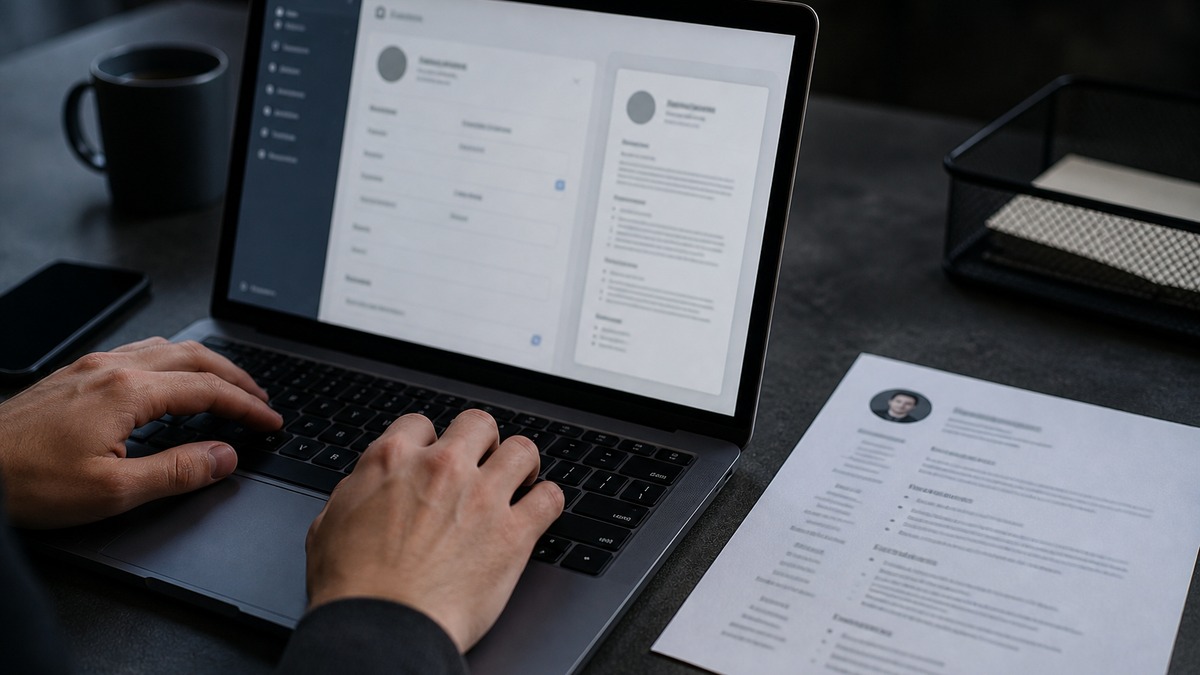
A free resume builder is worth using only if the download behaves like a normal hiring document after it leaves the design screen. The recruiter never opens your account. Workday and Greenhouse receive a file. Judge the product by that file: a single-column DOCX or text-selectable PDF, ordinary headings, labeled contact text, and enough editing control to tailor a copy without starting over.
This page is a buyer and requirements guide, not a start-now writing walkthrough and not a lesson in assembling a resume from a blank page. You are shopping for export behavior. Gallery previews, animated templates, and on-screen scores are marketing. The application packet is the downloaded document plus whatever fields an employer's ATS maps from it.
Treat the builder as a container with rules you can inspect. Can you choose one column? Can you rename headings to Summary, Skills, Experience, Education, and Certifications? Can you keep dates next to the matching job? Can you export, reopen the file in Word or Preview, select the text, and paste it in order? If any of those answers is no, keep shopping. Attractive chrome does not repair a broken reading order once the file sits in an employer portal.
Hiring software sits inside an employer process. The Society for Human Resource Management publishes talent-acquisition material at SHRM that frames screening as a job-related workflow, not a design contest. Federal equal employment rules still apply to recruitment; review applicant-facing information at the U.S. Equal Employment Opportunity Commission. A builder that pushes headshots, age cues, or decorative identity signals is asking you to add content that typical US resumes omit and that some parsers handle poorly.
Key Takeaways
- Buy the export, not the on-screen template gallery.
- Require DOCX, a text-selectable PDF, or both as standalone files.
- Keep one column, standard headings, and contact details in the body.
- Demand re-editing, duplication, and a master copy you control.
- Turn off columns, icons, skill bars, and other parsing hazards.
- Workday and Greenhouse still need a clean attachment and accurate imported fields.
What an ATS-ready builder must export
The first requirement is independence. The builder must produce a file that exists after you close the tab. A hosted preview, a share link, or a webpage that only looks like a resume is not an application artifact. Most employer portals ask for an upload. If the free plan withholds download, watermarks the page with a blocking banner, or converts the resume into a screenshot, the product is unfinished for ATS use.
Acceptable outputs are a real DOCX, a PDF with a text layer, or both. DOCX should open in Microsoft Word or Google Docs as editable paragraphs, headings, and bullets—not as a locked drawing. PDF should allow you to click into a sentence, highlight it, and copy it. If the pointer turns into a selection box around a whole page image, the builder rasterized the layout. That file may look sharp and still fail search, field mapping, and accessibility at the same time.
The download must preserve structure as text, not as decoration. Section titles should appear as readable words on their own lines. Employer, title, location, and date range should travel together. Round bullets or simple hyphens should remain list markers, not custom dingbats from an icon font. Hyperlinks should show a visible URL or a labeled text link, not a lone pictogram. Contact details belong in the body near the name. Headers and footers are optional visual extras; they are a poor sole home for phone and email because some parsers skip those regions.
You should also control the filename. A professional default such as Lastname_Firstname_Role.docx is enough. Builders that force Resume (12).pdf or a long product slug make version hygiene harder when you tailor copies. The file should not require the recruiter to install a font pack. Common typefaces travel. Embedded novelty fonts in a PDF can substitute badly and, in worse cases, turn characters into boxes.
Workday often splits an upload into employment and education fields while still storing the original attachment. Greenhouse frequently keeps the file prominent for the hiring team. In both cases the export has two jobs: survive mapping and remain readable when a person opens it. A builder that only optimizes the canvas fails the second job. For layout specifics that Workday tends to punish, read the Workday resume format guide. For why a readable file has to come before keyword theater, see how to beat an ATS system.
| Export behavior | ATS-ready pass | Reject the builder |
|---|---|---|
| File leaves the product | Standalone DOCX and/or PDF download | Preview only, share link, or account-walled file |
| Text layer | Selectable sentences; paste keeps order | Image PDF, scan, or flattened canvas export |
| Headings and jobs | Labels and date blocks stay with the right section | Titles float in text boxes or a distant date rail |
| Contact details | Name, phone, email, location as body text | Icon-only row, header-only contact, or photo overlay |
| Later editing | Reopen, duplicate, re-export, or edit the DOCX | One-shot download with no master you can change |
Run the table as a five-minute lab, not a vibe check. Create a dummy resume with a distinctive middle name, a dated job, and a skills line. Export. Open the file on a different device if you can. Paste into Notes or TextEdit. If the middle name vanishes, the dates jump above the name, or the skills line appears in the middle of education, the builder failed the only test that matters.
Key Takeaway: An ATS-ready builder ships a standalone, selectable, structurally honest file—not a pretty screen that dies at download.
Layout controls that protect parsing
Parsing risk is usually a layout problem, not a vocabulary problem. The builder should expose controls that keep a linear reading order: one main column, predictable section breaks, and job records that a machine can treat as blocks. If every free template in the gallery is a two-column magazine spread, the gallery is the product and it is the wrong product for employer software you cannot preview.
Single-column should be a first-class choice, not a hidden "simple" afterthought. The page should flow name and contact, optional summary, skills, experience, education, then certifications or projects when you need them. You should be able to reorder those blocks without creating a sidebar. A builder that only lets you drag widgets onto a canvas will eventually tempt you into overlapping frames. Overlapping frames look aligned on a laptop and then extract as scrambled clauses.
Heading text must be editable. Summary, Skills, Professional Experience, Education, and Certifications are labels recruiters already scan for. Work History and Experience are close enough. My Journey, Toolbox, and Superpowers are not. The control you want is a plain text heading, not a graphic banner. Graphic banners can export as images. Images do not become section names in Workday's employment mapper.
Date placement is a parsing control even when the UI treats it as typography. Dates should sit in the same block as employer and title—same paragraph, same line, or the immediately following line. Right-aligned date columns that live in a separate table cell or text box are a common builder default. They look tidy until a parser reads every left-side employer first and then dumps every date in a pile. Month-year format such as Mar 2022–Present is enough. Fancy timelines, vertical rules, and circular year badges add no hiring information.
Ask for boring type settings. One common font family, body size around 10.5 to 12 points, generous enough margins that text never kisses the page edge, and bullets that indent consistently. Color is optional and should never carry meaning. If the only way to see that a skill is "expert" is a teal bar, the claim disappears in monochrome and in plain-text paste. Header and footer toggles should default off for contact data. Page numbers are harmless; a second copy of your email in the footer is redundant and sometimes confusing.
Line spacing and section spacing matter because recruiters still skim the attachment in Greenhouse and similar tools. A builder that packs eight jobs into a dense block to keep a one-page badge is optimizing the wrong metric. Length is an editorial decision after evidence is selected, not a layout trophy. Controls should let you add space after a heading, keep bullets grouped under the correct job, and avoid automatic text boxes when a paragraph wraps.
Key Takeaway: Prefer builders that let you lock a linear page: one column, editable standard headings, and dates that never leave their job block.
Editing, master copies, and tailoring workflow
ATS-ready is a moving file, not a trophy PDF. Postings change nouns. You apply to related roles. A builder that produces one frozen download and then locks the draft behind a paid restore is a poor fit for repeated applications. The requirement is ongoing edit access: reopen the project, change a summary, reorder skills, duplicate the document, and export again.
Keep a master copy outside the builder even when the product is honest. Store the fullest accurate version in Word, Google Docs, or another editor you own. The master holds complete dates, older roles, full skill inventory, and bullets you might not show on every application. Each serious posting gets a tailored copy. You shorten, reorder, and match truthful language. You do not invent tools. You do not let the builder's cloud become the only place your work history lives. Accounts get closed. Templates get redesigned. Export menus move behind a paywall.
Duplication is a product feature worth testing on day one. Clone the master inside the builder, rename the clone with the employer and role, then edit the clone. If the product has no duplicate action, export DOCX immediately and duplicate the file on disk. Filename discipline prevents sending last week's operations resume to this week's product role. A simple pattern works: Lastname_Role_Company_YYYYMMDD.docx.
Tailoring should not require rebuilding sections from empty fields. Look for reusable experience blocks you can hide or show, a skills list you can edit as text rather than as tagged chips that refuse custom tools, and a summary field that accepts ordinary sentences. Chip-only skill widgets are convenient until the posting uses a phrase the chip library does not contain. You need to type the employer's noun when that noun is true of your background.
Decide where final proofreading happens. Some people polish in the builder. Others export DOCX and finish in Word because track changes, comments, and spellcheck are stronger there. Either path is fine if the last uploaded file is the proofread file. Do not submit the builder preview while a different, cleaner copy sits on your desktop. Greenhouse and Workday will store what you uploaded, not what you meant to upload.
Mid-article check: open the free HireFlow resume builder and treat it as a specimen, not as a writing class. Create a throwaway entry, export, and ask whether you can duplicate, retarget the summary, and download again. If a builder cannot support that loop, it cannot support a real search. After the file is clean, a diagnostic comparison can wait; read what a good ATS score means so you do not confuse a vanity meter in a template sidebar with export quality.
Key Takeaway: Require a master you control, a clone for each serious posting, and re-export without rebuilding the document from empty forms.
DOCX vs PDF from a builder
The posting is the first authority. If the employer asks for PDF, send PDF. If it asks for Word, send DOCX. If it accepts both, pick the format you have actually tested from that builder, not the format that looked nicer in the gallery. Builders do not generate every format the same way. A careful DOCX and a careless PDF from the same project can behave like two different resumes.
DOCX is the practical default when you still expect to edit. It keeps headings and bullets as document structure. Workday's import often has an easier time with Word files than with odd PDFs, though that is a tendency, not a law, and employer configuration varies. You can open DOCX in more than one editor, comment on it, and keep a master. The risk is accidental styling: if the builder writes the Word file as nested tables or floating frames, you inherit those problems. Always reopen the DOCX outside the builder before you trust it.
PDF is useful when you need spacing to stay put and the employer accepts it. A good builder PDF is produced as text: fonts embedded, characters selectable, links live. A bad builder PDF is a print-to-image or html-to-canvas snapshot. You can tell the difference in seconds. Open the PDF, press select-all, copy, and paste. If you get a coherent resume, the text layer exists. If you get nothing, replacement characters, or a jumble that starts in the right column, stop. Do not upload that file to Greenhouse because it "looks official." Reviewers will open it, and search inside the ATS may see far less than you see on the page.
Some builders offer PDF/A, compressed PDF, or "print quality" PDF. Those labels do not guarantee a text layer. Ignore marketing names. Perform the paste test on the exact download you will attach. Also test on a second machine if the first one has the builder's fonts installed. Recipients will not have your template font. If letters shift or icons become empty squares, switch to a common typeface and export again.
When both formats pass the paste test, choose based on the portal. Workday applications often ask you to review parsed employment rows after upload; a clean DOCX can reduce mapping repairs, but you should still read every imported title and date. Greenhouse applications may feel shorter and still store the original file for the hiring team. A text PDF that a recruiter can skim in a preview pane is then a feature, not a vanity choice. Never send both files unless the form allows two attachments. Never send a ZIP. Never send a builder-native project file.
If the free tier only exports PDF and that PDF is an image, the builder is not ATS-ready at the price of zero. Look elsewhere. If the free tier exports DOCX but the PDF is paid, you can still apply with the Word file when the posting allows it. Do not pay solely for a decorative PDF if the DOCX already extracts cleanly and meets the employer instruction.
Key Takeaway: Let the posting pick the format, then accept only a builder export whose text you can select, copy, and map without losing order.
Features that look useful but add parsing risk (columns, icons, skill bars)
Builder galleries sell visual density. Extra columns promise more content on one page. Icons promise faster scanning. Skill bars promise a shortcut around writing. Those features optimize the canvas. They work against extraction. An ATS-ready builder either omits them or lets you turn them off completely, including in the export, not only in a "simple mode" that reappears on download.
Two-column and sidebar layouts are the most common failure. A parser may read the left rail from top to bottom, then the right rail, which can attach skills to the wrong decade or splice education into the middle of a job. A recruiter on a phone preview may see the same disorder. You cannot test every employer's parser. You can refuse the layout that creates avoidable ambiguity. If the builder's "modern" templates are all multi-column, use a plain template or a different product.
Icons are not harmless pictograms. Phone, email, location, and globe glyphs often come from symbol fonts. When the PDF substitutes fonts, the glyph becomes a box or disappears. The parser then stores an empty contact field even though the design looked complete. Replace icons with words or with ordinary typed separators: phone number, email, city and state, URL. Logos next to employers add similar noise and can be read as extra characters. Skip them on a US application file.
Skill bars, rings, and star ratings are worse. They look like measurement and contain almost no usable text. A bar labeled Python with five of six segments filled may paste as Python followed by garbage, or as nothing. Recruiters cannot interview a bar. Software cannot search a bar the way it searches the word Python next to Django in a skills line and again in a dated bullet. If the builder insists on a proficiency widget, disable it and type a short, honest skills paragraph instead.
Photos, charts, timelines, and text boxes belong in the same reject pile. US hiring practice generally keeps appearance out of the resume so reviewers can focus on job-related evidence; EEOC materials at eeoc.gov address discrimination in recruitment and hiring. A builder that makes a headshot the first field is steering you toward a document many US employers do not want. Charts and timelines usually export as images. Text boxes scramble order. Tables used as invisible layout grids can survive in DOCX and then confuse mapping. If you need a table at all, use it for true tabular data, not to fake columns.
Color themes, progress wheels, and "personality" sidebars are marketing. They do not make Workday more likely to store your certification. They do not make a Greenhouse interviewer more likely to understand your scope. A restrained accent on a heading is optional. Meaning must remain in words. When you evaluate a builder, open the flashiest template, export it, and paste it. The worse the paste, the more honest the product has been about its priorities—and the faster you can leave.
Key Takeaway: Columns, icons, skill bars, photos, and text boxes dress the preview and tax the file; turn them off or choose a builder that never offered them.
Before/after: builder output vs recruiter-readable evidence
Default builder copy is written to fill a template, not to survive recruiter search. Placeholder summaries, chip clouds, and duty lists look finished on the canvas and say little in a parsed profile. The revisions below are structural examples. Use your own employers, tools, scope, and results. Do not invent percentages. If you lack a number, name frequency, audience, system, or ownership.
| Builder default (before) | Recruiter-readable export (after) |
|---|---|
| Two-column header with a phone icon, an email icon, and the address only in a page header. Summary: Motivated team player excited to contribute to a growing organization. | Single-column body text: Jordan Hale · Austin, TX · 512-555-0148 · [email protected] · linkedin.com/in/jordanhale. Summary: Customer operations specialist using Zendesk and Salesforce to resolve billing and access cases for B2B accounts. |
| Skills rail with bars: Communication 90%, Leadership 85%, Excel 80%, plus a circular language meter. Experience bullet: Responsible for reports and helping the team with various tasks. | Skills as words: Excel, Tableau, month-end reporting, stakeholder updates. Bullet: Built weekly Excel and Tableau fulfillment reports for distribution leads and flagged late orders before the Friday planning call. |
| Timeline widget with floating years on the right and employer logos on the left. Bullet: Managed projects and communicated with stakeholders across the company. | Job block: Implementation Coordinator, Northwind Health, Chicago, IL, Jan 2023–Present. Bullet: Tracked four client go-lives in Asana, logged risks for engineering and the client lead, and closed weekly status notes before standup. |
The after versions do three builder-specific jobs at once. They remove elements that fail paste tests. They put searchable nouns in ordinary sentences. They give a hiring manager a follow-up: which queue, which report, which system, how many workstreams. That is the standard for an export, not whether the template used a teal sidebar. If a builder cannot produce the after layout without a fight, the fight is the evaluation result.
Watch for auto-written lines the product inserts when a field is empty. "Enter your professional headline" leaking into a PDF is an amateur signal and a parsing nuisance. Empty skill chips that export as commas, leftover lorem ipsum, and "Company Name" stubs are all export defects. A requirements-minded buyer treats those as product bugs, not as personal proofreading failures—then still proofreads, because you are the one who will click submit.
Key Takeaway: Replace template chrome and filler phrases with labeled text, dated job blocks, and bullets a person can verify in an interview.
Numbered builder evaluation checklist
Use this list on the product, not as a last-minute writing ritual. Score the builder against each item with a dummy resume before you invest hours of real history. If several items fail, switch tools. A free builder that fails export is more expensive than a plain Word document you already know how to save.
- Confirm a free, standalone DOCX download, a text-selectable PDF download, or both, without a blocking watermark over contact details.
- Reopen the download outside the builder and complete a select-all paste into a plain-text editor; reading order should stay name, contact, summary, skills, jobs, education.
- Verify a true single-column template you can select without leftover side rails in the export.
- Edit heading labels and keep them conventional: Summary, Skills, Experience, Education, Certifications as needed.
- Place phone, email, city and state, and links in the document body as typed text, not as header-only fields or icon buttons.
- Keep employer, title, location, and month-year dates in one job block with ordinary bullets underneath.
- Turn off columns, skill bars, icons, photos, timelines, and layout tables; confirm they stay off in the file, not only on the canvas.
- Duplicate the project or the DOCX, tailor a copy, and export again without rebuilding every section from blank fields.
- Save a master copy in an editor you control and name tailored files with your name, role, and employer.
- If the posting names a format, export that format and re-run the paste test on that exact file.
- Upload a sample to a Workday-style or Greenhouse-style flow when you can, then repair imported fields and reopen the attachment as a reviewer would.
- Ignore on-screen ATS meters until extraction is clean; a decorative score cannot rescue a scrambled file.
After the builder passes, content work can begin in your copies. That work is separate from this evaluation. You still answer knockout questions yourself. You still refuse to paste qualifications you do not have. You still check that Greenhouse tags and Workday profile fields match the attachment. The checklist only decides whether the container is safe enough to hold that content.
Key Takeaway: Evaluate the builder with a dummy file first; keep only a product that exports, extracts, and re-edits without design traps.
Choose the free builder that behaves like a document factory: one column, standard headings, body contact details, DOCX or text PDF, and a master-and-copy workflow. Leave the gallery pieces that only look finished. The employer will receive the file, not the canvas, and the hiring team will judge evidence, not skill bars.
When you are ready to produce that file, use the free resume builder, then check the exported resume against a real posting so extraction and language are reviewed on the same artifact you will upload.
Frequently asked questions
It should download a standalone DOCX, a text-selectable PDF, or both. The file must keep headings, dates, bullets, and contact details as ordinary text so a recruiter can open it without returning to the builder.
Follow the posting first. DOCX is usually easier to edit and often maps cleanly into Workday fields. A native, text-selectable PDF can preserve spacing. Reject image-only PDFs, scans, and downloads that cannot be copied as text.
A usable builder lets you reopen the draft, duplicate it, and export again. Still keep a master copy in Word, Google Docs, or another editor you control so a paywall, deleted account, or template change cannot trap your history.
No. Export quality, heading control, and an editable file matter more than a decorative score. A checker is useful later for missing terms or extraction issues. It cannot repair a two-column, icon-heavy download. See what a good ATS score actually measures before treating any number as a pass mark.
No for most applications. Two columns, side rails, and icon rows look modern on the design canvas and then scramble reading order after upload. Choose a single-column layout with labeled contact text, standard headings, and dates attached to each job.
Move them into the document body. Some parsers skip headers and footers or attach that text to the wrong field. Name, phone, email, city and state, and LinkedIn or portfolio URL should remain selectable on the first screen of the file.
They often accept PDF and DOCX, but employer settings differ. A clean text PDF can work when the posting allows it. Review every imported Workday field and remember that Greenhouse reviewers frequently open the original attachment, so the download still has to read well for a person.
Download the exact format you will upload. Reopen it outside the builder, select all text, and paste it into a plain-text editor. Confirm order, characters, titles, and dates. Then upload a copy into a test application or checker and inspect mapped fields before sending the real submission.