11 min read
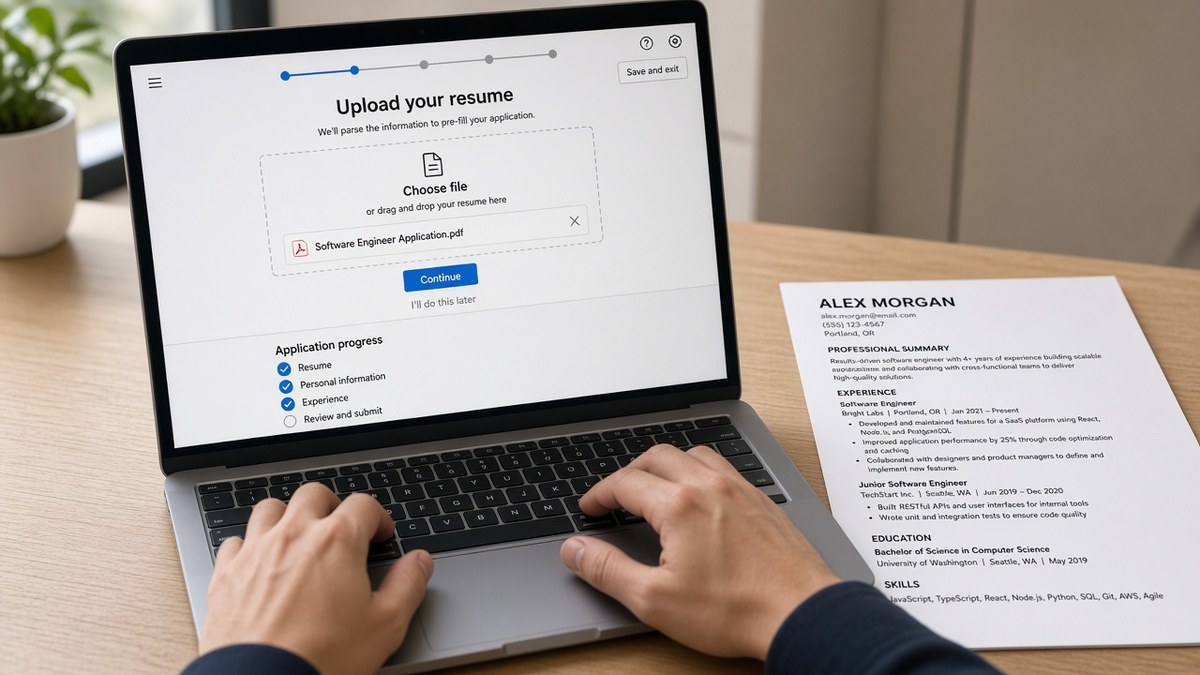
Upload on a live Lever apply page and read the auto-fill preview before Submit. If name, email, job titles, and Month Year dates populate in order, the parser read your file. Blank boxes or scrambled rows mean fix the PDF first. That's how to test your resume on Lever before applying US roles when no public tester exists.
Before you open a careers site tab, check your resume for free against the posting text. Lever's preview shows what the parser stored, not whether your bullets match the req. You're checking structure first, then fit. Run the file through a checker first, then confirm the upload view matches what you intended.
US startups and scale-ups love Lever for speed. You don't get a sandbox. You get one upload step on a real req, then knockout questions, then silence if the file broke. Job searching's already slow. You shouldn't lose a week wondering whether your title landed as plain text or garbled junk. That's fixable before you click Submit.
The sections below cover why the preview matters, when you can skip a live test, what to fix tonight, and copy-paste checks you can run in ten minutes without submitting a fake application.
Quick Wins
- Open a real Lever apply page, upload once, read every auto-filled row.
- Fix single-column layout and Month Year dates before re-uploading.
- Move posting keywords into dated Experience bullets, not Skills alone.
- Close the tab without submit if you're only testing parse quality.
Why Lever reads your file before a recruiter opens it
Lever ingests your upload on the apply step and maps text into profile fields recruiters filter on later. Title strings, employer names, and date ranges feed search columns long before anyone prints your PDF. When parsing fails, you can still click Submit. The req just stores a broken profile next to a pretty attachment.
The auto-fill screen is your parse report. Name and email should appear within seconds. Experience rows should mirror your reverse-chronological order. Education should show school and degree on separate lines. If the preview looks empty while the PDF looks fine, the parser lost the text layer or read columns out of order.
I've screened Lever queues where auto-fill looked perfect but the stored PDF still opened as a two-column design recruiters skim sideways. The preview passed. The human read failed. Testing both views saves you from celebrating a green upload box.
Lever sits on a different stack than Workday or Greenhouse, but the candidate problem is the same. You cannot see ranking logic. You can see whether your current title parsed as Senior Product Manager or mangled text with icons stripped out. That alone tells you if the file is worth submitting tonight.
Read PDF vs DOCX for ATS when the posting allows both formats. Lever US flows often accept either. One format may populate dates while the other drops your most recent role entirely.
When you can skip a live Lever preview
Skip only when you already tested the same file version on another Lever req this week and every field matched. A typo fix in one bullet means re-test. A saved export from yesterday's template change means re-test. Edge case: employee referral links sometimes pre-fill your email from the referrer form. You still need to confirm Experience parsed after upload.
Edge case: contract roles on Lever sometimes default to hourly fields while your resume lists salaried titles. The preview may show blank compensation rows that do not reflect resume quality. Ignore pay boxes for parse testing unless the posting marks them required.
Do not skip the preview because a generic checker said pass. Checkers catch keyword gaps and formatting risk. They do not show whether Lever attached your second job to the wrong year. Live preview closes that gap.
When you must test even if the file looks fine
Test again when you used a design template, exported from a visual editor, or copied bullets from a slide deck. Test when you merged two roles under one employer header. Test when you're returning to a Lever req after an earlier rejection with a rewritten file.
Before: Assume a clean PDF preview in your local viewer means Lever will agree.
After: Upload on the apply page, screenshot the auto-fill block, and compare each title and date pair to your source file line by line.
Before: Rely on a Skills cloud for React, TypeScript, and Node.
After: Move those tokens into the first bullet under your latest dev role so Lever maps tools to dated work, not orphaned keywords.
How to test your resume on Lever before applying US: what to do now
Run these steps in order on a req you'd actually take. Stop when auto-fill matches your source file or you know exactly which row failed.
Step 1: Pick the posting and file type
Open the employer careers page on desktop Chrome or Firefox. Read the upload line for PDF, DOCX, or either. Export a single-column version with 11-point Calibri or Arial and standard margins. Name the file Firstname-Lastname-Resume.pdf so you recognize it on re-upload.
Before: Upload a two-column Canva export because it looked polished in preview.
After: Plain single-column DOCX with contact lines as body text at the top, no text boxes, no icons.
Step 2: Upload and wait for auto-fill
Attach the file on the resume step. Wait until Lever populates fields below the upload box. Do not rush to knockout questions while rows are still spinning. If nothing fills after thirty seconds, refresh once. Persistent blanks usually mean a image-only PDF or corrupted export.
Scroll the preview top to bottom. Confirm phone format, city and state, LinkedIn URL if included, and each Experience block. Lever sometimes truncates long employer names. Shorten the line on your resume if the cut changes meaning.
Step 3: Compare titles, dates, and order
Each role needs a title line, company line, and Month Year start and end. Gap labels like Present must parse on the current job only. If two roles merged into one row, split them in your source file with blank lines between entries and upload again.
Copy-paste checks while you read the preview:
Parse pass checklist (Lever US apply flow):
Name matches header | Email selectable | Phone one consistent format
Job 1 title matches PDF line 1 under Experience | Start month spelled same as PDF
Job 1 end reads Present only on current role | Prior jobs in reverse chronological order
Degree line separate from school | No duplicate employer blocks
Software engineer bullet fix (posting asks for Python, AWS):
Before: Skills line lists Python, AWS, SQL in a comma string.
After: Built internal APIs in Python on AWS Lambda, cutting batch runtime from 40 to 18 minutes in Q2.
Marketing manager date fix:
Before: 2020 to 2023 under a stacked header with two titles merged.
After: Acme Corp | Marketing Manager | Mar 2020 to Jun 2023 on its own block above the coordinator role.
Step 4: Test a second format if allowed
When the posting accepts PDF and DOCX, run both on the same req without submitting. Note which version keeps dates aligned. Keep that file for the real submit. Edge case: mobile Safari uploads sometimes strip metadata. Run the final test on desktop before your real application.
Step 5: Tailor bullets, then re-upload once
Highlight three required skills from the posting. Rewrite the first bullet under your current role so one skill lands in the first eight words. Save, export, upload again, and confirm the preview still shows correct dates. One tailoring pass plus one parse check beats five blind submits.
Before: Operations lead bullet reads Responsible for weekly reporting and cross-team updates.
After: Owned weekly KPI reporting in Looker for a 12-person ops team, flagging backlog risk before SLA misses in Q3.
Before: Customer success resume hides Zendesk in a footer icon row.
After: Resolved Tier 2 tickets in Zendesk with CSAT 96% over six months, precepting two new hires on macro workflows.
Step 6: Submit or close without applying
If every row matches, finish knockout questions and submit. If rows fail and you are out of time, close the tab without submit, fix the source file, and return fresh. Do not submit hoping a recruiter will read the PDF manually. Many sourcers filter on parsed title first.
Track employer, req title, file version, and preview pass or fail in a spreadsheet. When you reuse a file next week, you'll know which Lever test already cleared.
Where Lever previews mislead candidates
Trusting the upload checkmark alone. A successful upload only means the file attached. It does not mean Experience parsed. Scroll the preview every time.
Stuffing keywords into a Skills header. Lever may ignore the section if bullets carry no proof. Move tools into dated lines under real jobs.
Using headers and footers for contact info. Parsers often skip header zones. Put email and phone as plain body lines under your name.
Submitting image-only PDFs from scanners. They preview fine locally as pictures. Lever extracts zero text. Export from Word or Google Docs instead.
Re-uploading ten versions on one req. Some teams see every attempt. Pick the best file after two tests, not seven experiments the same night.
Ignoring education parse gaps. A missing degree row can fail degree-required knockout questions even when Experience looks perfect.
Testing on mobile then submitting desktop. Formatting shifts between devices. Final parse check should match the device you use to submit.
Edge case: portfolio links in a sidebar column sometimes parse as random text blocks. Move the URL into a Projects bullet with plain text. Edge case: security clearance lines in a footer may trigger manual review fields. Keep clearance mention in a standard Experience bullet if the posting asks.
This will not fix applying to roles you're not qualified for. It stops a qualified file from dying because Lever stored the wrong title string next to your name.
Checker and match score before the Lever upload step
Run the posting and resume through the free ATS resume checker before you touch Lever. It flags column risk, missing section labels, and keyword gaps faster than opening three careers tabs. Fix what it surfaces, then confirm on Lever auto-fill.
When you're deciding whether to spend thirty minutes tailoring, score your job match against the req text. A low match score means preview testing still matters, but bullet rewrites should wait until you're targeting reqs you actually fit.
If the posting includes a cover letter field, generate a cover letter skeleton after your resume preview passes. Letter and resume should name the same title string Lever parsed, not a different variant from an old template.
Ten-minute submit checklist
How to test your resume on Lever before applying US roles boils down to one habit: read auto-fill like a recruiter reads your title column. If that column is wrong, nothing else on the req saves you tonight.
Open one target Lever req. Upload your latest single-column file. Confirm name, contact, titles, Month Year dates, and education rows. Fix the source, re-upload once, then submit or walk away until the preview passes.
Save a pass or fail note with the file version. Next week's batch apply should start from the version that already cleared preview, not from memory.
Lever won't email you a parse score. The preview is the score. Treat a blank Experience row like a failed test, not a minor glitch. Fix it before you spend twenty minutes on demographic questions.
For upload failures that happen before auto-fill even loads, read resume upload mistakes that instantly disqualify you and rule out file size, type, and corruption first.
Read more
Frequently asked questions
No. Candidates cannot log into Lever and upload a file for a parse report. The only reliable preview is the live application flow on the employer careers site. Upload your resume on the apply page, wait for auto-fill, and read every populated field before you submit. Close the tab without submitting if you are only testing. Some employers cap re-uploads on the same req.
DOCX usually extracts cleanest when the posting allows Word. PDF works when the file is text-selectable, single-column, and free of image-only sections. Follow the posting file-type line first. If both PDF and DOCX are accepted, test both on the same apply page and keep whichever populates titles and Month Year dates correctly. Never upload a Canva export with icons baked into the page background.
The parser matched text blocks to date patterns but attached them to the wrong employer row. That happens with stacked roles under one company, sidebar layouts, or tables. Split each role into its own block with the title on one line and dates on the next. Use Month Year consistently, like Mar 2021 to Aug 2024. Re-upload and confirm each job title pairs with the right start and end before submit.
Use an open req you would genuinely take, upload, read the preview, then close before final submit. Do not spam the same employer with throwaway files. A safer first pass is HireFlow's checker against the posting text, then one Lever preview on your top target role. Edge case: some Lever flows save partial applications. Clear the draft or use a fresh browser profile if old uploads keep reappearing.
Lever often pulls skills from experience bullets, not from a Skills section header alone. A cloud of comma-separated tools in a sidebar may never map. Put must-have tools in the first eight words of a dated bullet under the job where you used them. Re-test after you move three posting keywords into Experience. Empty skill rows with strong bullets still beat a stuffed Skills list with scrambled dates.