11 min read
You hit submit on Lever, got the auto-confirmation, and then nothing. That silence doesn't always mean rejection. It often means your note landed before the req moved, your file never parsed cleanly, or you're writing to an inbox nobody monitors. Most candidates follow up too early, too often, or with a message that gives the recruiter nothing to search on.
Check your resume for free on the same file you attached before you draft a follow-up. Lever stores your profile, but recruiters still open the PDF when they're deciding who gets a screen. A polite email can't fix a resume that imported with internships above a director title.
You don't need a networking script from a template site. You need to know which of three causes fits your situation, when the wait window actually opens, and copy-paste emails you can send in ten minutes. Job searching's already slow. Don't burn goodwill on a generic "just checking in" when the fix is timing or a DOCX re-upload.
If you're reading this on day two after apply, close the draft folder. If it's been two weeks with a clean file and a named contact, the diagnostic below tells you what to send and what to stop doing.
Quick Wins
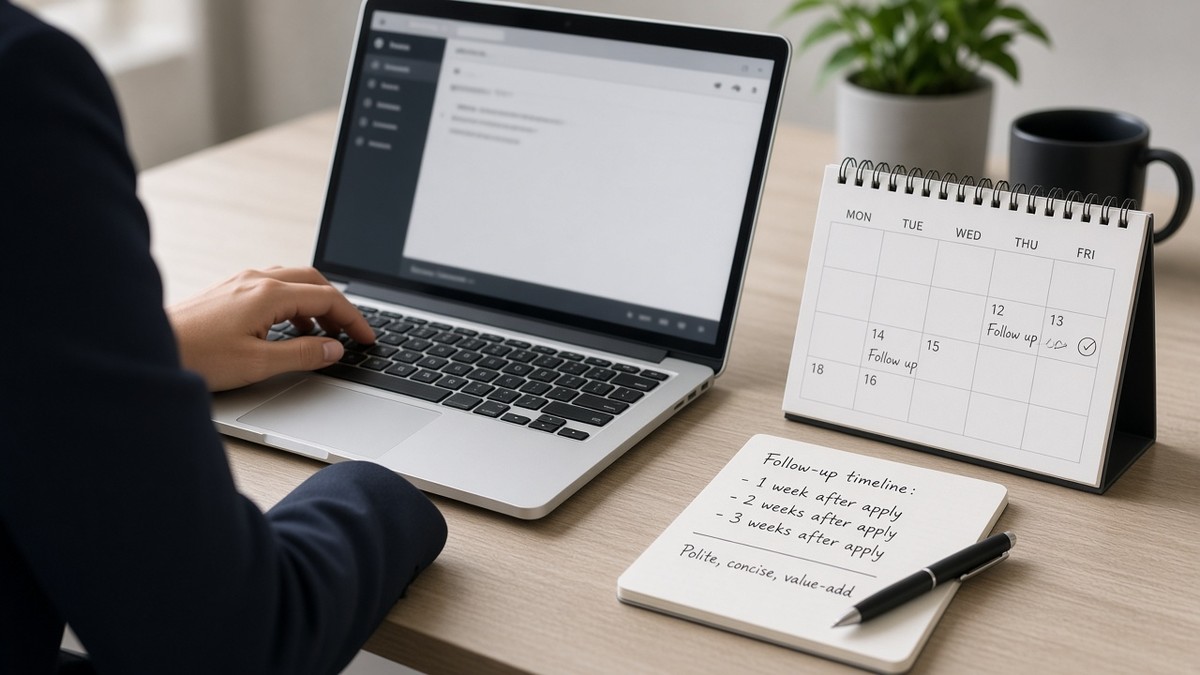
- Wait five to seven business days (ten to fourteen at large employers) before the first note.
- Subject line: job title, your name, apply date. Never "following up" alone.
- Email the recruiter or hiring manager, not the Lever no-reply confirmation.
- Two follow-ups max, then move on.
What no response after a Lever application actually means
The symptom is simple. Lever sent the green checkmark. Your inbox has the automated "thanks for applying" message. Days pass with no screen, no rejection, no human reply. You refresh the careers page. The posting still shows open. You wonder if the system ate your file or if they're ignoring you.
Most silence is queue time, not a hidden no. Lever batches candidates into stages recruiters review in blocks. A req with two hundred applies in week one can sit in "New" while the team finishes onsite loops for an earlier cohort. US startups often move fast once they open the pipeline. Enterprise teams on Lever may only review new applies on Tuesdays. Neither pattern shows up in your applicant view.
I've opened Lever profiles where the candidate emailed three times in five days while their card still sat in New with no owner assigned. The follow-ups weren't rude. They were just early, and each one added noise without a parse fix or a searchable subject line.
Edge case: the req paused with the posting left live. Following up won't restart a frozen headcount. Edge case: you applied twice through different links and created duplicate profiles. Recruiters merge when they notice; until then your notes may attach to the older incomplete file.
Read why manual resume review is almost gone when you're deciding whether silence means ATS filter or human backlog. On Lever, both happen in the same dashboard.
Three causes, how to tell which is yours, and the fix for each
Work through causes in order. Each starts with a tell you can check without guessing what Lever does behind the scenes.
Cause 1: You're still inside the normal review window
Lever confirms instantly. Humans don't. The auto-email proves the portal received your file, not that a recruiter opened it.
How to tell: Fewer than five business days have passed on a startup req, or fewer than ten on a large US employer. No prior human contact from the team. Posting still active with recent apply counts on the careers page if visible.
Before: A product manager sends "Any updates?" forty-eight hours after apply. Subject line reads "Following up." Recruiter has not opened the req queue yet.
After: Same candidate waits until day six, sends one note with title, req ID, apply date, and one line tying their current role to a posting must-have. Recruiter can search Lever in one click.
Fix: Wait. Calendar a single follow-up for business day six or eleven depending on company size. Do not send a second note before the first wait window closes.
Cause 2: Your resume parsed badly in Lever
Recruiters search inside parsed fields before they download attachments. Scrambled Experience, blank previews, or image PDFs make you invisible even when your follow-up lands.
How to tell: You didn't scroll the Lever preview before submit, or it showed wrong job order, empty text, or symbols instead of bullets. Paste test fails: select all in your PDF, paste to Notepad, get blank or garbled text.
Before: A data analyst's Canva PDF looks sharp. Lever preview listed a 2019 internship above a 2024 lead role. Follow-up email asks for status while the searchable profile still shows the wrong title.
After: Single-column DOCX rebuild, re-upload on a fresh application if allowed, follow-up mentions corrected file attached with current role first in Experience.
Fix: Run the text-select test. Flatten columns. Standardize Month Year dates. Reapply or attach clean DOCX in the email. Then send cause-appropriate follow-up below.
Cause 3: Your message went to the wrong inbox or said nothing useful
Replying to Lever's no-reply address, blasting [email protected], or sending a three-paragraph essay without job metadata rarely reaches the person who owns the req.
How to tell: You never found a named recruiter on the posting. Your subject line doesn't include the exact job title. You copied a template with no apply date or req reference.
Before: A customer success candidate emails careers@ with "I'm very passionate about your mission" and no title string. Message filters to a general queue nobody ties to Lever.
After: Email goes to the recruiting partner listed on the req or the hiring manager named in the footer. Subject: "Senior Customer Success Manager application, Jordan Lee, applied March 18." Body under 120 words with one proof line from the posting.
Fix: Find a work email on the posting, team page, or prior recruiter contact. Keep the note short. Make it searchable.
How to follow up when you applied via Lever without burning the recruiter
Match your cause, pick one template, personalize the bracket lines, send once during US business hours (Tuesday to Thursday morning is fine). Attach the same DOCX you uploaded unless you rebuilt the file.
Copy-paste follow-up email templates (edit bracket lines):
Template A, first follow-up after wait window (timing cause):
Subject: [Exact Job Title] application, [Your Name], applied [Month Day]
Hi [Recruiter or Hiring Manager Name],
I applied for [Exact Job Title] via Lever on [Month Day] and wanted to confirm my materials are in your queue. My background in [one posting must-have from your current role] lines up with [one line from the job description].
Happy to share anything else that would help your review. Thank you for your time.
[Your Name]
[Phone] | [Email]
Template B, parse fix included (file cause):
Subject: [Exact Job Title], updated resume, [Your Name]
Hi [Name],
I applied via Lever on [Month Day] for [Exact Job Title]. I noticed my earlier upload did not display Experience correctly in the portal preview, so I rebuilt a single-column DOCX with my current role first. I have attached the corrected file here and re-uploaded on Lever when the req allowed.
Brief context: [One bullet outcome tied to a posting must-have].
Thank you for taking a look.
[Your Name]
Template C, second and final note (still no reply after Template A):
Subject: Re: [Exact Job Title] application, [Your Name]
Hi [Name],
Checking back once on my [Exact Job Title] application from [Month Day]. If the role is filled or on hold, I understand. If you are still reviewing, I remain interested and available.
Best,
[Your Name]
Edge case: posting lists "no recruiting agencies" and a third-party recruiter submitted you. Follow up through that channel, not directly, or you may duplicate the profile. Edge case: employee referral flagged in Lever. Mention the referrer by name in line two so the recruiter connects the email to the referral field.
For deeper file fixes before Template B, read formatting mistakes that kill your resume with AI screening when columns and image PDFs also broke your Lever preview.
Portal note: Lever's candidate view for applicants rarely shows stage changes in real time. Lack of portal movement does not prove lack of human review. Recruiters often advance cards internally before rejection or interview emails go out. Your email job is to make the profile easy to find, not to demand a status API.
Where Lever follow-ups go wrong
Replying to the Lever confirmation email. That thread is automated. Your note does not attach to your candidate card.
Subject lines that say only "following up." Recruiters search by title and name. Give them both.
Three emails in one week. Lever logs communication. Repeated pings before the wait window closes mark you as impatient.
Pasting the entire job description back at them. Shows you can copy, not that you fit.
Apologizing for following up. One polite note after a reasonable wait is normal. Don't open with "sorry to bother you" three times.
Attaching a new creative PDF each time. Pick one parser-friendly file and reuse it across apply and email.
Calling the main office line repeatedly. Front desk cannot see Lever. Email the recruiting contact.
Name-dropping without permission. Mention a referrer only if they agreed.
Following up on a rejection you already received. If Lever or email said not moving forward, don't negotiate in the thread.
Long voice-note or video pitches. Recruiters screening two hundred Lever applies want scannable email.
Demanding timeline answers. "When will you decide by Friday?" forces a no.
Generic blast to twelve recruiters at the same company. Each may see the others in Lever and flag you as spam.
Edge case: you applied to the wrong req version (remote vs hybrid). Follow up once to confirm which req matches your profile, then apply to the correct link if needed. Edge case: visa sponsorship question buried in paragraph four. Put must-know constraints in one line so recruiters don't miss them.
This won't fix applying when you lack must-have years. It stops qualified US candidates from getting ignored because the follow-up was early, untraceable, or sent while the searchable Lever profile still showed the wrong job title.
Check the file before you email anyone
Paste the job description into the free ATS resume checker with your Lever attachment. Low continuity scores usually mean date or column fixes, not a longer follow-up email.
Need a clean single-column base before Template B? Build your resume and download DOCX, then re-test the Lever preview. Same file in the portal and in your inbox.
Follow up once, correctly, after Lever apply
How to follow up when you applied via Lever (US) comes down to diagnosis before draft. If you're inside the wait window, calendar one note and stop refreshing. If the preview broke, fix DOCX first, then send Template B. If you never had a named inbox, find one before you write.
Open your sent folder tonight. If you already sent two notes this week, pause. If you haven't sent any and it's day eight on a startup req, paste Template A, fill the brackets, send once. Two follow-ups max, then redirect your energy to reqs where you're not fighting silence and a broken parse at the same time.
Save Template A in a notes app with your standard sign-off. Swap only title, date, and one proof line per req. Custom walls of text slow you down and don't move Lever cards faster than a searchable subject line and a clean file.
When a friend asks why Lever ghosted them, ask three questions first: how many days since apply, did the preview look right, and who got the email. Most no-response stories change once you map timing, parse, or inbox cause.
When the posting asks for a cover letter, generate a cover letter that names your current title once. Letter, resume, and follow-up should all cite the same role string recruiters search in Lever.
Read more
Frequently asked questions
Wait five to seven business days for most US startup and scale-up roles on Lever. Enterprise reqs with longer intake windows often need ten to fourteen business days before a polite note makes sense. If you got a Lever auto-reply the same hour you applied, that is not a human read. Count from the apply date, not the confirmation email timestamp.
Email the recruiter or hiring manager directly when you can find a work address on the posting or careers page. Do not reply to the no-reply Lever confirmation thread. Those inboxes are automated and rarely route to the person screening. Put the job title, req ID if listed, and your apply date in the subject line so they can pull your Lever profile fast.
A follow-up can prompt a human to open your attachment, but it cannot repair scrambled Experience order inside Lever. Run the text-select test on your PDF before you email anyone. If preview showed blank fields or old roles on top, rebuild a single-column DOCX, reapply if the portal allows, then follow up with one clean file attached. Mention in the email that you re-uploaded a corrected resume.
Two touches total is the usual ceiling: one initial note after the wait window, one brief second note seven to ten business days later if silence continues. More than that rarely changes a filled or paused req and can mark you as high-maintenance in Lever's communication log. Move on after the second note and keep applying elsewhere.