9 min read
You've polished bullets, but if your dates live in a sidebar table, the parser may still read you as a two-year candidate when you've got eight. That's not a keyword problem. It's a date extraction problem.
Run the file through the free ATS resume checker after you standardize ranges. If start and end months don't match your document, fix layout before you apply again.
Below is a six-step pass you can finish tonight. Same pattern on every job, school line, and certification.
Quick wins
- Pick Month YYYY or MM/YYYY and don't mix them.
- End current roles with Present, not Current or Now.
- Paste dates into Notepad to confirm they're selectable text.
Why dates control tenure filters
Workday, Greenhouse, Taleo, and iCIMS all convert your file into start and end fields. Recruiters filter on years of experience. Knockout rules count tenure from those fields, not from how long your bullets read.
Before: March 2022 on one job, 03/22 on the next, and 2020-2021 on an older role. Autofill shows overlapping gaps you never had.
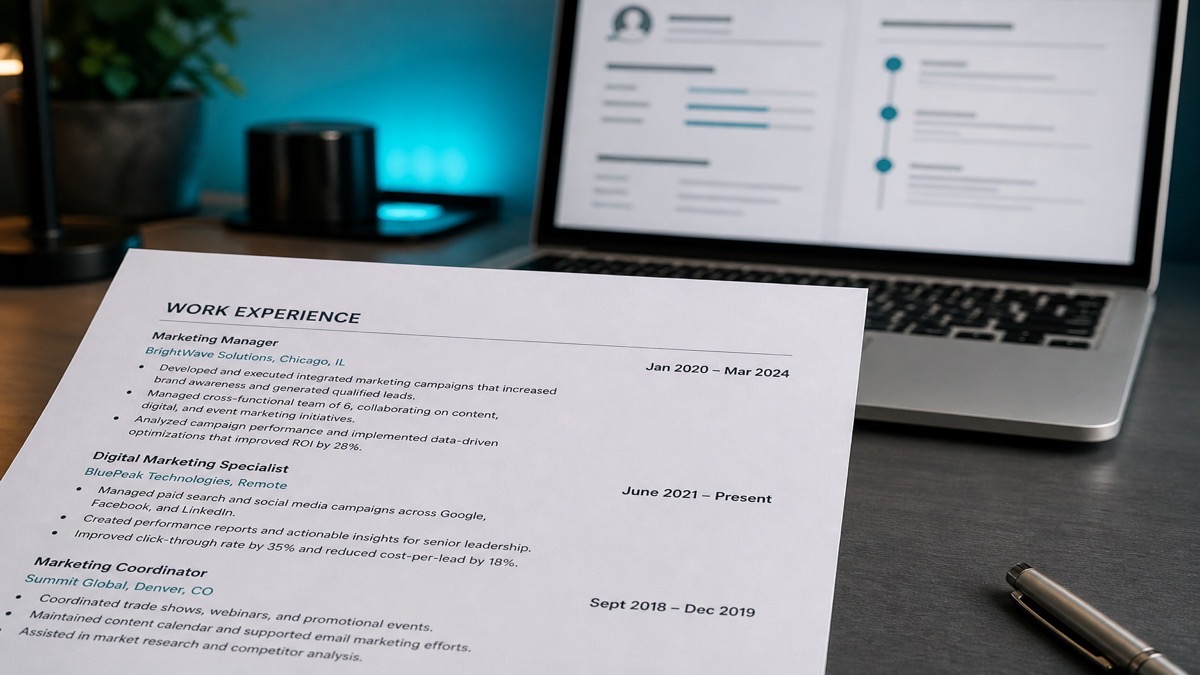
After: March 2022 - Present on the current role, June 2019 - February 2022 on the prior one, same Month YYYY pattern everywhere.
Before: Dates right-aligned in a text box beside job titles.
After: Dates on the same line as company name or directly under title as plain text in the main column.
Federal resumes follow stricter month-year rules. For corporate portals, Month YYYY or MM/YYYY in one column is the reliable default. Federal resume date rules differ if you're applying to USAJobs.
Six steps to clean date ranges
- Choose one style. Month YYYY (March 2024) or MM/YYYY (03/2024). Write it on a sticky note and don't deviate.
- Rewrite current roles. End with Present while you're still employed. Update to a real end month the week you leave.
- Strip day numbers. 03/15/2022 adds noise. Month and year are enough for US corporate hiring.
- Move dates out of boxes. Pull ranges from headers, footers, sidebars, and text boxes into the body column.
- Align LinkedIn month/year. Same values on the public profile and the upload file.
- Paste-test and upload-check. Select date text into Notepad, then confirm Workday or Greenhouse autofill matches.
Copy-paste experience block:
Operations Manager | Brightline Logistics
March 2021 - Present
• Cut dock-to-door time 12% by redesigning pick routes for a 40-person warehouse team.

Senior Analyst | Northwind Health
June 2017 - February 2021
• Built Tableau dashboards for regional patient volume, adopted by six clinic directors.
Education and certs use the same pattern: Expected May 2027 for degrees in progress, Issued March 2025 for credentials. Don't leave end dates blank on past jobs or systems assume you're still there.
I've rejected otherwise strong files because Workday calculated four years when the resume clearly showed nine. The dates were in a two-column Canva export that dropped half the ranges on import.
Date traps that scramble parse
- Season labels: Summer 2023 and Q1 2022 look informal and parse poorly for tenure math.
- Current instead of Present: recruiters expect Present on ongoing roles.
- Mixed month spellings: Mar on one line and March on the next creates messy autofill.
- Year-only recent jobs: fine for roles 15 years back, risky for your last two employers.
- European day-first order: 15/03/2022 confuses US month-first parsers.
- Image-only PDF dates: if paste into Notepad fails, rebuild as typed text.
Promotions at one employer: stack titles under one company block with one date range, or split title lines with continuous months. Don't invent gaps between internal moves. Why resume gaps don't always hurt covers honest gaps without fake filler roles.
Education, certs, and contract stacks
Degrees usually need graduation month and year, or Expected May 2027 if you're still enrolled. Start years are optional for most US bachelor's programs unless the posting asks.
Certifications should show Issued March 2025 and Expires March 2028 when the credential expires. Letting a cert line sit without dates makes recruiters guess whether it's current.
Freelance and contract work can be grouped under one client with a single date range so parsers don't invent twelve micro-employers from project lines.
Before: Six contract rows each with 2022-2023 year-only ranges and no month.
After: Independent Consultant | Multiple clients, January 2022 - December 2023, with project bullets nested underneath one employer block.
Workday and Greenhouse autofill preview
After upload, read the on-screen profile before you click submit on the application. Wrong start years almost always mean the source file, not the portal, needs fixing.
Workday Recruiting often maps start and end fields during autofill. Education years landing in experience fields is a classic sign that dates lived in a sidebar table.
Greenhouse stores parsed profiles recruiters filter by years of experience. If dates fail extraction, you look less experienced than you are even when bullets tell the real story.
Taleo and iCIMS follow the same pattern: selectable body-column text wins; text boxes and header bands lose. Fix the resume and re-upload rather than only patching the web form by hand.
Application forms sometimes force MM/DD/YYYY. Enter the first of the month if the day is unknown rather than inventing a random day that conflicts with LinkedIn month/year values.
Month YYYY vs MM/YYYY: pick one
| Format | Example | When to use it |
|---|---|---|
| Month YYYY | March 2022 - Present | Clearest for human scan; strong ATS parse |
| MM/YYYY | 03/2022 - Present | Compact; keep leading zeros consistent |
| Year only | 2014 - 2016 | Optional for jobs 15+ years back only |
Separate ranges with a hyphen and spaces: 03/2022 - 08/2024. Avoid the word to if you can; some parsers split more cleanly on hyphens than on prose connectors.
Do not mix March 2022 on one job with 03/2022 on the next. Consistency helps both Workday field mapping and recruiter scan patterns on the human pass.
More date examples by situation
Current job: March 2023 - Present.
Past job: June 2019 - February 2023.
Internship: May 2022 - August 2022.
Degree in progress: Expected May 2027.
Certification: Issued March 2025; Expires March 2028.
Internal promotion at one employer: stack titles under Brightline Logistics with March 2019 - Present, then Analyst and Senior Analyst as title lines without repeating the company block three times.
Career break: leave the calendar empty on the resume and discuss in interviews if asked. Do not fabricate a volunteer role to fill space unless it was real work with real dates.
Open the PDF, select a date with your cursor, and paste into Notepad. If nothing pastes, the date is an image. Rebuild it as typed text before your next Workday upload.
Keep LinkedIn and resume months aligned
Recruiters open LinkedIn beside the PDF. A one-month mismatch looks sloppy. A one-year mismatch looks dishonest even when the ATS parsed fine.
When you promote mid-year, either show one employer with internal title progression or two dated title lines. Pick one pattern and keep months accurate on both surfaces.
Update Present to an end month on both resume and LinkedIn the week you leave. Stale Present dates create reference-check friction downstream.
If you shortened older jobs to year-only on the resume, keep LinkedIn at month granularity so the public profile still answers tenure questions recruiters ask on the phone screen.
DOCX vs PDF for date extraction
DOCX uploads often map dates into Workday fields more reliably than heavily designed PDFs because text runs stay linear in the file.
Text-based PDFs work when dates are real characters. Image-only scans of printed resumes usually fail date extraction entirely.
Avoid placing dates in Word text boxes next to job titles. Boxes frequently parse out of order or disappear on import.
If a portal accepts only PDF, export from a clean single-column DOCX rather than from Canva or InDesign. Right-align dates with tabs only after you've tested the export in a checker run.
International candidates applying to US employers should convert every range to Month YYYY before upload. Day-first formats like 15/03/2022 look European and confuse US month-first parsers.
Verify the timeline before upload
After the six-step pass, upload the cleaned file to the free ATS resume checker and read the extracted timeline job by job. Missing end dates or swapped start years mean layout still needs work.
Rebuilding from scratch? The free resume builder outputs single-column Month YYYY ranges that survive most corporate parsers without manual table cleanup.
If you're rebuilding dates after a career break, a one-line cover letter can explain the gap while the resume keeps honest Month YYYY ranges.
One pattern, then paste-test
How to format dates on a resume for ATS isn't about decoration. It's Month YYYY or MM/YYYY, Present on current roles, plain text in the body column, and a checker run before the next application.
Fix dates first. They're a ten-minute change that prevents weeks of silent ranking errors. Then check your resume for free and confirm the timeline the filter will actually use.
Read more
Frequently asked questions
Use one consistent style: Month YYYY (March 2024) or MM/YYYY (03/2024). Both parse well in Workday and Greenhouse when written as plain text. Spell months the same way on every job.
Use Present. It is the convention recruiters and most ATS profiles expect. Avoid Now, Ongoing, or Current Job as end dates.
Almost never for US corporate resumes. Day-level dates add noise and can confuse parsers. Month and year are enough for tenure.
Tables, text boxes, and two-column layouts often scramble date fields during parse. Use a single column and selectable text, then re-check the autofilled profile.