11 min read
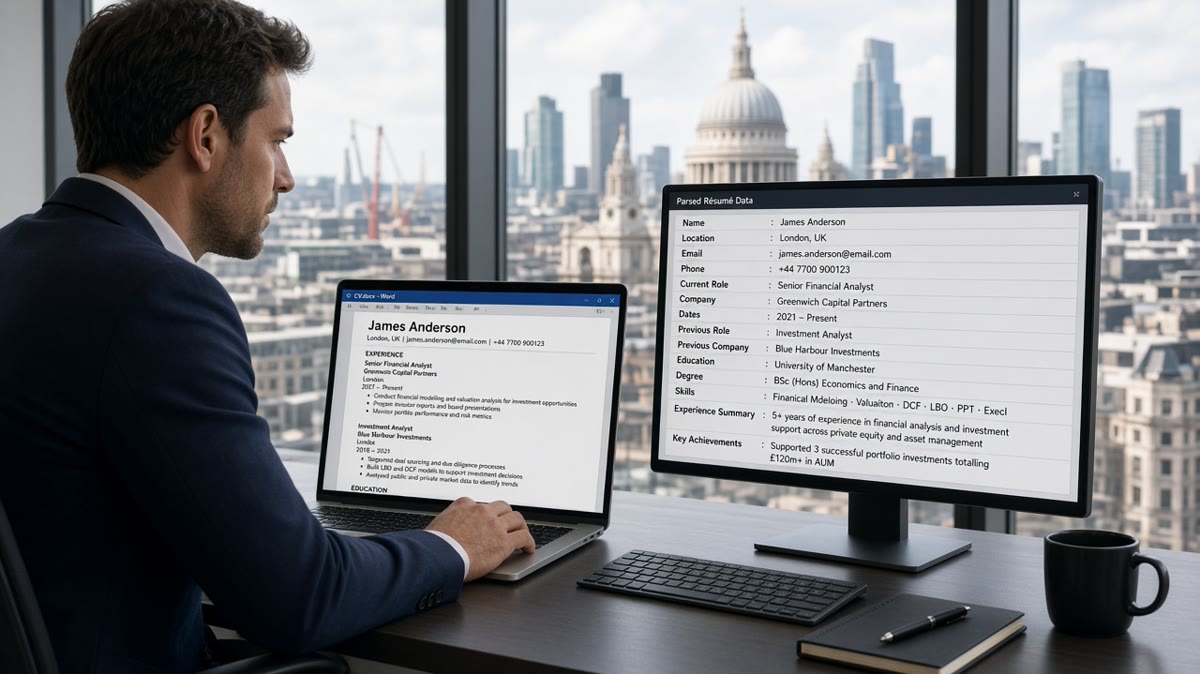
Your CV can look sharp on screen and still fail in Workday because the importer doesn't care about slide-deck layout. UK mid-level finance candidates often use tidy two-column templates with a skills rail, date tables, and qualification icons. Workday doesn't read like a human. It scans left to right like a receipt printer, and when the order scrambles you'll see blank employers while your PDF attachment looks perfect.
Check your resume for free on the exact file you'll upload. Don't guess from how Word looks on your laptop. That's how qualified applications to banks, insurers, and PE-backed firms die in the same Workday stack.
Below you'll see the symptoms recruiters notice first, what causes each break, how to tell which failure is yours, and the fix matched to that cause. If you're part-qualified or newly ACA, the stakes are higher: a dropped credential line reads like you're still sitting exams.
Job searching at this level is draining enough without silent parser drops. This won't fix stretch applications, but it'll stop a file that should clear the first screen from dying before a human opens it.
Quick Wins
- Move phone, email, and city into the body. Kill header bands.
- Write dates as Jan 2022 – Present on the same line as the title, not in a table cell.
- Spell out Institute of Chartered Accountants in England and Wales once, then use ACA in bullets.
- Put £ budget wins in bullets, never in the contact strip.
What recruiters see when Workday mangles a UK finance CV
Symptom one: empty employer list. You uploaded a designed PDF with a coloured header and a right-hand skills column. Workday grabbed the header as one text blob and skipped job blocks sitting beside the rail.
Symptom two: jobs with no dates. You built employment history in a four-column Word table. The importer read across the row and parked "Mar 2021" in the title field while the end date stayed blank, so tenure looks like a typo.
Symptom three: missing ACA or ACCA. Your qualification sits in an icon row next to CFA Level II. Search might still hit keywords, but the recruiter profile shows tools without the regulated line hiring managers filter on first.
Symptom four: garbled £ figures. You listed "£65k–£70k expected" under your name because a template suggested salary in the header. Workday often ignores header regions entirely, so both the salary and your phone number vanish from the parsed profile.
Workday is not judging your aesthetic. It's filling columns so coordinators can filter on employer, title, years, and qualification keywords. UK CV customs like "Profile" instead of "Summary" are fine when the word is plain text, not a logo baked into an image.
I've screened mid-level FP&A and audit CVs in Workday where three years at a listed firm showed as "Unknown company" because the logo sat inside a text box. The human PDF was flawless. The parsed row was empty.
Instant confirmation email followed by silence usually means the hiring team sorted on parsed data, not your attachment. They're not ignoring you. They're working from fields that never imported.
Cover letters uploaded separately do not repair a broken CV parse. Recruiters may read the letter later. The first sort still runs on whatever the CV upload extracted into Workday's candidate profile.
Workday ATS parsing errors UK mid-level finance CVs: cause, test, fix
Cause: £ symbols or contact data in headers
How to tell: Paste your PDF into a plain text editor. If your phone number appears after your skills list, or £ figures show up without the bullet they belong to, the header region scrambled reading order.
Before: Name and "£70k+ | ACA | London" in a header band; jobs below in a centre column.
After: Contact lines in the body, then Profile, then Experience. Put "Reduced vendor spend by £240k in FY24" inside a bullet under the role where you did it.
Cause: dates trapped in table cells
How to tell: Open Word, toggle gridlines. If each role uses columns for Company, Title, Dates, and Location, you're in table territory. Workday's importer may read the row left to right and mis-assign fields.
Before: Four-column table with dates in the third cell.
After: Repeated blocks: bold employer line, title on the next line, "Mar 2021 – Present" on the third line, bullets beneath.
For a composite management accountant role, write "Regional retail group, Manchester · Management Accountant · Sep 2019 – Aug 2022" then bullets mentioning month-end close, SAP FI, and group reporting packs.
Cause: ACA or ACCA lines in sidebars
How to tell: Notepad read shows "ACCA" before your first employer, or the letters appear alone without the institute name. Regulated reqs often filter on the full keyword string coordinators type into Workday.
Before: Icon row: ACA ✓ | ACCA ✓ | Excel ✓ in a right column.
After: Qualifications section with plain lines: "Association of Chartered Certified Accountants (ACCA), qualified Sep 2023" and "Institute of Chartered Accountants in England and Wales (ACA), passed finals Jun 2022."
For training contracts, spell the label in the title line: "Audit Associate (ACA)" so keyword search and human skim align.
Cause: PDF exported from design tools
How to tell: Ctrl/Cmd+F cannot find your job titles inside the PDF, or paste produces one long line of gibberish. Rebuild in Word or Google Docs with styles, not absolute positioning.
Print-to-PDF from a portfolio site is a common failure mode for mid-level candidates who want a polished look. Workday wants boring structure more than it wants your brand colour.
Copy-paste block: plain UK finance role header
Copy-paste CV block (edit brackets)
[Full name]
[City], United Kingdom | [phone] | [email]
LinkedIn: [plain URL]

Profile
[Two sentences: audit, tax, FP&A, or treasury focus]

Qualifications
Institute of Chartered Accountants in England and Wales (ACA), qualified [Mon YYYY]
OR Association of Chartered Certified Accountants (ACCA), qualified [Mon YYYY]

Experience
[Employer name]
[Job title] | [Mon YYYY] – [Mon YYYY or Present]
• Cut overtime cost by £18k through revised accrual workflow
• [Bullet with IFRS, UK GAAP, or system keyword]
If Notepad shows skills before your first employer, your file order is wrong even when the PDF looks elegant. Reorder sections before you apply again.
Pair layout fixes with posting language. Mirror title words from the req in your top role line without renaming yourself into a job you have not held. For broader Workday behaviour, see what the Workday resume format expects in 2026 .
When you hold multiple interim contracts, repeat the block pattern for each. Do not merge assignments into one paragraph. Finance recruiters sanity-check continuity through timelines, not prose summaries.
File name helps humans track versions: "ACA_FP&A_Workday_Mar2026.pdf" beats "CV_final_v7.pdf" when you apply to six similar reqs in one evening.
UK finance layout traps that look sharp but parse badly
Logo headers for every past employer. Brand marks become stray characters. Type the legal employer name you'd put on a compliance form.
Colour competency bars for Excel or SAP. They're shapes or images. Replace with a one-line list: "IFRS 16, UK GAAP, consolidation, SAP FI."
Before: "Curriculum Vitae" as giant WordArt.
After: Your name as the only large line, plain text.
Before: National Insurance number in the header because an old template suggested it.
After: Removed entirely. Workday is not HMRC and recruiters do not need it at apply stage.
Module grade tables from university choke parsers and bury internship bullets that prove finance exposure. List degree class and institution once, then move on.
Do not password-protect PDFs. Do not upload phone photos of signed paper CVs. Both fail silently on some Workday portals.
For elements parsers skip everywhere, read what ATS ignores on your resume and compare with the Workday-specific symptoms above.
This will not turn a part-qualified profile into a sign-off-ready hire. It stops your qualified ACA line and £ budget wins from disappearing before anyone judges fit.
Test the file you'll attach before Workday stores it
Layout work stays guesswork until you run the same bytes through a checker. You want missing headings and garbled order flagged on your machine, not by a coordinator closing the req.
Paste the job description into score your job match after you tune bullets for statutory audit, group reporting, or treasury language. Parsing gets you into the grid; match language gets you read.
Run the free ATS checker on the PDF or .docx you plan to upload. Fix structure first, then tweak keywords. Keyword stuffing in a sidebar still parses as sidebar junk.
Do this now: Export a single-column version, paste it into Notepad, and confirm your current employer appears before your university name. If it does not, reorder sections before your next apply.
Store two files: "visual" for networking if you insist on design, and "Workday" for applications. Never upload the pretty one by muscle memory at midnight.
Keep a one-line log per application: company, file version, date. Parsing fixes are pointless if you cannot remember which export cleared the checker.
Tonight's checklist for UK finance Workday applies
Fixing Workday ATS parsing errors UK mid-level finance CVs is mostly subtraction. Remove columns, date tables, and header bands until a plain-text read still tells your career story.
- Single column, experience before education unless you're a current student.
- Month-year dates on their own line under each title, never in table cells.
- ACA or ACCA spelled out once with standard abbreviations after.
- £ figures inside bullets, not in headers.
- Checker pass on the exact upload file.
Generate a cover letter when the role asks for one, then run a free ATS check on both attachments. Parsing and messaging should match the same title and employer names.
Save the boring export as your default. You can keep a designed PDF for coffee chats, but applications to regulated employers are not the place to win a layout prize.
When silence continues after a clean parse, the issue may be level or visa filters, not formatting. At least you'll know recruiters saw the same ACA line you see on paper.
Block thirty minutes after your next export: Notepad read, checker run, one apply. You'll catch layout drift before it becomes a week of silent rejections on roles you were genuinely right for.
Read more
Frequently asked questions
Start with .docx when the portal allows it, because Workday's importer often maps headings more reliably from Word. If only PDF is accepted, export from Word or Google Docs with selectable text, no password lock, and no image-only pages. Re-upload once and check any employer preview of parsed fields before you move on.
Credential lines inside a sidebar, icon row, or table cell often parse as stray characters instead of Education content. Write the full body name once on its own line under Qualifications, then use ACA or ACCA in bullets. Example: Association of Chartered Certified Accountants (ACCA), qualified Sep 2023.
No. Pound symbols and salary bands in headers or footers frequently fail to import into Workday's candidate profile. Put £ amounts inside experience bullets where you saved cost or managed budget, not in the contact strip. Headers are where parsers most often drop contact data entirely.
Open the file in Word and turn on gridlines or formatting marks. If start and end dates sit in separate table cells from the job title, Workday may read the row left to right and dump dates into the wrong field. Rebuild each role as stacked plain text: employer, title, dates on one line, bullets below.