8 min read
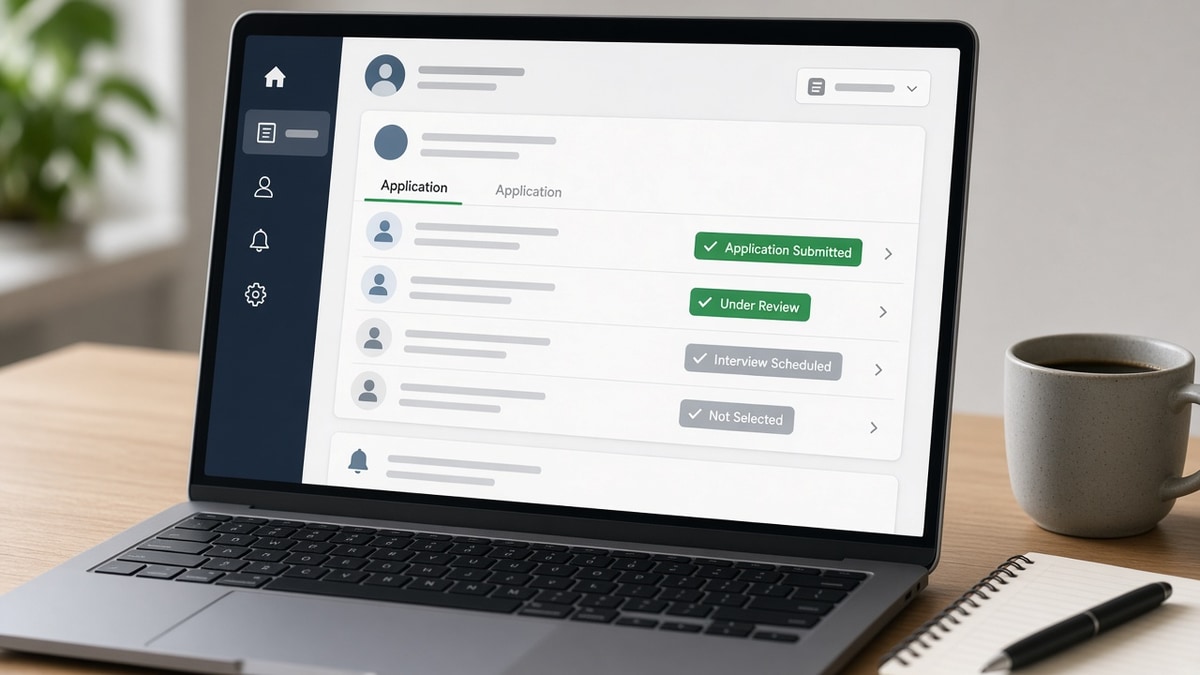
You refresh the careers page more than your email. The badge still says under review and your brain fills in the worst story. Most of the time the story is boring: your row is waiting in a sort view the recruiter hasn't opened yet. That's not a compliment, but it's not a rejection either.
Workday, Greenhouse, Lever, and iCIMS use different words for the same phases. Learning the sequence keeps you from panic-applying duplicates or emailing the hiring manager on day two. You'll still feel anxious; you just won't burn bridges while you wait.
Check your resume for free if you're stuck at submitted while friends advance. You're ruling out a parser miss before you chase status ghosts in the portal.
Below is the timeline from click to outcome, what not to do between phases, and when a status change actually means a human moved you.
Quick Wins
- Screenshot status plus timestamp when it changes.
- Log req ID, apply date, and portal login in one tracker row.
- Re-upload only when the posting allows edits, not daily.
How ATS status updates work: phase map
Statuses track pipeline steps, not resume quality. The ATS records where your application object sits in a workflow: new, in review, interview stage, offer, or closed. Recruiters can bulk-move hundreds of rows. Candidates see one row change and assume personal judgment.
Automated steps fire on upload: file stored, required questions answered, sometimes parsing flags raised. Manual steps need a recruiter login: phone screen scheduled, rejection sent, interview feedback logged.
Before: You treat under review for nine days as proof someone is studying your summary.
After: You note under review as queue placement and spend day three tightening bullet one for the next similar req instead of refreshing the portal hourly.
For how matchers use posting language after parse, read how ATS matches resumes to job descriptions . Status won't tell you if that match failed. Your export test will.
Status timeline from submit to decision
Minutes 0 to 60: received and parsing
Application received or submitted confirms the portal saved your PDF and answers. Parsing may still run. If required fields were blank, you might never leave this step. Some systems add under review automatically within an hour even when no human logged in.
Days 1 to 7: queue and knockout rules
Knockout questions on location, work authorization, or years of experience can close you before a recruiter opens the file. Other candidates sit in under review while recruiters work referral batches first. A status change here might be bulk automation, not a skim of your experience section.
Days 3 to 21: recruiter screen
Phone screen scheduled or recruiter review labels usually mean a human picked your row from a filtered list. Interview requested is a stronger signal than generic in progress language. Feedback pending after interviews often lags because managers submit notes late, not because you failed silently.
Close: offer, not selected, or position filled
Final states trigger email templates. Position filled can mean someone else signed. Not selected can mean the same when the req closed early. Don't read moral judgment into boilerplate text.
Copy-paste tracker row:
Company | Req title | Apply date | Portal | Status + timestamp | Next action date
ExampleCo | Analyst | 2026-10-01 | Greenhouse | Under review (10/02 08:14) | Follow up 10/16 if still open
I've watched candidates obsess over Workday badges while their PDF still dropped employer dates on import. Status looked fine; the experience tab was empty on the recruiter side. Fix the file before you chase the coordinator.
Platform-specific wording differs; see how ATS status updates work on US platforms for Greenhouse vs Workday label quirks.
What not to do between status changes
Don't submit duplicate applications to force a refresh. Many systems merge or flag duplicates. One clean apply plus a corrected reapply when allowed beats three identical uploads.
Don't email the hiring manager on day one because the badge still says received. Route through the recruiter contact on the posting if you must nudge, once, after a reasonable window.
Before: You disable portal notifications and miss interview scheduling mail.
After: You keep notifications on, whitelist the ATS sender domain, and check spam during business hours in the employer time zone.
Don't treat silence as rejection. Batch recruiters clear queues on Mondays. Holiday weeks freeze updates. Silence is often calendar noise, not a hidden no.
While you wait, fix the file
Run your export through HireFlow's free ATS resume checker against the req you applied to. If must-haves only appear in Skills, move proof into bullet one before the next apply.
When you need a parallel version for a similar title, score your job match on the new posting instead of resubmitting the same PDF everywhere.
If a recruiter finally opens your file and asks for context, generate a cover letter in plain language instead of repeating bullet one in prose.
Do this now: Log today's status and time, set a follow-up date two weeks out, and fix one bullet on the master resume while the queue moves.
Read status as logistics
How ATS status updates work becomes useful when you stop treating each label as a grade. Track timestamps, improve the master resume between applies, and follow up once with context instead of refreshing the badge all week.
- Log status plus time in a tracker.
- Assume queue time until interview language appears.
- Test exports when submitted never advances.
- Follow up once on active reqs, not daily.
Paste the next posting into a free ATS check while you wait on the last apply.
Read more
Frequently asked questions
No. It usually means the file uploaded and basic required fields saved. Parsing and knockout rules may still run afterward. Under review often means you sit in a queue until a recruiter batch-opens applications. Neither status proves someone evaluated your bullets.
Automated workflows and bulk updates run on server schedules. A move from submitted to under review can be a system default, not a recruiter working late. Check timestamps in the portal, not only the email time.
Wait until the posting timeline or two weeks of silence on an active req, then send one short note to the recruiter email if listed. Fix your resume in parallel if you suspect a parser issue. Repeated pings do not speed batch screens.
Often it means the req closed, an internal hire landed, or a knockout filter fired on location, authorization, or years required. Some teams send the same template for every close reason. Apply again when a fresh posting opens with an updated file.