11 min read
You're not crazy when Submitted sits there for three weeks. The portal isn't broken, and you're not failing because the bar won't move on a Tuesday night. Most US employers configure applicant tracking so candidates see a cleaned-up stage name while recruiters work inside a richer pipeline with notes, disposition codes, and batch review queues.
That gap is why how ATS status updates work on US platforms matters for your sanity and your timing. You can't negotiate a label, and refreshing won't tell you who's reading the file. You can read it, log it, fix the PDF before the next apply, and send one professional nudge when the window makes sense. Check your resume for free on the req you're watching so a silent status isn't hiding a parser problem on the PDF you already uploaded.
Job searching is draining when every refresh feels like a verdict. Below: why the status bar misleads, what each major platform tends to show, what actually changes your candidacy, exceptions, and a tracker row you can paste tonight.
Quick Wins
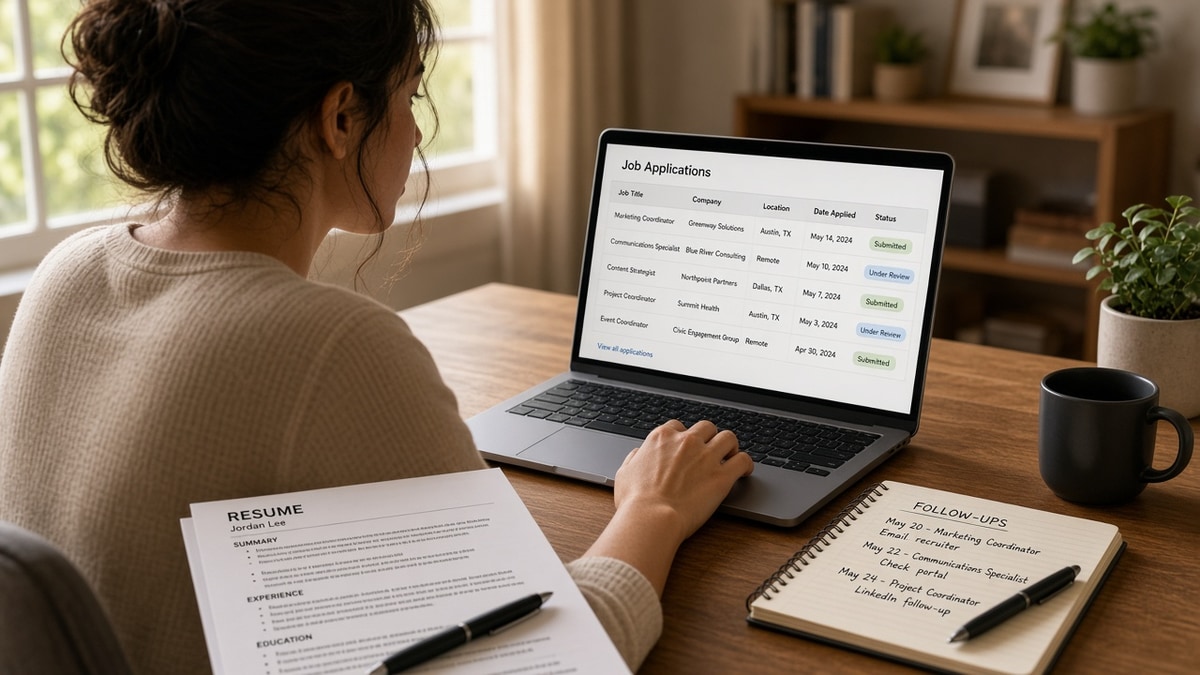
- Log portal, apply date, status text, and follow-up date in one row per req.
- Treat early stages as open, not as proof someone read your file today.
- Send one follow-up at ten to fourteen days unless the posting forbids contact.
- Fix the PDF offline; don't spam re-uploads hoping the label moves.
Why the status bar misleads anxious applicants
The label tracks workflow, not attention. When a req opens, many systems auto-set every new apply to Submitted or Received. That confirms the packet landed. It does not mean a recruiter opened your resume or ranked you against the posting yet.
Recruiters often move batches of candidates on Mondays, after hiring manager meetings, or when a coordinator catches up on dispositions. Until someone clicks the next stage, your view stays frozen even if your file sat in a shortlist folder for days.
Automated emails can arrive before the portal updates, or the portal can flip to Rejected while your inbox stays quiet. Email and status are related but not locked together. When they disagree, trust the rejection email for closure and the interview invite for forward motion.
Edge case: internal transfers and employee referrals sometimes skip the public stages you expect. The portal may still show Submitted while a recruiter already scheduled a screen on the internal side. Referrals still deserve a logged follow-up date, but don't treat the public label as the only signal.
Edge case: the req closes or pauses. Position Filled or No Longer Under Consideration often hits every open candidacy at once. That is not a personal scoring event. It is housekeeping when the headcount freezes or the team picks someone else.
For why generic rejection notes show up when status finally moves, read why rejection emails are generic . The portal text and the email template rarely explain the real filter.
How ATS status updates work on US platforms by vendor
Names differ, but the story repeats. You land in an early bucket, someone reviews or the req stalls, you either advance to interview stages or get dispositioned out. Focus on what you can act on: early bucket patience, interview prep when invited, file fixes when rejected fast after apply.
Workday candidate view
Large US employers run Workday Recruiting for corporate roles. You often see Submitted, In Progress, or Under Consideration style wording. Submitted means the apply packet is on file. In Progress usually means the candidacy is active in a recruiter workflow, not that a hiring manager is reading you this hour.
Workday can show Review or similar when someone marks review complete on their side. Candidates rarely see score breakdowns or recruiter notes. If you applied through a employee referral link, the same labels apply, but internal flags may already exist behind the screen you cannot see.
Before: A composite operations analyst refreshed Workday twice daily for nineteen days, assumed silence meant a broken upload, and submitted a second PDF.
After: They logged apply date and portal, sent one follow-up on day twelve referencing the role, kept the original candidacy, and got a recruiter reply that the req was waiting on headcount approval.
Greenhouse candidate view
Greenhouse powers many mid-size and tech employers. Candidate-facing copy often says Application Received, Application Review, or names a specific interview stage when schedulers attach one. Review can sit for weeks on popular reqs because recruiters live inside the Greenhouse pipeline view, not the public status field.
When you advance, you may see Interview Scheduled or a stage name the company configured, like Hiring Manager Screen. Rejection sometimes triggers an email while the portal still shows Review for a short window. Do not read that lag as a second chance unless someone contacts you.
Before: A composite customer support lead saw Application Review for twenty-four days and assumed the resume never parsed.
After: They exported the same PDF to plain text, confirmed Experience headers survived, waited until day fourteen, sent one follow-up, and moved to a phone screen while the public label still said Review until the coordinator updated it.
iCIMS candidate view
iCIMS shows up in healthcare, logistics, and enterprise hiring. Labels like Submitted, In Review, Interview, Offer, or Not Selected are common defaults, but clients rename stages heavily. iCIMS dispositions can batch-update when coordinators close a req, so a sudden Not Selected on Friday afternoon may reflect a filled role, not a line-by-line read of your file that morning.
Some iCIMS portals expose little beyond Submitted until a human acts. That is normal, not a sign your materials vanished. Save the confirmation page when you apply because iCIMS email receipts are sometimes the only timestamp you get.
I've screened iCIMS queues where the candidate portal still said Submitted while the recruiter side already showed a phone screen scheduled, because nobody updated the external stage until the invite went out.
What actually changes your file in the ATS
A new apply or allowed reapply. That creates or refreshes the candidacy record attached to your profile. Knockout answers, work authorization, salary fields, and attachments ride with that packet. Uploading the same broken PDF again rarely helps.
Recruiter actions inside the req. Moving stages, adding notes, requesting documents, or sending disposition triggers the status you see. You cannot click those buttons from the candidate side.
Parser and attachment swaps when permitted. Some employers let you replace a resume before review starts. Others lock attachments after submit. If a recruiter emails asking for an updated PDF, send it through the channel they specify and update your tracker version label.
Req lifecycle events. Posting closes, role fills, or req cancels. Status updates can hit every remaining candidate at once. That is administrative, not a comment on your bullet quality.
Status will not fix a two-column layout that dropped Experience on import. When rejection hits within hours of apply, suspect knockout answers or parse failure before you blame timing. Read what ATS ignores on your resume before you reapply the same layout to the next portal.
When follow-up is worth it
Use one follow-up when you are in an early stage ten to fourteen days after apply, the posting does not forbid contact, and you still want the role. Reference the req title, apply date, portal, and one proof metric from bullet one. Mark the row followed up and stop unless they reply.
Skip follow-up when status shows Rejected, Not Selected, or Position Closed. Skip when the posting says no unsolicited contact. Skip a second ping seven days later unless the recruiter asked a question you need to answer.
Full wording patterns live in how to follow up after sending your resume . Keep the note shorter than your cover letter.
Copy-paste block: status tracker row
{`Company | Role | Portal | Apply Date | Status Text | Last Checked | Follow-Up Date | Notes

Example:
Northwind Health | Revenue Cycle Analyst | iCIMS | 2026-09-02 | Submitted | 2026-09-15 | 2026-09-16 | One follow-up only; PDF v2 labeled

Copy-paste follow-up (email or portal message):
Subject: Following up on [Role Title] application

Hi [Recruiter or Hiring Team],

I applied for [Role Title] on [Apply Date] through [Portal]. I'm still interested and wanted to confirm my materials are on file.

One relevant result from my background: [metric line from bullet one that matches the posting].

Thank you for your time,
[Your name]`}
Edge case: you applied to two reqs at the same company. Track them as separate rows with separate follow-up dates. A rejection on Req A does not explain silence on Req B.
Edge case: a recruiter views your profile on a job board without moving the portal stage. External views will not always sync to Workday or Greenhouse labels. Your tracker notes field is where those conversations belong.
Where candidates misread the portal
Treating no change as rejection. Frozen early stages are common. Anxiety refreshes do not create recruiter time. Log dates instead of reloading hourly.
Assuming Interview Scheduled means an offer track. It means you cleared one gate. Prep for the stage named, send thank-you notes when appropriate, and keep other pipelines active.
Re-uploading to fix a stale label. Duplicate applies confuse coordinators and can violate reapply rules. Fix the PDF, then target the next matched req.
Ignoring fast rejection after apply. That pattern points to knockouts or parse issues more often than fit. Run a plain-text export check before you blame the market.
Reading status as a score. Candidates do not see rank or recruiter notes on most US portals. You see stage names only. Do not invent a numeric ranking from wording like Under Review.
Before: A composite project coordinator interpreted Application Review as a soft rejection and withdrew from email threads.
After: They kept the candidacy open, sent one follow-up, attended a screen, and learned the team never updated the external label until after the call.
This will not turn a mismatched req into an interview. It stops you from abandoning live candidacies because the public stage lagged behind recruiter email.
Before: A composite billing specialist treated Not Selected on a closed req as proof the resume was unreadable everywhere.
After: They logged req ID, saw the posting filled on the careers page, kept the same PDF for matched open reqs, and stopped rewriting bullets that were never the problem.
Check the file behind the status
When status stays early but you suspect the resume never parsed, paste the posting into HireFlow's free ATS resume checker and confirm must-have terms land in Experience, not only in Skills. Silent early stages plus a broken import is a common pair on Workday uploads.
Before you invest follow-up energy, run job match score on the req. Weak match rows deserve a tailored bullet swap, not a third portal refresh on the same PDF.
Tools do not move Greenhouse stages for you. They keep the next upload from repeating the same parse miss that made the first status stick at Received.
What to do now
How ATS status updates work on US platforms comes down to three habits: log every apply with portal and dates, read early stages as inconclusive not fatal, and follow up once when the posting allows it.
- Paste the tracker row for every open req tonight.
- Set follow-up dates at ten to fourteen days for early stages only.
- Export your PDF to plain text once and confirm Experience survived.
- Send one nudge, mark followed up, keep applying elsewhere in parallel.
Open the req that has you refreshing the portal. Run a free ATS check on the file you already uploaded, fix parse gaps, then use your follow-up window on a clean version next time.
When the letter still matters for that employer, generate a cover letter that matches the same proof line you will reference in the follow-up note.
Read more
Frequently asked questions
No. Candidate-facing status usually changes when a recruiter or coordinator moves you in the workflow or when the system sends an automated disposition. Reloading the page does not re-score your resume. If the label has not moved in two weeks, log the date, send one follow-up, and keep searching elsewhere instead of uploading the same PDF again.
Often the label means your candidacy is still open, not that someone is actively reading your file today. Many teams batch review on a schedule. Long silence can also mean the req paused or the hiring manager deprioritized the role. Treat Under Review as inconclusive until you get an interview invite, a rejection, or a recruiter reply to a follow-up.
Only if the employer allows reapply or a recruiter asks for an updated file inside the same req. A blind second upload on some portals creates a duplicate candidacy or gets ignored. Fix the PDF offline, then apply once through the official link. If a recruiter requests changes, use the channel they gave you and note the version in your tracker.
No. Each platform has its own default labels, and US employers rename stages in settings. Submitted, In Review, Interview, and Rejected are common themes, but the exact wording and timing differ. Compare status to email signals and recruiter replies, not to a universal dictionary.
Once, about ten to fourteen days after apply, unless the posting says no contact. Reference the role title and one proof line from your resume. Mark the row followed up in your tracker and do not ping again unless they answer. If the status flips to Rejected, skip follow-up and fix the file for the next req.