5 min read
You swapped Arial for Georgia and tightened the margins. The PDF looks sharper. Then Workday still ranks you below a candidate whose file is plain Calibri but pastes in perfect order with SQL Server sitting in bullet one under their current title. That's not a font contest. It's a parse-order contest, and you're probably losing it for layout reasons you can't see in Preview. The parser scored parse success and keyword placement, not taste.
Check your resume for free on the posting you're targeting tonight. You'll see whether bullet one and must-have terms still parse once the upload strip runs, before a recruiter ever opens the queue.
Most corporate pipelines still run through Greenhouse, Lever, Taleo, or iCIMS before anyone scans a PDF on a phone between meetings. When you ask how ATS evaluates resume readability, the honest answer isn't margin width. Those systems extract text, attach dates to titles, and check whether posting language appears where you actually did the work. When that chain breaks, readability scoring punishes a qualified file that simply didn't survive upload.
Job searching is draining enough without chasing the wrong fixes. Below you'll see what parsers actually measure, where keywords need to land, and what to change before you click submit. You don't need a prettier font tonight. You need a file that pastes in order. This won't fix applying to roles you're not qualified for. It stops a strong profile from dying because the matcher read a jumbled text dump.
Quick Wins
- Paste your file into Notepad and confirm section order.
- Move three must-have terms from Skills into Experience bullet one.
- Run a free ATS check on the exact file you'll submit.
How ATS evaluates resume readability at parse time
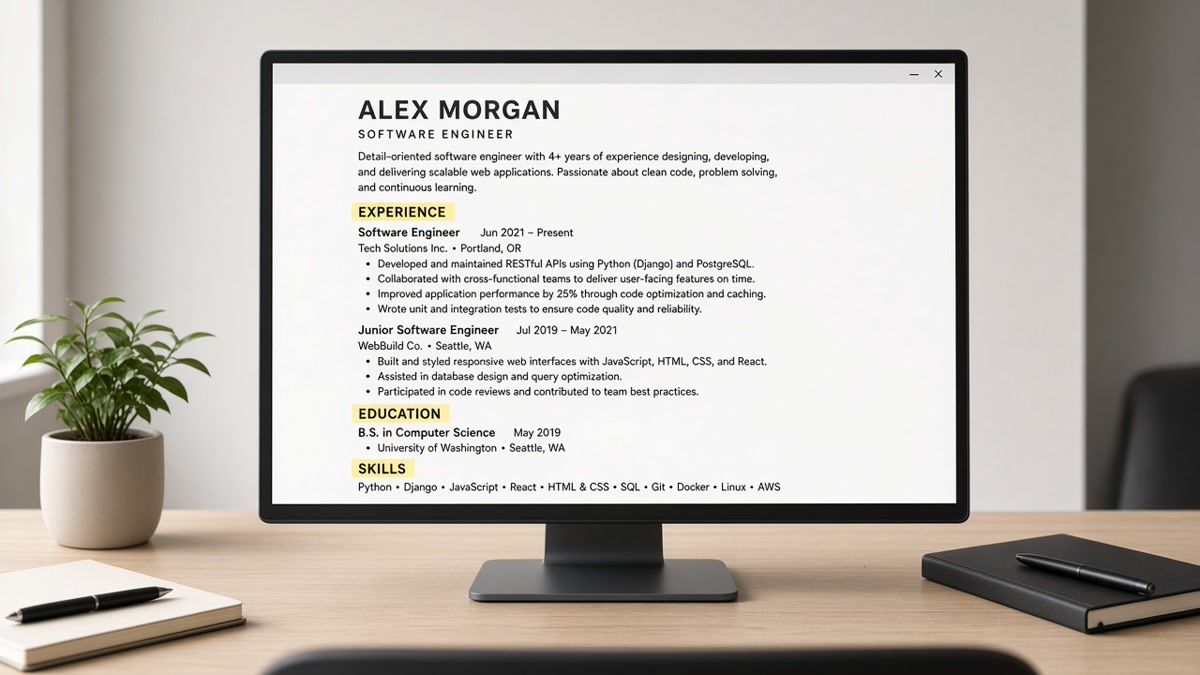
Readability means the parser can build a clean profile. When a portal ingests your file, it converts the document to a linear text stream and hunts for patterns: email, phone, Month Year dates, job titles, company names, and keywords from the posting. A readable file keeps those signals attached. Experience stays with its dates. Bullet one still sits under the current role with a scope number in the first eight words.
Font choice barely moves the needle if the text layer is intact. Calibri at 11 point and Arial at 10.5 both parse when they're real selectable text in one column. What kills readability is layout that scrambles order: two-column exports that dump Skills above Experience, tables that split dates from titles, or banners where summary copy never enters the stream.
After parse, matchers look for posting language in context. A Skills comma line that lists Salesforce without a bullet proving admin work is weaker than Administered Salesforce Service Cloud for 40 agents, CSAT 94% under your current title. Readability scoring rewards terms the parser can tie to a role and a date range, not terms floating in a sidebar the matcher treats as inventory.
For how linear text wins at upload, read why ATS favors text-first resumes . For where stuffing backfires, see why keyword stuffing lowers ATS score .
What to fix before you hit upload tonight
Before: Two-column PDF with Python and Excel in a left Skills rail while Experience starts below a photo on the right.
After: One-column DOCX: contact lines, two-line summary, Experience with Month Year dates, must-have tools mirrored inside bullet one.
Before: Paste test shows your MBA above your current job title because the parser read the sidebar first.
After: Paste test reads contact, summary, job title, company, dates, then bullets in order before you upload.
Run the paste test on the exact file you'll submit. Open the PDF or DOCX, select all text, paste into Notepad or TextEdit. Contact info should lead, then summary, then current job title and bullets in order. If Skills jump above Experience or columns merge into one block, strip layout before you worry about font size.
Open the posting and highlight three must-have skills or tools. Rewrite bullet one under your current job so one lands in the first eight words with a metric or scope number. Keep a comma Skills line for search terms, but don't hide proof there. Use Calibri or Arial at 10.5 to 11 point in a single column with standard headers: Summary, Experience, Education, Skills.
Copy-paste readability audit
Readability audit before upload:
[ ] Paste test: contact → summary → job title → bullets in order
[ ] Month Year dates on every role, attached to titles
[ ] Three posting must-haves inside Experience bullets
[ ] Bullet one under current job has a metric or scope number
[ ] Skills: one comma line, not a sidebar or icon grid
[ ] Single column, no tables used for spacing
[ ] Same file exported as PDF or DOCX per posting rules
If a gap shows once columns are gone, draft two lines of context with the cover letter generator after bullet one is accurate, so the letter adds context instead of repeating a Skills list the parser already read.
Traps that look readable but fail scoring
Chasing font swaps before parse order. Switching from Times New Roman to Calibri won't fix a file that pastes with Education above Experience. Run the paste test first. Rebuild in one column if order breaks.
Keywords only in Skills or a sidebar. Parsers see the list, but matchers want proof tied to a title and date range. Move must-have terms into bullets under the role where you used them.
Designed PDFs that preview fine. The portal preview can look correct while the text stream the matcher scores is scrambled. Trust the paste test on the upload file, not the on-screen thumbnail.
I've screened uploads in Greenhouse and Workday where the styled file looked sharp on my screen but pasted with Skills above the current title, and the plain export from the same candidate ranked because dates and posting terms stayed inside Experience.
Tables used for spacing read cells out of order. Text inside shapes or image headers sometimes never enters the stream. For layout failures beyond fonts, read why fancy resume layouts fail .
Confirm parse order and keyword fit
Stripping columns can drop keywords you hid in sidebars. Upload the simplified PDF or DOCX you plan to submit, not an older designed version.
Run a free ATS check with the job description pasted in. Confirm must-have terms still sit inside Experience bullets, not in a design block you deleted during cleanup.
Then score your job match on the same posting. Readability gets the file into scoring range. Fit tells you whether the terms that parsed are the ones the role actually asks for.
Make the file readable tonight
ATS readability scoring rewards files the parser can read and profiles where posting language sits inside Experience. Run the paste test, move must-have terms into bullet one, and verify the upload file before you submit.
Open the file you plan to send, run the checklist from the steps section, and check your resume for free on the posting you're targeting. That's how you stop a pretty layout from hiding the proof you already have.
Read more
Frequently asked questions
Not on its own. Standard fonts like Calibri or Arial parse fine when the file is a single-column text layer. Readability scoring breaks when columns scramble order, tables split dates from titles, or text sits inside images. Fix parse order first. Font tweaks won't rescue a jumbled upload.
Parsers often read Skills, but matchers weight proof in Experience higher. A comma line that says Python without a bullet showing scope won't carry the same signal as Built Python ETL pipelines processing 2M rows weekly under your current title. Put must-have terms in both places, but prove them in bullets.
Yes. A designed export can look sharp on screen and paste with Education above Experience or drop bullet lines entirely. Run the paste test on the exact file you'll submit. If section order breaks, the ATS profile the matcher scores isn't the résumé you thought you sent.
Select all text in your PDF or DOCX and paste into Notepad. Contact info, summary, current job title, dates, and bullets should appear in that order. Then upload the same file to a free ATS check with the posting pasted in. Confirm must-have keywords still sit inside Experience, not only in a sidebar you removed.