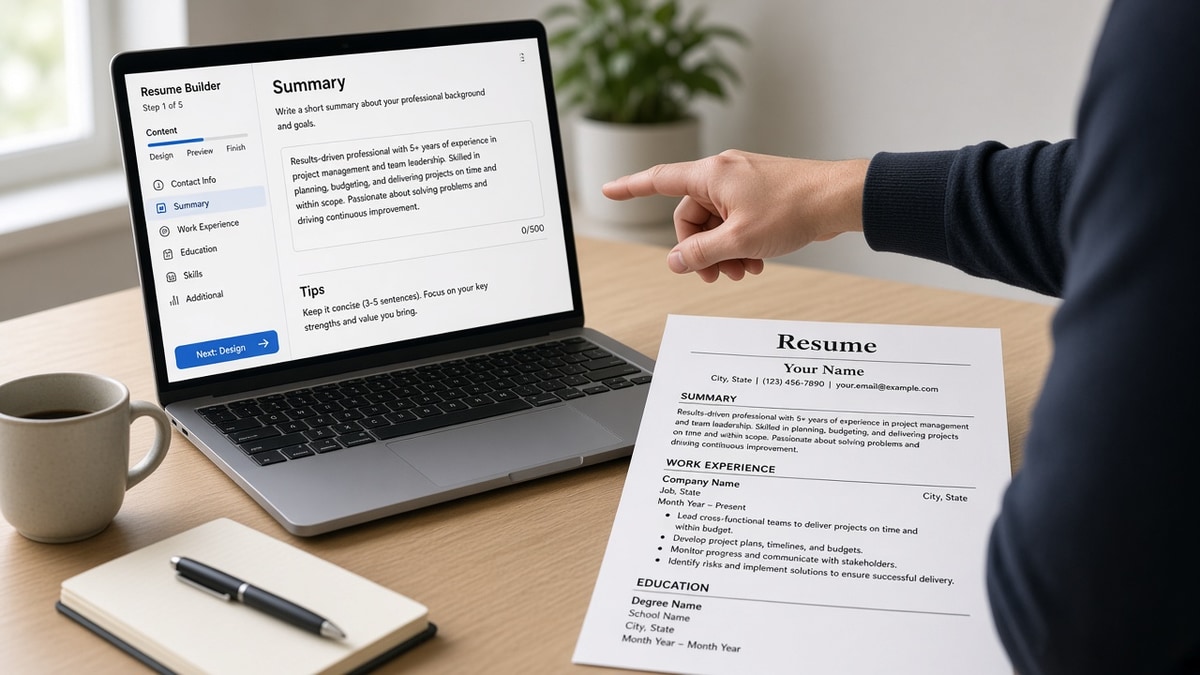
8 min read · Pick by apply path
Templates look finished in five minutes. Builders feel slower until you've watched a two-column import shred your job titles. You're not choosing prettier. You're choosing what survives the upload.
If you're applying through Workday tonight, check your resume for free on the export you'd use from either tool. The preview tells you which path is lying to you.
You don't need a new subscription for every search. You need one stable layout and a habit of rewriting bullet one per posting.
Below is a side-by-side on criteria recruiters and parsers actually react to, then a short decision rule so you don't debate fonts at midnight.
ATS resume builder vs resume templates on criteria that matter
Both can produce a boring, readable file. The gap shows up when you iterate fast, test parse, and keep dates consistent across portals.
| Criterion | Resume builder | Resume template |
|---|---|---|
| Parse safety | Enforces one column, standard headings | Depends on you resisting design tweaks |
| Speed to first draft | Slower setup, faster re-export | Fast start, risky if template has columns |
| Tailoring per job | Duplicate version, edit bullets, re-check | Save as new file; layout can drift |
| Offline editing | Usually needs browser | Word or Docs anywhere |
| Preview before apply | Often bundled with checker flow | Manual paste test in Notepad |
Neither side wins on writing. Weak bullets stay weak. The tool only protects structure while you fix proof.
When an ATS resume builder is the better pick
Choose a builder when most of your applications hit corporate ATS links, you rebuild often for different role families, or you've already lost a role to a broken import preview.
Before: Marketplace template with icon bullets and a photo header. Greenhouse import drops phone number and merges two jobs.
After: Builder export with Experience blocks only. Same content, preview shows four dated roles and a populated current title field.
Builders also help when you're juggling versions. One master with locked sections beats five Word files with slightly different margins.
They also nudge you away from resume habits that look fine on screen and fail in Taleo: skill clouds without dates, icons for contact info, and tables that split one job across cells. You can still write bad bullets in a builder. You are less likely to hide employment history behind design.
If you are switching industries, duplicate the master, change summary and bullet one, and keep employer order stable. Recruiters comparing two uploads from you in the same month notice when dates jump around between versions.
See ATS resume builder: what to look for if you're shopping features instead of aesthetics.
When a resume template is the better pick
A plain template wins when you already have a trusted single-column file, you apply mostly by referral email, or you need offline edits on a slow connection.
Stick to standard headings: Experience, Education, Skills. Use 11-point Calibri or Arial. No text boxes for contact info. Save as PDF unless the posting demands DOCX.
Keep a changelog in the file name or a notes doc: which posting each version targeted and which bullet you rewrote. Templates make it easy to send the wrong save when you're tired. That mistake shows up as mismatched titles between LinkedIn and Workday.
I've seen strong candidates keep one Word template for years because they only change bullets. The file is dull and it parses. That's a win.
The resume format recruiters prefer and why lines up with what a safe template should look like before you decorate it.
PDF, DOCX, and what parsers read
Builders usually export PDF or DOCX from the same locked layout. Templates tempt you to save five versions with different margins. Parsers care about text order, not which Save As you clicked.
When a posting specifies DOCX, follow it even if your builder default is PDF. When the posting is silent, PDF is fine if a plain-text paste keeps employer lines intact. If paste garbles, try DOCX once before you redesign content.
Before: Template with text boxes for each job. PDF looks sharp. Paste test shows jobs merged into one paragraph.
After: Builder export with line breaks between roles. Same PDF size. Paste test shows four employers on separate lines.
PDF vs DOCX for ATS in 2026 walks the format fork when a portal rejects uploads.
Decision rule for your next application
Answer two questions. Does the apply button route through a major ATS? Have you seen a bad import preview in the last month?
If yes to either, default to a builder export and run a parse check. If no to both and a human owns the inbox, a minimal template is fine.
Copy-paste nightly checklist:
Portal apply tonight?
→ Builder or locked single-column template
→ Bullet one mirrors posting must-have
→ Plain-text paste test passes

Email to hiring manager?
→ Simple template OK
→ Same dates as LinkedIn
→ PDF unless they asked for Word
Build and verify in one pass
Build your resume in a single-column layout, then run the same file through the checker. You're confirming the builder didn't reintroduce columns when you weren't looking.
Staying on a template? Test the template export for ATS issues before you attach it to another portal. One parse failure costs less time than a week of silence.
What to do before the next upload
ATS resume builder vs resume templates isn't a brand war. It's a question of whether you need guardrails. Portals need guardrails. Referral email often doesn't.
Pick one layout, tailor bullet one, and run a free ATS check on the file you'll actually submit.
When the posting asks for a letter, generate a cover letter from the same bullet one you just tuned. The letter should repeat facts the builder export already proves.
Read more
Frequently asked questions
Decorative layouts with columns, icons, and text boxes often break parsing. A plain template in Word or Google Docs can work if you keep one column and standard headings. The risk is design drift when you tweak margins for each role.
Yes. Builders keep structure stable. You still rewrite bullet one and mirror posting must-haves under the right employer line. A builder does not replace reading the job description.
Use a simple template when you edit offline, already have a clean single-column file, or send a PDF by email to a human who asked for it. Skip fancy marketplace templates when the apply button routes through Workday, Greenhouse, Lever, or Taleo.
Many people draft bullets in Word, then paste into a builder for export and parse check. The rule is one source of truth for dates and titles so LinkedIn, portal, and file stay aligned.