10 min read
Your PDF looks perfect and Ashby's preview shows your internship above your director role. That's not a rejection letter yet. It's a parser reading your sidebar dates before your job titles. You've spent an hour tailoring bullets. The upload scrambled order before a recruiter opened the file.
Check your resume for free on the export you'll attach to Ashby. This guide walks through Ashby ATS resume formatting with a US safe template you can rebuild tonight in Word or Google Docs. No design subscription required.
Ashby sits behind many US startup and scale-up career pages. You don't need a new layout every week. You need five steps, two edge cases, and a copy-paste skeleton that won't invert Experience when tables collapse. Job searching's already slow. Don't lose days wondering if they ghosted you when the upload never parsed.
If you're reading this after a blank preview, don't resubmit the same Canva PDF. Run step one below before you touch apply again. It takes two minutes and tells you whether you're fighting parsing or something else entirely.
Quick Wins
- PDF text test: select all, paste to Notepad. No text means image PDF.
- One column for Experience. No sidebar dates or skills grids.
- Month Year on every job line, current role listed first.
- DOCX fallback when Ashby preview scrambles order.
What Ashby does when you upload a US resume
I've opened Ashby candidate profiles where the PDF attachment looked polished and the parsed timeline showed a 2019 bootcamp certificate above a 2024 staff role. Ashby ingests your file, extracts text, and maps blocks into its candidate record. US resumes built in design tools often arrive as images. Tables and two-column layouts read columns out of order. Headers and footers sometimes repeat company names into every section.
The recruiter view depends on parsed order, not your PDF layout. When Experience imports with internships on top of director roles, keyword scans miss your current title. When Skills dump without job context, you look junior even with ten years in the field.
Edge case: the employer enabled manual review only. Parsing still matters because sourcers search inside Ashby by job title strings. Edge case: you already applied with a broken file. Upload a corrected DOCX on a fresh application if the portal allows reapply. Do not assume the first broken parse fixed itself overnight.
Read why your resume looks different after upload in Workday when you also apply through larger enterprise portals. The single-column rule travels across systems even when the vendor changes.
Five steps for Ashby ATS resume formatting
Work in order. Each step ends with a pass/fail check so you know whether to continue or stop and rebuild the file. This US safe template works whether you're applying in San Francisco or remote from Denver.
Step 1: Run the Ashby text-select test
Open your PDF in a desktop reader. Select all text. Paste into Notepad or TextEdit plain mode.
Before: Paste shows empty box or random symbols. Ashby will see the same blank field.
After: Paste shows employer names, titles, and dates in reading order. Parser has raw text to work with.
Fail here? Rebuild in Word or Google Docs. Export DOCX first, then PDF from that DOCX if you still want PDF.
Step 2: Apply the single-column safe template
Before: Dates sit in a right table column. Skills live in a colored sidebar. Ashby reads dates before titles.
After: Each role is four lines: Title | Employer | City or Remote | Month Year to Month Year. Bullets sit directly under that block.
Remove text boxes, icons, and chart graphics. US recruiters expect linear Experience, not magazine layout.
Copy-paste safe template skeleton after you flatten layout:
[Full Name]
[City, ST] | [email] | [phone] | [linkedin.com/in/handle]
PROFESSIONAL EXPERIENCE
[Job Title from posting] | [Employer] | [City, ST or Remote] | [Month Year] to [Month Year or Present]
• [Outcome with number tied to posting must-have].
• [Tool or method from posting used on this job].
• [Scope line: team size, budget, or territory].
Repeat newest role first. No tables. No sidebar. Standard round bullets only.
Step 3: Standardize Month Year dates
Mixed formats scramble sort order. January 2024, 01/2024, and 2024 alone in the same file make current role detection unreliable.
Pick Month Year everywhere: March 2021 to Present. Put dates on the same line as employer or directly under title. Never isolate dates in a footer row.
Edge case: concurrent contract roles. List both with honest overlapping ranges instead of stacking in one table cell.
Before: Experience block shows 2019 to 2021, then Present with no months on the current role. Ashby sorts Present below dated roles.
After: January 2019 to June 2021 for the prior employer, then July 2021 to Present for current. Preview should list July 2021 role at the top every time you refresh upload.
Step 4: Export DOCX and test Ashby preview
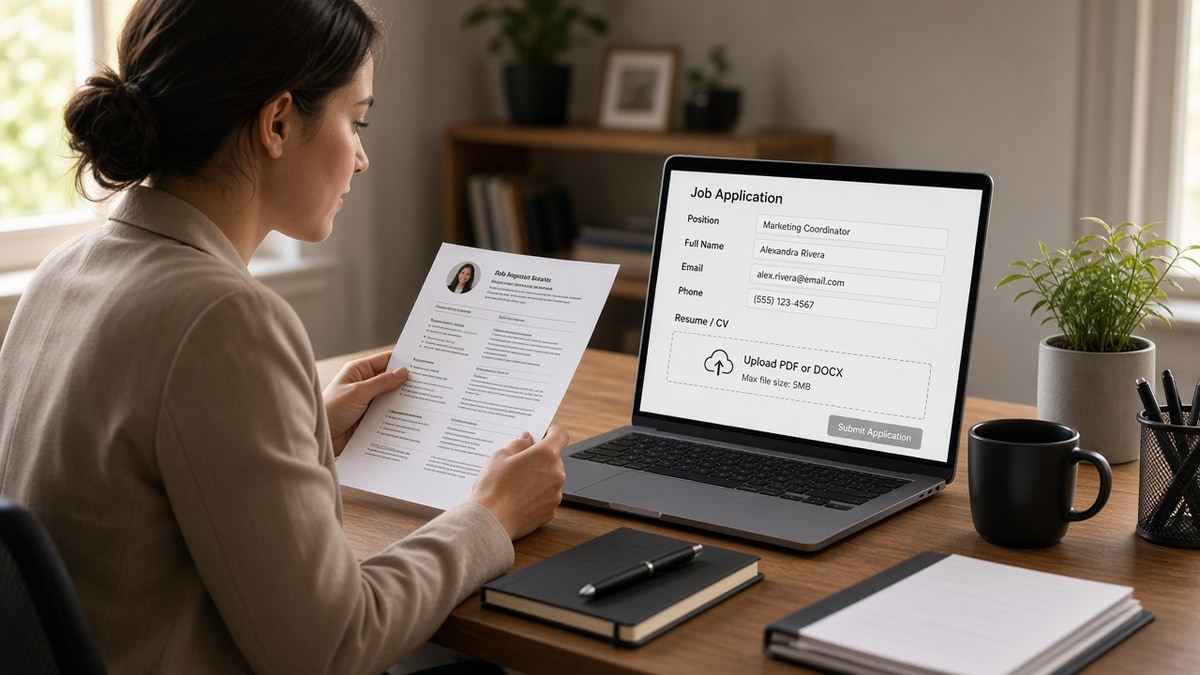
Save Firstname-Lastname-Resume.docx from Word or Download as DOCX from Google Docs. Upload to Ashby on the employer's apply page without submitting yet.
Scroll the parsed preview. Current job should appear first. Education should not contain Skills keywords.
If DOCX parses clean and PDF does not, submit DOCX. Keep the PDF for email attachments only when humans request it.
Watch file size caps. Ashby employers sometimes set a 5 MB limit. Compress images inside the resume or remove them entirely. A headshot in the header can push a two-page file over the limit and fail silently. Plain text resumes rarely hit the cap unless you embedded high-resolution graphics.
Edge case: mobile upload from Google Drive preview. Download the file to your phone storage first, then attach. Streaming previews occasionally send a link wrapper instead of the document bytes. Edge case: browser autofill overwriting parsed fields after upload. Re-read the preview after autofill runs. Correct job title manually if the browser inserted an old title from a saved form.
Step 5: Align bullet one with posting keywords once
Parsing fixes get you into search. Bullet one under current role still carries the match. Highlight three must-haves from the posting. Rewrite bullet one so one must-have lands in the first eight words.
Do not stuff a keyword block at the bottom. Ashby may file it as Skills without job proof.
For deeper bullet work, read
DOCX export settings that improve US ATS parsing
before you add metrics Ashby might strip from garbled lines.
Where Ashby uploads break most often
Canva and slide-deck PDFs. They look sharp and parse as images. Rebuild in a word processor.
Hyperlink-heavy contact lines. Linked URLs sometimes import as separate paragraphs above your name. Use plain email and phone on line one.
Graphics for Skills. Star ratings and progress bars do not become searchable text. Spell skills in a simple list or inside bullets.
Header repetition. Running headers with your name inject into every section break. Turn off headers except page one.
Multiple file uploads. Uploading resume plus portfolio PDF when only one field exists can attach the wrong file as primary. Read the label.
Password-protected PDFs. Ashby cannot open them. Remove protection before upload.
Section labels as graphics. EXPERIENCE spelled in a text box does not always map to Experience. Type section headers as plain bold text in the body.
Bullet icons from special fonts. Custom wingding bullets paste as odd characters. Use standard round bullets from Word.
Compressed PDF from online tools. Some compressors rasterize text. Re-export uncompressed from the source DOCX.
Uploading the cover letter as the resume field. Double-check which button you clicked. A one-page letter missing Experience will parse as a blank work history.
Track changes visible. Redlines and comments export as messy strings. Accept all changes before save.
Wrong language encoding. Rare, but copy-paste from PDF to Word sometimes breaks accented characters in names. Fix before upload so search by last name works.
Edge case: academic CV uploaded to a US corporate req. Drop publications to an addendum PDF if allowed. Keep Experience to roles relevant to the posting.
Edge case: federal resume length. Trim to two pages for private employers on Ashby unless the posting asks for full federal format.
This won't fix applying when you lack must-have years. It stops qualified US candidates from looking entry-level because Experience order inverted on upload.
Parse-check before you hit apply on Ashby
Paste the job description into the free ATS resume checker with your DOCX export attached. Low continuity scores usually mean date or column fixes, not more keywords in Skills.
Need a clean single-column base file? Build your resume and download DOCX before you test the Ashby preview. Same structure, fewer layout surprises.
Upload once with a parser-proof Ashby file
Ashby ATS resume formatting clears when you treat the portal like a text importer, not a design showcase. Run the paste test, flatten columns, standardize Month Year dates, and fall back to DOCX when PDF previews scramble Experience order.
Open your last export tonight. If Notepad stays empty, rebuild before you apply again. If preview shows old roles on top, fix order in DOCX and re-upload. One clean file beats three retries with the same image PDF.
Save the working DOCX as your master apply file for every Ashby employer this month. Tailor bullet one per posting, not the whole layout. Parsing fixes are one-time work. Keyword tweaks are per req. Mixing the two is how candidates burn hours redesigning a file that already failed the upload text test on step one.
When a friend asks why Ashby ate their resume, send them the text test first. Most upload issues disappear once the PDF is actually text, Experience is one column, and Month Year dates sort correctly.
When the posting asks for a cover letter, generate a cover letter in plain text that names your current title once. Letter and resume should agree on scope after Ashby parses both fields.
Read more
Frequently asked questions
Upload PDF when it passes the text-select test and the Ashby preview lists your current role first. Switch to DOCX when columns merge, dates import before titles, or the preview stays blank. US employers on Ashby usually accept both. Filename should be Firstname-Lastname-Resume with no spaces. Use the same file in email follow-ups so recruiters see one version.
Two-column layouts and sidebar date tables are the usual cause. Ashby reads columns left to right, so dates in a right margin often land above job titles. Skills grids dump keywords without employer context. Rebuild as one column with employer, title, city or Remote, and Month Year on separate lines. Current role should appear first in the preview before you submit.
Only if the export is text-based, not image-based. Run the paste test: select all text in the PDF and paste into Notepad. Empty paste means Ashby sees a picture file. Rebuild in Word or Google Docs using the safe template skeleton in this guide. Fancy icons and colored sidebars rarely survive Ashby parsing even when the PDF looks sharp on screen.
11-point Calibri, Arial, or Times New Roman in a single column. Avoid text boxes, floating shapes, and custom wingding bullets. Standard round bullets from Word paste cleanly. Headers and footers that repeat your name can inject into every section break, so turn them off except on page one if you need them at all.