11 min read
Your PDF shows an active RN license. Workday shows blank credentials. That's the gap most US hospital applicants don't see until the req closes. You didn't miss a keyword trick. The parser read your cert table before your employer lines, and the recruiter filtered on license fields that never filled.
Check your resume for free with the posting pasted in after you paste your export into Notepad. If BLS and ACLS merged into one run-on line or your night-shift bullet landed under Education, structure broke before a human opened the file. You won't fix a healthcare upload by stuffing Epic into a Skills footer while your dates still sit in a sidebar.
You've probably been told to list every certification and quantify patient load. Good advice, useless when bullet three never imported as its own line. Hospital job searching through Workday is already slow. Below you'll get five steps with before/after pairs for RN, allied health, and admin files, two edge cases for travel and per-diem roles, where healthcare uploads still break, and a copy-paste header block you can run in ten minutes tonight.
Don't assume the talent acquisition coordinator will open your attachment when the parsed profile shows empty license rows. Many healthcare recruiters skim Workday first. If your shift schedule sat inside a designed header strip, they may never see nights or weekends coverage you actually worked.
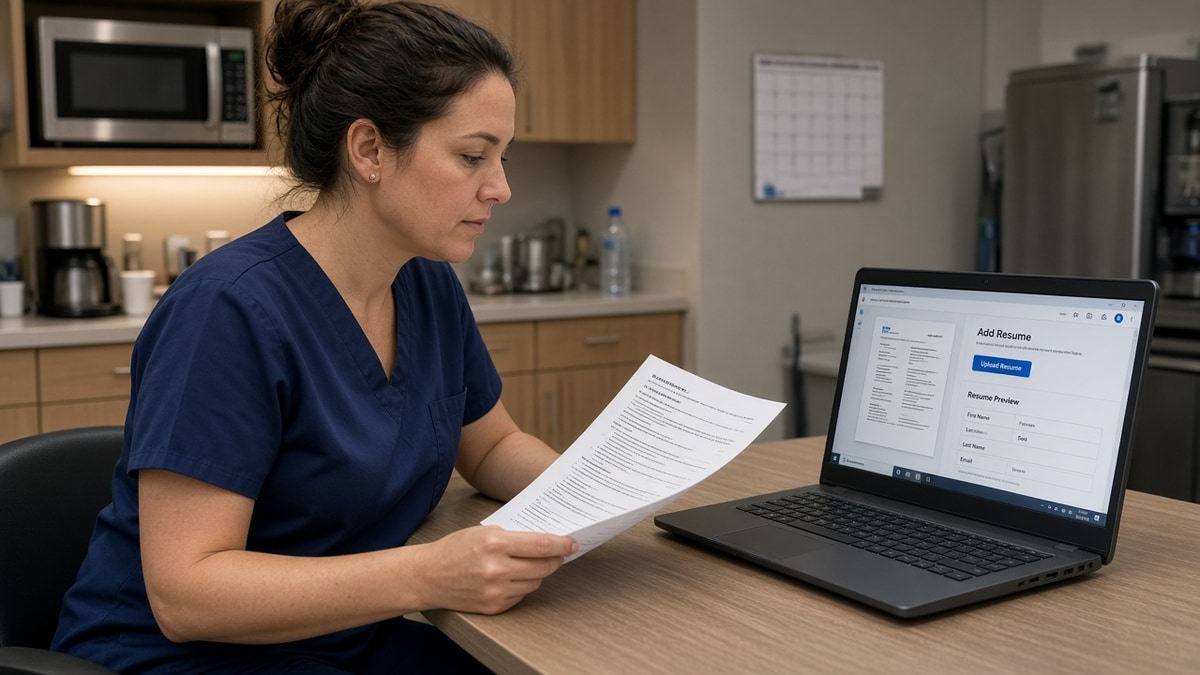
Open your master clinical file now. Select the Experience block. Paste into Notepad. If hospital names and license digits merged into one string, keep reading. US healthcare roles fail on credentialed proof and dated unit scope, not on whether you used a teal accent bar.
When the portal asks for a cover letter after upload, don't paste a block that repeats scrambled cert lines. Generate a cover letter from the corrected resume text so the note matches the license and shift language you fixed in Word.
Quick Wins
- Put RN license, state, number, and expiration on line two under your name in the body.
- Write Month Year dates on the same line as each hospital and job title.
- State nights, weekends, or 3x12 shifts in bullet one under the unit where you worked them.
- Flatten two-column templates before you tailor keywords for the posting.
What Workday drops when healthcare resumes use cert tables
Hospital systems, insurers, and large clinic networks run Workday to collect applications and build searchable candidate profiles. Recruiters filter on license state, role title, and cert keywords before they open attachments. Parsing errors can drop your RN line, BLS date, or Epic experience while the PDF still looks perfect on your screen.
The bar your file must clear: name and contact in the body, license and core certs on plain lines under your name, then Experience as reverse-chronological hospital blocks with Month Year dates on the employer line and shift scope in bullet one.
A composite staff RN whose PDF shows a neat cert grid but Workday imports ACLS before County General loses to the same facts on plain lines with hyphen bullets. Same qualifications. Different skim surface for a coordinator verifying active license before forwarding to a nurse manager.
I've screened Workday stacks where a med-surg nurse's license number sat in a table cell that parsed after Education, so the filter on RN license returned zero matches. The recruiter never reached the patient ratio bullet because the parsed view looked uncredentialed.
Edge case: license renewal gap between jobs. List the license line with your current active status and put the gap explanation in one honest bullet under the most recent role, not in a floating text box. Parsers attach floating boxes to the wrong section. Recruiters care whether the license is active today, not whether your template hid a month between contracts.
Edge case: allied health with state-specific certs. A respiratory therapist applying in Texas and Colorado in the same week keeps one master file. Swap the state cert acronym in line two per apply. Do not maintain two layouts with different column structures. Parsing breaks on the designed version every time.
Read why your resume looks different after Workday upload when clinical lines flatten for the same glyph and text-box reasons as corporate roles.
Workday ATS resume optimization US healthcare: five screening fixes
Work top to bottom. Run the Notepad paste test after each step so you catch flattening before you mirror posting language.
Step 1: Move licenses and certs out of tables
Before: RN, BLS, ACLS, and PALS inside a three-column Word table above Experience with icons in each cell.
After: Plain lines under your name:
Jane Doe, RN · California RN 1234567 · Expires March 2027
BLS (AHA) · ACLS (AHA) · PALS (AHA)
Recruiters filter on license text in the first screen. Tables flatten into run-on strings or import after Education. Put credentials where parsers read early: the body under your name, not a sidebar cert rail.
Step 2: Fix Month Year dates on every employer line
Before: Hospital name in bold, dates in the left margin, title on the next line without a year.
After: March 2021 to Present · County General Hospital · Staff RN, Med-Surg/Telemetry
Workday pairs dates with employers. Floating years attach to the wrong hospital when you use designed templates. Month Year on the same line as facility and title is boring and maps correctly. Use Present for current roles, not P/T or current in place of a date.
Step 3: Flatten to a single column
Downloaded nursing templates love Skills on the left and Experience on the right. They photograph well and parse badly. Clear the whole Experience section of grids. Rebuild with Word standard bullets, one column start to finish.
Before: Epic, Cerner, and wound care skills in a left column beside hospital roles.
After: Epic and Cerner inside bullet one under the hospital where you used each system, with unit type and patient ratio in the same line.
Step 4: Put shift schedule in bullet one
Hospital postings often list nights, weekends, rotating shifts, or 3x12 coverage. If you worked those shifts, say so in bullet one under that unit. Do not bury availability in a header graphic or a separate Availability section parsers skip.
Before: Nights and weekends available listed in a footer on every page with no unit context.
After: Staff RN, 32-bed med-surg, nights 7 p.m. to 7 a.m., 3x12; managed 6:1 patient load and precepted 4 orientees in FY24 at County General.
Shift language belongs with the job where you proved you could handle it. A recruiter staffing a night unit ctrl-f nights before they read your summary paragraph.
Step 5: Match posting job title, then export
Open the hospital posting. Copy the exact role title if you held that scope: Registered Nurse, Clinical Nurse II, Medical Assistant, Patient Care Technician. Mirror it on your headline line under Experience for the matching job block. Highlight three must-have terms from the description and land one in the first eight words of bullet one.
Export DOCX when Workday allows choice. Otherwise PDF from Word only, never from a design tool. Open the Workday preview if the portal shows one. If license text scrambles on PDF, re-upload DOCX from the same plain source.
Copy-paste healthcare header block
Copy-paste before every US hospital Workday apply:
[Full Name], [Credential]
[City, ST] · [Phone] · [[email protected]]
[State] RN [License Number] · Expires [Month Year]
BLS ([Issuer]) · ACLS ([Issuer]) · [Other required cert]
Professional Experience
[Month Year] to [Month Year or Present] · [Hospital] · [Title from posting]
[Unit type], [shift if relevant], [patient ratio]; [verb, scope, outcome bullet]
Read resume rejected by ATS for the wider filter story once your license line and employer dates survive import.
Where US healthcare Workday uploads still break
License numbers only in a header graphic. Parsers skip styled headers. Digits never reach credential fields. Move the full license string into the body.
Creative job titles instead of posting language. Nursing Rockstar or Patient Whisperer does not map to Registered Nurse in filter views. Use the hospital's title when you held that scope.
Cert lists without unit context. ACLS alone means less when import drops the bullet that named telemetry scope. Pair cert with unit type and patient load in the same line.
Semicolon chains to save space. Clinical resumes run long. Recruiters still need skim points. One outcome per bullet survives Workday better than one paragraph per hospital.
Assuming the nurse manager always opens the PDF. Coordinators forwarded in email often see parsed text only. If license rows flattened, your champion cannot quote your credentials without retyping them.
Stuffing keywords into a sidebar after a failed upload. More text in the wrong column makes parse order worse, not better. Flatten first, then tailor bullets.
Edge case: per-diem at three facilities in one year. Give each site its own employer block with Month Year dates and hours per week in bullet one. Do not merge facilities into one row with line breaks parsers ignore.
Edge case: admin roles with HIPAA or billing certs. List CPC, RHIT, or CHAA on plain lines like clinical certs. Do not tuck billing software only under Skills when the posting ctrl-f Epic or Cerner inside dated admin jobs.
Workday is not punishing clinical experience. It is reading export order from a template built for print, not import. Plain single-column files look boring and map correctly. That is the trade credentialed candidates need to make before they rewrite bullet verbs for the fifth time.
Verify license and shift lines before you hit submit
After you rebuild credentials and dates, run a free ATS check with the job description pasted in. Confirm must-have license terms and shift language appear inside parsed Experience lines, not only in a cert footer that imported cleanly while employer blocks flattened.
When the req lists state license, specialty, and shift coverage and your file feels thin on one of them, score your job match before you spend an hour rewriting bullets for a role where structure still breaks import. Fix layout first, then close real gaps with dated proof in bullet one.
Fix credentials before the next hospital apply
Workday ATS resume optimization US healthcare comes down to plain license lines, dated hospital blocks, and shift bullets that survive import, not another Skills row. Tables, cert sidebars, and compact headers drop RN numbers and night-shift proof recruiters filter on before they read clinical wins. Single-column Word exports with bullet one carrying unit type and schedule terms fix most hospital uploads without changing your track record.
Open your master clinical file tonight. Move the license to line two. Put Month Year dates on each employer. State nights or weekends in bullet one where you worked them. Paste into Notepad. Upload when each cert line and bullet stands alone. This will not fix applying to roles you are not qualified for. It stops credentialed clinicians from dying as a paragraph nobody skimmed.
Pick the next hospital req on your list. Apply the copy-paste header block. Run a free ATS check. Open the Workday preview if the portal shows one. Upload when license rows and employer lines stay paired with the right titles.
Read more
Frequently asked questions
Put the full license line in the body under your name, not inside a table or sidebar. Write RN, State, license number, and expiration as plain text on line two or three. Workday maps that string into license fields recruiters filter on. Burying ACLS and BLS in a bordered grid often parses after Education, so the screen shows empty credentials for a qualified nurse.
Yes, when the posting asks for shift coverage. Put schedule availability in bullet one under the hospital role where you worked those shifts, not in a header graphic. Write nights, 7 p.m. to 7 a.m., 3x12, or rotating weekends as plain words beside patient load and unit type. Parsers read Experience top to bottom. Shift lines in footers or text boxes may never reach the profile recruiters skim.
Upload whichever format the portal accepts, then open the preview if Workday shows one. DOCX from a single-column Word file usually keeps employer lines and license text paired. Scanned PDFs and Canva exports often drop cert rows entirely. If the preview scrambles your license line on PDF, re-export DOCX from the same plain source and compare previews before you submit.
Same single-column rules. List each facility as its own employer block with Month Year dates, unit type, and contract length in bullet one. Do not stack six hospitals in one table row. Travel recruiters ctrl-f state license, specialty, and shift pattern inside dated jobs. A floating Skills column that parses first makes your top job look like Epic, Cerner, and ACLS instead of County General.
Yes when the portal lets you replace the file or a recruiter asks for an updated resume. Rebuild with license on line two, Month Year dates on each employer, and shift scope in bullet one. Paste the export into Notepad to confirm cert lines survived, then upload once. Note in one sentence that you fixed formatting so credentials parse cleanly. Do not resubmit five versions without a real structural change.