7 min read
You open the PDF on your phone and it reads sharp. Margins line up. Fonts match. Then a portal score or import preview shows half your skills missing and your latest title under an old internship. That doesn't mean the ATS received what you're seeing. That's the gap this page closes.
Before you rewrite ten bullets, confirm the file still parses. Check your resume for free on the same export you uploaded so you're not tuning keywords on a profile the ATS never built correctly.
Tonight you'll learn which failure mode you hit, not a generic list of tips. Fix the import first, then decide whether the story still misses the req.
Quick wins
- Paste the PDF into plain text and read employers top to bottom.
- Move every skill you need matched out of icons and sidebars into bullets.
- Compare parsed job title to the posting before you add more keywords.
What the matcher actually receives
Recruiters open a profile built from an import. Workday, Greenhouse, Lever, and iCIMS do not re-type your PDF. They ingest a text stream, map it to fields, then run filters on that map.
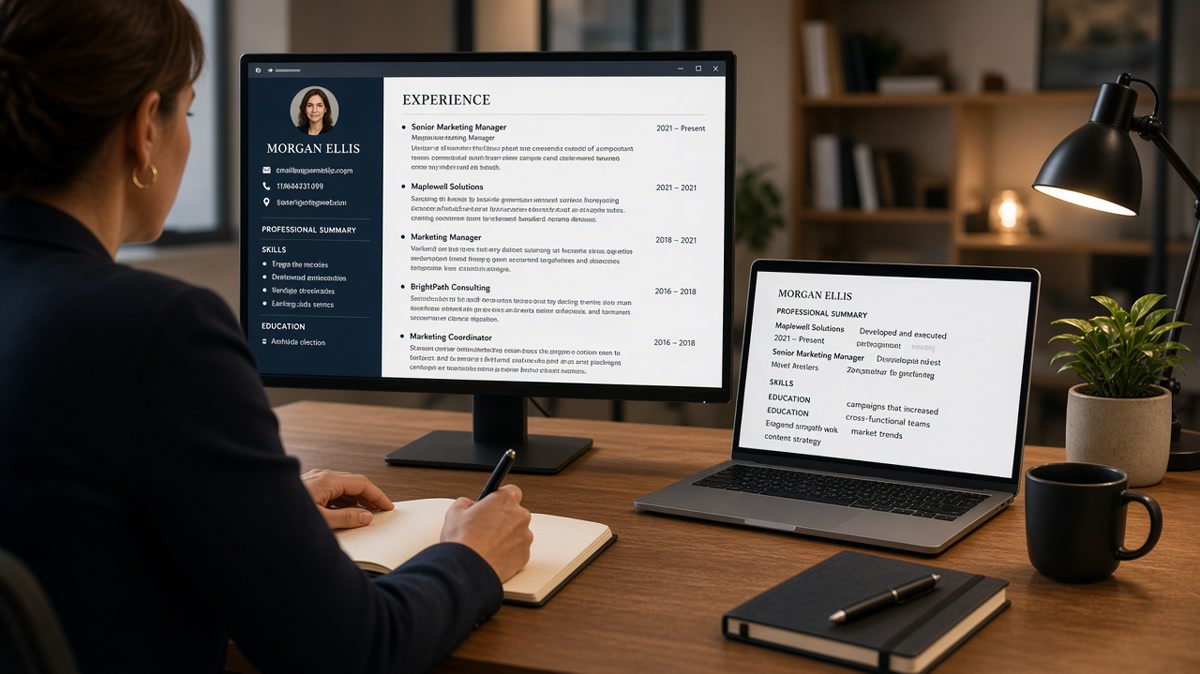
Your eyes see design. The parser sees order. Two columns, tables, and text boxes often read left to right across the page, not down each column. A sidebar skill list can land before your current employer, which makes years of experience look like a short stint.
Graphics do not become keywords. Skill bars, charts, and logos look credible on screen. Most imports skip them or leave empty gaps. The matcher never sees Python or Salesforce if those words lived inside a shape.
Scores reflect field completeness plus overlap. When Experience dates are blank, tenure filters fail even if the bullet text is strong. When your title parsed as Consultant instead of Product Manager, title match drops before anyone reads scope.
Why your resume looks fine but ATS scores it low usually traces to that import gap, not a secret penalty on pretty files. Once you see the scrambled profile, the fix stops being guesswork.
For layout-specific traps, read why resume design can hurt job chances before you buy another template.
Four checks on one export
Run these on the exact file you submitted. You're diagnosing import health, not your worth.
Check 1: Plain text order
Before: You trust Preview because headings look aligned.
After: You paste into Notepad or TextEdit and confirm your latest job appears before older roles with dates attached to the right employer.
Check 2: Selectable skills
Before: You rely on a sidebar or icon row for tools the posting repeats.
After: You copy those terms into the first bullet under your current role so the matcher ties skill to tenure.
Check 3: Title and employer fields
Before: You assume the portal read your header block.
After: You open the import preview, if the site offers one, and verify job title and company name sit in Experience, not buried in a footer or contact line.
Check 4: Posting overlap after parse
Before: You add keywords to a designed section that never imported.
After: You highlight three must-have terms from the description and confirm each appears in parsed Experience text, not only in a graphic you styled.
Copy-paste into your notes app:
Export: [PDF or DOCX name]
Plain text order: pass / fail (notes)
Skills in bullets: pass / fail
Title + employer fields: pass / fail
Posting terms in parsed body: pass / fail
Next fix: layout / titles / bullets / pause req
I've screened imports in Greenhouse where the PDF was gorgeous and the Experience block showed one job because a two-column Canva export stacked the sidebar on top. The candidate wasn't underqualified; the profile was incomplete.
Pair this audit with what happens after you upload a resume online when you want the portal steps spelled out in order.
Before: You rerun the same designed file on ten reqs and watch scores stay flat.
After: You flatten to one column, re-export, and only then tailor bullets for the next posting.
If plain text passes but overlap still lags, the problem shifts from parser to match. That's a different fix, and you'll know because employers and dates will finally stay attached.
Assumptions that waste a rewrite
- Believing a low score always means weak experience instead of a broken import.
- Adding keyword blocks to footers while Experience fields stay empty.
- Keeping two-column templates because they photograph well on a phone screen.
- Trusting portal receipts as proof a recruiter ranked the same file you designed.
- Switching file formats without re-checking plain text order on the new export.
Before: "I'll fix this with more buzzwords."
After: "I'll fix field order, then mirror three posting terms in the first bullet under my current job."
A polished PDF can still score low when the matcher never sees your real timeline. Don't spend a weekend rewriting story until the import matches what you meant to send.
When scores stay low after a clean import, read resume rejected by ATS for knockout filters that sit after parsing.
Score the file against the posting
Once Experience reads correctly in plain text, compare overlap to the req you care about tonight.
Check your resume for free on the flattened export first. You're confirming sections and headings, not chasing a design score.
Score your job match against the posting text after parse fixes so you know whether to tailor bullets or stop applying to the wrong level.
Fix the import, then the story
You deserve a score that reflects your work. When the profile is scrambled, no amount of polish on the PDF fixes the ranking layer.
Run plain text order tonight, move skills into bullets, and re-export before you tailor again. Warm recruiter mail usually follows a file humans can scan in six seconds, not the prettiest layout on your camera roll.
If a gap still needs context after the layout is stable, use the cover letter generator with the same facts as your repaired resume so nothing contradicts the import.
Read more
Frequently asked questions
Not always. A low score often means the import dropped employers, dates, or skills even though the PDF looked clean. Fix parse order and field labels first, then judge whether the story still misses the posting.
Preview shows design. Parsers read a linear text stream. Columns, text boxes, and icons reorder or vanish on export, so the software scores a scrambled version you never meant to submit.
Keywords only help when they land in Experience and Skills fields the matcher can read. Stuffing a sidebar or footer with terms does little if those blocks never imported next to your current role.
Switch when plain text from your current export is broken. A simple one-column DOCX with standard headings often rebuilds faster than fighting a designed PDF. Follow the posting if it names a format, then preview the upload.