12 min read
You've polished the bullets. You've spell-checked twice. And you're still staring at a portal that swallowed your upload with no error message. That's usually not bad luck. It's a file the parser read badly while the on-screen preview still looked fine.
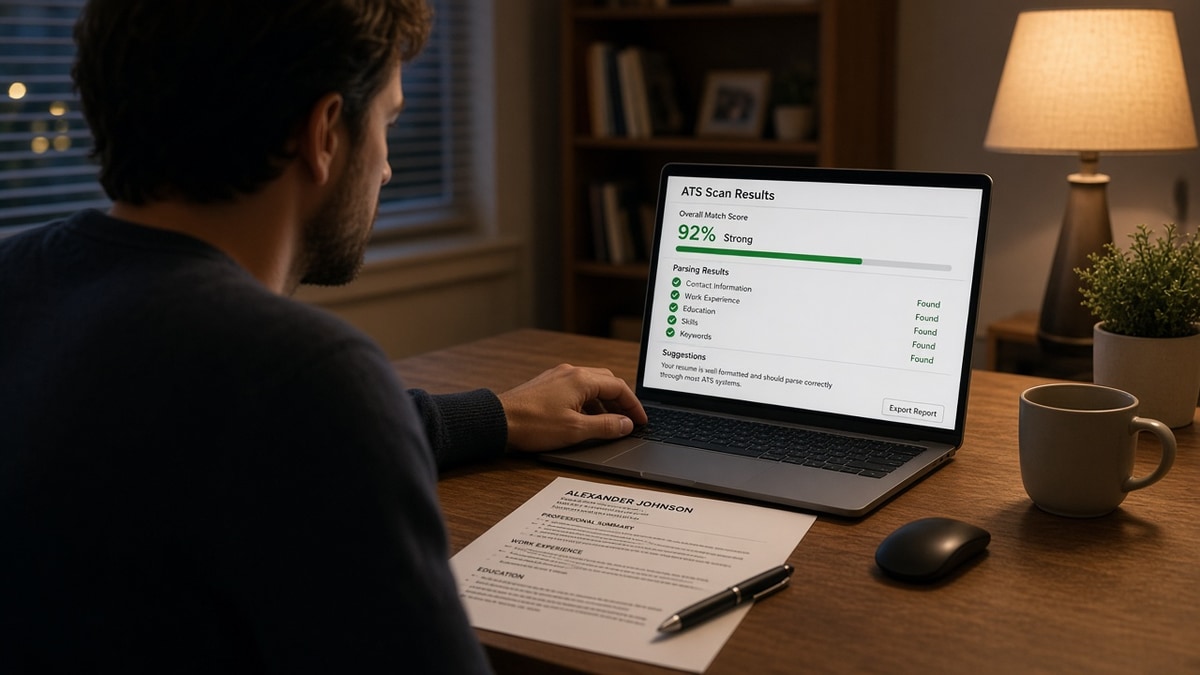
A free ATS resume scan won't write the resume for you. It'll tell you whether the machine can read what you built before a recruiter ever gets a row in Workday or Greenhouse. Check your resume for free with the job description pasted in. You're looking for missing contact fields and keyword gaps, not a participation trophy score.
Job searching is draining enough without guessing whether your PDF exported cleanly. I've screened stacks where the candidate's email lived in a header the importer skipped, so the profile looked blank on line one.
Below: what breaks on upload, who still needs a scan after a template, the ten-minute fix path, and where a scan stops helping. When you're ready to align wording with the posting, score your job match on the same file you just scanned. If the portal accepts a letter, generate a cover letter only after the resume scan is clean so you're not polishing prose on a file the parser cannot read.
Quick Wins
- Scan the export you'll upload, not the editable Word file still open on screen.
- Paste the job description so missing must-haves show up as gaps, not vibes.
- Ctrl+F your phone and email inside the PDF before you trust the layout.
- One column, standard headings, no text boxes hiding contact info.
What a free ATS resume scan catches that your eyes miss
The file can look perfect and still import wrong. That's the whole reason for a free ATS resume scan before submission. Recruiters do not see your PDF first. They see a candidate profile built by an importer that may drop headers, reorder sections, or leave skills in a field the search tool ignores.
Three failures show up most often on scans run against real corporate postings. None of them mean you're unqualified. They mean the machine never stored the proof you typed.
First: contact data trapped outside the body. Name in a graphic banner, phone in a footer, email in a sidebar. Human eyes find it. Some Workday builds do not import footers at all.
Second: section order scrambled. A two-column template puts Skills before Experience in the parsed text even when Experience appears first visually. Rankers and human skims both start on the wrong block.
Third: keyword silence on must-haves. The posting lists Snowflake, Tableau, and stakeholder reporting. Your bullets say analytics and dashboards without the exact phrases the req repeats. A scan with the description pasted surfaces that gap before you spend an evening on a cover letter for a file that already fails the first filter.
Fourth: invisible tables and text boxes. Word templates hide gridlines around date columns. The PDF looks clean. Plain-text paste shows dates floating without employer names attached. Scans that simulate paste order flag that mismatch fast.
Fifth: file name and encoding noise. Special characters in the file name or a scanned image PDF can stall importers. A scan on a text-selectable export confirms the body is machine-readable, not a picture of text.
Before: Designed resume with icons for email and phone. Scan: contact fields empty, Experience order reversed.
After: Plain text contact lines under the name. Standard headings. Scan: phone found, sections in expected order.
Recruiters rarely open your original PDF on the first pass. They open the profile row. If the row is blank where your email should be, you won't get a reply asking for it. The scan is how you see that row before they do.
For file-type choices that change parsing, read Word resume vs PDF resume for ATS . Pick the format, then scan the export.
Run a free ATS resume scan in ten minutes
You don't need a new template tonight. You need one honest pass on the file that's going out the door.
Step 1: Export the upload copy
Save PDF or DOCX exactly as the portal accepts. Close the editor. Open the saved file fresh. If you scan the live Word doc while columns are still toggled, you'll miss the failure the exporter introduces.
Step 2: Paste the job description
Generic scans only test formatting. Pasting the req turns the scan into a match check: which required tools never appear, which responsibilities lack a bullet mirror. You're not stuffing keywords. You're finding silent gaps.
Step 3: Read parser warnings before the score
Before: Upload a designed PDF. Scan flags: phone not found, Skills section empty, dates detached from titles.
After: Single-column DOCX. Contact block in body text. Skills as plain lines. Dates inline: January 2022 to March 2024.
Fix parser flags first. A keyword tweak on a scrambled file still imports wrong.
Step 4: Patch one Experience bullet
Before: "Improved reporting for leadership." Posting requires Looker and executive dashboards.
After: "Built weekly Looker dashboards for executive staff, cutting ad-hoc reporting requests from four teams."
One bullet per missing must-have beats rewriting the whole page at midnight.
Step 5: Re-scan and upload once
Export again. Scan again. When parser warnings are clean and must-haves appear in Experience, submit. Multiple uploads to the same req can create duplicate profiles in some systems.
Step 6: Compare to the employer preview pane
Greenhouse and Workday often show a parsed preview after upload. Line it up against your scan notes. If the preview drops your most recent job title, flatten the heading above that block and re-export. The scan gets you close. The preview is the final truth for that employer's configuration.
Keep a screenshot of a clean preview when you land interviews. You'll reuse the same export settings on the next application to that ATS family instead of rediscovering the fix from scratch.
Before: Submitted five times in one night with tiny font tweaks. No preview check. Profile still showed an old job as current.
After: One export, one scan, one preview confirmation, one submit. Updated Present to an end month on the prior role before upload.
Copy-paste block: pre-submit scan checklist
{`[ ] Saved file matches portal type (DOCX or PDF)
[ ] Phone and email searchable with Ctrl+F in the PDF
[ ] Experience heading parses before Skills in plain-text paste
[ ] Top three posting must-haves appear in Experience bullets
[ ] No tables around dates or contact info
[ ] File name: FirstName-LastName-Role.pdf (no "resume final v7")
[ ] Scan run with job description pasted
[ ] Employer preview pane checked before Submit`}
Edge case: portals that only accept plain-text fields after upload still benefit from a scan on your attachment. The attachment is what recruiters open when the typed fields look thin.
Edge case: career changers scanning against a stretch role should expect keyword gaps. The scan tells you which gaps are formatting versus experience. You still need a bullet that proves adjacent work, not a synonym swap alone.
Edge case: federal and university portals sometimes strip formatting entirely. Your scan on the attachment still matters because hiring committees download the PDF. A plain-text paste test plus a scan catches whether your bullets survived export even when the web form ignores styling.
Build a habit: scan the master file monthly during an active search. Templates pick up stray columns when you duplicate an old version for a new industry. Catching drift early beats discovering a broken upload on a role you cared about most.
If you maintain two versions, label them in the file name by target family, not by date alone. Scan each version against a representative posting from that family. Operations and product marketing reqs read different must-have lists even at the same company.
For timeline errors that scans surface indirectly, see month-year vs year-only resume dates . Bad dates fail previews even when keywords look fine.
When a free ATS resume scan cannot save a weak match
Scans are pre-flight checks, not interview guarantees. Knowing the limits keeps you from rewriting fonts while ignoring a seniority mismatch.
You're far below the stated years of experience. A clean parse won't override a req that asks for eight years of people management when you have two. Scan for readability, then decide whether to apply or build a bridge role story elsewhere on the page.
You already applied with a broken file. Some employers lock the first upload to your profile. A scan after the fact still helps your next application, but you may need a corrected attachment on a fresh req rather than re-uploading five times on the same link.
You treat the score as the goal. Chasing a number by hiding roles or stuffing skills in white font creates a different failure mode. Recruiters read the PDF. The scan should leave you with a boring, readable file that matches the posting language in real bullets.
Before: Ran a scan once in January on a master resume, never rescanned after adding a two-column skills grid.
After: Scan on every export you submit, especially after layout edits or role-specific tailoring.
You skip the scan when you're rushing referrals. Warm intros still land in the same importer. The hiring manager's nudge doesn't fix a profile missing your last employer name. Scan, then send the intro note with confidence the file attached is readable.
You scan without the posting. Format-only passes feel good and hide keyword silence. Always paste the req. The point is to catch both parser failure and must-have gaps in one sitting.
Before: Assumed silence meant "not a fit." Never checked whether Workday imported an empty Skills field.
After: Opened the preview pane, saw missing dates, fixed Month Year lines, rescanned, got a screen within a week on a similar req.
This won't fix applying to roles you're not qualified for. It stops a qualified file from dying because the parser never stored your phone number.
A free ATS resume scan before submission is the cheapest insurance in a search. It costs minutes. Re-applying with a broken upload costs weeks of silence you cannot see from the outside.
Treat parser warnings like a spell-check for machines. You wouldn't send an email with a typo in the hiring manager's name. Don't send a resume the importer cannot map to Experience. The scan is that spell-check, and it runs on the file employers actually store.
Pair the scan with one match tool
Start with HireFlow's free ATS resume checker on the upload copy plus pasted description. Fix parser warnings, then run job match score on the same file to see which bullets still miss the top three requirements.
Do this now: Export once, scan with the req pasted, fix contact and section order, patch one bullet per missing must-have, scan again, submit.
What to do now
Every resume needs a free ATS scan before submission because importers break files that look fine to you. Scan the export, paste the req, fix parser failures, patch bullets for must-haves, then upload once.
- Export the exact upload file you need tonight.
- Run a free scan with the job description.
- Move contact info into the body if search fails.
- Flatten columns that scramble section order.
- Re-scan tonight before you hit Submit.
Open the posting you're targeting. Run a free ATS check , fix what the parser missed, and send one clean application.
Save the scan report screenshot with the application date in your tracker. When a similar role opens at another company on the same ATS, you'll know which export settings already produced a clean preview. That small habit cuts repeat panic edits when you're applying at volume during a tight deadline week or after a layoff notice.
Read more
Frequently asked questions
A solid free scan reads your file the way an importer does: section order, searchable text, standard headings, and whether must-have terms from a pasted job description appear in Experience bullets. It flags parser risks like tables, text boxes, and headers that hide your phone number. It is not a magic score that guarantees an interview. It is a pre-flight check so you do not submit a broken upload.
Scan whenever you change layout, export a new PDF, or tailor bullets for a different job family. A tailored marketing file and a tailored operations file can break differently. You do not need to scan ten times for ten identical uploads to the same employer, but you do need one clean pass before the first submit on each version.
No. Formatting and keyword alignment are separate jobs. A scan can tell you the parser read your phone number and that SQL appears zero times while the posting lists it as required. You still rewrite the bullet. The scan saves you from sending a file that never gets scored because the machine could not read it.
Yes. Templates drift. One extra column for skills, a Canva export, or a copy-paste from an old PDF can scramble order without changing how the page looks to you. The scan catches the mismatch between what you see and what Workday stores in the candidate profile preview.
Run it on the exact file you will upload, after your last edit, before you hit Submit on the employer site. If the portal offers a preview pane, compare the scan notes to that preview. Fix on your master file, re-export, scan again, then upload once.