11 min read
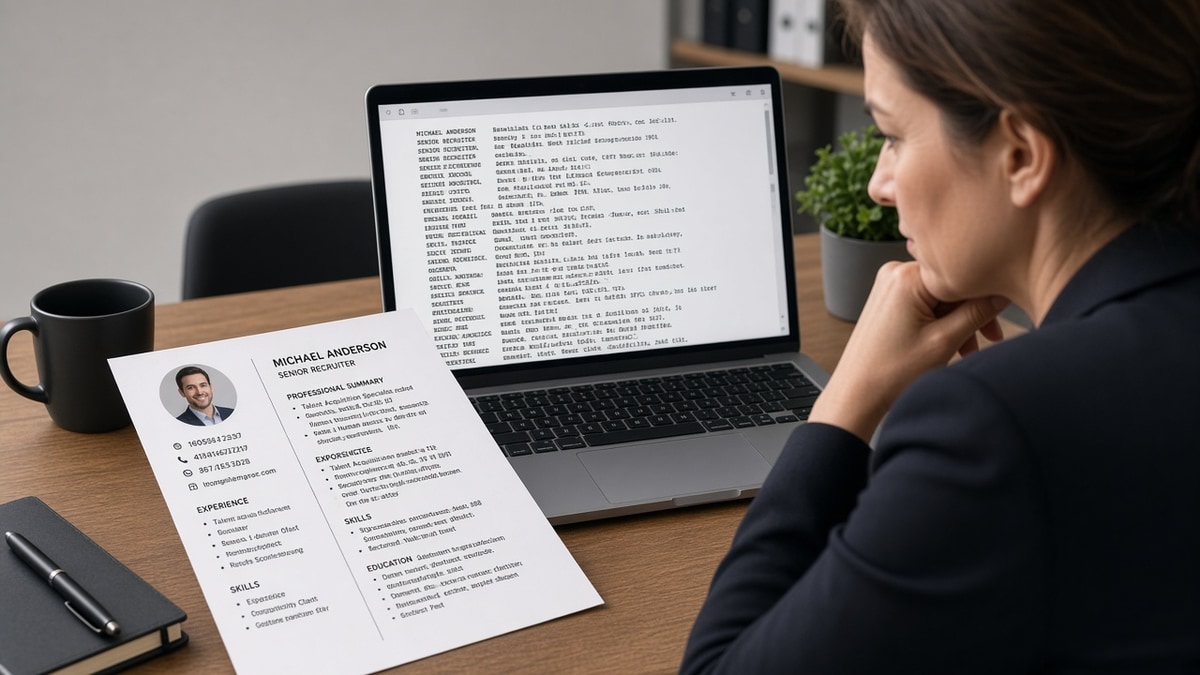
US ATS parsers don't read your resume like a human scanning left and right. They flatten the file into one text stream, often finishing the entire left column before the right column starts. That's how Python and Tableau from a sidebar end up glued to a 2019 internship title while your current role drops to line forty.
You've polished a two-column template because it looks organized on screen. Then Workday shows a recruiter a profile where Skills imported above Experience and your phone number landed in Summary. Before you rewrite bullet verbs, check your resume for free on the same PDF or DOCX you'll upload. You'll see whether the parser read column one as one block and scrambled employer order on the way through.
Job searching is already draining when you're qualified and still getting silence. This isn't about blaming your design taste. It's about export order. Below you'll see the bar a parse-safe file must clear, before/after pairs across five roles, what broken layouts share, and a copy-paste single-column skeleton you can use tonight.
If you've been stuffing keywords into a sidebar while bullet one still reads like a duty line, flip the order of operations. Flatten columns first. Tailoring can't fix a file where the ATS thinks your skills table is your current employer.
Quick Wins
- Paste your export into Notepad and read top to bottom once.
- Move sidebar skills into dated Experience bullets under the job where you used them.
- Put name, phone, email, and city on line one in body text, not in a header.
- Re-run a parse check on the flattened file before keyword edits.
The bar every US ATS-safe resume is judged against
A recruiter opening your file in Workday or Greenhouse expects current employer on top, Month Year dates attached to the right title, and skills sitting near the work that proves them. The parser builds that profile by reading one text stream. Columns, tables, and text boxes split that stream into chunks the software reassembles in the wrong order.
The pass test: paste your export into plain text. If you can read name, contact, summary, most recent job, prior jobs, education, and skills in that order without jumping sideways, you're close. If Skills or certifications appear before your current title, the layout failed before keywords mattered.
Human readers love side-by-side sections because the eye compares columns in parallel. ATS does not parallel read. It walks the file like a tape head. Finish column A, then column B. Your 2022 marketing manager title can sit directly under a 2019 campus job because the left column held contact and skills while the right column held employers. I've screened stacks of these in Workday, and the profile that loses almost always parsed the sidebar before the current role.
Edge case one: a "hybrid" template with a full-width header and only the body split into two columns. The header usually parses fine. The body still scrambles. Treat any split below the name block as a column risk.
Edge case two: Canva or Google Docs resume with icons in a left rail. Icons often drop entirely. Text in that rail may parse as a single block above everything else. Export to Word, strip graphics, flatten to one column, then test again.
When upload preview already looks wrong, read why your Workday resume looks different after upload for header/footer and table failures that stack on top of column order. Fix layout once on the master file instead of patching wording on every apply.
Why columns break US ATS parsing: alternatives in before/after pairs
Each pair below is the same candidate information arranged two ways. The weak version is what the parser often imports. The strong version is single-column body text a tired recruiter can ctrl-f without opening the PDF attachment.
Pair 1: Marketing manager with skills sidebar
Before: Left column lists HubSpot, Salesforce, Google Analytics, and SEO in a shaded Skills box. Right column holds employer blocks. Parser reads every skill line, then starts employer one.
After: Single column. Bullet one under current role: Owned pipeline reporting in HubSpot and Salesforce for a 14-person demand gen team; lifted MQL-to-SQL rate 9 points in H1 2025. Skills line below Experience repeats HubSpot and Salesforce once.
Pair 2: Registered nurse with license column
Before: Narrow left rail shows RN license, BLS, ACLS, Epic, Cerner stacked with icons. Employment history in the wide column. Parser attaches ACLS and Epic to the oldest clinical rotation.
After: Licenses on one line under the name: RN (CA) · BLS · ACLS. Bullet one: Managed care for 18 ICU patients per shift in Epic at Regional Medical Center, Jan 2023 to present. Certifications section lists BLS and ACLS with renewal Month Year after Experience.
Pair 3: Software engineer with tech stack table
Before: Two-column table pairs languages and frameworks in row order. Row one reads Python then Kubernetes. Parser may output Python Kubernetes Java React without employer context.
After: Bullet under current employer: Built internal APIs in Python on Kubernetes serving 2.4M daily requests; cut p95 latency 22% after cache split in Q3 2024. Skills: Python, Kubernetes, PostgreSQL on one comma-separated line after bullets.
Pair 4: Operations lead with contact header grid
Before: Phone and email live in a Word header spanning two columns on page one. Body uses a 30/70 split for Skills versus Experience. Workday maps phone into Summary and prints Lean Six Sigma before the current director title.
After: Line one: Jordan Lee · [email protected] · (415) 555-0142 · Austin, TX. Experience opens with Operations Director | FleetCo | Mar 2021 to present. Lean Six Sigma proof sits in bullet two with warehouse scope and dollar savings.
Pair 5: Recent graduate with education/skills split
Before: Left column is Education and Campus Leadership. Right column is internships. Parser finishes the degree block, dumps Skills from the left footer, then lists internships. Recruiter sees Excel and leadership lines where full-time role should be.
After: Education after Experience when you're employed. Internship bullets lead with tools: Automated weekly inventory reports in Excel for 3 distribution sites during Summer 2025 internship at LogiCorp. Campus role moved below internships with one bullet and Month Year dates.
Pair 6: Sales rep with metrics column
Before: Right sidebar holds quota attainment, deal size, and CRM names away from employer text. Parser reads metrics as orphan lines with no company attached.
After: Bullet one: Closed $4.2M in new ARR in FY2024 at 118% of quota in Salesforce for mid-market SaaS accounts. Quota proof stays on the same line as employer and date range. No floating numbers in a margin box.
Copy-paste single-column skeleton
Copy-paste layout block
FULL NAME
[email protected] | (555) 555-0100 | City, ST | linkedin.com/in/name

SUMMARY (optional, 2 lines max, no table)

EXPERIENCE
Job Title | Company | Month Year to Month Year
- Bullet with tool + scope + outcome in first eight words
- Second bullet with metric tied to same employer

Job Title | Company | Month Year to Month Year
- Prior role bullet with proof

EDUCATION
Degree | School | Year

SKILLS
Comma-separated list AFTER Experience, echoing bullets above

Rule: no sidebars, no two-column tables, no text boxes.
Edge case: federal resume formats and some academic CVs expect multi-page tables. Corporate US roles on Greenhouse, Lever, Workday, and Taleo still reward the skeleton above. Another edge case: creative portfolios where the resume is one page and the portfolio is a separate link. Keep the resume file boring and single-column even when the portfolio site is not.
For what recruiters do when bullets still look thin after layout fixes, see resume red flags recruiters notice immediately . Parse order gets you into search. Proof in the right employer row gets you forwarded.
What weak column layouts share on US ATS imports
Skills parsed as employers. A dense left rail reads like a job history. Recruiters ctrl-f a tool name and find it under a college job. Fix: move each tool into a Month Year bullet, then echo once in Skills.
Current role buried below sidebar content. Contact blocks, certifications, and proficiency grids consume the first thirty lines of plain text. Fix: one contact line, certifications after Experience or in a single list with dates.
Tables used for alignment only. Invisible borders still parse as cells. Merged cells scramble worse. Fix: delete the table, use line breaks and bold labels instead of grid alignment.
Design PDF exported without a Word source. You can't flatten what you can't edit. Fix: rebuild in Word at 11pt Calibri, one column, then export PDF from that file if the portal requires it.
Keyword stuffing in the column that parses first. Adding twelve synonyms to a sidebar raises match noise while Experience stays generic. Fix: bullet one rewrite first, sidebar deleted second.
Assuming the recruiter will open the attachment. Many screen in the parsed profile first. If that profile scrambled titles, you may never get the click. Fix: optimize for plain-text order, then polish PDF for humans who do open it.
Exception: some small employers still read email attachments only with light parsing. Enterprise US healthcare, tech, finance, and retail chains on major ATS still flatten columns the same way. When you're unsure which portal a company uses, default to single-column. It is the only layout that survives both heavy parsing and a six-second human skim.
Parse-check the upload file before you tailor keywords
Flatten layout first. Then run the exact DOCX or PDF you'll attach through HireFlow's free ATS resume checker and confirm current employer imports on top with skills in body text, not trapped in a dropped margin.
When columns are gone and order still looks off, rebuild from the copy-paste skeleton in the free resume builder so section headings stay standard and you don't reintroduce a sidebar by accident.
Do this now: Plain-text paste test, flatten columns, parse-check the export, then tailor bullet one on the file that passed.
Flatten once, then tailor
Why columns break US ATS parsing comes down to read order, not taste. Parsers finish the left column, merge orphaned skills with the wrong titles, and build a profile you wouldn't recognize from your PDF. The fix is boring layout: one column, contact in body text, proof in dated bullets, Skills as echo not storage.
- Paste into Notepad and confirm employer order before any keyword edit.
- Move sidebar tools into bullet one under the job where you used them.
- Parse-check the exact export you'll upload to Workday or Greenhouse.
- Lock the file name so you don't submit last week's two-column PDF.
Open the req you care about. Run a free ATS check on the flattened file, then tailor bullet one. When the posting asks for a short note, use the cover letter generator with the same employer order you fixed in Word so the letter matches what the portal stored.
This won't fix applying to roles where you lack core qualifications. It stops qualified files from dying because Python in a sidebar imported under a 2018 internship while your current title never reached the recruiter view.
Read more
Frequently asked questions
They share the same failure mode more often than you'd hope. Workday, Greenhouse, Lever, Taleo, and iCIMS all extract plain text from your upload. None of them sees your visual grid the way you do in Word or Canva. Most read down the left column first, then the right, or they flatten table cells in row order. The exact scramble varies by portal, but skills landing under the wrong employer is the pattern I see on nearly every two-column file.
Risky. A slim skills sidebar still parses before or between employer blocks on many uploads. If you won't flatten the whole file, paste your export into Notepad and read top to bottom once. If Skills or contact lines appear above your current job title, the sidebar is still winning the parse order. Move those terms into body text under Month Year employer rows instead.
No. PDF does not protect column layout from text extraction. A designed PDF from a template site often parses worse than a plain DOCX because floating text boxes drop entirely. If the portal accepts Word, export single-column DOCX at 11pt Calibri or Arial, then PDF from that same file if required. Never assume the pretty attachment is what the recruiter profile shows first.
Upload the exact file you plan to submit to a free parse check, then open the plain-text or preview output if the portal offers one. Look for three signals: current employer not on top, skills merged into an old job block, or contact info sitting inside Summary. If any of those show up, flatten columns before you tailor keywords. Layout fixes come first.
Use one full-width column with bold section labels, vertical bullet lists, and white space between blocks. Put contact details on line one under your name in body text, not in a header. List skills as comma-separated lines or short bullets under a Skills heading after Experience. You lose the magazine layout. You keep employer order, which is what search and screen depend on.