8 min read
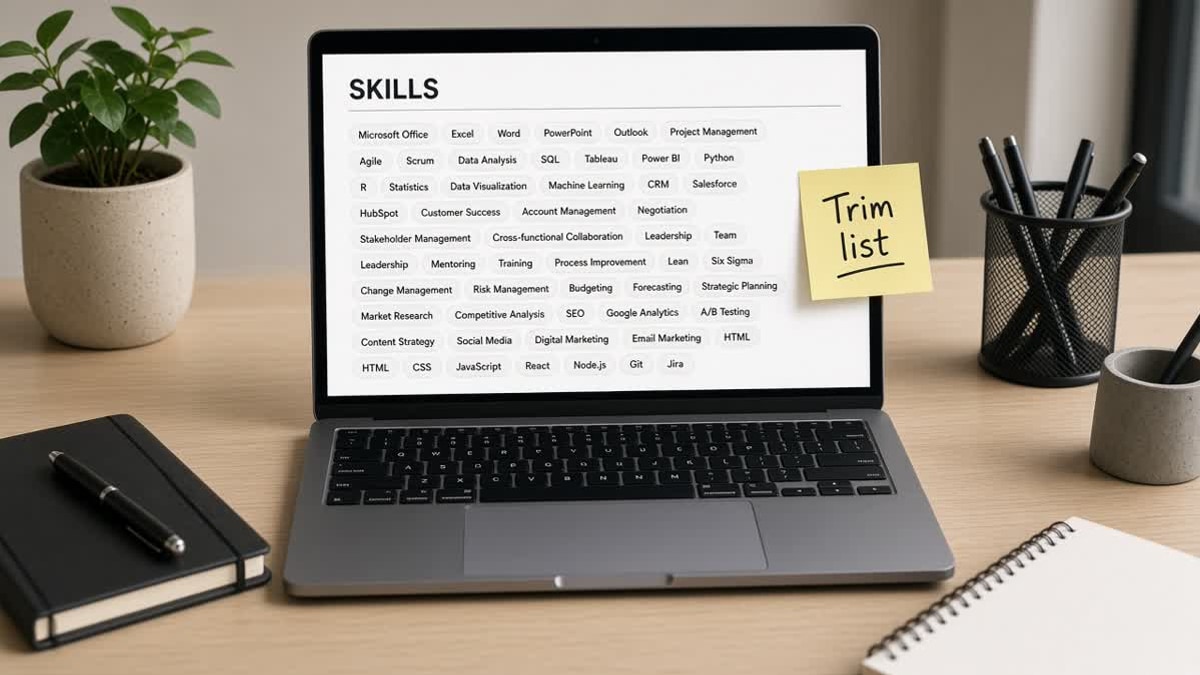
You pasted every tool you've touched since 2018 into Skills because more keywords felt safer. On upload, the portal still asks whether you know Tableau. That's the mismatch: parsers and recruiters weight proof in bullets, not inventory in a tag cloud.
Most files don't fail because they're missing a buzzword. They stall when the Skills section reads like a dump and experience never shows which tools you actually ran last quarter.
Before you trim, check your resume for free and look at the parsed preview. If Skills extracts as one unreadable line, the layout's part of the problem, not just the word count.
Below you'll get themed answers on skill clouds, parser behavior, how many tools to keep, and where matched skills belong tonight. You won't need a forty-line block once the posting drives the cut list, and you'll trim faster when you know what recruiters actually read first.
Quick Wins
- Highlight six must-have tools from the posting before you open your master file.
- Cut Skills to one or two comma-separated lines, not four category headers full of noise.
- Move proof into the first bullet under your current role for each must-have tool.
Does a longer Skills list help you rank?
No. More lines rarely mean a stronger match. Parsers tokenize comma-separated words and match them against the posting. When half the list never appears in the job description, you're adding noise around the tools that actually matter.
A dense cloud lowers signal next to the req. Recruiters set filters on named tools. If your file mentions the right tool once in Skills and again in a bullet with scope, that reads aligned. If the same tool sits inside a forty-item paragraph with unrelated acronyms, the match gets harder to see in a quick scan.
This won't fix applying to roles you're not qualified for. It stops a qualified file from looking like keyword stuffing before a human opens it.
What parsers do with a skill cloud
Workday, Greenhouse, Lever, and Taleo don't read Skills like a human scanning bold labels. They split text into tokens. Commas, pipes, and line breaks become word boundaries. A block that runs forty tools on one line often lands in the profile as a single messy string.
Category headers help only when they're plain text. "Programming Languages: Python, Java" parses fine in a single column. Headers inside tables, text boxes, or icon rows frequently drop on upload, leaving a jumble of words without structure.
For how extracted tokens feed filters, pair this trim with how ATS systems rank candidates internally . Fix parsing first, then argue about match quality.
Why ATS penalizes long skill lists on the human screen
Even when the parser extracts every word, a recruiter still asks one question: "Which of these did they use recently?" A wall of tools with no dates attached reads like a glossary, not a work history.
I've screened stacks of these in Workday and Greenhouse, and the file with forty tools in a tag cloud reads like keyword stuffing before the first screen ends.
Interview risk follows inventory lists. If Tableau sits in Skills but no bullet mentions a dashboard you built, the first interview question becomes a credibility check. Trimming the list forces you to keep only tools you can explain with a recent example.
Outdated tools next to current ones suggest the file hasn't been edited for the role. Cut what you wouldn't bring up on a call.
How many tools belong in Skills for one posting?
Use the posting as the cap, not your entire career. Highlight required and preferred tools in the job description. Start with every must-have, add preferred items you have used in the last two years, then stop when you reach roughly eight to twelve names.
Order by req priority, not alphabet. If the role leads with Python and AWS, those words should appear before niche tools you touched once. Parsers and humans both weigh what they see first in a short block more heavily than what hides on line four.
Edge case: the posting lists a tool you're still learning. Leave it off Skills until a bullet or project can support it. A course name belongs in Education, not as a proficiency tag.
Where matched skills should live instead of a cloud
The Skills list gets you into filter range. The bullet gets you the call. Put each must-have tool in Skills once for match, then rewrite the first bullet under your current job so the tool appears in the first eight words with scope attached.
Example pattern for a data analyst role: Skills holds SQL, Looker, Python. The lead bullet reads "Built weekly churn dashboards in Looker with SQL models, cutting reactive tickets 11% in Q3." The numbers illustrate the bullet shape, not a market claim.
Copy-paste trim checklist
1. Highlight must-have tools from the posting (six to twelve max).
2. Delete every Skills tag with no matching Experience bullet.
3. Rewrite bullet one under current role:
   [Verb] [scope] in [tool], [outcome] over [time window].
4. Paste resume into Notepad; Skills should not appear above Experience.
5. Re-export DOCX once; read parsed preview before submit.
When export formatting breaks comma lists, see DOCX export settings that improve US ATS parsing before you add more keywords to compensate.
Skill list mistakes that trigger a stuffing read
- Pasting every tool since bootcamp. Long clouds bury the posting's must-haves.
- Category headers inside tables. Programming Languages in a grid often drops on upload.
- Soft skills as standalone tags. Communication alone without a deliverable bullet reads empty.
- Listing tools you're still learning. Interviewers test whatever sits in Skills.
Before and after: skill blocks that parse and scan clean
Swap the Skills section and one bullet. Keep single-column layout and 11-point Calibri or Arial.
Skills block
Before: "Skills: Python, Java, C++, R, MATLAB, JavaScript, TypeScript, React, Angular, Vue, Node, Django, Flask, AWS, Azure, GCP, Docker, Kubernetes, Jenkins, Git, Jira, Confluence, SQL, NoSQL, MongoDB, Redis, Tableau, Power BI, Excel, Word, Outlook, leadership, communication, teamwork, Agile, Scrum, Kanban, SEO, SEM, Google Analytics."
After: "Skills: Python, SQL, Looker, AWS, Git."
Matching bullet under current role
Before: "Responsible for data projects and reporting tasks across teams."
After: "Automated pipeline monitoring in Python on AWS, feeding Looker dashboards used by 12 stakeholders weekly."
Tools to verify your trim
After you cut the cloud, confirm the posting still reads back in the parsed view and that must-have tools appear in both Skills and at least one bullet.
Run the free ATS resume checker on your trimmed file and compare the extracted Skills line to the job description highlights. If a must-have vanishes, fix placement before you apply again.
Draft a cover letter that names the same trimmed tool set as your Skills line. Don't reintroduce tools you cut from the resume.
Score your job match on the same posting to see whether your remaining tools and bullets align after the cut. You'll know if you trimmed too aggressively before you submit.
Trim Skills tonight, prove tools in bullets
Why ATS penalizes long skill lists comes down to noise: parsers tokenize the cloud, recruiters look for recent proof, and interviewers test whatever you claimed. Eight to twelve posting-matched tools in a short Skills line, with each must-have repeated once in a current-role bullet, beats a forty-line inventory every time.
Open the posting. Highlight the must-haves. Delete everything else from Skills. Rewrite one bullet so the first tool from the req lands in the first eight words with scope attached. Upload the trimmed file and read the parsed preview before you click apply.
Read more
Frequently asked questions
Aim for eight to twelve posting-matched tools in Skills, grouped in one or two short lines. Anything beyond what you can tie to a recent bullet starts reading like padding. If the posting lists six must-haves, lead with those six and add two supporting tools you have used in the last two years.
Yes, when they eat space better spent on tools the posting names. Communication and teamwork belong in a bullet where you show the outcome. Parsers still extract soft-skill words, but a long Skills block full of traits and no tools dilutes the technical match recruiters filter on first.
Repeating the same tool once in Skills and once in a bullet under your current role is fine. Listing it six times across categories looks like stuffing. Put the tool in Skills for filter match, then prove use in one bullet with scope or outcome. Drop the extra comma-separated repeats.
You can when every required tool already appears in experience bullets and the posting is short. Many corporate templates still expect a Skills header, so a tight eight-item line often parses cleaner than forcing recruiters to hunt through paragraphs. Skip the section only when your bullets already mirror the posting language.