By Peter Miller · Reviewed by Barbara Safani, CPRW (20+ years) · Published February 15, 2026 · Last updated: September 15, 2026
11 min read
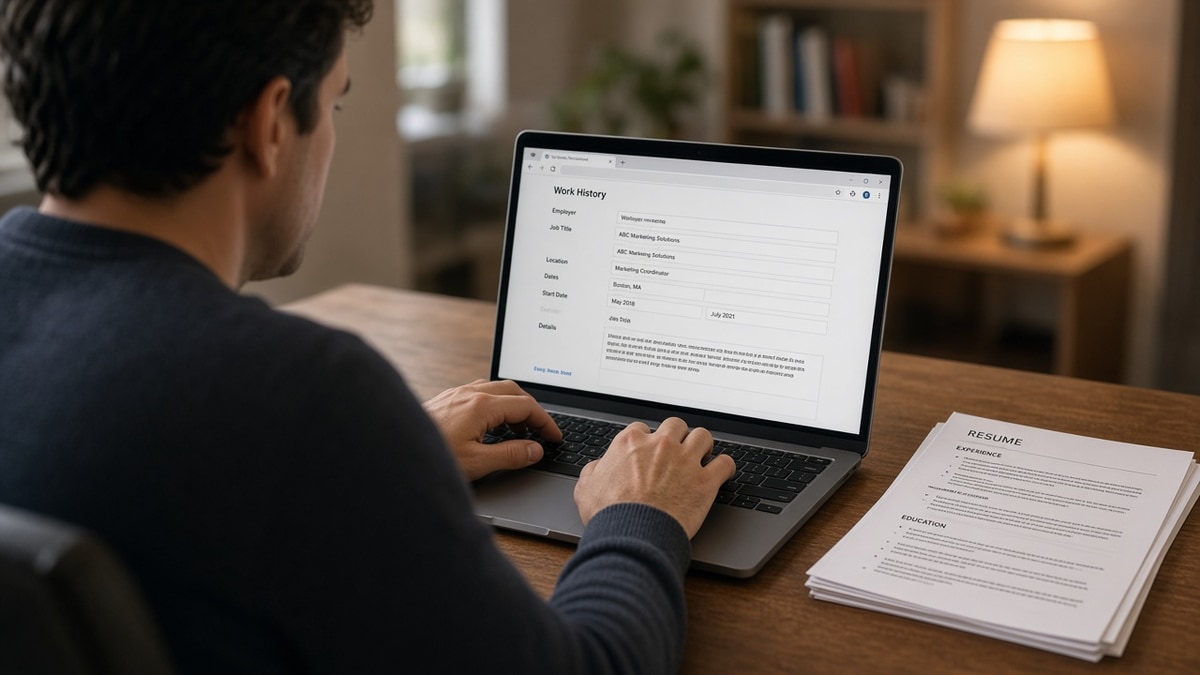
You uploaded a resume that looks fine on your screen. The portal flashes a success message, then drops you into empty Experience fields and asks you to type ten years of work history by hand. You're not doing anything wrong. The parser couldn't slot employers, dates, or bullets into the profile schema the recruiter will search later.
Most candidates rush to type. That's how you'll end up with March 2022 on the form and January 2022 on the PDF, or a missing employer the keyword screen never sees. Before you touch the keyboard, check your resume for free with the posting pasted beside it. You'll see whether the failure is layout, file type, or a section the parser skipped entirely.
Job searching while you're employed or between contracts is exhausting. This guide won't tell you to apply to more roles tonight. It walks through what to click when an ATS blanks your upload, how to finish the current req without losing an hour, and how to fix the source file so you're not retyping the same Canva sidebar on every Greenhouse link this month. If you've already lost an evening to a blank Workday form, you're in the right place.
You'll get five ordered steps, two edge cases for career profiles and mobile browsers, mistakes that turn manual entry into new errors, and FAQ answers on when re-entry means real rejection. If the posting also wants a letter, draft plain text in the cover letter generator after your master sheet matches the dates on the resume attachment.
Quick Wins
- Screenshot the blank preview before you type over it.
- Build one master sheet with employers in reverse chronological order.
- Save after each job block so a timeout does not wipe progress.
- Re-upload a single-column file when the portal allows a second pass.
Why the portal blanks your upload instead of parsing it
Applicant tracking systems do not hate you. They map uploaded files into database fields: employer name, title, start date, end date, bullet text. When that mapping fails, the honest fallback is an empty form. Workday, iCIMS, Lever, and Taleo would rather show blank rows than import your Skills block as your current job title.
Two-column layouts are the most common trigger. Parsers read left to right, top to bottom. A sidebar full of tools lands before your latest employer. The form prefills SQL and Tableau while your product manager role stays blank. You think the system ignored your experience. It imported the wrong column first.
Tables and text boxes break the same way. Dates trapped inside table cells become random characters. Contact info sitting in a Word header never reaches the body text parsers read. You look uncallable on the recruiter view even when the PDF attachment still looks polished.
Scanned or image PDFs fail silently. If you cannot highlight the employer name in your file, the parser cannot either. The portal accepts the upload, shows a thumbnail, and hands you manual fields because there is no selectable text to extract.
A composite customer support lead uploaded the same one-page resume to three reqs. The Greenhouse posting prefilled four of five jobs. The Workday posting showed empty Experience after a sidebar template export. The Lever posting imported education twice and skipped the current role. Same person, same content intent, three parser outcomes. The difference was file structure, not qualifications.
Read why resumes get rejected by ATS when you want the broader failure map. This page stays on the moment the form goes blank and what to do with your hands next.
What to Do When ATS Asks You to Re-Enter Everything (US)
Work the steps in order. Skipping the preview check and jumping straight to typing is how qualified files pick up date typos that never existed on the resume.
Step 1: See what the parser actually imported
After upload, open the application preview if the portal offers one. Note blank employer rows, job titles in the wrong section, and contact lines sitting in summary fields. Screenshot the preview before you overwrite empty slots with manual text. That image tells you whether the fix is layout, file type, or one broken employer block.
Before: Typed directly into blank Workday fields without checking preview; missed that Education imported twice and Experience was empty.
After: Screenshot showed Skills prefilled as job titles; rebuilt single-column file before re-upload.
Step 2: Build a master application sheet
Open a plain Google Doc or Word file titled Application Master. List every employer in reverse chronological order. Each block gets company, city and state, title, Month Year start, Month Year end or Present, then three to five bullets copied verbatim from your resume. Add education, certifications, and license numbers below. This sheet is your paste source for every manual form this week.
Keep dates in one format everywhere: January 2022 to March 2024. Do not switch to 01/2022 in the form if the resume uses Month Year words. Recruiters notice mismatches during screen.
Copy-paste master block:
Acme Logistics | Chicago, IL | Operations Analyst | January 2022 to Present
- Built weekly SLA dashboards in Looker, cutting reactive tickets 11% in Q3
- Owned vendor scorecards for 14 regional carriers
- Standardized Month Year close notes for the finance handoff
Before: Retyped bullets from memory across three tabs; invented a Q4 metric that was not on the PDF.
After: Pasted from master sheet; form matched attachment word for word on dates and titles.
Step 3: Fill the portal section by section
Start with contact info, then each job block, then education, then skills. Click save or continue after every employer if the portal offers it. Session timeouts on long Taleo forms are real. Losing twenty minutes of typing because you waited until the end hurts more than an extra thirty seconds per save click.
Paste bullets one at a time instead of dumping a whole paragraph into a single field. Many forms strip line breaks and merge five bullets into one unreadable line. Use the master sheet line breaks as your guide.
I've screened stacks of Workday profiles where the candidate typed faster than they proofread, and the attached resume showed a senior title while the parsed profile still said analyst from an old manual entry.
Before: Pasted entire experience section into one Greenhouse text box; recruiter view showed one giant paragraph.
After: One bullet per field; readable profile matched resume spacing.
Step 4: Flatten and re-upload the source resume
Manual entry gets you through today's req. It does not fix tomorrow's. Move contact details into the document body. Collapse sidebar skills into dated experience bullets. Export a text-based DOCX or PDF from Word, not from a design tool. Re-upload when the portal allows a second file pass or when you start a fresh application with the fixed file.
Paste the export into Notepad before you upload again. Employer names should appear in the order you intend. If Notepad scrambles sections, the parser will too.
Read DOCX export settings that improve US ATS parsing when your fixes start in Word before the next upload.
Before: Kept reusing a two-column Canva PDF; every iCIMS req required full manual entry.
After: Single-column Word export prefilled four of five jobs on the next application.
Step 5: Verify preview before final submit
Compare three sources: the master sheet, the attached resume, and the portal preview. Employer order, titles, and Month Year ranges must match. If the preview still drops a role after re-upload, do not submit and hope a recruiter opens the PDF first. Fix structure again or note the gap in a short cover letter only after the file is as clean as you can make it.
Run the free ATS checker with the job description pasted in. Confirm required skills appear in Experience text, not only in a sidebar that never parsed.
Before: Submitted when only three of four jobs appeared in preview; keyword screen missed the most recent employer.
After: Delayed submit until preview showed all four roles; same keywords visible in checker output.
Edge case: Career site profile vs one-off application
Some employers let you create a permanent career profile that carries across reqs. A bad first upload poisons every future application on that site. Spend the extra ten minutes flattening the file before you save the profile. Update the profile after you fix the resume instead of letting stale parsed data sit for six months.
Before: Saved a scrambled Workday profile from a template upload; every later req imported wrong titles.
After: Deleted profile work history, re-uploaded flattened DOCX, saved clean data once.
Edge case: Mobile browser vs desktop
Long manual forms on a phone are where dates get transposed. Finish re-entry on desktop Chrome or Firefox when possible. If you must use mobile, keep the master sheet open in another tab and paste instead of typing ten-digit years with your thumb.
Read why your resume looks different after Workday upload when the preview mismatch is specific to Workday employers.
Where manual typing makes things worse
Typing from memory instead of the master sheet. You will round dates, soften titles, or add metrics that are not on the attachment. Recruiters compare form data to the PDF during screen.
Changing job titles to match the posting in the form only. The resume still says Business Analyst while the form says Data Analyst. Parser search and human review both get conflicting signals.
Copying formatted resume text with hidden tables. Pasting from PDF can drop characters or merge lines. Paste from the plain master sheet or Notepad view.
Skipping save clicks on long forms. One session timeout erases more progress than five extra saves cost.
Assuming manual entry means you can ignore the attachment. Many recruiters still open the file. Both channels need the same facts.
Fixing only the form and never the source file. You will repeat the same marathon on the next req. Flatten once, reuse everywhere.
Rage-quitting before a re-upload attempt. One flattened DOCX often prefills what a design PDF could not. Try the file fix before you decide the portal is broken.
Fix the file before the next manual marathon
After you build the master sheet, run your flattened export through the ATS resume checker with the posting beside it. You'll see whether keywords landed in Experience or vanished when the sidebar never parsed. Fix order first, then tune bullet wording.
If you're rebuilding from a broken template, build your resume in a single-column layout, export DOCX, paste into Notepad to confirm employer order, then save that file as your new default upload.
Stop retyping the same broken layout
When an ATS asks you to re-enter everything, treat it as a parser failure signal, not a typing contest. Finish the current req from a master sheet, flatten the source file, re-upload once, and confirm the preview before submit. That sequence protects tonight's application and every req you click next week.
Open your last application preview screenshot. If Experience was empty, rebuild in one column before you apply again. Run the checker with the posting pasted in. Submit when the form, the file, and the master sheet agree on dates and titles.
Qualified candidates lose screens because parsers read sidebar tables before employer names, not because they lacked the experience. Fix the file once. Stop donating an hour per application to the same web form.
Read more
Frequently asked questions
Not always. Many US portals ask every candidate to confirm parsed fields even when the upload partially worked. The red flag is blank employer rows, scrambled dates, or a prompt that appears right after upload with zero fields prefilled. That means the parser could not map your file into profile slots. Fixing the source file matters more than typing faster.
Do both in order. Build a master application sheet so you can finish today's req without losing an hour. Then fix the resume layout tonight so tomorrow's Workday or Greenhouse upload prefills correctly. Re-upload the flattened file when the portal allows it. Typing alone trains you to repeat the same broken two-column layout on every application.
Design exports with tables, text boxes, and sidebar skill columns confuse parsers in Workday, Taleo, and iCIMS. Scanned PDFs and password-protected files often fail entirely. A single-column DOCX or text-based PDF with Month Year dates on the employer line usually prefills more fields than a Canva template that looks sharp on screen.
Autofill helps for name, email, and address once those fields are correct. It will not fix employer history if the parser dropped your last role. Use autofill for contact blocks only. Paste job bullets from your master sheet section by section so dates stay consistent with the resume you attach.
After you try a flattened re-upload and the portal still wipes fields on save. Send a short note with the job ID, browser used, and a one-line description: upload parsed blank for Experience. Attach the same single-column PDF you tested. Many teams can accept the file by email when the system blocks qualified candidates. Do not skip the file fix first.