11 min read
Your degree is on the page, but the portal profile shows blank school fields. You didn't lie. You put the university name, the major, and the graduation year inside a two-column Canva block, and Workday read it as noise. US resume education sections fail quietly: the PDF looks polished, the parser logs nothing useful, and a recruiter assumes the credential is missing.
I've screened stacks of these in Greenhouse where experience bullets parsed fine and education came through empty. That's almost always a layout problem, not a qualification problem. Before you rebuild the whole file, check your resume for free against the posting you're targeting. If school and degree fields populate in the preview, you're fixing cosmetics. If they're blank, you're fixing structure. The steps below assume a single-column Word or Google Docs export, not a designed portfolio PDF.
We'll cover what parsers expect in the education block, five formatting steps with before/after fixes for common profiles, mistakes that scramble dates, and two HireFlow tools that catch mapping errors before you hit submit. You don't need a new template for every application. You need one predictable line order parsers can map to their database fields.
Quick Wins
- Use the header Education, left-aligned, no icons.
- One school per block: institution, degree, location, date on separate lines.
- Pick Month Year or Year only and stick to it for every entry.
- Spell out degree names; keep GPA only when it helps or is required.
- Export DOCX, then PDF from that file, not from a design tool.
What ATS parsers expect from your education block
Applicant tracking systems don't read your resume like a person. They map lines to fields: institution, degree, major, start date, end date, GPA. When those values sit on one crowded line or inside a table cell, the mapper guesses wrong or leaves the field empty. Recruiters then filter on degree equals Bachelor and your row never surfaces.
US employers running Workday, Greenhouse, Lever, or Taleo still care about education even when you have a decade of experience. A posting that says bachelor's required means the parser will look for that string somewhere in the education section, not buried in a summary. Entry-level screens weight it heavier, but mid-career pivots often live or die on whether a recent bootcamp or master's parsed correctly.
The bar: A tired recruiter should see school, degree, and graduation date in three seconds without tilting their head at a sidebar.
Reverse chronological order is the default. Most recent degree first. If you earned an MBA after your bachelor's, the MBA leads. Certifications that aren't degrees belong in their own section unless you're a student with no degree yet and the cert is your strongest proof.
Location matters for disambiguation. State University is not one campus. Add City, ST after the official school name when the diploma would list it. Parsers use location as a tiebreaker when two institutions share similar names in their vendor database.
Read DOCX export settings that improve US ATS parsing if your whole file scrambles on upload, not only education. Font and margin choices affect every section.
Format your US resume education section in five steps
Work top to bottom. Don't tweak GPA until the skeleton parses. Each step includes a before/after pair you can mirror for your own school lines.
Step 1: Lock the section header and placement
Label the block Education. Not Academic Background, not Training, not Credentials. Those headers sometimes fail to trigger the education mapper in older Taleo builds. Place the section after Experience when you have more than two years of relevant work. Place it before Experience when you're a current student or recent grad with thin experience.
Before: A sidebar labeled Schooling with logo icons and a shaded box around the university name.
After: A single-column block under the header Education, same left margin as Experience, no graphics.
Step 2: Set one line order per school
Use this sequence every time: official institution name on line one, degree and major on line two, city and state on line three, graduation or expected date on line four. Optional lines (GPA, honors, coursework) follow beneath that school only. Never put two schools on one line separated by a pipe character.
Before: University of Texas at Austin | BBA Finance | Austin | 2022
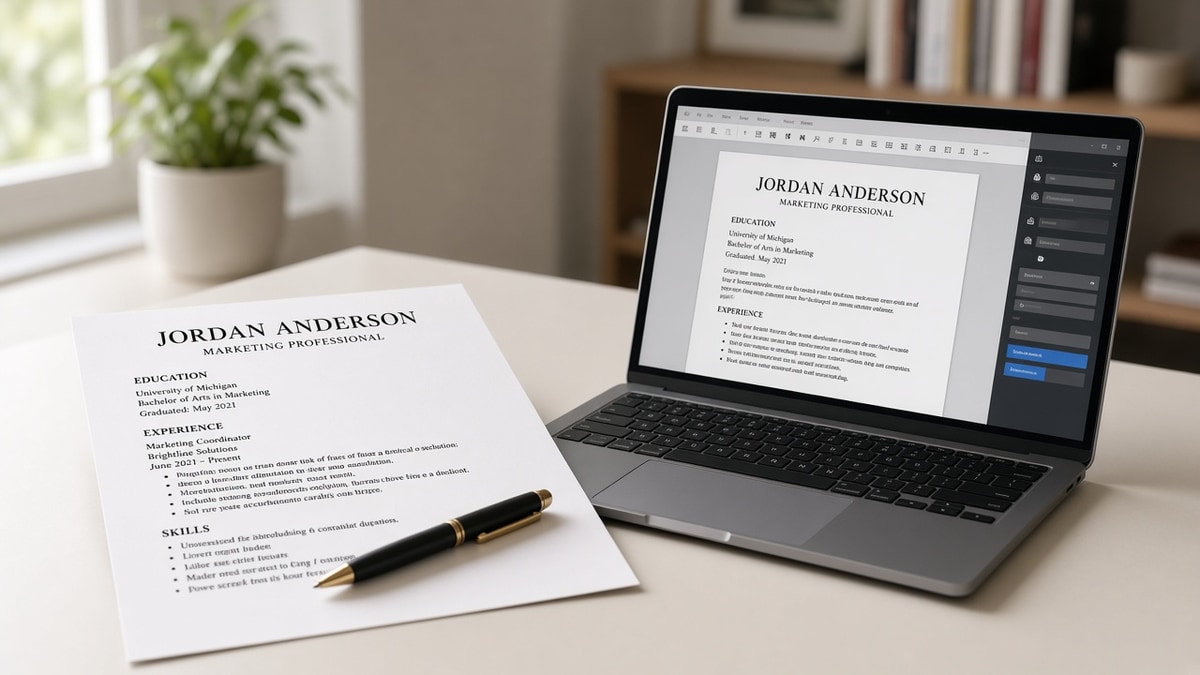
After: University of Texas at Austin, Austin, TX · Bachelor of Business Administration in Finance · May 2022
Better still, break the after version onto separate lines as shown in the copy-paste block below. Parsers handle line breaks more reliably than middle dots.
Step 3: Format dates one way across the file
Choose Month Year (May 2022) or Year only (2022) and use it in education and experience. Mixed styles cause end dates to attach to the wrong school. For degrees in progress, write Expected May 2026. Don't use Present or Current in education; those tokens often map to today's date and imply you already graduated.
Before: 08/2020 to 05/2022 and Present under the same school entry.
After: Expected May 2026 on its own line for an in-progress bachelor's, with no start date unless the posting asks for attendance years.
Step 4: Decide what optional lines earn space
GPA belongs when you're within three years of graduation, it's 3.5 or higher, or the employer requests it. Honors like Magna Cum Laude or Dean's List fit on one line with the year range. Relevant coursework helps career changers: cap at four course titles tied to posting keywords, not a semester dump.
Before: Recent grad listing a 3.1 GPA, twelve club roles, and every elective since freshman year.
After: Bachelor of Science in Computer Science, May 2024 · Relevant coursework: Data Structures, Database Systems, Linear Algebra · Dean's List 2022 to 2023. No GPA line because it doesn't help at 3.1.
Step 5: Strip tables, columns, and text boxes
If you built the resume in Canva, Notion, or a two-column template, rebuild education in Word or Google Docs. Select the education block, paste into Notepad, and confirm each school still has line breaks. Reapply bold only to the institution name if you want visual hierarchy. Bold on degree lines is fine; avoid text boxes that float beside the margin.
Before: Education split across two columns with dates right-aligned in a table.
After: Dates on the same left margin as the school name, one school stacked above the next.
Before/after: experienced hire with MBA
Before: MBA, NYU Stern, 2018 tucked at the bottom in italics with no location line.
After: New York University, Leonard N. Stern School of Business, New York, NY · Master of Business Administration · May 2018. Certifications like PMP live under a separate Certifications header.
Before/after: bootcamp plus bachelor's
Before: Flatiron School and State College listed on one line as programs without degree labels.
After: Bachelor of Arts in Psychology, State College, May 2019 on the first block. Certificate in Full Stack Web Development, Flatiron School, New York, NY, August 2023 on a second block or under Certifications, not merged into one table row.
Copy-paste education block
Copy-paste and replace the bracketed lines:
                {`Education

[Official University Name]
[City], [ST]
[Full Degree Name in Major], [Month Year or Expected Month Year]
[GPA: X.X/4.0, only if it helps]
[Honors or Dean's List year range, optional]
[Relevant coursework: Course A, Course B, optional, max four]

[Second school if needed, same line order]`}
Edge case: two degrees from one university
List them as separate blocks with the same school header repeated, or one school header with two degree lines and distinct dates. Do not combine into Bachelor and Master, 2018 to 2022 without clarifying which award matches which year.
Edge case: study abroad or exchange semester
One line under the home degree is enough: Study abroad, University of Edinburgh, Fall 2023. Don't create a full second school entry unless you earned a credential there. Recruiters care that you graduated from the degree-granting institution.
Edge case: GED or associate before bachelor's
Lead with the highest degree. Drop the GED once the bachelor's is awarded. Keep an associate only if it's directly relevant to the role and you lack other proof in that specialty.
Night-before parser check
Upload the DOCX to your target portal's preview if it offers one. Open the candidate view and read the education fields literally. If institution is blank, split lines. If degree merged with city, move location to its own row. Save the PDF only after the DOCX preview looks right; re-exporting from a fixed source file beats patching a broken PDF.
Align degree wording with the posting. If they ask for Bachelor's in Computer Science, mirror that phrase once in your degree line. You're not stuffing keywords. You're helping both the mapper and the recruiter confirm the requirement is met without opening the PDF twice.
Where education formatting breaks in the parser
Tables and sidebars. Greenhouse and Workday often read table cells out of order. Education dates end up attached to the wrong employer in the internal profile view.
Abbreviations without context. BS, BA, and MBA alone don't always map to degree type. Spell the award out once.
Mixed date formats. May 2022 beside 2020 to 2024 beside 05/22 trains nothing consistently. Pick one style per file.
High school after college. It pushes relevant coursework and honors below the fold where truncation cuts them off on long uploads.
Icons and progress bars for skill level. Some templates put education in the same graphic row as proficiency meters. Parsers skip the row entirely.
Scanning a diploma photo. OCR on crest images misreads school names. Type the official name from the registrar site.
Listing coursework as a second job. Internships belong in Experience. Classes belong under the degree that awarded them.
Read formatting mistakes that kill your resume with AI screening for file-level issues that hit education and experience together.
Catch mapping errors before you apply
Run the file through HireFlow's ATS resume checker after you rebuild the education block. The preview shows whether school and degree fields populate or stay empty. Fix structure first, then tune keywords in experience.
If you're starting from a broken template, the free resume builder exports a single-column layout with a plain Education section you can paste your lines into. Build once, export DOCX, and reuse the skeleton for each application without re-fighting column code.
Keep a version note in your apply tracker: date, portal name, whether education parsed on preview. When one layout keeps failing in Workday but works in Greenhouse, you know the issue is vendor-specific field mapping, not your degree.
If the posting also wants a letter, draft it after education parses cleanly. The cover letter generator pulls from the same plain layout so you are not fighting two broken files on one application.
Ship a clean education block tonight
ATS-safe formatting for your US resume education section comes down to predictable lines: Education header, school, degree, location, date, then optional GPA or coursework. Strip tables, align dates with experience, and spell out degrees the way the registrar would.
Rebuild in a plain DOCX, run the checker preview, and only then export PDF for upload. If the portal profile still shows blank schools, split crowded lines before you rewrite bullets elsewhere. The degree you earned should survive the parser the same way your job titles do.
When you're applying to multiple similar roles this week, keep one education block unchanged and tailor experience bullets per posting. Don't reformat school lines for every company unless you're adding an in-progress semester or a new cert.
- One date format across education and experience.
- No high school once you hold a bachelor's.
- Certifications separated from academic degrees.
Fix the layout, confirm fields populate, and run a free ATS check on the full file before your next application goes out.
Read more
Frequently asked questions
Spell it out on the first line: Bachelor of Science in Biology, not BS Biology. Abbreviations in isolation confuse parsers and recruiters scanning for major keywords. You can add the abbreviation in parentheses once if the posting uses it, but the spelled-out form should lead.
Keep education after experience unless the posting demands a specific degree you earned recently. Move it up only when you are pivoting and the new credential is the proof. The section header stays Education. Do not bury the degree inside a summary paragraph.
No for most US corporate roles. High school belongs only when you have no post-secondary credential or the employer explicitly asks. Listing both clutters the section and pushes relevant coursework down where parsers may truncate.
Use Expected May 2026 or Anticipated 2026 on its own line, same Month Year format as completed degrees. Do not write present or ongoing in place of a date. If you have completed coursework worth naming, add one line of relevant coursework beneath, not a full transcript list.
Keep academic degrees under Education. Put industry certifications like PMP or CPA in a separate Certifications section unless you have no degree and the cert is your primary credential. Mixing them in one table is a common parser failure in Workday uploads.