11 min read
You found a role on an Ashby careers page, uploaded a sharp PDF, clicked submit, and heard nothing. The file looked perfect on your screen. The parser read a scrambled version where your last employer name landed on a different line from your title. You're not underqualified. You're losing the upload step before a recruiter opens the attachment.
Check your resume for free before you enter the Ashby portal. Most Ashby failures trace to three fixes: selectable text, completed required fields, and a resume without tables that split employer rows. This checklist walks the portal in order so you don't submit a file that's already failed parsing.
Ashby powers hiring at a growing slice of US startups and mid-size tech companies. The portal skin changes by employer. The parser behavior's consistent enough that one workflow covers most applies. You'll get five steps, two edge cases, parser mistakes I see repeatedly, and a copy-paste field checklist you can run tonight.
Job searching through multiple ATS portals is tedious. This won't get you an interview for a role you're missing core skills for. It stops a qualified file from dying because the PDF wasn't text or because you skipped a required dropdown that's blocking recruiter filters.
Quick Wins
- Paste your PDF into Notepad. If text doesn't copy, fix the export before Ashby sees it.
- Put employer, title, and Month Year on plain lines. No tables splitting the row.
- Read the upload preview. Garbled preview equals garbled recruiter view.
What Ashby reads before a recruiter opens your file
Ashby extracts plain text from your upload, maps it into profile fields, and stores a searchable record. Recruiters often filter that parsed profile before they click your attachment. If extraction dropped your current title or merged two jobs, you can disappear from a keyword filter even when the PDF looks fine.
The bar: single-column layout, standard section headers, contact info in the body not the footer, and bullets that start with verbs plus tools from the posting. Fancy design hurts here. Boring files win.
Ashby application forms also carry structured fields: work authorization, location, links, and custom questions. Those fields write to the same candidate record as your resume text. A mismatch between your typed start date and your resume start date flags manual review. Consistency across form and file matters as much as keywords.
Some employers enable cover letter uploads. Others hide them behind optional toggles. If the posting mentions a letter and the portal allows one, generate a cover letter from the same bullet set as your resume so names, titles, and metrics align.
Read resume formatting errors that break ATS parsing for layout issues that hit every ATS, not just Ashby. This page is the Ashby-specific submit workflow once the file is clean.
Edge case: the portal asks for LinkedIn URL in a required field while your resume omits it. Add the URL to the form even if it is on the resume header. Duplicate contact paths help recruiters, not hurt. Edge case two: referral links that pre-fill your email. Still verify every field. Pre-fill can carry an old phone number from a prior application in the same Ashby tenant.
Five steps through the Ashby application portal
Run these in order. Do not upload until step one passes the Notepad test. Each step ends with a check you can see on screen before you move on.
Step 1: Export selectable text only
Open your resume in Word or Google Docs exported to DOCX. Save PDF only from a text-based source, not from a design tool. Highlight all text and copy into Notepad on Windows or TextEdit plain mode on Mac. Employers and dates should appear in reading order.
Before: Canva PDF with icons for each skill. Notepad paste shows blank lines and random words.
After: Word DOCX, 11-point Calibri, single column. Notepad paste shows Acme Corp, Product Manager, Jan 2022 to Present on consecutive lines.
If paste fails, flatten columns and remove text boxes before you re-export. Image-based PDFs pass human eyes and fail parsers.
Step 2: Mirror posting language in bullet one
Open the Ashby job description in a second tab. Highlight three required tools or channels. Rewrite bullet one under your current role so the top requirement lands in the first eight words. Skills section repeats are backup, not the main signal. If you're switching industries, use the project or internship block with Month Year dates instead of forcing a unrelated job title.
Don't paste the posting into your summary. Recruiters recognize block quotes instantly. One natural sentence that names the stack is enough. Example: Product marketer with HubSpot and Salesforce campaign proof, not a paragraph copied from the req footer.
Before: Marketing Coordinator bullet: Helped with various campaigns and social content.
After: Marketing Coordinator, Bright Labs, Jun 2023 to Present · Ran Meta Ads and Google Ads campaigns with $42k quarterly budget; lifted demo requests 18% in Q2.
Ashby search runs on extracted tokens. A vague bullet extracts vague tokens. One precise bullet beats six keyword lines in a sidebar.
Step 3: Complete required fields before upload
Start the Ashby form. Fill legal name, email, phone, work authorization, and location before you attach the resume. Use the same spelling as your resume header. Recruiters merge duplicates manually when they have time. You don't want to rely on that.
Custom questions often include salary expectations or start date. Answer directly. "Negotiable" works for salary when the form requires a number. For start date, pick a real date you can honor. Vague answers sit in the record as empty fields.
Step 4: Upload and read the preview pane
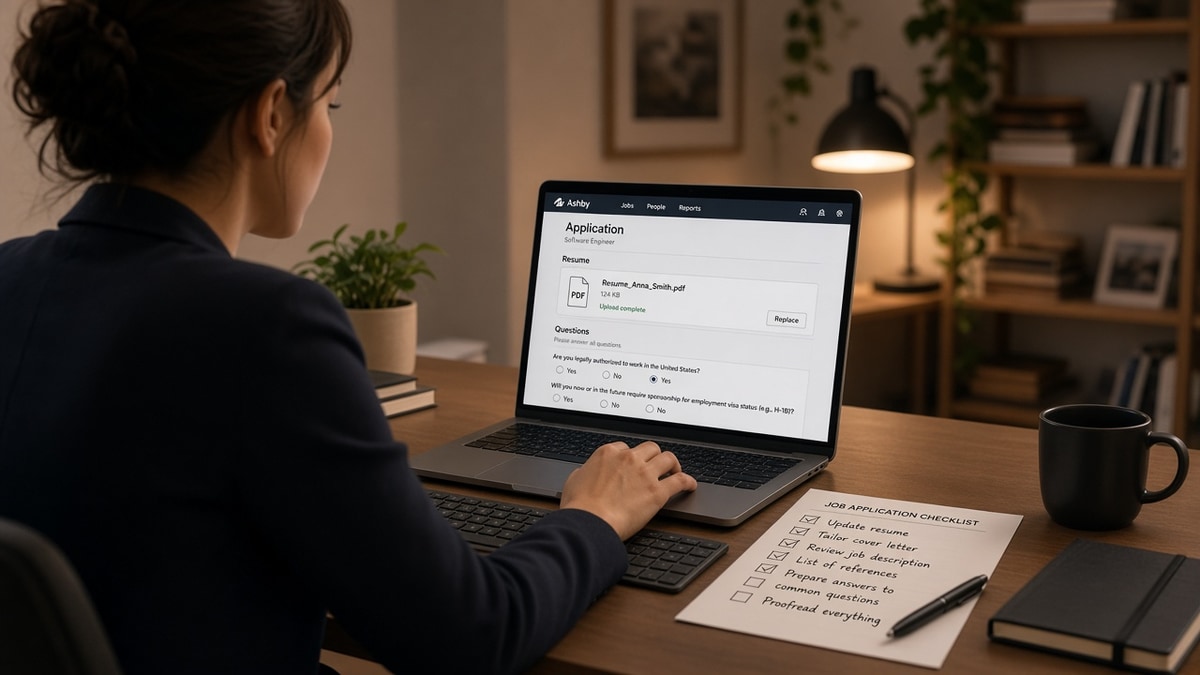
Attach the file. Wait for Ashby to render the parsed preview if the employer enabled it. Scroll the entire preview. Check that each employer block stayed together and dates didn't jump sections.
Before: Two-column resume with jobs on the left and dates on the right. Preview shows dates under the wrong company.
After: Single column with Company, Title, Month Year, then bullets. Preview matches the DOCX line for line.
If preview is wrong, fix the source file and re-upload. Do not submit hoping the recruiter will read the attachment instead. Many never open it when the parsed view looks broken.
Step 5: Submit once and save confirmation
Submit when preview and form align. Screenshot the confirmation page with timestamp. Avoid duplicate applications with different resumes the same week in the same Ashby tenant. Duplicate records slow recruiters down and can mark you as spam.
Optional portfolio or GitHub links belong in the form if offered. Put the same URL in the resume header only once. Broken links in the form field hurt more than omitting them.
Copy-paste Ashby field checklist
Run this list beside the open portal before submit:
[ ] Notepad paste shows employers and dates in order
[ ] Bullet one names a required tool from the posting
[ ] Form name matches resume header exactly
[ ] Work authorization and location filled
[ ] Upload preview shows no merged job rows
[ ] Portfolio/GitHub links open in a private browser tab
[ ] Confirmation screenshot saved
Edge case: mobile apply. Ashby mobile flows sometimes skip preview. Apply from desktop when possible so you can see parsing. Edge case two: returning candidate portals that show prior uploads. Upload a fresh file tailored to this req. Old files linger in the tenant and confuse recruiters comparing versions.
Where Ashby uploads break in US screening
The pattern: beautiful PDF, empty parsed profile, slow silence. The fix is never "add more keywords to Skills." It is flatten layout, fix required fields, and re-upload until preview matches.
Table-based experience sections are the top parser killer in Ashby applies I review. Left cell company, right cell dates reads as two unrelated lines. The recruiter filter searches current employer. Your real employer name never lands in the right field.
Contact info in the Word header or footer often vanishes. Put phone and email directly under your name in the body. Ashby won't merge footer text into the contact field automatically.
Skipping required dropdowns blocks submit on some configs and silently saves incomplete records on others. Scroll the full form. Red asterisks below the fold still stop the pipeline.
Uploading a scan of a paper resume creates an image file. OCR in portals is inconsistent. Type the resume. Do not photograph it.
I've seen Ashby profiles where the candidate attached a portfolio PDF instead of a resume because the form label said "upload any relevant document." Read the label. Recruiters won't guess which file is the resume.
Pasting the job description into your resume summary to game keyword match creates readable nonsense in preview. Ashby still extracts it. Recruiters quote it back in rejection notes.
Special characters in file names sometimes break upload on older browsers. Use Firstname-Lastname-Resume.pdf or .docx. No hashtags, emojis, or version strings like final_FINAL_v9.
Cover letter uploads in Ashby use the same parser rules as resumes. A designed letter PDF with columns fails the same way. Plain text letter in the body field often parses better than an attachment when the employer offers both options. Read the field label before you attach.
Multi-page resumes rarely hurt Ashby if page two is plain text continuation. Page one should still carry contact info and current role. Don't move contact details to page two only. Parsers sometimes read page one fields and stop.
Salary history questions in Ashby forms write to the candidate record. If you're uncomfortable answering, use a range tied to your research band rather than leaving blank when the field is required. Blank required fields block submit or save incomplete profiles recruiters can't filter.
Preview the file before the Ashby upload
Run the same file through a checker with the job description pasted in. You're confirming parse warnings are gone, not chasing a perfect score. Fix employer order and missing headers first.
Run a free ATS check on the export you'll upload. If warnings mention tables, columns, or missing employers, fix those before Ashby sees the file. Then score your job match against the posting to confirm bullet one carries a required skill the description repeats.
Edge case: you're applying to three Ashby companies in one evening. Save three tailored files with company slugs in the name. Upload the right one to each portal. Cross-uploads are common when tabs multiply.
Run the US ATS application checklist for Ashby tonight
Open the Ashby posting. Paste your resume into Notepad. If text copies cleanly, tailor bullet one to the top required skill. Fill required form fields. Upload. Read the preview. Submit once when preview matches.
Keep the confirmation screenshot. If you don't hear back in two weeks, you still know the parser saw the file you intended. That beats wondering whether a table layout hid your current title from every filter the recruiter runs.
Ashby is not magic and it is not your enemy. It is a text extractor plus a form. Give it plain lines, honest fields, and a single-column resume. The US ATS application checklist for Ashby is really a readability checklist with a submit button at the end.
Batch three similar roles the same evening if you want momentum. Use the same flattened template but swap bullet one per posting. Don't swap filenames in a hurry and upload the wrong company's version. Name files with the company slug before you open the first portal tab.
When a friend asks whether Ashby is stricter than Greenhouse, the honest answer is no for layout rules. Both punish tables and image PDFs. Ashby forms vary more by employer, so the checklist emphasis is on required fields and preview. Greenhouse veterans still fail Ashby when they skip the preview pane.
And if preview fails twice, stop applying with that template. Flatten the doc, re-export, and test again. Third time is not lucky on parser errors. Fix the file, then submit once preview is clean.
Read more
Frequently asked questions
Upload whichever format produces selectable text when you highlight it in the preview. Many Ashby portals accept both. A designed PDF exported from Canva often looks sharp but parses as an image. A plain DOCX with single-column bullets usually survives better. If the preview shows scrambled employers or missing dates, switch formats before you hit submit.
Table layouts and two-column templates put the company in one cell and the title in another. Ashby reads left to right, top to bottom. A table row can become two unrelated lines in the parsed profile. Flatten to one column. Put Company, Job Title, and Month Year on consecutive plain lines under each role.
Fill required fields completely. Optional fields matter when recruiters filter on them later. Work authorization, location, and portfolio links often sit in optional slots. Skipping a required dropdown blocks submit. Skipping an optional URL does not block submit but can hide you from a filter the recruiter runs Monday morning.
You can reuse the file if it is single-column and text-selectable. Ashby and Greenhouse both extract plain text first. The portal skin differs. The parser rules are similar. Tailor bullet one to the new posting before you reuse. Do not re-upload a table resume because it worked somewhere else once.
Stop and fix the file before submit. Garbled preview means the recruiter's parsed view will match it. Remove tables, text boxes, and header/footer contact blocks. Re-export from Word as DOCX. Paste the PDF into Notepad to confirm text copies cleanly. Re-upload until the preview shows employers and dates in order.