11 min read
Upload a single-column DOCX or text-based PDF with standard headings and Month Year dates on separate lines. That is how you keep SuccessFactors parsing stable on US applications. Tables, text boxes, skill bars, and two-column layouts reorder your bullets on import. The recruiter preview then shows the wrong employer under the wrong title while your PDF still looks perfect.
You're not failing because you lack keywords. You're failing because the parser read your sidebar first and attached 2022 dates to a 2024 role. That's fixable in an hour if you'll strip the template instead of rewriting bullets you don't need yet. Before you change another line, check your resume for free and confirm the file order matches what you intended. If the checker flags scrambled sections, fix layout before you tailor wording.
Below: what SuccessFactors does to your file on upload, the exceptions when PDF beats DOCX, and the exact block order that stops titles from landing in Education. You won't need a designer. You need a plain file that imports the same way every time.
Quick Wins
- Single column, no tables or text boxes.
- Month Year dates on their own line under each employer.
- Standard headings: Experience, Education, Skills.
What SuccessFactors parsing does to your US resume
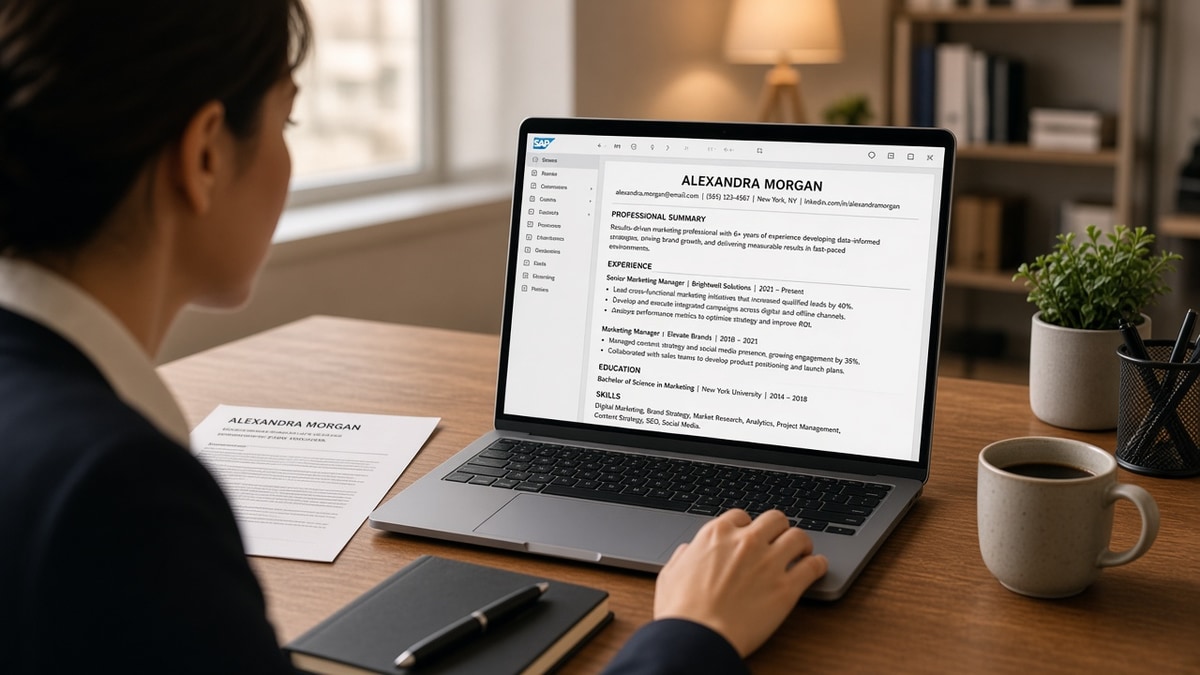
SAP SuccessFactors is the ATS behind many US enterprise career sites. When you click Apply, the portal strips your file into fields: name, phone, work history, education, skills. That pass is SuccessFactors parsing. It does not care how polished your Canva layout looks. It reads character order.
Stable formatting means the imported preview matches your source file. Unstable formatting means job two's bullets appear under job one, skills land empty, or graduation year attaches to the wrong school. Recruiters often work from the parsed view in the req, not your attachment.
Two-column résumé templates are the most common trigger. The parser reads left column first, so contact info from the narrow rail merges into Experience. Icons for email and phone become garbage characters in the skills field.
I've screened SuccessFactors imports where the candidate's strongest role never appeared because a table cell wrapped the title across two lines. The PDF attachment still showed the job. The recruiter queue did not.
US format expectations add another layer. Month Year dates, city and state on employer lines, and reverse-chronological Experience are what the parser expects. European day-first dates or degree-before-job ordering can mislabel fields even when the content is accurate.
Treat the parsed preview as the first screen. If your strongest bullet never appears there, the human reviewer may never scroll to the attachment. Layout is not a separate task from content. It is the gate for content.
SuccessFactors parsing: format rules that stay stable
Rule 1: One column, body text only
Build in Word or Google Docs with default margins. No sidebars, no split page, no graphics behind text. If you need emphasis, use bold on one phrase per bullet, not colored shapes.
Before: two-column template with contact block in a colored left rail.
After: name and email on line one of the body, single full-width column, 11-point Calibri or Arial, black text only.
Rule 2: Repeat the same job block shape
Every role needs the same four-line header before bullets start. Parsers learn pattern from repetition. Mixed shapes make the machine guess.
Copy-paste job header block: "Job Title | Employer Name | City, ST | Jan 2022 to Mar 2025" then bullet lines below.
Rule 3: Month Year dates, one format everywhere
Pick "Jan 2022 to Present" or "January 2022 to March 2025" and never mix with "01/2022" or "2022" alone in the same file. Inconsistent date tokens split one job into two fragments on import.
Before: "03/2020 to 12/2021" on one job and "March 2020 to December 2021" on the next.
After: "Mar 2020 to Dec 2021" on every entry, Present only for current roles.
Rule 4: Standard section headings spelled plainly
Use Experience, Education, and Skills. Not "Where I've Worked" or "Toolkit." SuccessFactors maps plain headings to profile tabs. Cute labels dump content into Notes or drop it.
Rule 5: Bullets as simple lines, not nested lists
Use a hyphen or round bullet per line. Avoid sub-bullets indented three levels deep. Nested lists often flatten into one paragraph with no line breaks, which kills skim value for humans and machines.
Before: three-level outline under one job with Roman numerals.
After: four flat bullets, each starting with a verb, each under 28 words.
Rule 6: Skills as a comma list or short lines
Skill bars and star ratings do not export text. A comma-separated line or six plain skill names parse reliably. Put the skill in a bullet under the job where you used it if the posting repeats the term.
Read US resume skills section format that ATS understands when you are deciding between a long Skills pile and proof bullets.
Rule 7: Empty headers and footers
Page numbers in a footer sometimes duplicate as a stray Experience line. Phone numbers in a header may appear on every parsed job block. Keep footers blank and put page count nowhere.
When DOCX beats PDF
If you authored in Word, upload DOCX. The parser reads style tags it recognizes. PDF exports from design tools often embed text as drawing objects. You can select the words on screen, but the ATS cannot.
Exception: some portals force PDF only. Export from Word with "best for electronic distribution," then open the parsed preview immediately. If bullets merge, re-export from a simpler source file.
When PDF is the safer upload
Google Docs sometimes produces DOCX with hidden drawing layers. A clean PDF with selectable text can parse more predictably on those exports. Test both if the portal allows it. The preview decides, not habit.
Career switchers with a short summary
A three-line summary above Experience is fine when it is plain text, not a text box. Lead with target title and years of proof in the new field. Keep it under 45 words so it does not push your latest job below the fold on the parsed view.
Read resume framing for career switchers when your summary must carry a pivot story without breaking the parser.
Federal and contractor employers on SuccessFactors
Defense and healthcare contractors often run SuccessFactors with strict required fields. If the portal asks you to confirm parsed employers one by one, your file order matters more than keyword density. Fix import first, then tailor bullets.
Upload test loop before you tailor
Save a master file. Upload to the portal or a checker. Screenshot the parsed preview. Fix layout. Only then swap verbs for the posting. Tailoring text on a broken structure wastes an hour.
Mid-level candidates with ten years of history
Long files still need the same block shape on every role. When you have eight jobs, parsers get more chances to mis-guess. Keep the oldest two roles to one bullet each if space is tight, but never drop employer names to save lines. Background checks still trace W-2 employers back a decade on many US reqs.
Page breaks are acceptable after job four when you use a plain break, not a section break with columns. Test that job five still shows a title line above its bullets in the preview, not orphaned bullets floating under Education.
Remote and hybrid titles on SuccessFactors
List the employer city from payroll or the job posting, not Remote alone on the employer line. Remote belongs in the title line when accurate: "Software Engineer (Remote)." City, ST still anchors the parser to a location field many reqs filter on.
Before: employer line reads "Remote" with no company city.
After: "Product Manager | Acme Corp | Austin, TX (Remote) | Jun 2023 to Present."
Certifications and licenses
Put active licenses in a Certifications section with Month Year earned or renewed. Do not embed credential icons inline with bullets. CPA, RN, or PMP as plain text lines parse cleanly. Expired credentials should show an end year or move off the file if they are no longer valid.
Education before or after Experience
US corporate format puts Experience first when you have more than one relevant job. Students with one internship put Education after Experience or lead with Education only when the degree is the main proof. Never sandwich a job block between two Education entries. That pattern drops the middle job on some imports.
Plain-text export sanity check
Open the file in Notepad or paste into a plain text box before upload. If job titles appear after bullets instead of before, the source order is wrong even when the PDF looks fine. Reorder in Word until the text dump reads top to bottom like a phone screen reader would speak it.
After you fix the file
Screenshot the parsed preview and keep it with the application record. If a recruiter calls about a missing role, you can show the source file matched the portal view at submit time. That is rare, but it saves a awkward clarification when HR re-parses an old upload during a background check.
Layout choices that break SuccessFactors parsing
Tables for alignment. Even invisible borders reorder cells on import. Use tab stops or line breaks instead.
Text boxes for summaries. Summaries in floating boxes often vanish or land after Skills.
Hyperlinked job titles without plain text. The link text may import; the employer name beside it may not.
Multiple date formats in one file. Mixing fiscal years, seasons, and months confuses field boundaries.
Scanned PDFs. Image-only PDFs produce empty profiles. Recruiters see a name and nothing else. Rebuild from the original Word file instead of scanning paper.
Columns for skills vs experience. Side-by-side sections get read as one stream. Skills appear mid-bullet.
Special characters in bullets. Arrows, emojis, and custom icons strip or become question marks in the skills tab.
Uploading the wrong file type renamed. A PNG saved as PDF still fails. Check that text selects before you submit.
Test SuccessFactors parsing before you submit
Run your file through HireFlow's free ATS resume checker and confirm section order, employer names, and dates import in sequence. Fix structure before you rewrite bullets for the posting.
When a SuccessFactors req also asks for a short note, draft one with the cover letter generator so you are not fighting layout on two documents the same night.
Keep SuccessFactors parsing stable, then tailor
SuccessFactors parsing rewards boring files. Single column, plain headings, repeating job blocks, and Month Year dates on their own lines. Your PDF can stay pretty for the attachment view, but the parsed preview is what many recruiters scan first.
Open your master resume tonight. Strip tables and text boxes. Re-upload. Screenshot the preview. When employers and dates line up, swap bullet one for the posting. That order saves more applications than another keyword pass on a scrambled import.
Keep a folder of preview screenshots per employer. When a second req opens at the same company, you already know which file version parsed clean. Reuse that version before you tailor new bullets.
If a friend asks why your designed template failed, send them this page. SuccessFactors parsing is not punishing creativity. It is reading text in order. Give it order first, polish second, and submit only after the preview matches.
- Single column, standard headings.
- Same four-line job block every role.
- Preview screenshot before submit.
Run the free resume check after you flatten layout and before you send the next SuccessFactors application.
Read more
Frequently asked questions
DOCX usually survives SuccessFactors parsing better when you built the file in Word with standard styles. PDF is fine when it is a clean export from Word or Google Docs with selectable text, not a scan. If the portal accepts both, upload DOCX first, open the parsed preview, and only switch to PDF if the preview already looks correct.
The parser guessed wrong because title, employer, and dates were not on separate lines or because a two-column layout put the company name in a sidebar. Put Job Title on line one, Employer on line two, City and state on line three, and Month Year dates on line four. Repeat that block for every role.
Yes, often. Contact details trapped in a header may duplicate across every page or vanish from the parsed profile. Put name, phone, email, and city on the first lines of the body. Leave headers and footers empty.
No for most US corporate reqs. Icons, skill bars, and text boxes look fine in PDF view but strip on import. Recruiters then see blank skills or scrambled job order. Use plain headings and bullets until you pass the parsed preview.