11 min read
Your Skills block looks sharp on screen. Star ratings, two tidy columns, every tool you touched since 2019. You upload to Workday and the recruiter view shows half your list jumbled under Education or missing entirely. You're not bad at keywords. You're using a layout parsers were never built to read.
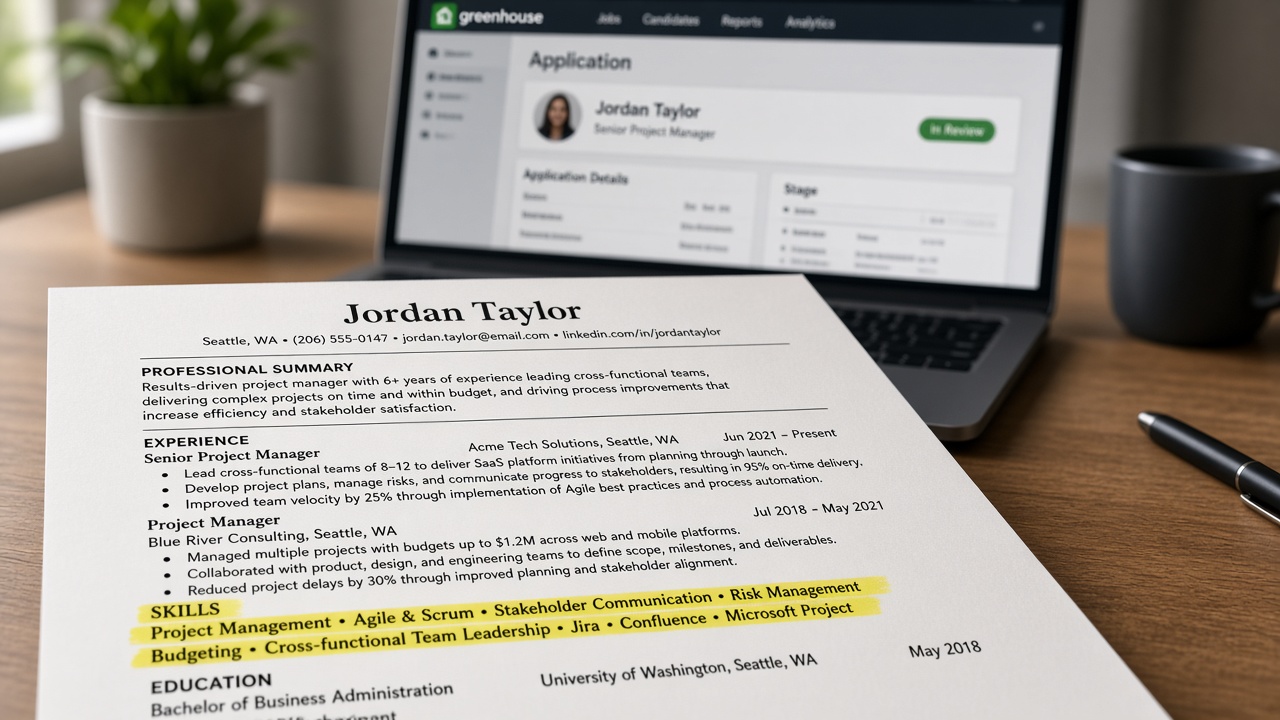
Most US corporate uploads fail in the container before anyone judges your experience. The fix isn't stuffing forty terms into a cloud. It's a boring header, plain text, and a single column so Greenhouse and Workday can map Skills into its own field. Before you send the next application, check your resume for free against the posting and see which required tools never made it out of your sidebar.
This page is the canonical guide for US resume skills section format that ATS understands. You'll get five formatting steps, before/after pairs you can paste into Word tonight, and a copy-paste layout recruiters see survive import more often than designed templates.
Quick Wins
- Rename the block header to Skills and pull it out of any sidebar or table.
- Replace star bars with a comma list on one or two plain text lines.
- Paste your PDF into Notepad. If Skills vanishes, fix layout before you tweak keywords.
What parsers actually do with your skills block
Applicant tracking systems read your file as a text stream, not as the designed PDF you previewed. When they find a line labeled Skills or Technical Skills in the main column, many platforms copy everything below that header into a searchable skills field recruiters filter on later.
That mapping only works when the label is recognizable and the list underneath is plain characters. Tables, text boxes, icon fonts, and right-column widgets often export in an order parsers cannot attach to Skills. The human still sees a pretty layout. The database gets a fragment.
Think of Skills as a labeled index card stapled to your experience section. Parsers file the card when they can read the title. Recruiters use it to ctrl-f a posting keyword before they read bullet three. If the card arrives blank, your SQL and Salesforce lines never enter the filter, even when the PDF looked perfect on your screen.
US employers rarely ask for a separate skills appendix. One block on page one is enough when it is formatted for import. Long skill encyclopedias on page two often parse as orphaned text with no header match, which is worse than a short list that mapped cleanly.
Skills support Experience; they do not replace it. Parsers and recruiters both weight dated bullets higher than undated lists. Format gets your tools into the right field. Bullets prove you used them on a real timeline.
If your whole file dies before parsing, read why your resume never reaches a human for file-type and column issues outside the skills block alone.
US resume skills section format: five steps parsers read
Step 1: Put a standard header on its own line
Type Skills or Technical Skills as a Word heading style or bold line in the main column. Do not bury tools under a logo row, footer band, or creative label like What I Bring. Parsers trained on US corporate resumes look for those two words.
Keep the header left-aligned with Experience and Education. Centered decorative headers sometimes split across lines on import and fail to trigger the skills field at all.
Step 2: Choose a plain list structure
You have three safe patterns: a single comma line, a pipe-separated line, or short subgroup labels with text bullets. Pick one per application. Mixing all three in the same block adds noise without parser benefit.
Copy-paste layout (single line):
Skills: Python, SQL, Looker, Excel, stakeholder reporting, financial modeling, Workday reporting
Copy-paste layout (grouped):
Tools: Python, SQL, Looker, Excel
Methods: cohort analysis, executive dashboards, variance commentary
Certifications: AWS Cloud Practitioner (2025)
Before: Skills listed inside a two-column table with star ratings beside each tool.
After: Skills: Java, Spring Boot, PostgreSQL, Kafka, AWS, CI/CD, on-call incident response
Step 3: Strip graphics, tables, and sidebars
Delete proficiency bars, donut charts, and flag icons. They look modern in Canva and often paste as empty squares in Notepad. Every skill should be visible characters a recruiter can highlight with a mouse.
Move Skills out of a right rail into the body column. On two-column resume templates, the parser frequently reads down the left column first and treats the sidebar as a footnote. Tools you cared about most can land last or not at all.
Step 4: Mirror posting spelling in Skills and bullets
Open the job description and copy exact tool strings for must-have items. If the posting says Microsoft Excel, do not write Office suite alone. If it says Looker, name Looker instead of BI tools without the product.
Abbreviations follow the same rule. When the req spells out Customer Relationship Management, you can write CRM in Skills if the posting uses CRM. When it spells the full phrase, mirror that once, then use the short form in bullets if space is tight.
After you build the list, scan Experience and add or rewrite one bullet per top skill so the same term appears with a date and outcome. Parsers match keywords in multiple sections. Recruiters trust the match only when bullets agree with the list.
Before: Skills: customer service, phones, email, CRM, multitasking, friendly attitude.
After: Skills: Zendesk, Salesforce Service Cloud, SQL reporting, knowledge base authoring, CSAT 96%, WFM adherence 98%
Step 5: Export boring and run a paste test
Save as DOCX from Word or Google Docs when the portal allows it. Export PDF only after you confirm single-column flow. Use 11 or 12 point Calibri or Arial. Fancy fonts sometimes split words on import.
Name the upload file clearly: LastName_Role_Company.docx beats Resume_Final_v7.pdf when you are juggling three tailored versions in one week. Recruiters do not care about the filename. You will when you almost attach the wrong skills list to a Greenhouse req.
Select all text from the PDF and paste into Notepad on Windows or TextEdit in plain text mode on Mac. Skills should appear as its own labeled block with tools on readable lines. If you see one mashed paragraph, fix the template before you apply.
Run the same test after every template tweak. A single reintroduced column from a coworker's resume sample can break Skills mapping on the next export even when you only changed two bullets.
For export settings that affect the whole file, read DOCX export settings that improve US ATS parsing after you fix the skills block structure.
Edge case: entry-level and career-change placement
When Experience is thin, you may place Skills above Experience so parsers encounter tools before internships. Keep the same plain header and comma list. Do not switch to a designed template just because you have fewer jobs.
Lead with target-role tools from coursework, bootcamp, or freelance work. Move legacy tools from a prior field to the end of the line or drop them unless the posting asks for transfer work.
Edge case: clinical and licensed roles
Nurses and allied health candidates should list Epic, Cerner, or eClinicalWorks as plain text plus any state license on its own line. Do not stack license numbers inside a table cell next to soft skills.
Before: Skills: patient care, Epic, teamwork, BLS, ACLS in a shaded sidebar box.
After: Skills: Epic, med-surg, wound care, IV therapy, BLS, ACLS, RN license (State, active)
What breaks in the parser before a human ever ctrl-f's your tools
Skill bars and star ratings. Self-scored graphics flatten on upload. Recruiters cannot verify them. Use plain lists and prove depth in bullets.
Skills trapped in tables. Even a simple two-column skills grid can reorder cells on import. One row might map to Education. Another might drop.
Creative section titles. Core Competencies and Professional Toolkit sound polished. Parsers often skip them because the label does not match training data from US corporate resumes.
Keyword walls without bullets. Twenty tools in Skills and none in Experience reads like paste, not proof. Format can be perfect and trust still fails.
Designed PDF as the only master. If you never keep a plain Word source, every tweak risks reintroducing columns. Maintain a boring upload copy labeled LastName_Role_Upload.docx next to any pretty version for networking.
Soft skill walls with no proof. Communication, leadership, and teamwork as standalone list items add length without parser value. Show people skills inside bullets with meetings, approvals, or outcomes. Cut the adjectives when the posting does not name them.
Assuming the preview thumbnail equals import. Some portals show your original PDF while the database stores parsed text. If a recruiter quotes back a garbled skills line, believe the text view, not your design.
I've seen qualified candidates filtered out because Skills never mapped, not because they lacked the tools. Fix the container first. Then argue about verb choice.
Confirm Skills survived before you hit submit
Layout fixes are guesswork until you score the file against the req. Upload your resume and posting to HireFlow's free ATS resume checker and confirm must-have tools appear in parsed Skills and inside Experience lines.
When the checker shows gaps, use job match score to see which posting terms are missing entirely. Add them to Skills only after you write a bullet that proves you used the tool on a dated project.
Give parsers a Skills block they can actually map
US resume skills section format that ATS understands is deliberately dull: a standard header, plain comma or pipe lists, single column, no graphics. That layout gets your tools into the field recruiters filter on. Experience bullets still carry the proof.
- Label the block Skills in the main column.
- Replace tables and star bars with text lists.
- Paste into Notepad before every corporate upload.
Open your master file tonight, rebuild Skills as plain text, rewrite one bullet per must-have tool, and run the free resume check against a role you want this week. This will not fix applying to jobs you are not qualified for. It stops qualified files from dying because the parser never saw your tools.
When a posting asks for a letter, generate a cover letter that names one top skill from bullet one. Letter and resume should tell the same story. Neither rescues a Skills block that imported as blank space.
Read more
Frequently asked questions
Use Skills or Technical Skills as the section header. Workday, Greenhouse, Lever, and iCIMS usually map those labels into a dedicated skills field. Avoid Core Competencies, Toolbox, or icon rows without text. The header should sit on its own line in the main column, not inside a sidebar or table cell.
Both work when they are plain text in a single column. Comma or pipe lists on one or two lines parse cleanly and save space. Short bullet lists under subgroup labels like Tools or Methods also survive import when each line is a simple text bullet, not a graphic. Avoid tables, text boxes, and multi-column layouts for the skills block.
No for ATS uploads. Bars, stars, and percentage graphics often flatten to blank space or break the text stream order. Recruiters cannot trust self-scored meters anyway. Use a plain list and let Experience bullets show depth with dates and outcomes tied to each tool.
Default placement is after Experience for most mid-career candidates. Entry-level applicants and some career changers can place Skills above Experience when projects and coursework carry the proof. Either way, keep the block in the main single column. Skills trapped in a right sidebar frequently import as garbled text or disappear from the recruiter view.
Copy all text from your exported PDF into a plain Notepad or TextEdit file. If Skills merges with Education or vanishes, your layout is breaking parsing. Re-export from Word or Google Docs in single-column 11 or 12 point Calibri or Arial, then upload to HireFlow's checker with the job posting pasted in to confirm required terms appear in both Skills and Experience.