By Peter Miller · Published February 15, 2026 · Last updated: September 15, 2026
11 min read
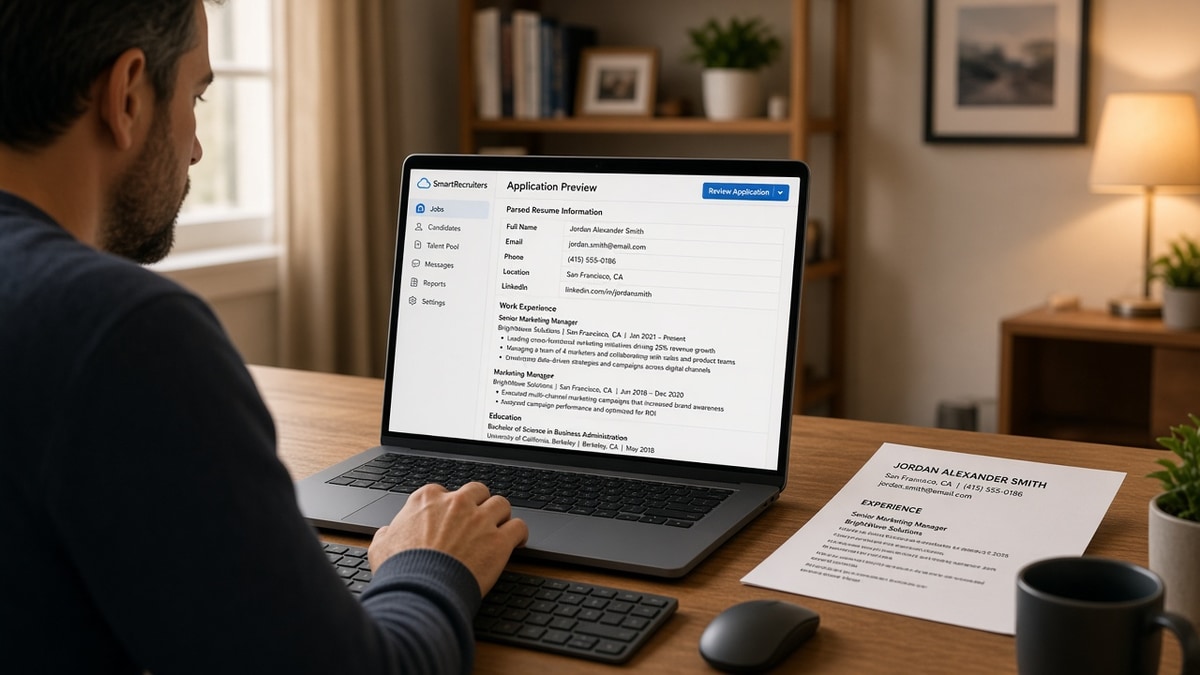
Your resume looks right in Word. SmartRecruiters shows a different job title, a blank skills block, and a work history that stops two years early. That's not you failing a secret test. It's the parser mapping your file into fixed profile slots and dropping anything that doesn't fit the pattern.
You're not crazy if the preview scares you. Before you re-upload a third time, check your resume for free against the posting so you know which lines should survive parsing. SmartRecruiters doesn't rank you like a mystery score. It extracts text, then recruiters search and sort on what landed.
Job searching while you're employed or between roles is draining enough without guessing what the system kept. This page walks through the symptom, three causes, how to tell which one hit your file, and the fix for each.
If the application also asks for a cover letter, don't paste your Skills list into paragraph one. Generate a cover letter that names one requirement from the posting, then stop rewriting.
Quick Wins
- Switch to a single-column DOCX with standard section headings.
- Put job title, employer, and Month Year dates on separate lines per role.
- Move sidebar skills into a labeled Skills section in the body.
- Re-upload and compare every parsed field before you submit.
When the parsed profile looks nothing like your file
The symptom shows up right after upload. You open the candidate preview and your current title says Analyst when you wrote Senior Revenue Analyst. Your last two roles merged into one block. The skills you listed in a left column are empty, but the PDF attachment still looks polished.
The symptom is a thin search index, not a rejected application. SmartRecruiters still stores your file. Recruiters can open the attachment. Keyword filters and quick-sort views, though, run on the parsed text. When extraction fails, you disappear from searches you should match.
US employers use SmartRecruiters for high-volume corporate hiring: operations, finance, customer support, and mid-level tech roles. The same parser rules apply whether you're in Austin, Chicago, or remote. What changes is how much formatting your template hides from the engine.
Edge case: you already submitted and cannot edit the parsed profile. Download your original, rebuild a plain single-column version, and ask the recruiter if you may re-upload through the portal or email a corrected DOCX. Many teams allow one clean file when the first parse clearly scrambled dates.
Edge case: you're a contractor with twelve short gigs in two years. The parser may cap how many roles it displays or merge adjacent entries when date lines are missing. List the four most relevant contracts with full Month Year ranges and move older gigs to a Selected Projects section with plain bullets.
For how outbound links behave inside ATS uploads generally, read how to include links in an ATS resume safely . SmartRecruiters follows the same plain-text rule: visible URL strings beat icons.
SmartRecruiters Parsing: What It Extracts (US): three causes behind broken fields
Match your preview to one cause below. Each includes a tell, a before/after pair, and the fix you can run tonight without buying a new template.
Cause 1: Multi-column layout reads out of order
Designers love a narrow left rail for contact info and skills. Parsers read left column first, top to bottom, then the main column. Your email lands inside work history. Your Salesforce bullet becomes a job title. The timeline looks like you job-hopped every quarter.
Tell: Contact details appear inside an experience entry, or your skills block is empty while the sidebar in the PDF is full.
Before: Two-column Canva layout: left rail lists Python, SQL, Tableau; right column holds jobs.
After: Single column: name and email on line one, Skills heading with Python, SQL, Tableau on separate lines, then Work Experience with each role stacked title, employer, dates, bullets.
Open Page Layout in Word and set one column for the whole document. Move contact lines to the top center block. Re-upload and confirm skills populate before you touch anything else.
Cause 2: Tables and text boxes hide employers and dates
Tables look tidy for humans. To the parser, each cell is a disconnected string. Employer names detach from titles. End dates stick to the wrong row. Certification grids often vanish entirely because no standard field maps to a four-cell table.
Tell: One long experience entry contains three company names, or your education section shows a degree with no school name.
Before: Operations manager roles inside a three-column Word table: Company | Title | Dates.
After: Plain stack per role:
Operations Manager
Northwind Logistics
March 2021 to Present
• Cut dock-to-ship cycle time from 48 hours to 31 hours across four warehouses
Convert tables to stacked lines. Delete text boxes. If you need visual separation, use bold job titles and blank lines, not gridlines.
Cause 3: Headers, footers, and graphics never enter the profile
Phone numbers repeated in a footer, LinkedIn URLs tucked in a header, and skill icons saved as images do not become searchable text. The parser also skips decorative lines and logos. Recruiters who search by area code or certification acronym will not find you when those strings live only in a footer band.
Tell: Parsed contact info is blank or shows one field while the PDF header displays phone, city, and portfolio URL.
Before: Name in body, phone and city only in the PDF footer, skills shown as small badge images.
After: First lines after the name read: Chicago, IL · 312-555-0142 · [email protected] · linkedin.com/in/janeapplicant · Skills: Figma, Jira, SQL (plain text list).
Pull every searchable string into the body. Spell certifications in words, not clip-art shields. Save without headers or footers before export.
How to tell which cause is yours
Upload once and open the parsed preview. If skills are empty but your sidebar is full, start with Cause 1. If jobs merged or dates jumped rows, Cause 2. If contact info is missing while the PDF header looks complete, Cause 3. Two causes can overlap when a template combines columns and tables. Fix column order first, then flatten tables, then move header text into the body.
I've screened SmartRecruiters profiles where the attachment showed ten years of finance work and the parsed timeline stopped after the first table row, and the recruiter never scrolled to the PDF.
Copy-paste block: SmartRecruiters field map for your rewrite
CONTACT (top of body, not footer)
Full name
City, ST · phone · email · linkedin.com/in/handle

SUMMARY (optional, 2 lines max)
One line on scope. One line on tools.

WORK EXPERIENCE (repeat per role)
Job Title
Employer Name
Month Year to Month Year (or Present)
• Bullet with tool + outcome
• Bullet with metric inside the line

EDUCATION
Degree Name
School Name
Graduation Month Year

SKILLS (plain list, comma or line breaks)
Tool, Tool, Tool

CERTIFICATIONS
Certification Name, Issuer, Year

LANGUAGES
Language: proficiency level
SmartRecruiters maps each block above into a fixed slot. Anything outside those labels becomes invisible to keyword search even if it looks fine on paper.
When a high match score still brings silence, see why your resume scores high but you still get rejected . Parsing gaps are one reason the story in the attachment never reaches the filter.
Layout choices that strip whole sections
Qualified candidates lose searchable text before a human opens the file. These habits show up constantly on US corporate templates.
Uploading a designed PDF when Word is accepted. Export from Google Docs or Word to a text-based PDF only after you strip columns. Otherwise save DOCX.
Before: Resume designed in InDesign, exported as PDF, uploaded to SmartRecruiters.
After: Same content rebuilt in Word single column, saved as DOCX, preview checked field by field.
Burying keywords only in a graphic skills cloud. Image skills do not index. Repeat must-have tools inside dated bullets.
Using creative section titles. Headings like My Journey or Where I Shine do not map to standard fields. Use Work Experience, Education, and Skills.
Listing months as seasons or seasons only. Summer 2022 does not sort next to March 2022. Write March 2022 to August 2022.
Relying on the parser to fix a scanned file. A photo of your resume is unreadable. Retype into a plain document instead of re-scanning.
This will not fix applying to roles where you lack core requirements. It stops a qualified file from dying in the search panel because the index never saw your last employer.
Confirm what survives before you hit submit
Rebuild the single-column version, then run HireFlow's free ATS resume checker on the posting. Confirm must-have terms from the job description appear inside experience bullets, not only in a sidebar that SmartRecruiters will drop.
Next, score your job match on the pair. You are checking that the story recruiters search for matches the story in your attachment. A strong PDF cannot rescue a parsed profile that hid your current title.
Do this now: Flatten one column, re-upload to SmartRecruiters, open every parsed field, run the checker on the same file, and fix the first blank slot before you submit.
Upload once with a file the parser can read
SmartRecruiters Parsing: What It Extracts (US) comes down to fixed slots, not magic. Contact, roles, education, and skills only count when they sit in plain, labeled, single-column text. Everything in a sidebar, table, header, or image stays out of the search panel.
Job searching is hard enough without a preview that lies about your timeline. Flatten the layout, compare every parsed field to your DOCX, and submit once the index matches the attachment. Qualified candidates get overlooked when recruiters search parsed text that never saw their current title.
- Use one column and standard section headings.
- Stack title, employer, and Month Year dates per role.
- Move footer contact lines into the body.
- Re-upload and read the preview before submit.
- Run the ATS checker on the same file you upload.
Open the posting you are targeting. Run a free ATS check , fix the first blank parsed field, then send the application once the preview and the PDF agree.
Read more
Frequently asked questions
The parser targets contact blocks, work history, education, skills, certifications, languages, and a short summary when your layout labels them clearly. Each job should land as employer, title, start date, end date, and description text. Skills usually come from a dedicated list or repeated terms inside bullets. Volunteer work, projects, and publications may appear if the section heading is standard and the text is plain, but those fields are less reliable than experience and education.
Both upload, but a simple DOCX with single-column body text usually survives better than a designed PDF exported from Canva or InDesign. Scanned PDFs are images, so nothing extracts. A text-based PDF with standard headings can work when you remove columns, tables, and text boxes. If the employer allows either format, save a plain Word copy, upload it, and compare the preview fields before you submit.
The parser often grabs the first bold line in a block and calls it the title, even when that line is a company name or a project label. Two-column layouts make it worse because the left sidebar reads before the main timeline. Put the job title on its own line, then the employer, then Month Year dates on the next line. Repeat that pattern for every role so the engine does not merge two jobs into one entry.
Most US teams open the original attachment and the parsed profile side by side during the first screen. Keyword filters and sort views run on parsed text, so a missing skill line can hide you even when the PDF looks fine. Treat the parsed fields as the search index and the attachment as the proof. Both need to tell the same story.
Fix the file first, then upload again. Manual entry is a backup when parsing fails, not the default workflow. Recruiters notice when dates or titles differ between the attachment and the typed profile. Clean the source document, re-upload, and only fill gaps by hand when a field stays blank after two attempts.