11 min read
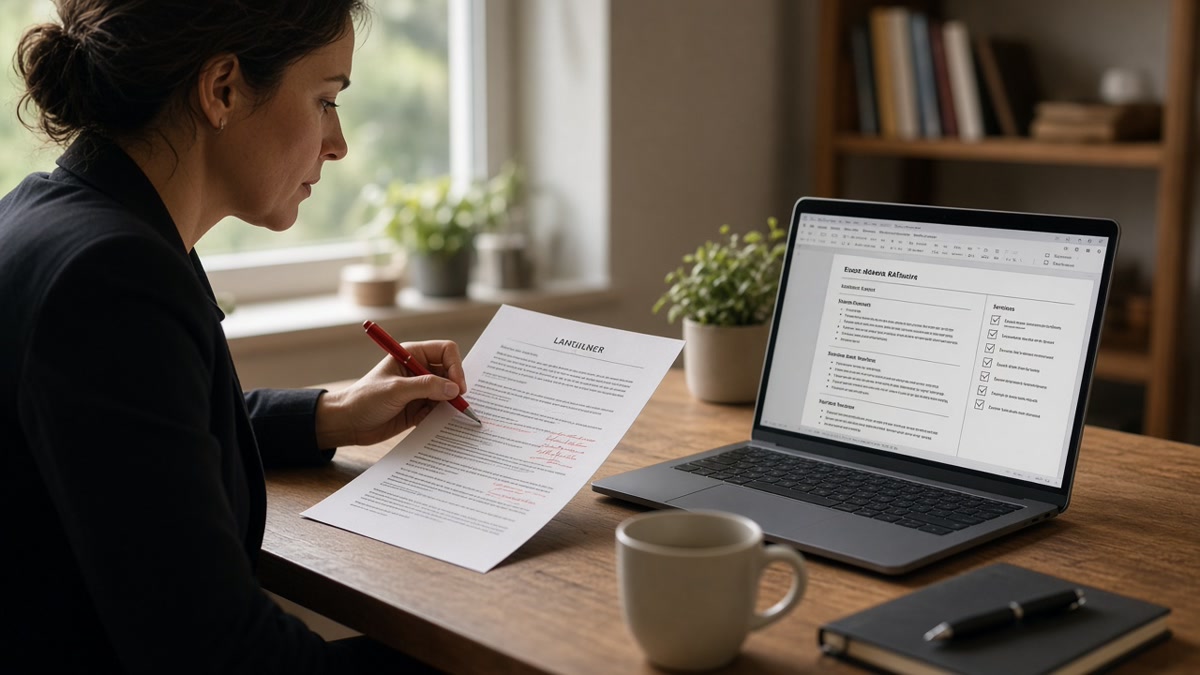
Proofread in three passes, not one. Pass one checks what parsers read: paste plain text, confirm every employer and Month Year date in order, fix smart quotes and table layouts. Pass two checks content against the posting: must-have skills in bullets, numbers consistent, no duty-only lines. Pass three is a ten-second recruiter skim: contact line, current role title, first bullet. One linear read fixes typos while Workday still imports a blank Experience block.
You're not sloppy. You've run spell-check twice and a friend said the file looks fine. Silence after upload usually means a parser break spell-check never sees, not a missing comma. It's frustrating when you've done everything right and the portal still won't show your last job. Before you edit wording again, check your resume for free with the posting pasted in. If Experience imports empty, return to pass one. Job searching is draining enough without proofreading the wrong layer.
Below: why one-pass proofreading misses the failures that kill files, the ordered checklist with before-and-after fixes, mistakes that survive a grammar-only review, and what to run tonight before the next upload.
Quick Wins
- Paste PDF text into Notepad before any grammar edits.
- Standardize every date as Month Year on its own line.
- Ctrl-f three must-haves from the posting inside your bullets.
- Skim contact info and bullet one under your current job last.
Why one-pass proofreading misses what kills your file
Most advice treats proofreading as spell-check plus read aloud. That catches managment and awkward phrasing. It does not catch a date range trapped in a right column that parsers read as Present on your oldest job. It does not catch a skill listed only in a sidebar Greenhouse never indexes.
Three failure layers need three passes. Layer one is machine readability: plain text order, ASCII characters, single-column body, contact in the main flow. Layer two is job fit: posting keywords inside proof bullets, not floating in Skills alone. Layer three is human skim: ten seconds where a recruiter decides keep or close.
Mixing layers wastes time. Polishing bullet verbs while dates import wrong sends a prettier file into the same silent rejection. Parser fixes sometimes flatten formatting you liked. That trade is worth it when Experience finally populates in preview.
I've screened files where grammar was spotless and Workday showed three employers merged because the template used a two-column date layout. The candidate spent an hour on commas. Two minutes of Notepad paste would have caught it.
Read why your bullet points disappear after uploading to an ATS when symbols or icons strip achievements entirely. This checklist runs before that failure mode spreads across the whole file.
Exceptions exist. A plain single-column file you built in Word with no tables may skip straight to pass two if a recent parse preview looked perfect. A designed Canva export always starts at pass one even when it looks beautiful on screen.
Career changers often proofread story flow first. Parsers do not care about your narrative arc until employers and dates survive import. Fix the timeline object, then tighten the pivot bullet.
Recent grads confuse proofreading with rewriting. You do not need a new template tonight. You need to confirm campus job dates parse, contact info sits in the body, and one internship bullet names a tool from the posting.
Senior candidates skip pass one because the file worked five years ago. Portals update parsers. A layout that imported cleanly in 2021 may break when you add a sidebar for certifications. Run Notepad paste again when you change structure.
Resume proofreading checklist that catches everything: three passes
Pass 1: Parser and layout (machine read)
Export PDF or DOCX. Paste into a plain text editor. Read employers top to bottom. Dates should follow each title, not appear three lines later mixed with bullets.
Replace curly quotes and apostrophes with straight ASCII. Remove symbol bullets. Move phone and email out of headers and footers into the body under your name.
Before: Operations Analyst in left column, 01/2021 to 03/2024 in right column inside a Word table. Notepad shows Acme Corp March 2024 Senior Analyst January 2021 scrambled.
After: Senior Operations Analyst, Acme Corp, January 2021 to March 2024, then bullets on plain lines below. Paste order matches read order.
Upload once to a parse preview. Screenshot field mapping when the employer portal shows it. Blank Experience after a clean paste means pass one is not done.
Pass 2: Content and posting alignment
Open the posting. Highlight three must-have skills or tools. Ctrl-f each inside your file. They should appear in bullets under recent roles, not only in a Skills comma list.
Check numbers for internal consistency. If one bullet says 15% and another says 18% for the same project, reconcile or drop one. Replace duty lines with outcome lines: built, reduced, shipped, trained.
Before: Skills line lists Salesforce, HubSpot, SQL. Experience bullets mention email campaigns only.
After: Bullet under current role: Built HubSpot nurture flows for 12k leads; SQL queries for weekly pipeline reports in Salesforce.
Edge case: overlapping jobs. List both with honest dates. Do not hide overlap with Present on an ended role. Parsers and background checks both flag impossible timelines.
Edge case: contract titles. Use the payroll title with Contract in parentheses when accurate. Invented senior titles fail verification even when bullets are strong.
Pass 3: Recruiter skim (ten seconds)
Print or zoom to 100%. Read only the top third. Name, city, phone, email, LinkedIn URL. Current job title matches what you would say on a phone screen. First bullet under that role names a tool and an outcome in the first eight words.
Before: Summary paragraph four lines long; first Experience bullet says Responsible for client relationships.
After: Summary cut to two lines or removed; first bullet: Cut client churn 9% in Q2 by rebuilding onboarding in Zendesk and Salesforce.
Edge case: two-page files. Page one must stand alone. A recruiter may never scroll. Move the strongest role fully onto page one even if older history shrinks to one line each.
Copy-paste three-pass checklist
Copy-paste block for your notes app: "Pass 1: Notepad paste order OK. Straight quotes. Month Year dates consistent. Contact in body. Single column. Parse preview screenshot. Pass 2: Three posting must-haves in bullets. No duty-only lines. Numbers reconciled. Pass 3: Contact correct. Current title honest. First bullet has tool plus outcome. Filename: Company-Role-2026-09.pdf."
Run passes in order. Do not swap pass three before pass one because you are tired of looking at dates.
Registered nurse example
Before: St. Mary's Medical Center with curly apostrophe from auto-format. Portal preview shows St. with blank employer field.
After: St. Marys Medical Center or St. Mary's with straight apostrophe retyped. Employer imports as one string. Bullets keep patient ratios and unit size in plain text.
Software engineer example
Before: Bullets start with arrow symbols from a template. Notepad shows blank lines before each achievement.
After: Hyphen bullets only. Built React checkout flow reducing cart abandon 12% in Q3. Plain ASCII survives Lever and Greenhouse imports.
Marketing coordinator example
Before: Two-column Canva layout with Skills in a colored sidebar. Experience paragraphs merge with Education in paste test.
After: Single-column export, 11-point Calibri, Skills as one line after Experience. Section headers spelled Experience and Education exactly.
When to add a fourth peer pass
Ask one trusted person to run pass three only after your three passes pass parse preview. They should not rewrite your story. They flag contact typos, a wrong year, or a broken link you stared at too long.
Read how to know if your resume is ready to submit when you want a final gate beyond proofreading alone.
Tailored versions need a mini pass each
You swapped summary lines and reordered bullets for a new posting. Run pass two and pass three on that version only. Parser pass usually stays stable if layout did not change. Filename should reflect the employer so you do not upload the wrong tailored file.
Keep a master file and a folder of tailored exports. Proofread the export you will upload, not the master you edited three days ago.
Cover letter sync check
Dates and titles in your cover note must match the resume you attach. A common miss: resume says January 2024 to Present while the letter says 2023 start. Run the same employer names through both files in one sitting.
Draft the note with the cover letter generator after pass two so keywords align without copying the resume verbatim.
Project manager example
Before: First role Jan 2020 to Present, second role 2017 to 2019, third role 06/2014 to 12/2016. Parser attaches Present to the oldest job.
After: Every role uses January 2020 to Present, January 2017 to December 2019, June 2014 to December 2016. One style, one line each.
Customer support lead example
Before: Phone and email in a footer bar on every page. Preview imports zero contact fields.
After: Name, city, phone, email, linkedin.com/in/handle as plain body lines under the headline. Footer removed.
Time budget for each pass
Pass one takes about ten minutes on a plain single-column file. Add five if you use tables or a designed template. Pass two takes fifteen when you highlight must-haves from a long posting. Pass three takes two minutes on paper or at full zoom.
That is under thirty minutes total. Compare that to rewriting bullets for a week while the same date bug blocks every upload. Order matters more than duration.
International applicants on US portals
Accents in employer names sometimes survive import and sometimes strip to blank squares. If preview shows mojibake, retype the employer in ASCII or add the ASCII form in parentheses once. Do not leave a character that becomes an empty employer line.
Day-month-year habits from other countries need conversion to Month Year for US corporate ATS. Proofread dates as a parser object, not as how you would write the date at home.
PDF exported from design tools
Canva and similar tools often produce image-heavy PDFs. Notepad paste returns nothing useful. Rebuild in Word or Google Docs plain, then export a text-based PDF. Proofreading the pretty file is pointless if there is no text layer for parsers to read.
Errors that survive grammar-only proofreading
Proofreading spelling before parsing. Perfect grammar on a file parsers cannot read still dies in upload. Parser pass always runs first.
Trusting green squiggles only. Spell-check ignores employer names, job titles, and tech stacks. It will not flag Workday misspelled as Work Day in a bullet.
Keywords only in Skills. Lists alone rarely screen you in. Bullets that prove the skill do. Pass two moves keywords into proof lines.
Mixed date formats. Jan 2020 to Present beside 2017 to 2019 beside 06/2014. Pick Month Year everywhere or parsers attach Present to the wrong role.
Contact in header/footer. Many portals strip repeating headers. Phone and email vanish from the parsed record while the PDF looks fine.
Inflated titles. Resume says Director; payroll said Coordinator. Background checks use payroll. Proofread titles against offer letters and HR portals.
Uploading the wrong tailored file. Company name in the filename should match the application. A swapped PDF is not an ATS issue. It is an attention issue pass three catches.
Stopping after one read aloud. Reading aloud helps pass three phrasing. It does not reveal table order bugs. Use both plain paste and aloud, in separate passes.
Verify parsing before you polish wording
After pass one, upload to HireFlow's free ATS resume checker with the posting pasted in. Confirm employers, titles, and dates imported in order before you spend an hour on verb tense.
If pass two exposed thin bullets, rebuild proof lines in the free resume builder on a single-column template, then rerun pass one on the export. Pretty layout means nothing when Experience is empty in preview.
Run the checklist tonight
A resume proofreading checklist that catches everything is three ordered passes, not one marathon read. Parser, then content, then skim. You're fixing the layer that actually blocked the last upload, not just the layer that feels satisfying to edit.
Open your file. Paste into Notepad. Fix order and quotes. Match three posting must-haves in bullets. Print the top third and read it like a stranger. Save with the employer name in the filename.
Screenshot parse preview after pass one. If Experience populates, move on. If not, do not touch grammar until layout is plain. That single habit saves more applications than another hour on synonym swaps.
Keep the copy-paste checklist in your notes app. Run it on every tailored export, not only the master resume. Small versions still break when you reorder bullets for a new posting.
- Pass 1: plain text, dates, parse preview.
- Pass 2: posting keywords inside proof bullets.
- Pass 3: contact, title, first bullet in eight words.
Run the free resume check after pass one and confirm nothing landed under Skills or Volunteer by mistake.
Read more
Frequently asked questions
Parser first. A comma fix does not help when Experience imports blank because dates sat in a table cell. Paste plain text, confirm employers and Month Year ranges in order, then run spelling and bullet edits. Grammar polish on a file parsers cannot read wastes the upload.
Three focused passes, not ten unfocused reads. Pass one is parser and layout. Pass two is content against the posting. Pass three is a ten-second skim for contact info and the first bullet under your current role. Save the file between passes so you do not undo a parser fix while chasing typos.
Yes for pass three. Screens hide inconsistent bullet indents and font size jumps. Paper shows when two jobs share the same visual weight even though one ended five years ago. Print after parser and content passes pass. Do not print first and call the job done.
Spell-check does not see smart quotes, merged employers, or keywords trapped in a sidebar. Upload to a parse preview with the posting pasted in. If fields import empty while spelling is perfect, return to pass one. Silence after a clean spell-check usually means a parser break, not weak experience.