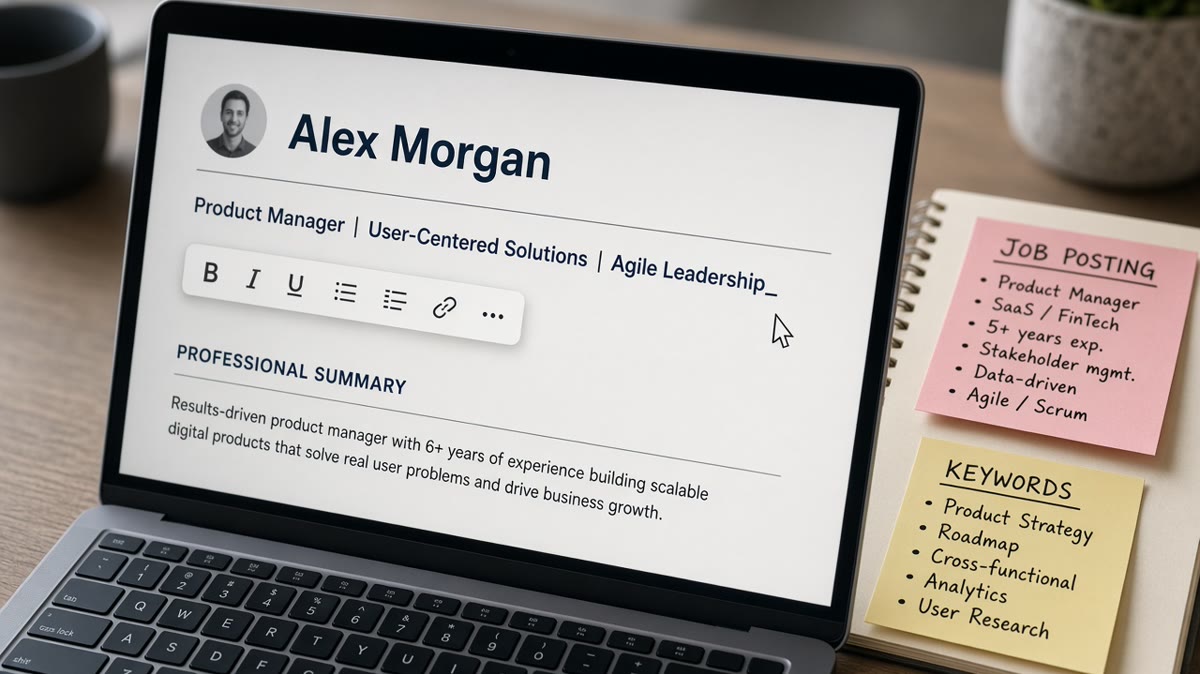
8 min read
Quick wins
- Repeat the target job title from the posting in plain text.
- Add one proof metric or scope line you can defend in screen.
- Keep the headline in the body column, not a sidebar text box.
Most candidates treat the headline like a bumper sticker. That's backwards. The line under your name is the fastest way to tell me what req you belong in before I scroll to bullets, and you'll lose visibility if it reads like a motto instead of a title.
If you're unsure whether your header parses, don't trust the PDF preview alone. check your resume for free after you paste the headline into a plain DOCX. Fancy fonts and text boxes are where visibility dies, not the words themselves.
And no, this won't rescue a file with no matching experience. It makes a qualified profile easier to find when I type the job title into a Greenhouse filter, and it doesn't take long once you've picked one metric you can explain.
Resume headlines that improve visibility: the two-part line
Part one is the job title you're applying for, copied from the posting when you're honest about level. Part two is one proof metric: a scope number, a tool stack, a regulated domain, or a revenue band you can defend in an interview.
Part two must be verifiable from your bullets. If the headline says SQL and Python and your experience section never mentions either, you've traded visibility for a mismatch call later.
Separate pieces with a pipe or a comma. Avoid emoji, slashes used as design, and ALL CAPS beyond standard title case on the role name.
If you're stuck, write the posting title on a sticky note and add one number from a bullet you already trust. That two-part sketch usually beats rewriting the whole summary tonight.
For how a headline differs from the job title on your last employer line, read resume headline vs job title at the top . That post covers placement; this one gives you lines you can paste tonight.
Before and after pairs by role
Each pair keeps the same candidate; only the headline changes. Metrics below are illustrative resume examples, not market claims.
Customer success manager
Before: Client Champion | People-first relationship builder
After: Customer Success Manager | 42 enterprise accounts, GRR 94% in FY2024
Data analyst
Before: Insight-driven professional seeking growth
After: Data Analyst | SQL, Looker, weekly exec dashboards for 8 stakeholders
Registered nurse (med-surg)
Before: Compassionate healer ready for new challenges
After: Registered Nurse, Med-Surg | 32-bed unit, Epic, ACLS certified
Software engineer (backend)
Before: Code craftsman | Problem solver | Team player
After: Backend Software Engineer | Java, AWS, payments API serving 2M daily requests
Project manager (construction)
Before: Dynamic leader who delivers excellence
After: Construction Project Manager | $18M commercial build, OSHA 30, Procore
Marketing coordinator
Before: Creative storyteller with social flair
After: Marketing Coordinator | HubSpot campaigns, 12 product launches in 2023
Human resources generalist
Before: People person | Culture builder | HR professional
After: HR Generalist | Workday HRIS, hourly hiring for 3 distribution sites
UX designer
Before: Design thinker crafting delightful experiences
After: UX Designer | Figma, mobile checkout test, task success up 19% in pilot
Account executive (SaaS)
Before: High-energy closer | Relationship guru
After: Account Executive, SaaS | Salesforce pipeline, $2.1M new ARR in 2024
Notice the pattern: title from the req, then one concrete anchor. Adjectives don't show up in recruiter keyword searches; product names and numbers do.
Headlines when your last title doesn't match
Career changers try to hide behind soft language. That hides you from search, too. Use the target title in the headline and let the summary admit the pivot in one sentence.
Before: Operations leader exploring product opportunities
After: Associate Product Manager | Internal tools roadmap, 6 squads as former ops lead
Before: Teacher transitioning to corporate world
After: Instructional Designer | Articulate 360, 40 hours of compliance training built in 2024
The headline sells the destination. The first bullet under your most recent role proves you already did pieces of that job, even if the employer name looks unrelated.
If you're rewriting bullets to match, pair this section with resume tips for switching industries so the experience block backs up the new title line.
Entry-level and senior lines that still parse
New grads often leave the headline blank. Senior leaders sometimes write a mission statement. Both lose visibility in the first sort.
Before: Recent graduate eager to contribute
After: Junior Data Analyst | Python capstone, 180K-row retail dataset, SQL portfolio linked
Before: Visionary executive driving transformative outcomes
After: VP Operations | 900-person P&L, 3 site consolidations, ISO 9001 recert lead
Entry-level headlines can lean on internships, capstones, or lab work as the proof metric. Senior headlines should name scope: headcount, budget band, geography, or regulatory frame you'd discuss on a first call anyway.
Copy-paste header skeleton
Swap the bracketed pieces. Keep contact on normal lines above this block in body text, not a sidebar.
Jordan Lee
312-555-0198 | [email protected] | linkedin.com/in/jordanlee
Chicago, IL

[Target Job Title from Posting] | [One proof metric or tool stack]

PROFESSIONAL SUMMARY
Two sentences that repeat the title once and point to your strongest bullet.
Filled example for a finance role:
Senior Financial Analyst | NetSuite close, 14 entities, monthly flux under 2 days
More headline angles for clicks without going cute live in how to write a resume headline that gets clicks . Use that when you're choosing which metric to lead with.
Headline lines that disappear in search
These show up constantly on files that otherwise look fine in Preview. Each one costs you a title match before I read bullet one.
- Objective statements: "Seeking a role where I can grow" uses zero posting keywords.
- Keyword piles: ten tools in the headline read like spam and rarely match how you actually spent your week.
- Internal employer codes: "Band 6 IC" means something inside one company and nothing in a Workday req for another.
- Quotes and jokes: parsers treat punctuation oddly; recruiters won't search for them anyway.
Before: Open to opportunities | Excel, Word, communication, leadership, teamwork
After: Staff Accountant | NetSuite reconciliations, 11-day close, CPA eligible
Swap the laundry list for one title and one defensible proof, then move extra tools into a tight skills section lower on the page.
Formatting so the headline survives upload
- Single column: headlines in a right-rail text box often paste below education in Workday.
- Standard font: 11 or 12 pt Calibri or Arial keeps OCR and DOCX parsers aligned with the body.
- No logo line: icons and divider glyphs can drop the entire header from extractable text.
- Match LinkedIn only when it helps: if your LinkedIn title is vague, fix the resume headline first; align social later if you want consistency.
When recruiters compare files to profiles, mismatched titles raise questions. See how recruiters interpret job titles before you rename yourself in the headline alone.
I've typed exact posting titles into Greenhouse and watched strong candidates never surface because their headline said Consultant while every bullet screamed Product Owner. The fix is boring alignment, not a prettier font.
Test against the posting
After you rewrite the headline, select all text in your DOCX, paste into Notes, and confirm the headline line appears directly under contact. If it jumps, flatten layout before you apply.
Run the free ATS check with the job description text. You're checking that the title string and proof nouns also appear in experience bullets, not just in the header.
Score your job match when you're choosing between two proof metrics. Pick the one the posting repeats in requirements, not the one that sounds more impressive out of context.
When the posting asks for a short note, pair the headline with a letter from the cover letter generator so the title string matches in both files.
Pick your line and upload
Decision rule: headline equals posting title plus one proof you can point to in bullets. If you can't defend the metric in an interview, swap it for a tool or scope fact that matches the work history section.
Save three variants in your master file for the roles you chase most often. Two minutes of headline edits beat rewriting every bullet when a new req opens.
Starting from a blank page? Build your resume with a plain header block so the headline stays in parser order on every export.
Read more
Frequently asked questions
Place it directly under your name and contact block, above the summary or experience section. Use a plain text line, not a text box. Workday and Greenhouse usually read it as part of the header when the file is a single-column DOCX or a selectable PDF.
Match the posting when you're qualified for that level. If the ad says Senior Product Manager and your recent work supports it, use that string. Don't inflate: a headline that says Director while your last title was Analyst triggers a mismatch filter in many recruiter searches.
Creativity costs visibility. Recruiters search candidate pools by title strings and tools, not by slogans. A line like Revenue Catalyst tells me nothing in Greenhouse search. Product Marketing Manager | HubSpot campaigns, 12 launches in 2023 tells me where to file you.
Swap the title phrase and the proof metric to mirror each posting. The name and contact stay fixed. Spend two minutes adjusting the headline before you upload; keep a saved master with three variants for your top target roles.