Last updated August 18, 2026
By Peter Miller · 2025-09-08
Free resume checkers differ far less on analysis than on restrictions. Nearly all of them can parse a PDF and flag formatting problems. What separates them is how many scans you get, whether results are gated behind a signup, and how much of the report is a genuine finding versus an upsell prompt.
This page compares the free tiers of seven tools on the things that actually decide which one you should open tonight: scan limits, signup requirements, what the report contains, and where each one gives advice that will hurt you if you follow it literally. If you arrived searching for 2025 tool round-ups, the lineup has barely changed — pricing and scan caps have, and those are updated here.
Key Takeaways
- Side-by-side table: scan limits, signup gates, and what each report returns
- Why two checkers score the same resume 30 points apart
- The parsing failures every free tool catches — and the one none of them do
- Before and after bullets showing what a keyword flag should change
- A 20-minute workflow using two tools instead of six
Free resume checkers compared side by side
Start Here
Judge a free tier by what you can see without paying and without registering. Everything else is a demo of a product you have not bought.
Free tiers change often. Confirm limits on the vendor page before you build a routine around one, and treat any tool that hides its pricing as expensive.
| Tool | Free scans | Signup needed | Strongest at |
|---|---|---|---|
| HireFlow | Unlimited | No | Parsing plus score with no account or email wall |
| Jobscan | ~5 per month | Yes | Job-description keyword matching |
| Resume Worded | Limited uploads | Yes | Bullet phrasing and impact language |
| Teal | Generous | Yes | Tracking many applications in one place |
| Rezi | Limited | Yes | Builder-first with a checker attached |
| SkillSyncer | Small monthly cap | Yes | Fast skill-gap lists |
| Enhancv | Limited | Yes | Design feedback, weaker on parsing |
One pattern is worth naming. Tools built as resume builders — Rezi and Enhancv especially — score resumes built in their own editor generously and everything else harshly. That is not dishonesty so much as a training bias, but it means a low score from a builder is weak evidence.
What each free tier actually gives you
Reality Check
Every tool below returns something useful. None of them returns everything. Pick based on the specific problem you have, not on which report looks most impressive.
HireFlow free ATS checker
Upload, get a parse breakdown and a score, no account. The report shows what text was extracted from each section, which is the single most useful output any checker can give you — if your job titles come back merged into one line, you have found your real problem. Honest limit: it does not track applications for you, and the keyword suggestions are only as good as the job description you paste in.
Jobscan
The strongest job-description matcher in the group. It aligns your resume against a specific posting and returns a match rate with missing hard and soft skills. Honest limits: roughly five free scans a month, and the match rate creates real pressure to stuff terms. Chasing 90% by pasting skills you cannot defend produces resumes that pass a filter and fail a phone screen.
Resume Worded
Better at writing than at parsing. It flags weak verbs, missing quantification, and vague bullets, and its line-level suggestions are genuinely useful for a first draft. Honest limit: it is less reliable on formatting and file structure, so treat it as an editor rather than a parser.
Teal
Built around tracking a whole search — saved jobs, statuses, per-role resume versions — with a checker attached. If you are applying to thirty roles, the organization is worth more than the scan. Honest limit: the most valuable matching features sit behind the paid tier, and the browser extension wants broad permissions.
Rezi, SkillSyncer, and Enhancv
Rezi is a builder first; the checker exists to move you into the editor. SkillSyncer returns fast skill-gap lists and little else, which is fine when that is all you want. Enhancv gives the best design feedback and the weakest ATS advice — its most attractive templates use columns and graphics that parse badly in exactly the systems you are trying to satisfy.
Why two checkers score the same resume differently
Myth Busting
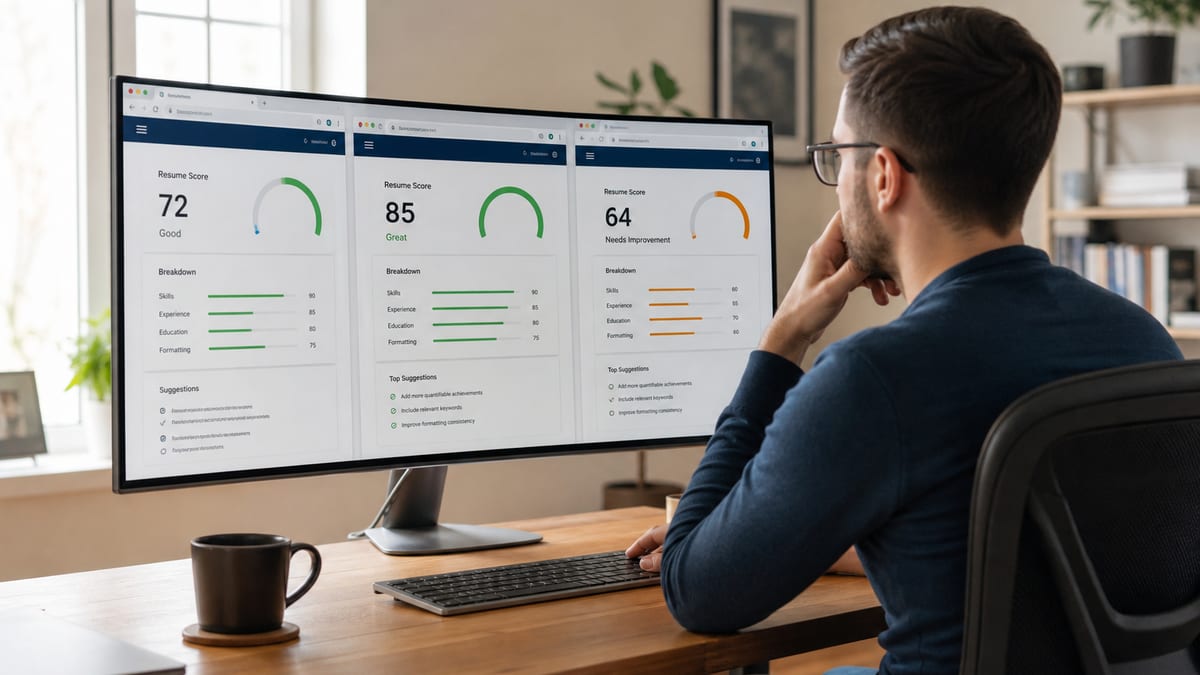
There is no standard ATS score. Each vendor invents its own formula, weights it differently, and no employer ever sees the number. A 68 in one tool and a 94 in another can describe the same file.
Scores diverge because the inputs differ. One tool weights keyword overlap with a pasted job description at half the total. Another weights structure, section headers, and date formatting. A third rewards bullet-level quantification. Run one resume through three tools and you will get three numbers and three different top recommendations.
This matters practically. Job seekers routinely rewrite a strong resume to raise a number that no human will read, and in doing so strip out the specifics that make a recruiter call. The score is a debugging aid. When it says a section failed to parse, believe it. When it says you need three more instances of a keyword, be skeptical.
A useful sanity check: if a tool refuses to show you which text it extracted and only shows a percentage, you cannot verify anything it claims. Prefer tools that expose the parse. For more on how to read these numbers, see what a good ATS score means .
What free checkers catch — and the one thing they miss
Watch Out
Free tools reliably catch structural failures. None of them can tell you that you are applying to the wrong jobs, which is the most common reason for silence.
Nearly every free checker will catch these:
- Text trapped in headers, footers, or text boxes that parsers skip
- Two-column layouts that interleave lines into nonsense
- Contact details stored as an image instead of text
- Non-standard section names that stop a system finding your work history
- Inconsistent date formats that make experience totals wrong
- Scanned or image-based PDFs with no extractable text at all
Those failures are worth fixing because they are unambiguous. If Workday builds its candidate profile from the flat text of your file, and your titles are welded into one line, every downstream filter operates on a broken record. Greenhouse handles clean single-column PDFs well but pulls nothing from graphical skill bars. Lever, iCIMS, and Taleo behave similarly enough that fixing for one fixes for all.
What no checker can tell you: whether your target role matches your actual experience level, whether the posting has an internal candidate already, or whether your resume reads as credible to someone in that field. A resume can score 95 and still be aimed at the wrong jobs. Tools measure the file, not the strategy.
Before and after: acting on checker feedback correctly
Key Takeaway
A missing-keyword flag is an instruction to prove the skill, not to paste the word. The right response adds a term inside real evidence you can defend out loud.
Here is the difference between satisfying a scanner and improving a resume, using three flags free checkers commonly return.
Flag: missing keyword "stakeholder management"
Before: Responsible for stakeholder management and communication across teams.
After: Managed stakeholder alignment across 4 departments and 2 external vendors for a 9-month ERP migration, holding scope through three budget reviews.
Flag: no quantified achievements detected
Before: Improved customer support processes, resulting in higher satisfaction.
After: Rebuilt the support triage queue and cut first-response time from 14 hours to 3, lifting CSAT from 78% to 91% across 2,400 monthly tickets.
Flag: weak action verb, no scope
Before: Helped with the migration of company data to a new platform.
After: Migrated 1.2M customer records from legacy SQL Server to Snowflake with zero data loss, finishing two weeks ahead of the cutover date.
Notice what did not happen: no keyword was pasted into a skills blob. Each rewrite puts the term inside a verifiable claim. That satisfies the parser and survives the interview, which pasting never does.
Want to see your parse, not just a score? HireFlow's free checker shows the text it extracted from each section — no account, no email gate, no scan cap.
Run a free ATS resume check →A 20-minute workflow using two tools, not six
Do This Next
One parser to verify structure, one matcher to check relevance against a real posting. Two passes, twenty minutes, done.
- Export a clean file. Single column, standard headings, text-based PDF unless the posting demands DOCX.
- Run a parse check first. Read the extracted text, not the score. Confirm every job title, company, and date range came through separately and correctly.
- Fix structure before anything else. Remove text boxes, move contact details out of the header, rename creative section titles to Experience, Education, and Skills.
- Then run one job-description match. Use a real posting you intend to apply to, not a generic one.
- Add only what you can defend. For each missing term, either write a bullet proving it or leave it out. Two or three genuine additions beat twelve pasted ones.
- Re-run the parse once. Confirm your edits did not break the layout, then stop. Further scanning has diminishing returns.
Repeat step four per application, not steps one through six. Tailoring is a keyword-and-emphasis job once the structure is sound. For the formatting rules that keep step three from recurring, see the ATS-friendly formatting guide or compare more tools in the free ATS checkers comparison .
Edge cases where free checkers give bad advice
Common Mistake
Checkers are tuned for a conventional mid-career professional in a single country. The further you sit from that profile, the more you should override their recommendations.
Academic and research CVs
A checker will flag your publication list as bloat and your eight-page CV as far too long. For faculty and research applications, both are correct as they are. Only apply checker advice to the industry-facing resume you build separately.
Career changers
Match-rate tools will tell a teacher moving into instructional design that they are missing a dozen terms. Pasting those terms produces a resume that reads as unearned. The right move is to lead with the transferable project you genuinely owned and accept a lower match rate on your first applications.
Non-US resumes and CVs
Most free checkers assume US conventions: no photo, no date of birth, one page preferred. In parts of Europe and Asia those omissions are not required and photos are still normal. A tool penalizing your German CV for including a photo is applying the wrong rulebook.
Very early career
Tools expecting quantified business impact will score a student resume poorly no matter how it is written. Coursework, projects, and part-time work are legitimate content at that stage. Ignore the number and use the parse check only.
What happens to your resume after you upload it
Pro Tip
Your resume is a dense packet of personal data — address, phone, employer history. "Free" sometimes means you are paying with it. Check retention terms before uploading.
Three questions answer most of it. Does the tool require an account to see results? Does its policy mention retaining or processing resumes to improve services? Is there a stated deletion path? A tool that answers well on all three is safe for a confidential search.
If you are job hunting while employed, this is not paranoia. Some free career tools feed candidate databases that recruiters query. Prefer no-signup tools for the parsing pass, and if you must register, use a dedicated email address rather than your work one.
Bottom line
Final Word
Use one no-signup parser to verify structure and one matcher against a real posting. Fix what is broken, add only what you can defend, and stop scanning.
The free tools in this comparison are close enough on analysis that the deciding factors are practical: how many scans you get, whether you have to hand over an email, and whether the report shows you the underlying parse or just a number. Optimize for visibility into the parse, because that is the finding you can act on with certainty.
Then remember what the tool cannot do. It will not tell you that your targeting is off, that your bullets are unbelievable, or that the role was filled internally. Fix the file in twenty minutes, then spend the rest of your energy on the applications themselves.
Frequently asked questions
For parsing and formatting checks, yes — reading text out of a PDF is the same technical job whether you pay or not. Paid tiers mostly buy unlimited scans, job-description matching at volume, and version history. If you are applying to a handful of roles, the free tier covers the part that actually blocks you.
HireFlow runs a full parse and score without an account, which matters if you do not want another marketing list. Most competitors gate the results page behind an email. Check whether the tool shows you the score or only promises it after you register.
Jobscan allows a small number of free job-description matches per month, typically five, then requires an upgrade. Resume Worded gives a limited number of free uploads. Teal is generous on scans but pushes paid features for keyword matching. Always check the monthly reset before you build a workflow around a tool.
No recruiter sees your score. It is a proxy invented by the tool, and different tools score the same resume very differently. Treat the score as a debugging signal — it tells you a section failed to parse or a keyword is missing — not as a grade an employer will ever read.
It can tell you whether your file yields clean text with recognizable section headers, which is most of what Workday needs. It cannot replicate a specific employer's configuration. If a checker extracts your dates and job titles correctly, mainstream systems usually will too.
Run two, not six. A second opinion catches a parsing bug the first tool missed. Beyond that you get contradictory keyword advice and end up stuffing your resume to satisfy algorithms that disagree with each other.
Read the privacy policy before uploading. Several free tools retain resumes to train models or feed a recruiter-facing database. If your search is confidential, prefer tools that state deletion terms plainly and do not require an account to see results.
Fix parsing before keywords, every time. If dates, titles, or contact details come back garbled, keyword work is wasted — the system already has a broken record of your history. Correct structure first, then add relevant terms from the posting.