11 min read
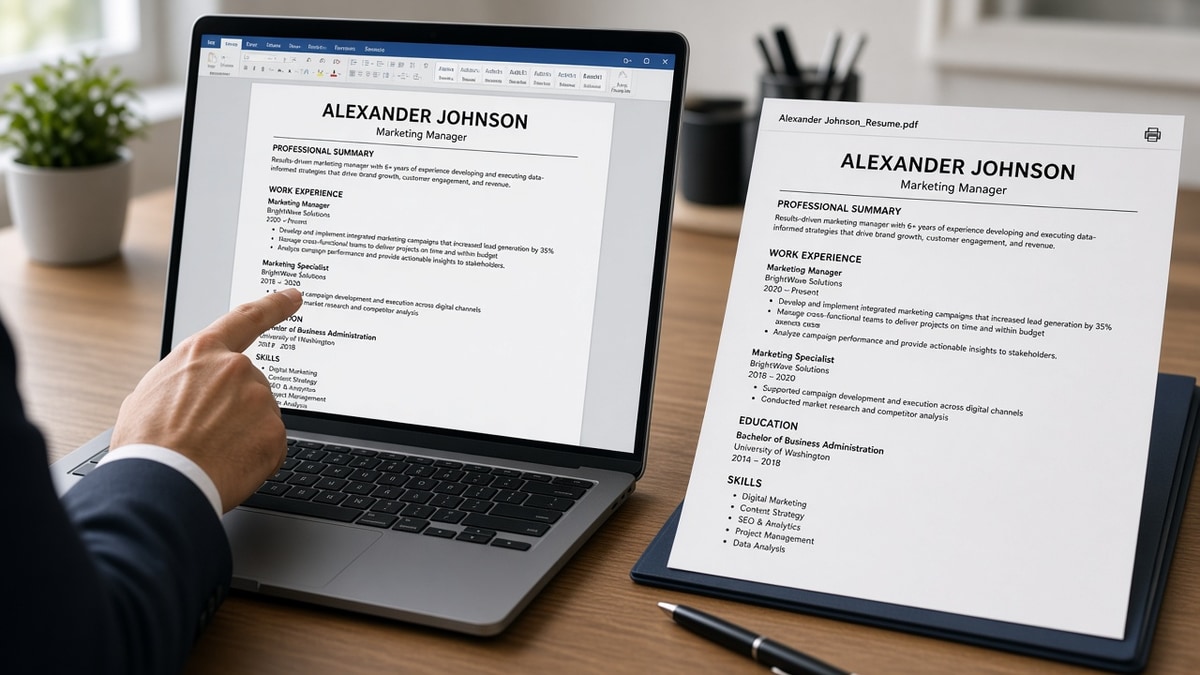
PDF vs Word resume: which one ATS prefers is mostly a layout question, not a file-type religion. When the portal does not name a format, upload a plain single-column DOCX. PDF is fine when you exported selectable text from Word or Google Docs and the employer accepts PDF. A designed PDF with columns loses to a boring DOCX every time instructions stay silent. Below you'll see why parsers care about structure more than extension, when to break the DOCX default, and how to test both files before you submit.
You're not losing screens because you picked the wrong button in Save As. You're losing them when the parser reads your columns out of order or skips text in a header graphic. It isn't the extension recruiters argue about in Slack. It's whether your contact line and bullet one imported as searchable text. Before you re-export, check your resume for free in both DOCX and PDF and compare whether Experience bullets imported in the same sequence.
Job searching on top of a day job leaves no room for format superstition. You need a default that works in Workday, Greenhouse, Lever, and Taleo when the posting says nothing. I've screened thousands of uploads where the PDF and DOCX parsed identically because both were single-column Calibri. I've also seen identical content fail in PDF because someone exported from Canva. That's the gap this page closes.
You'll get three pre-upload checks, exceptions where PDF wins, mistakes that break both formats, and a copy-paste export checklist. When the req needs a cover letter too, generate a cover letter from the same plain-text source file so nothing contradicts on upload.
Quick Wins
- Read the portal upload field first. It often names PDF, DOCX, or DOC.
- When silent, default to plain DOCX with single-column Calibri or Arial at 11 pt.
- Export PDF only from Word or Docs with selectable text, never from a scan or design tool.
- Parse-check both files before you apply to a high-priority req.
Why layout beats file extension in most parsers
Corporate ATS import your file into searchable fields: name, contact, Experience, Education, Skills. Workday, Greenhouse, Lever, Taleo, and iCIMS all do this with different quirks, but the failure mode is the same. The parser loses text when structure fights linear reading order.
File type is second to structure. A one-column DOCX with standard headings parses cleanly. A two-column PDF exported from a template reads skills before experience or merges date cells with job titles. Recruiters then search for keywords that never landed in the right field.
Word and DOCX earned a reputation as the safer default because early ATS were built around Office markup. Modern systems read text-based PDFs well too. The break happens when PDF means designed portfolio, scanned paper, or text baked into images. Those are not the same file type in practice even if the extension says PDF.
Recruiters interact with two views: parsed profile inside the ATS and the attachment icon for a human skim. PDF often wins the attachment skim because fonts stay fixed. Parsed search runs on text extraction. Your format choice should protect both paths, not optimize for a blog debate about PDF versus Word.
Google Docs users should download as DOCX before upload when the portal allows it. Docs-native files sometimes lose formatting on import into older Taleo instances. Exporting DOCX from Docs, then PDF from that same export, keeps both versions aligned. Don't maintain a Canva PDF and a Word DOCX with different bullet text. One source file, two exports.
Filename matters less than content, but keep it boring: FirstName_LastName_Resume.docx. Avoid special characters, version numbers like v7_final_FINAL, or spaces that some portals reject on mobile upload.
Edge case: government and university portals sometimes lock you to PDF only. Follow the field. Simplify layout before export. Edge case: staffing agency portals that strip formatting on upload. DOCX with zero tables survives better than PDF with hidden layers.
For how graphics and columns break parsers beyond file type, read how resume visuals confuse screening software . Format choice won't fix a two-column template that reads backward.
Three format checks before you upload
Run these checks in order. Stop when the portal names a format. Total time: about ten minutes per tailored version once you keep a master DOCX.
Check 1: Read the upload field and FAQ line by line
Many reqs bury "upload PDF only" or "Word preferred" in the application FAQ, not the job description. Copy the exact instruction into your tracker. When the field accepts .doc, .docx, and .pdf, you choose. When it accepts only one extension, that rule overrides every general guide.
Before: Saved the same Canva PDF for every application because it looks polished.
After: Tracker column lists "DOCX unless PDF required" per employer with a link to their portal FAQ when format is named.
Check 2: Simplify layout, then export DOCX as your default
Single column. Standard section headings: Experience, Education, Skills. Month Year dates on the same line as job title. No text boxes, icons, or skill bars. Save as .docx, not legacy .doc. That file is your master for silent portals.
Before: Two-column Word template with skills in a left sidebar and jobs on the right.
After: Skills moved below Experience in one column. Dates and titles on one line: "Senior Analyst, Acme Corp, March 2021 to Present."
Check 3: Export PDF from the same source and compare parse preview
From Word or Google Docs, Export to PDF. Upload DOCX and PDF to a checker with the posting pasted in. If both show the same Experience text in order, pick the format the portal names or PDF when you'll email recruiters a print-friendly attachment. If PDF drops lines, submit DOCX.
Edge case: Mac Pages user. Export to DOCX or PDF through Word online for compatibility. Pages-only files sometimes garble in corporate parsers. Edge case: LaTeX resume for tech roles. PDF is expected, but keep a simplified DOCX version for portals that parse poorly on academic layouts.
Copy-paste block: export checklist
{`BEFORE EXPORT:
□ Single column, no tables or text boxes
□ Headings: Experience, Education, Skills (plain text)
□ Dates: Month Year to Month Year on same line as title
□ Font: Calibri or Arial 11 pt, black on white
□ Contact info in body, not header/footer only

DEFAULT (portal silent):
→ Save master as .docx
→ Export PDF from same file (File → Export → PDF)
→ Parse-check both; submit DOCX unless PDF required

WHEN PDF REQUIRED:
→ Export from Word/Docs, not Canva or scan
→ Select all text in PDF preview. If you can't, fix source file`}
For a last-minute pass before a deadline, see last-minute resume update checklist before you apply . Format export is step two on that list, right after keyword alignment.
When PDF or Word actually breaks parsing
These failures show up on strong candidates who chose the right extension but the wrong structure. PDF vs Word resume: which one ATS prefers won't save a file the parser cannot read.
Scanned PDF of a paper resume. The ATS sees an image, not text. Keyword search returns empty. Rebuild in Word or Docs as a typed DOCX.
Designed PDF from Canva, InDesign, or Figma. Visual hierarchy for humans often means text out of reading order for parsers. Export a plain version for applications; keep the designed PDF for portfolio links when asked.
Word doc with tables for experience. Dates in one cell and titles in another split across import fields in Taleo and some Workday configs. Use bullets and line breaks instead.
Critical details only in headers or footers. Some parsers skip header/footer zones. Phone and email belong in the body top, not the page margin.
Password-protected or corrupted PDF. Upload fails silently or returns a blank preview. Re-export without security settings.
Before: Submitted a portfolio PDF with skill icons and chart graphics. Parser imported half the Experience section.
After: Submitted DOCX with the same bullet text. Full Experience imported. Kept PDF for recruiter email when they asked for a print copy.
Exception: postings that explicitly request a visual resume or portfolio PDF for creative roles. Send what they asked for. Still keep a plain DOCX in your files for the corporate reqs on the same search.
Legacy .doc instead of .docx. Some older portals accept .doc only. Save down only when required. Modern Workday and Greenhouse uploads expect .docx. Wrong extension can trigger a conversion step that strips bullets.
Hyperlinks instead of plain email. A blue mailto link in Word sometimes parses as empty in strict ATS configs. Type the email as plain text on its own line. Same rule for LinkedIn URLs when the posting did not ask for a profile link in the resume body.
Job searching is already draining without re-exporting five times because a forum said PDF always wins. Pick a default, test once per template change, and move on to bullet tailoring where the callback actually moves.
Parse both versions before you submit
Guessing which file parsed is how qualified candidates lose keyword credit. Upload DOCX and PDF to HireFlow's free ATS resume checker with the job description pasted in. Compare whether Experience, dates, and Skills imported in the same order. Submit the version that passes preview, not the one that merely looks better on screen.
When you're rebuilding from a designed template, build your resume in a parser-safe single-column layout, export DOCX, then PDF from that same source. Two exports from one master beats maintaining separate Word and design files that drift apart.
Do this now: Simplify to one column, save DOCX, export PDF, parse-check both, read the portal format rule, and upload the file that imported Experience bullets in order.
What to do now
PDF vs Word resume: which one ATS prefers comes down to instructions and parse quality, not forum opinions. Silent portal: plain DOCX. Named PDF: text-based export from the same source. Layout always comes first.
- Read the upload field and FAQ for a named format.
- Keep a single-column DOCX master at 11 pt Calibri or Arial.
- Export PDF from Word or Docs, not from scans or design tools.
- Parse-check both files before high-priority applications.
- Submit the version where Experience imported in order.
Open the portal you're applying through. Run a free ATS check , compare DOCX and PDF previews, and upload the file that kept your bullets intact.
Read more
Frequently asked questions
Default to a plain single-column DOCX when instructions are silent. Most US corporate ATS import Word files reliably when formatting stays simple. PDF works when you exported from Word or Google Docs as selectable text, not a scan, and the portal accepts PDF. Layout beats extension: a clean DOCX beats a designed PDF with columns or icons every time.
Recruiters often open the attachment for a quick skim after the ATS import. PDF preserves fonts and spacing for human eyes. The ATS preview they search first is usually built from parsed text, which is format-agnostic when parsing succeeds. Your job is to make both paths read the same: plain structure, standard headings, no text trapped in images.
Most portals allow one resume file per submission. Pick the format the posting names first. When nothing is named, upload DOCX and keep a matching PDF in your tracker for networking or email follow-ups that request PDF. Do not submit two files to one field unless the form explicitly asks for both.
Creative studios may ask for a portfolio PDF with visuals. Corporate ATS queues for the same candidate still need a plain text-friendly version for keyword search. When a posting says send a designed PDF, send it. When a corporate req in Workday or Greenhouse has no design brief, treat it like every other parser job: single column, standard fonts, DOCX unless told otherwise.
Upload each version to an ATS checker with the job description pasted in. Compare whether Experience headings, dates, and bullet text imported in order. If PDF drops bullets or scrambles columns, switch to DOCX or simplify layout before you apply. If both pass preview, choose the format the portal lists or PDF when recruiters will print from the attachment.