8 min read
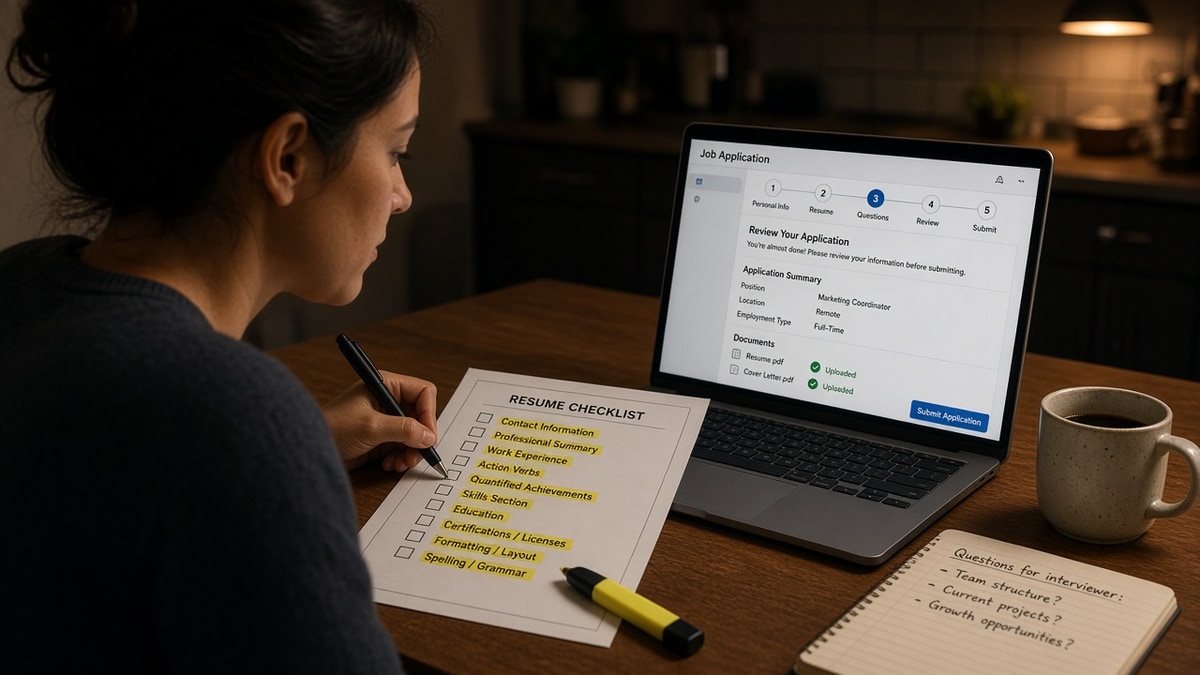
You're about to upload and the posting closes tonight. You don't have time for a full rewrite. You do have ten minutes to catch the errors that make a qualified file look broken after import.
Check your resume for free first if you haven't already. The checklist below assumes you've tailored once and need a final pass, not a blank-page rebuild.
Pair the file with a plain note from the cover letter generator only after the resume passes parser review. A polished letter cannot fix scrambled job titles on import.
Below you'll get grouped checklists with short rationale, two before-and-after fixes recruiters see on rushed uploads, a copy-paste filename line, and one scan step before Greenhouse or Workday eats the file.
Quick Wins
- Read extracted text, not the pretty PDF view.
- Drag your best posting match to bullet one under current role.
- Save as FirstName-LastName-Role.pdf with no spaces or version numbers.
What a last-minute resume pass actually catches
Parser breaks and wrong bullet order, not typos alone. Most last-minute panic edits add keywords to Skills while bullet one still opens with responsible for. The human skims top-down. So does most import logic.
A final checklist is not proofreading theater. It is four fast gates: does the file export cleanly, does the text read in the right order, does contact info survive, and does the filename match what the recruiter will search tomorrow.
I've watched strong candidates lose the skim in Workday because a two-column header pushed their current title onto line twelve of the extracted text. The ten-minute pass exists to catch that before submit, not after silence.
For deeper parser behavior, read resume rejected by ATS: what to fix first . This checklist is the short version you run when the posting deadline is tonight.
Last-minute resume update checklist before you apply
Work top to bottom. Stop at any fail and fix before moving on. Times are targets, not rules.
Group 1: Export and parser text (2 minutes)
- Export PDF or DOCX per portal rules. Open the file you will upload, not the editable draft.
- Copy all text into a plain editor. Job titles, employers, and dates should appear in order.
- Flag merged words, missing bullets, or contact info stranded at the bottom.
Group 2: Bullet order under current role (3 minutes)
- Highlight three must-have phrases from the posting.
- Move the bullet that proves the strongest match to position one.
- Cut duplicate lines that repeat the same skill in bullets two and four.
Before: Bullet one: Responsible for weekly reporting. Bullet three: Built Looker dashboards that cut ad-hoc requests 18%.
After: Bullet one: Built Looker dashboards for 6 product managers, cutting ad-hoc data requests 18% in Q2. Bullet three: Maintained weekly KPI email with SQL pulls from Snowflake.
Group 3: Contact block and dates (2 minutes)
- Phone, email, city and state on one or two lines. No icons-only rows.
- Month Year format: March 2022 to Present, not 03/22 or 2022.
- LinkedIn as plain text URL if you include it. No shortened links.
Group 4: Filename and portal fields (2 minutes)
Before: Resume FINAL v7 (1).pdf
After: Jordan-Lee-Product-Analyst.pdf
{`Copy-paste filename pattern:
FirstName-LastName-Target-Role.pdf

Portal paste check:
- Work history employer names match resume exactly
- Current job title field matches header title, not internal payroll title
- No extra spaces in required "skills" text boxes`}
Group 5: One spelling pass (1 minute)
- Search for taht, manger, and your most misspelled tool names.
- Confirm employer spelling matches your LinkedIn and the company site.
When to skip a full rewrite
If the posting only differs by one product name, swap that phrase in bullet one and the summary line three. Do not rebuild the whole Skills section at 11 p.m. A targeted swap plus parser check beats a panicked overhaul that introduces new layout bugs.
If you are applying to three similar roles tonight, duplicate the tailored file into three folders first. Edit one posting match per folder. Editing the same live file three times in a row is how v4 accidentally uploads while v5 still sits on your desktop.
Keep a sticky note on your monitor with the five group names. Physical prompts beat reopening this article mid-upload when the portal timer is running.
Rushed edits that backfire on upload
Shrinking font to fit more keywords. Eleven-point body text is readable. Nine-point stacks lines parsers merge. Cut a bullet instead of shrinking type.
Adding a Skills paragraph at the bottom. Long comma lists at the end rarely move proof. Put posting language in bullet one where humans already look.
Uploading the wrong file version. FINAL and OLD in the same folder cause real mistakes. Rename the approved export and move drafts to another folder before you open the portal.
Switching templates ten minutes before deadline. New Canva or Word layouts reorder sections on import. Tailor in place; do not swap design systems under pressure.
For bullet quality beyond order, see why quantified achievements improve ranking . Order first, polish second.
Scan once, then submit
You ran the checklist. Confirm the extracted text still shows bullet one first and your current employer name intact.
Run a free ATS check on the exact PDF you will upload. Broken columns and nested tables are the fastest silent fail on last-minute applications.
Run the list once, then stop tinkering
Set a timer for ten minutes. Work the five groups in order. When the timer ends, upload unless you found a parser fail. Endless tweaking after a clean scan rarely beats an on-time application.
Last-minute resume update checklist before you apply is about order and export integrity, not new content. Fix bullet one, fix the filename, and send it.
- Keep one tailored folder per target role family.
- Re-scan only after structural edits, not after every synonym swap.
- Apply while the posting language still matches bullet one.
This will not rescue a file that misses required qualifications. It stops qualified work from dying because the strongest bullet sat in third place and the parser read your header last.
Read more
Frequently asked questions
Ten minutes if you already tailored the file. Two minutes on export and parser text, three on bullet order under your current role, two on contact and dates, two on filename and portal fields, one on a single spelling pass. Longer reviews usually mean you are rewriting bullets, not checking them.
Upload what the portal asks for. When both are allowed, PDF preserves layout on most Workday and Greenhouse flows. When only DOCX is allowed, strip text boxes and use a single column before export. Never switch formats without re-running a parser check.
Leaving bullet three as the strongest line while bullet one still opens with responsible for. Recruiters and parsers weight the top of each role. A last-minute keyword stuff in Skills without moving proof to bullet one wastes the edit.
Scan after every structural change: column edits, new sections, font swaps, or pasting a new summary block. If you only changed three words in bullet two for one posting, a full scan is optional. If you rearranged sections, scan again.